
Microsoft Office Apps May Fail to Open After Windows 11 June Update


 8 min. read
  Published on
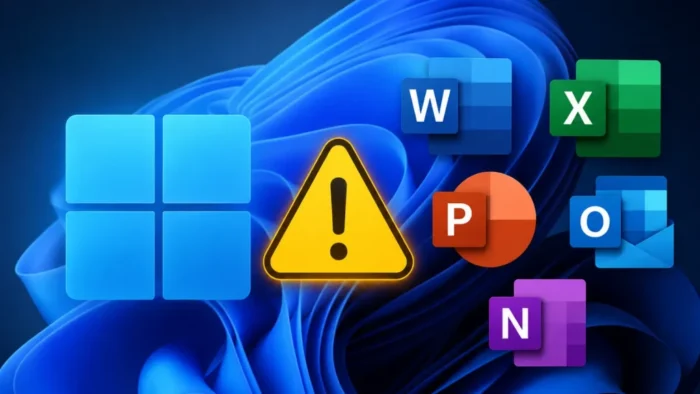
Microsoft has confirmed a new Windows 11 issue that can stop Office apps from opening when they are launched through certain third-party applications. The problem appeared after Windows updates released on or after June 9, 2026, including the KB5095051 release notes for Windows 11 version 26H1.
The issue can affect Microsoft Word, Excel, PowerPoint, Access, and other Office applications. In some cases, the app or document may fail to open without showing an error message, which makes the problem harder for users and IT teams to diagnose.

Access content across the globe at the highest speed rate.
70% of our readers choose Private Internet Access
70% of our readers choose ExpressVPN

Browse the web from multiple devices with industry-standard security protocols.

Faster dedicated servers for specific actions (currently at summer discounts)
Microsoft says the issue affects certain third-party applications that use OLE automation to interact with Office. This matters for businesses because many document management tools, accounting systems, legal workflows, research tools, and industry-specific apps depend on automated Office launching.
What Microsoft confirmed
Microsoft added the Office launch problem to its Windows release documentation on June 16, 2026. The issue appears in the known issues section for Windows updates released on June 9, 2026, and later.
The KB5094126 release notes for Windows 11 versions 24H2 and 25H2 list the same known issue. Microsoft also lists examples of affected third-party software, including CCH Engagement, Workpaper Manager, Dentrix, Softdent, and Zotero, while noting that similar applications may also be impacted.
The problem does not mean Office is broken for every user. Microsoft’s workaround says users can open the Office application or document directly instead of launching it from the affected third-party application.
| Issue | Details |
|---|---|
| Affected apps | Word, Excel, PowerPoint, Access, and other Office applications |
| Trigger | Launching Office from certain third-party applications |
| Cause area | Third-party applications using OLE automation |
| User-facing result | Office app or document may fail to open, sometimes with no error |
| Temporary workaround | Open the Office app or document directly |
| Fix status | Microsoft says a resolution is in progress for a future Windows update |
Why OLE automation matters here
OLE automation allows one Windows application to control or interact with another application. In Office workflows, a third-party program may use automation to open a Word document, generate an Excel workbook, or launch a PowerPoint file from inside its own interface.
Microsoft links the known issue to applications that interact with Office through IDispatch::Invoke, a Windows API method used to access properties and methods exposed by an object. When that automation path fails, the user may not see the same behavior as opening the file directly from Word, Excel, or File Explorer.
This explains why the issue can hit some business users while others on the same Windows update see no problem. The risk depends heavily on whether a company’s tools launch Office directly or call Office through an automation layer.
Enterprise workflows could see the biggest impact
The issue may be disruptive in environments where Office is part of a larger workflow instead of a standalone app. Accounting firms, dental offices, law firms, research teams, healthcare organizations, and document-heavy departments may see failures when third-party software tries to open or generate Office files.
Microsoft says a resolution is in progress and will be included in a future Windows update. For affected organizations, Microsoft also says a separate workaround is available through Microsoft Support for business.
Until the fix arrives, IT admins should identify which third-party applications rely on Office automation and test them against the June 2026 Windows updates before broad deployment to business-critical devices.
- Test Office launch behavior from accounting, legal, healthcare, research, and document management apps.
- Ask users to open documents directly in Word, Excel, PowerPoint, or Access where possible.
- Document which third-party apps fail after the June update.
- Contact software vendors for compatibility guidance or updates.
- Use Microsoft’s business support route if an organization needs the available workaround.
Which Windows 11 updates are involved?
The issue is tied to Windows updates released on or after June 9, 2026. For Windows 11 version 26H1, the affected June update is KB5095051, which brings the OS to Build 28000.2269.
The Windows 11 version 26H1 update includes security fixes, quality improvements from previous preview updates, AI component updates for Copilot+ PCs, and a servicing stack update. The Office issue was added later as a known issue, not as a listed feature change.
For Windows 11 versions 24H2 and 25H2, Microsoft documents the same problem under KB5094126, which brings both versions to OS Builds 26200.8655 and 26100.8655. Windows 11 version 23H2 also has the known issue listed under its June update.
| Windows version | June 2026 update | Known issue status |
|---|---|---|
| Windows 11 version 26H1 | KB5095051, OS Build 28000.2269 | Office launch issue listed |
| Windows 11 versions 24H2 and 25H2 | KB5094126, OS Builds 26100.8655 and 26200.8655 | Office launch issue listed |
| Windows 11 version 23H2 | KB5093998, OS Build 22631.7219 | Office launch issue listed |
| Windows updates released after June 9, 2026 | Varies by version | May also be affected until resolved |
What users can do now
For individual users, the simplest workaround is to open the Office app or file directly. For example, open Word first and then open the document from inside Word, or open the file from File Explorer instead of launching it through the affected third-party application.
Admins should avoid assuming the issue affects only one app or one vendor. Microsoft’s wording covers certain third-party applications that use OLE automation, and the listed examples are not presented as the full affected list.
Organizations should also monitor the Windows release health dashboard, which Microsoft uses to publish known issues, safeguards, servicing milestones, and update status information for Windows releases.
June update also includes other important changes
The Office launch problem is not the only item administrators should review in the June update notes. Microsoft also added a known Recycle Bin issue after the update, where the permanent delete confirmation dialog may show an internal file name instead of the original file name.
The update also includes a security hardening change for desktop.ini processing. As a result, some users may notice missing custom folder icons or localized folder names for downloaded or remote content, although Microsoft says folder access is not affected.
Security teams should still treat the June update as important. The June 2026 Security Updates page lists the security fixes covered by Microsoft’s monthly release cycle, which is why uninstalling the update should not be the first option for most environments.
Deployment teams should check installation media
Microsoft also warns deployment teams to make sure the boot.stl file is included when applying dynamic updates to an existing Windows image. If the file is missing, devices may fail to start from the installation media and return error code 0xc0430001.
This deployment warning is separate from the Office launch issue, but it matters for IT teams building or updating Windows images at scale. Microsoft recommends using the Update WinPE script or manually copying boot.stl from the matching Windows\Boot\EFI folder to installation media.
For large organizations, the practical approach is to separate the two risks: test Office automation workflows on updated devices, and separately validate Windows image servicing before using updated media in production.
- Do not remove the June security update unless the business impact justifies it and IT approves the risk.
- Use direct Office file opening as the first workaround for end users.
- Track affected third-party apps and versions in a central incident note.
- Check vendor support pages for Office automation fixes or advisories.
- Review deployment media separately for the boot.stl requirement.
When will Microsoft fix the Office issue?
Microsoft has not provided a specific release date for the fix. The company says a resolution is in progress and will be included in a future Windows update.
For organizations that need relief before the full fix ships, Microsoft says an organizational workaround is available for affected devices through Support for business. This suggests the issue may require managed mitigation in some enterprise environments rather than only end-user instructions.
Admins should continue checking Windows release health and the Security Update Guide for updated guidance. Developers of affected apps should also review their Office automation calls, including how they use IDispatch::Invoke, while Microsoft works on a platform-side resolution.
FAQ
Microsoft says certain third-party applications may be unable to launch Office apps or open Office documents after Windows updates released on or after June 9, 2026. The issue affects some apps that use OLE automation to interact with Office.
Microsoft says affected Office applications may include Word, Excel, PowerPoint, Access, and other Microsoft Office applications when launched from within affected third-party software.
No. KB5095051 is the Windows 11 version 26H1 June update, but Microsoft says the issue can occur after Windows updates released on or after June 9, 2026. The same known issue is also listed for other Windows 11 June updates.
Microsoft recommends opening the Office application or document directly instead of launching it from the affected third-party application. Organizations can also contact Microsoft Support for business for an available workaround on affected devices.
Microsoft says a resolution is in progress and will be included in a future Windows update. It has not provided a specific release date for the fix.


Read our disclosure page to find out how can you help VPNCentral sustain the editorial team Read more


Improve this guide

User forum
0 messages