
Microsoft Confirms Recycle Bin Bug After June 2026 Windows Updates


 6 min. read
  Published on
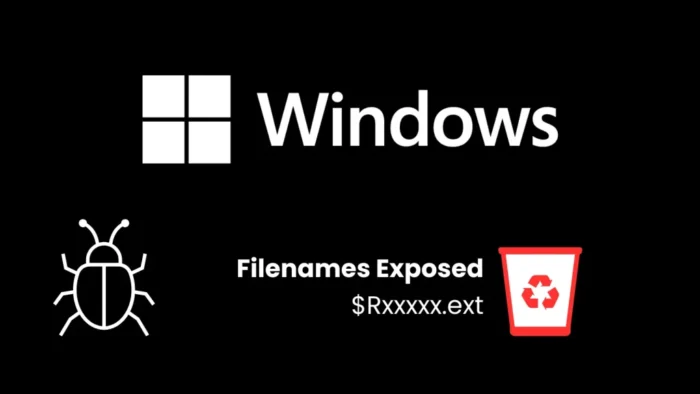
Microsoft has confirmed a new Windows bug that causes the Recycle Bin deletion confirmation dialog to show an internal file name instead of the original file name. The issue appears after installing the June 9, 2026 Windows security updates, according to Microsoft’s Windows release health dashboard.
The bug appears when users permanently delete a single item from the Recycle Bin. Instead of showing the normal file name, Windows may show an internal Recycle Bin name such as $Rxxxxx.ext.

Access content across the globe at the highest speed rate.
70% of our readers choose Private Internet Access
70% of our readers choose ExpressVPN

Browse the web from multiple devices with industry-standard security protocols.

Faster dedicated servers for specific actions (currently at summer discounts)
Microsoft says the issue only affects the confirmation dialog. The Recycle Bin still shows the original file name, and Windows restores the item with its original file name if the user chooses to recover it.
The Recycle Bin bug does not delete or rename files
The issue may look alarming because the confirmation dialog no longer shows the familiar file name. However, Microsoft’s known issue entry makes clear that the original file name remains visible in the Recycle Bin itself.
This means the bug does not rename the deleted item, corrupt the file, or prevent restoration. It changes what users see in the final confirmation window before permanent deletion.
For Windows 11 version 24H2 and 25H2, Microsoft lists the issue under KB5094126. That update covers OS Builds 26200.8655 and 26100.8655, while other Windows releases have separate June update pages.
| Platform | Example originating update | Status | What users may see |
|---|---|---|---|
| Windows 11 version 24H2 and 25H2 | KB5094126 | Confirmed | Internal Recycle Bin name in the delete confirmation dialog |
| Windows 11 version 23H2 | KB5093998 | Confirmed | Internal Recycle Bin name when permanently deleting one item |
| Windows 10 version 22H2 | KB5094127 | Confirmed | Dialog may show $Rxxxxx.ext instead of the original file name |
| Windows Server 2025 | KB5094125 | Confirmed | Same Recycle Bin confirmation dialog issue |
Many supported Windows versions are affected
Microsoft lists the bug across a wide range of supported Windows client and server releases. The affected client platforms include Windows 11 version 26H1, 25H2, 24H2, and 23H2, along with Windows 10 version 22H2 and several LTSC or LTSB releases.
On the server side, Microsoft lists Windows Server 2025, Windows Server 2022, Windows Server 2019, Windows Server 2016, Windows Server 2012 R2, and Windows Server 2012 as affected platforms.
The Windows 10 version 22H2 release health page also confirms the same symptom after the June 9 update. Microsoft lists the issue under Windows 10 version 22H2 known issues, with KB5094127 as the originating update.
Why Windows shows $R file names in the Recycle Bin
Windows stores deleted files in the Recycle Bin using internal file names. These names commonly begin with $R, while related metadata helps Windows display the original name, location, and restore details to the user.
The new bug exposes that internal naming format in one place where users normally expect the original file name. That is why the issue can cause confusion, even though the file still appears correctly inside the Recycle Bin list.
For Windows 11 version 23H2, Microsoft’s release health page says the issue occurs after installing the June 9, 2026 security update KB5093998.
- The bug appears when permanently deleting a single item from the Recycle Bin.
- The dialog may show an internal name such as $Rxxxxx.ext.
- The Recycle Bin list still shows the original file name.
- Restoring the file brings it back with the original file name.
- Microsoft is preparing a fix for a future Windows update.
Microsoft has a workaround for organizations
Microsoft says a workaround is available for affected devices, but organizations need to contact Microsoft Support for business to apply it. The company has not published a general self-service fix for all users.
Microsoft also says a resolution is in progress and will be included in a future Windows update. It has not provided a specific release date for the permanent fix.
The Windows Server 2025 release health page lists the issue as confirmed and shows it was opened on June 18, 2026. The same page ties the Windows Server 2025 case to KB5094125.
What users and admins should do now
Home users do not need to restore or rename files simply because the confirmation dialog shows an internal name. They should check the Recycle Bin list itself before permanently deleting anything important.
IT administrators should inform help desk teams and users that the issue affects the dialog, not the file listing or restore process. This can reduce support tickets and prevent users from thinking a file has been renamed or replaced.
Managed environments should watch Microsoft’s release health pages and apply the official fix when it becomes available. Admins who need immediate mitigation can contact Microsoft Support for business, as Microsoft recommends in the KB5094126 support page.
- Check the Recycle Bin list before permanently deleting a file.
- Do not assume that a $Rxxxxx.ext name means the file was damaged.
- Restore the file if there is any doubt before deleting it permanently.
- Tell users that the issue affects only the confirmation dialog.
- Monitor Microsoft’s release health pages for the future fix.
- Contact Microsoft Support for business if an organization needs the available workaround.
The Windows 10 release health page and the Windows 11 23H2 release health page both list the same behavior, confirming that the bug is not limited to one Windows generation.
FAQ
The bug causes the permanent deletion confirmation dialog to show an internal Recycle Bin file name, such as $Rxxxxx.ext, instead of the original file name. The original name still appears inside the Recycle Bin.
No. Microsoft says the issue only affects the confirmation dialog. The Recycle Bin still displays the original file name, and restoring the item brings it back with the original file name.
Microsoft lists Windows 11 version 26H1, 25H2, 24H2, and 23H2, Windows 10 version 22H2, Windows 10 LTSC and LTSB releases, and Windows Server versions from 2012 through 2025 as affected.
Microsoft says a resolution is in progress and will arrive in a future Windows update. Organizations can contact Microsoft Support for business to apply an available workaround on affected devices.
Check the file name shown in the Recycle Bin list, not only the confirmation dialog. If the dialog shows a $Rxxxxx.ext name and you are unsure, restore the file first and verify it before deleting it again.


Read our disclosure page to find out how can you help VPNCentral sustain the editorial team Read more


Improve this guide



User forum
0 messages