
Apple Fixes Beats Studio Buds Vulnerability That Could Let Attackers Listen Through the Microphone


 6 min. read
  Published on
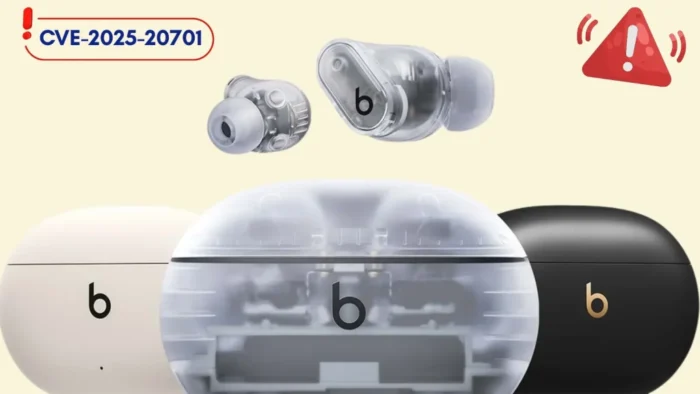
Apple has fixed a Bluetooth vulnerability in Beats Studio Buds that could allow a nearby attacker to listen through the earbuds’ microphone under specific pairing conditions.
The issue is tracked as CVE-2025-20701 and was patched in Beats Firmware Update 1B211, which Apple released on June 16, 2026. The affected product listed by Apple is Beats Studio Buds.

Access content across the globe at the highest speed rate.
🔥 Save 81% + 2 bonus months! 🔥
70% of our readers choose Private Internet Access
70% of our readers choose ExpressVPN
2
Browse the web from multiple devices with industry-standard security protocols.
🔥 Save 73%! 🔥

Faster dedicated servers for specific actions (currently at summer discounts)
🔥 Save 69%! 🔥
According to Apple, an attacker within Bluetooth range could potentially listen through the microphone of a device that was not yet paired and was actively seeking pair requests. That makes the update important for Beats Studio Buds owners, especially users who carry the earbuds in public places such as offices, airports, cafes, and transit hubs.
What Apple Fixed in Beats Firmware Update 1B211
The vulnerability affects the Bluetooth component used by Beats Studio Buds. Apple said the flaw comes from open-source code and that Apple software was among the affected projects.
Apple credited Dennis Heinze and Frieder Steinmetz of ERNW GmbH for reporting CVE-2025-20701. The company did not publish exploit-level technical details, which matches its usual policy of limiting vulnerability information until patches reach users.
The broader issue relates to missing authentication in Bluetooth Classic, also known as BR/EDR. ERNW’s Airoha Bluetooth advisory describes CVE-2025-20701 as a missing authentication flaw for Bluetooth BR/EDR, alongside related Bluetooth and custom protocol vulnerabilities affecting some Airoha-based audio products.
| Item | Details |
|---|---|
| Vulnerability | CVE-2025-20701 |
| Affected Apple product | Beats Studio Buds |
| Fixed version | Beats Firmware Update 1B211 |
| Release date | June 16, 2026 |
| Main risk | Nearby attacker may listen through the microphone during pairing-seeking behavior |
| Researchers credited | Dennis Heinze and Frieder Steinmetz of ERNW GmbH |
How the Eavesdropping Risk Works
The attack is limited by proximity. A threat actor would need to be within Bluetooth range of the earbuds, so the risk is different from an internet-based exploit. However, the impact is serious because the exposed data could include live microphone audio.
ERNW’s later technical disclosure explains that some Airoha-based devices accepted Bluetooth Low Energy or Bluetooth Classic connections without properly enforcing authentication. In some scenarios, a nearby device could connect without pairing, bonding, or user interaction.
The same research also warned that the practical impact depends on the target device and how it handles Bluetooth audio connections. Some attacks may interrupt an existing audio stream, which could alert the user, while other conditions may be less obvious.
Why Beats Studio Buds Owners Should Update
Wireless earbuds rely on automatic pairing and background Bluetooth behavior to feel seamless. Those same features can create risk when authentication checks fail during discovery or pairing states.
Apple’s security note says firmware updates are delivered automatically while Beats headphones are paired with and within Bluetooth range of an iPhone, iPad, or Mac. Users do not need to download a separate installer on Apple devices.
Still, owners should check the firmware version because automatic updates can take time. Users should look for version 1B211 on Beats Studio Buds.
How to Check and Install the Beats Studio Buds Update
Apple’s Beats update guide says users should keep Beats devices up to date with the latest firmware. On Apple devices, firmware updates are delivered over the air. On Android devices, updates are available through the Beats app.
- On iPhone or iPad, connect the Beats Studio Buds, open Settings, tap the Beats device name, and check the version in the About section.
- On Mac, connect the earbuds, open System Settings, select the Beats device in the sidebar, and check the version number.
- On Android, open the Beats app, select the connected device, and check the firmware version under device information.
- If the firmware is older than 1B211, keep the earbuds charged, connected, and near the paired device until the update installs.
Apple also says Beats users can manually update some devices by keeping them charged, connected, and within Bluetooth range of an Apple device for at least 30 minutes before reconnecting and checking the firmware version again.
Broader Bluetooth Headphone Risk
The Beats Studio Buds fix is part of a wider Bluetooth headphone security story. ERNW researchers previously found multiple issues affecting Airoha-based headphones, earbuds, speakers, dongles, and wireless microphones.
In its initial advisory, ERNW said the affected chips are used across many audio products, and that it could not provide a complete list of every impacted device. That makes vendor firmware updates especially important because many users may not know which Bluetooth chipset their headphones use.
The later full disclosure described the vulnerabilities as missing authentication and exposed debug functionality. It also advised users to update their devices and suggested that high-risk users, such as journalists, diplomats, and people targeted for surveillance, consider wired headphones in sensitive situations.
What Users Should Do Now
Beats Studio Buds users should confirm that firmware 1B211 is installed. If the earbuds still show an older firmware version, they should keep them near a paired iPhone, iPad, Mac, or Android device with the Beats app installed.
- Install Beats Firmware Update 1B211 as soon as it becomes available.
- Avoid putting earbuds into pairing mode in crowded or untrusted environments unless necessary.
- Remove old Bluetooth pairings from phones and computers.
- Keep iPhone, iPad, Mac, Android, and the Beats app updated.
- Use wired audio for sensitive conversations if you face elevated surveillance risk.
The update shows why firmware patches matter for accessories, not just phones and laptops. Bluetooth audio devices contain software, radios, microphones, and stored trust relationships with phones. When those systems fail to enforce authentication properly, even a small wearable device can become a privacy risk.
Apple has now addressed the Beats Studio Buds issue, but users still need to confirm that the patched firmware has reached their earbuds. The safest next step is simple: check the version number and update to 1B211.
FAQ
The vulnerability is CVE-2025-20701, a Bluetooth issue that could allow a nearby attacker to listen through the microphone of a Beats Studio Buds device that is not yet paired and is actively seeking pair requests.
Apple fixed the issue in Beats Firmware Update 1B211, released on June 16, 2026, for Beats Studio Buds.
Yes. The attack requires Bluetooth proximity, so the attacker must be within wireless range of the Beats Studio Buds.
On iPhone or iPad, connect the earbuds, open Settings, tap the Beats device name, and check the About section. On Mac, connect the earbuds and check the version in System Settings. Android users can check through the Beats app.


Read our disclosure page to find out how can you help VPNCentral sustain the editorial team Read more


Improve this guide




User forum
0 messages