
Malicious Windows Shortcuts Use PowerShell and Node.js to Install a Remote Access Backdoor


 13 min. read
  Published on
A malware campaign is using malicious Windows shortcut files, hidden PowerShell commands and a legitimate Node.js runtime to gain remote access to Windows computers.
The infection starts when a victim downloads a booking-themed ZIP archive and opens an LNK file disguised as an image. The shortcut silently launches PowerShell, installs a JavaScript backdoor and establishes an encrypted connection to attacker-controlled infrastructure.

Access content across the globe at the highest speed rate.
70% of our readers choose Private Internet Access
70% of our readers choose ExpressVPN

Browse the web from multiple devices with industry-standard security protocols.

Faster dedicated servers for specific actions (currently at summer discounts)
Researchers at LevelBlue identified the campaign while investigating an alert in a customer environment. They linked more than 400 samples to a common machine identifier, suggesting that the operation forms part of a sustained malware campaign.
The attack begins with booking-themed messages
The attackers distribute links through messages that appear to concern hotel bookings, reservations or customer photographs. This theme may prove particularly effective against hotels and travel companies because employees regularly receive files and links from unfamiliar customers.
A link directs the recipient to a ZIP archive containing a Windows shortcut. The LNK file uses an image-related name and borrows an icon from the Windows shell32.dll library, making it look like a PNG or another ordinary image.
Opening the shortcut does not display a photograph. Instead, it starts a hidden PowerShell command that retrieves and runs the next stage of the infection.
- The victim receives a booking or reservation-themed message.
- A link leads to a ZIP archive hosted on an external service.
- The archive contains an LNK file disguised as an image.
- The victim opens the shortcut and starts a hidden PowerShell command.
- The command downloads and launches a Node.js-based backdoor.
The technique relies primarily on social engineering rather than a vulnerability in Windows, PowerShell or Node.js. The victim must open the malicious shortcut before the infection chain can continue.
The shortcut hides its download address with simple calculations
The LNK file contains an obfuscated PowerShell command. Instead of placing its next-stage address directly inside the shortcut, the command uses large numbers and mathematical operations to reconstruct parts of the URL at runtime.
This method prevents analysts and basic security scanners from immediately seeing the destination as readable text. However, security products can still detect the wider behavior, including hidden PowerShell execution, network downloads and child processes created by shortcut files.
Microsoft documents several logging, application control and security capabilities in its PowerShell security guidance. Organizations can use these controls to improve visibility into suspicious scripts and restrict unauthorized command execution.
| Attack component | Purpose |
|---|---|
| Booking-themed message | Encourages the recipient to trust and open the downloaded archive |
| ZIP archive | Conceals the shortcut and may reduce immediate scrutiny |
| Image-themed LNK file | Disguises the executable shortcut as a photograph |
| Hidden PowerShell | Reconstructs the download address and retrieves the next stage |
| Node.js runtime | Runs the attackers’ JavaScript backdoor |
The malware installs a legitimate Node.js runtime
After the first PowerShell stage runs, it checks whether Node.js already exists on the computer. When the runtime is missing, the malware downloads an authentic Windows Node.js package and extracts it inside the user’s LocalAppData directory.
The observed chain downloaded Node.js 24.13.0 from the official distribution infrastructure. The Node.js 24.13.0 release page confirms that the project published the legitimate Long Term Support version in January 2026.
The attackers do not exploit a vulnerability in Node.js. They abuse the trusted runtime to execute malicious JavaScript, helping the backdoor blend with software that may appear legitimate when analysts inspect individual files or processes.
This tactic also allows the malware operators to distribute a JavaScript payload without compiling a traditional Windows executable for the first stage. Once installed, node.exe provides the environment required to launch the backdoor.
The JavaScript payload uses heavy obfuscation
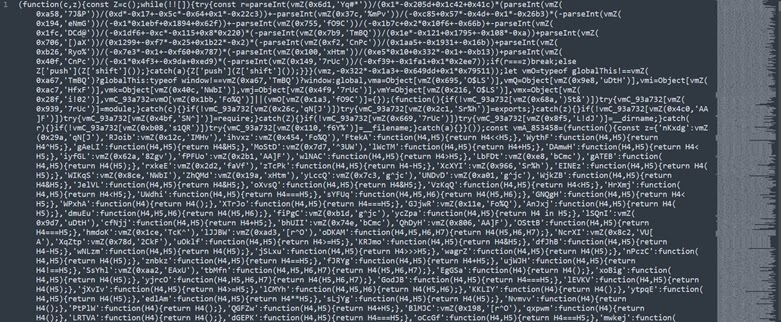
The malware decrypts an encoded JavaScript file after preparing the Node.js runtime. Researchers found that the script used extensive obfuscation and a custom virtual-machine-style interpreter to process hidden instructions.
Virtualized obfuscation replaces straightforward program logic with instructions interpreted by a custom engine. This approach makes static analysis more difficult because investigators must first understand the interpreter before they can reconstruct the malware’s behavior.
The script also checks for an existing copy of its Node.js process. This prevents the malware from starting multiple instances and may reduce unusual resource usage or network activity that could draw attention.
- Decrypt an encoded JavaScript payload.
- Run the payload through the installed Node.js executable.
- Check whether another malware process already exists.
- Start the backdoor as a detached and hidden process.
- Suppress visible windows and standard output.
The malware stores the runtime and related files in a user-writable location. This setup allows it to operate without installing Node.js system-wide or requiring a conventional software installation process.
A Run registry entry gives the backdoor persistence
The JavaScript payload creates a Windows Run registry entry so the malware starts whenever the affected user signs in. The backdoor launches as a detached process with its window hidden and its output suppressed.
Run keys remain a common persistence method because they provide a simple way to restart malware without creating a Windows service or scheduled task. Defenders should monitor new autorun entries that launch PowerShell, Node.js or executables from user profile directories.
The backdoor can then receive instructions from its command-and-control server and download additional payloads. Supported payloads include Windows executables, PowerShell scripts and JavaScript files.
| Backdoor capability | Potential impact |
|---|---|
| Download files | Allows the attacker to deliver more malware or tools |
| Run executables | Enables additional Windows payloads to execute |
| Execute PowerShell | Supports reconnaissance, downloads and system changes |
| Execute JavaScript | Allows new instructions to run through Node.js |
| Maintain persistence | Restarts the backdoor when the user signs in |
| Open encrypted communications | Protects command traffic from simple network inspection |
The backdoor attempts to weaken Microsoft Defender
Before launching a downloaded executable, the backdoor checks whether the file resembles a valid Windows program. This step may prevent damaged or incomplete payloads from exposing the infection through repeated execution errors.
The malware also attempts to add a Microsoft Defender exclusion for the downloaded file’s location. A successful exclusion could prevent Defender from scanning or blocking later payloads stored in that path.
Organizations should monitor changes to Defender exclusions, particularly when PowerShell or an unexpected Node.js process makes them. Microsoft’s PowerShell security documentation also explains controls that can help administrators log script activity and constrain access to sensitive commands.
A Defender exclusion attempt does not guarantee success. Permissions, security policies and endpoint protection controls may block the change, but defenders should still treat an unexpected attempt as a strong sign of malicious activity.
TON blockchain records provide the control server address
The backdoor does not rely on a permanently embedded command-and-control domain. Instead, it queries a smart contract on The Open Network, also known as TON, to retrieve information pointing to the current server.
This technique resembles EtherHiding, in which malware operators store or retrieve infrastructure details through blockchain data. The attackers can update the smart contract information when defenders block a domain, without rebuilding and redistributing every infected file.
TON’s documentation explains how applications can retrieve account and transaction data through blockchain APIs. The legitimate feature allows software to read on-chain information, but attackers can misuse the same capability as a resilient configuration channel.
- The backdoor queries a specific TON account through an API.
- The contract response provides information used to locate the active control server.
- The operator can update the stored destination when infrastructure changes.
- Infected computers retrieve the new destination without receiving a new malware build.
- The backdoor connects to the server through an encrypted WebSocket channel.
Blockchain-based retrieval does not make the malware impossible to disrupt. Defenders can still block related APIs, domains, IP addresses and process behavior, although broad blockchain blocking may disrupt legitimate applications.
The malware encrypts its WebSocket communications
After identifying its command server, the backdoor opens a WebSocket connection. It performs a key exchange and uses encryption to protect later messages.
Encrypted traffic can prevent basic network tools from reading commands or payload content. However, defenders may still identify the connection through destination reputation, unusual process behavior, uncommon WebSocket patterns or connections from node.exe in user profile directories.
Researchers found that payload delivery and control servers used Cloudflare services. The use of a major network provider can make infrastructure harder to block based only on hosting ownership because many legitimate websites rely on the same platform.
Security teams should combine network indicators with endpoint evidence. A connection may become far more suspicious when node.exe starts from LocalAppData shortly after a hidden PowerShell process and a new Run registry value appear.
More than 400 samples shared the same identifier
LevelBlue researchers observed new samples appearing daily and linked more than 400 files to the machine identifier win-5r0dsv23ed0.
The recurring identifier, repeated code, shared infrastructure and consistent file patterns suggest a coordinated campaign rather than unrelated malware samples. Early versions also appeared in comments on public discussion forums, indicating that the operators tested more than one delivery method.
The LevelBlue investigation identified recurring shortcut names beginning with photo- or IMG-. Many used double extensions such as .png.lnk to make the files look like ordinary images when Windows hid known file extensions.
| Observed pattern | Example |
|---|---|
| Image-themed shortcut | photo-*.png.lnk |
| Camera-style shortcut | IMG-*.png.lnk |
| Shared machine identifier | win-5r0dsv23ed0 |
| Node.js location | User LocalAppData directory |
| Persistence method | Windows Run registry entry |
| Control retrieval | TON smart-contract API query |
Hotels and travel businesses may face higher exposure
Organizations that process frequent reservation messages may face greater risk from this campaign. Hotel employees often receive attachments, booking details and photographs from people outside the company.
An attacker can exploit that normal workflow by presenting the ZIP archive as supporting material for a reservation, complaint or property question. Staff may open the file because the request appears relevant to their job.
Businesses should train employees to recognize that an image should not have an .lnk extension. Windows can hide known file extensions by default, so administrators may also consider configuring systems to display complete filenames.
- Verify unexpected booking links through a separate communication channel.
- Do not open LNK files received inside ZIP archives.
- Display complete file extensions on managed Windows devices.
- Inspect archives that arrive from unknown or newly registered domains.
- Report messages that ask users to bypass browser or download warnings.
Email and web filters should treat shortcut files from external sources as high risk. Organizations that do not need LNK attachments can block or quarantine them before users receive the files.
Security teams can detect several stages of the attack
The campaign uses legitimate programs, but the sequence creates multiple detection opportunities. A Windows shortcut launching hidden PowerShell should receive immediate scrutiny, especially when PowerShell downloads files or creates processes in LocalAppData.
Defenders should also look for unexpected copies of node.exe or Node.js archives inside user directories. Developer workstations may use Node.js legitimately, so analysts should examine installation paths, parent processes, command-line arguments and network activity.
Queries to TON blockchain services from systems that do not normally use cryptocurrency or blockchain applications may provide another signal. TON’s transaction and API documentation can help analysts understand the legitimate request structure while investigating unusual access.
- Search for LNK files extracted from externally downloaded ZIP archives.
- Review shortcut files that launch PowerShell with hidden window options.
- Find Node.js binaries created under LocalAppData or temporary folders.
- Inspect new Run registry entries that start node.exe or JavaScript files.
- Review attempts to add Microsoft Defender exclusions.
- Search for unusual WebSocket traffic from Node.js processes.
- Investigate unexpected requests to TON APIs and identified control domains.
Security teams should isolate affected devices before removing files. Preserving the original ZIP archive, shortcut, scripts, registry values and network logs can help responders understand the full scope of the compromise.
Indicators of compromise linked to the campaign
The following indicators appeared in the analyzed campaign. Defenders should use them with behavioral detections because the attackers can quickly replace domains, filenames and hashes.
| Type | Indicator | Description |
|---|---|---|
| Initial URL | hxxps://share.google/YLoRYlokrW3iner8r | Initial link used to direct the victim into the delivery chain |
| Redirect domain | recordstrace[.]info | Domain involved in redirecting the victim to the malicious archive |
| TON account ID | 0c66119f0e5635c4380441d7a79baf0c02a0ab7ea6cd78de06507fc5dc2c1a5d9 | Smart-contract account queried to retrieve control information |
| Machine identifier | win-5r0dsv23ed0 | Shared value found across more than 400 related samples |
| File pattern | photo-*.png.lnk | Image-themed malicious Windows shortcuts |
| File pattern | IMG-*.png.lnk | Alternative image-themed shortcut pattern |
| C2 domain | tonajukbhuakpo2[.]shop | Command-and-control domain recorded during the investigation |
| C2 domain | zloapobikahy23[.]bond | Previously used control domain |
| C2 domain | hsaertyuoang34[.]sbs | Previously used control domain |
| C2 domain | amanohuguta[.]cfd | Previously used control domain |
The campaign also used numerous rotating domains connected to related shortcut samples. A large blocklist may help with historical hunting, but process and persistence detections will remain more durable when the operators move to new infrastructure.
How organizations can reduce the risk
Organizations should prevent externally sourced shortcut files from reaching users wherever possible. Application control can also stop unknown scripts and runtimes from launching in user-writable directories.
Security teams should monitor PowerShell rather than blocking it indiscriminately because many administrators and business tools use it legitimately. Script block logging, command-line telemetry and endpoint detection rules can separate routine administration from suspicious download chains.
The attackers downloaded a legitimate runtime instead of modifying Node.js itself. The official Node.js release information helps confirm that the abused package belongs to the real project, while the malicious behavior comes from the script and installation context.
- Block LNK attachments and shortcut files from untrusted web downloads.
- Inspect booking-themed ZIP archives before delivery to employees.
- Enable PowerShell logging and retain process command-line data.
- Restrict executable content in LocalAppData and temporary directories.
- Monitor changes to Microsoft Defender exclusions.
- Alert on Run registry entries that start scripts or user-folder runtimes.
- Review outbound WebSocket connections from unexpected Node.js processes.
A single shortcut click can give the attackers a durable remote-access channel. Early detection of the LNK file, concealed PowerShell or unusual Node.js installation can stop the chain before the backdoor establishes persistence and downloads additional malware.
FAQ
The victim opens an LNK file disguised as an image inside a ZIP archive. The shortcut launches hidden PowerShell, downloads a legitimate Node.js runtime and runs an obfuscated JavaScript backdoor.
No. The attackers download and abuse a legitimate Node.js runtime to execute their malicious JavaScript. The infection depends on social engineering and malicious scripts rather than a disclosed Node.js vulnerability.
The backdoor queries a TON smart contract to retrieve information about its current command-and-control server. Attackers can update that information without rebuilding every malware sample.
Warning signs include image-themed LNK files, hidden PowerShell, Node.js files under LocalAppData, unusual Run registry entries, Defender exclusion changes and unexpected WebSocket or TON API traffic.
Organizations can block external LNK files, inspect ZIP downloads, enable PowerShell logging, restrict execution from user-writable directories and monitor new Node.js processes and autorun registry entries.


Read our disclosure page to find out how can you help VPNCentral sustain the editorial team Read more


Improve this guide
User forum
0 messages