
Forg365 Phishing Platform Uses AI to Attack Microsoft 365 Accounts


 13 min. read
  Published on
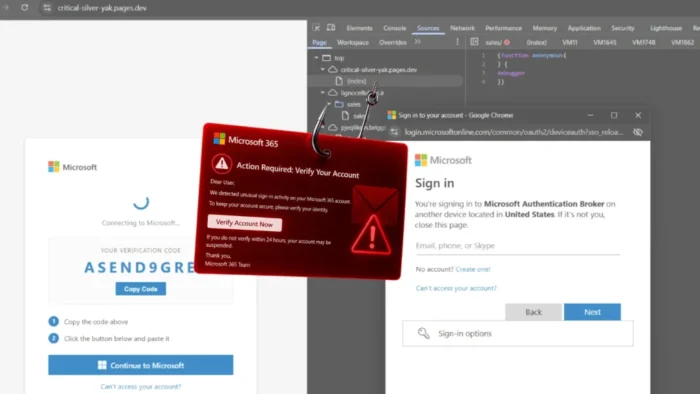
Security researchers have uncovered Forg365, a phishing-as-a-service platform designed to compromise Microsoft 365 accounts and maintain access after the initial attack.
The service combines device-code phishing, adversary-in-the-middle attacks, AI-generated email lures, authentication token storage, mailbox intelligence, and browser session persistence in one operator panel.

Access content across the globe at the highest speed rate.
70% of our readers choose Private Internet Access
70% of our readers choose ExpressVPN

Browse the web from multiple devices with industry-standard security protocols.

Faster dedicated servers for specific actions (currently at summer discounts)
Forg365 is sold through Telegram and reportedly offers a five-day trial. Researchers observed monthly access priced at $400 and annual access at $3,800.
What is Forg365?
Forg365 is a commercial phishing platform that gives cybercriminals ready-made tools for targeting Microsoft 365 users.
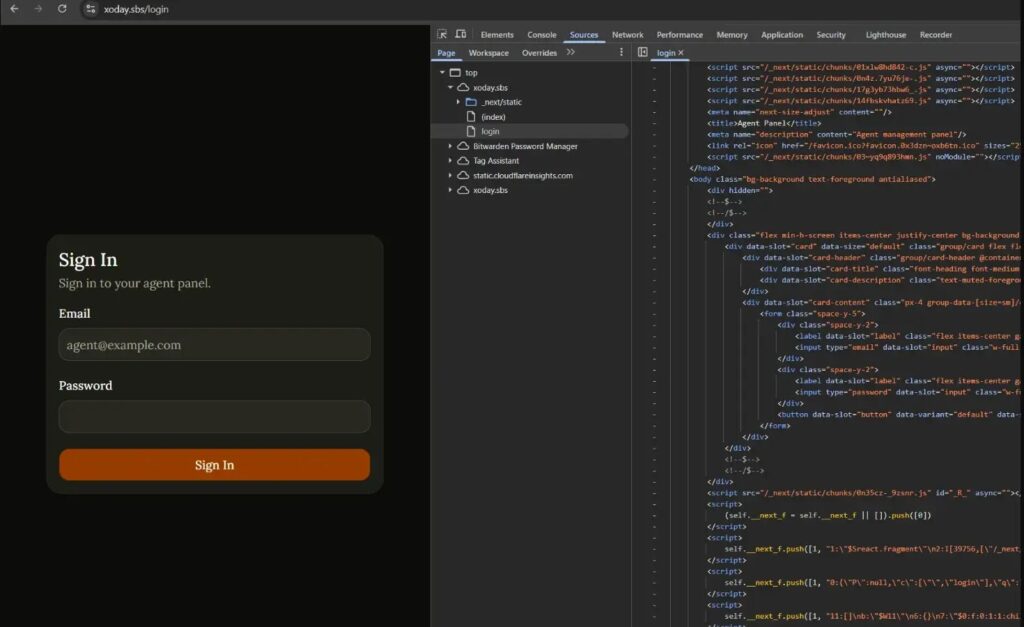
According to ZeroBEC’s Forg365 investigation, the platform brings campaign creation, phishing delivery, token capture, session management, and mailbox access into a single dashboard.
This setup reduces the technical knowledge required to run an identity-based attack. Operators do not need to build their own login pages, email infrastructure, token databases, or post-compromise tools.
| Forg365 component | Purpose |
|---|---|
| AI Generate | Creates phishing emails and business-themed lures |
| Device-auth phishing | Tricks users into approving attacker-controlled Microsoft sessions |
| AiTM routing | Captures login data, tokens, and session cookies |
| Token Vault | Stores captured authentication tokens |
| Account Intel | Collects information from compromised Microsoft 365 accounts |
| Keyword Listener | Monitors mailboxes for selected terms |
| ForgCookie | Refreshes Microsoft browser sessions from an attacker-controlled browser |
Forg365 is distributed through Telegram
Researchers observed Forg365 onboarding, customer support, pricing, and access management through Telegram.
The subscription model resembles a legitimate software service. Customers receive access to a central panel containing campaign templates, sending tools, SMTP profiles, captured accounts, and technical support.
ZeroBEC observed a five-day free trial, a $400 monthly plan, and a $3,800 annual plan. This pricing targets criminals who want a complete platform rather than a basic phishing template.
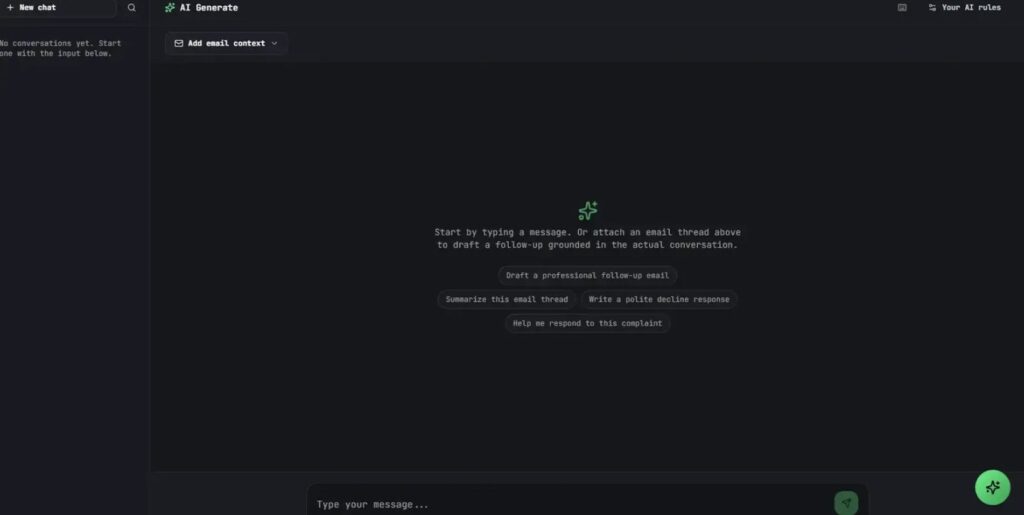
AI creates phishing emails inside the operator panel
Forg365 includes an AI-assisted content generator directly inside its campaign workflow.
Operators can create or refine emails that impersonate invoices, voicemail alerts, password resets, shared documents, or business notifications. They do not need to move between the phishing panel and a separate AI service.
The same interface manages links, SMTP accounts, templates, redirects, OAuth applications, and post-compromise activity.
- Microsoft SharePoint document notifications
- OneDrive file-sharing invitations
- DocuSign signature requests
- Adobe Acrobat Sign messages
- Password expiration warnings
- Voicemail and missed-call alerts
- Invoices and payment requests
Device-code phishing uses a real Microsoft sign-in page
One Forg365 attack branch abuses Microsoft’s device-code authentication process.
Device-code flow exists for devices that lack a convenient keyboard or browser, including shared screens and conference room equipment. Microsoft describes it as a high-risk authentication method in its Conditional Access authentication flow guidance.
During an attack, the criminal starts a device login request and sends the generated code to the victim. The phishing page then directs the victim to enter that code into Microsoft’s legitimate authentication service.
- The attacker creates a device-code authentication request.
- Forg365 displays the code on a Microsoft-themed page.
- The victim visits Microsoft’s legitimate sign-in service.
- The victim enters the attacker’s code.
- The victim signs in and completes multifactor authentication.
- Microsoft issues tokens to the attacker-controlled session.
- The attacker uses those tokens to access Microsoft 365 resources.
The victim may never enter a password on the phishing site
Device-code phishing can avoid directly collecting the victim’s password.
The user enters credentials and completes multifactor authentication on a real Microsoft page. However, the code belongs to a session started by the attacker.
As a result, the victim authorizes access for the wrong device while believing they are approving a document, application, or routine business request.
Forg365 also supports adversary-in-the-middle phishing
Forg365 includes a separate adversary-in-the-middle, or AiTM, attack branch.
An AiTM phishing page acts as an intermediary between the victim and Microsoft’s authentication service. It relays the login process while collecting credentials, tokens, or browser cookies.
This approach can allow an attacker to reuse an authenticated session after the victim completes multifactor authentication.
| Attack method | How it works | Main risk |
|---|---|---|
| Device-code phishing | The victim enters an attacker-provided code on Microsoft’s legitimate sign-in page | The victim authorizes an attacker-controlled session |
| AiTM phishing | A malicious server relays authentication between the victim and Microsoft | The attacker captures credentials, tokens, or cookies |
Anti-bot controls hide phishing pages from scanners
Forg365 can inspect visitors before deciding which page to display.
Researchers observed traffic classification, VPN detection, redirect rules, and benign decoy pages. A security scanner may receive harmless content while a selected victim receives the actual phishing page.
The platform also supports debugger checks, headless browser detection, sandbox detection, virtual machine checks, and browser automation detection.
Encrypted SVG files provide another delivery method
The Forg365 panel contains an SVG Generator for creating encrypted redirect files.
These files can arrive as email attachments or hosted content. When opened, they direct the victim through the campaign’s redirect chain.
The advertised SVG capabilities include AES encryption, bot detection, debugger traps, sandbox checks, virtual machine fingerprinting, and polymorphic code.
Forg365 uses several legitimate cloud services
The observed campaign mixed malicious infrastructure with widely used hosting and email services.
ZeroBEC found signs of Amazon SES and SendGrid in the original delivery chain. Forg365 also used Cloudflare Pages and Workers for victim-facing pages and redirect workflows.
This mixture can make malicious traffic look more similar to normal business activity. It also allows operators to replace or rotate landing pages without exposing the central panel.
SMTP rotation helps operators send larger campaigns
Forg365 lets operators configure multiple SMTP profiles and rotate between them.
The campaign panel also includes email groups, templates, scheduling, invitation links, redirect links, and OAuth application settings.
Researchers found a related Gophish installation within the wider infrastructure cluster. They assessed it as a supporting delivery component rather than proof that Forg365 uses Gophish as its core platform.
Token Vault stores captured access
Forg365 continues operating after the victim completes the phishing process.
The Token Vault gives operators a central place to manage captured authentication material. Other tools can then use that access to query Microsoft Graph, inspect mailboxes, or create browser sessions.
Microsoft recommends a defense-in-depth approach for preventing token theft and replay in its Microsoft Entra token protection guidance.
Mailbox tools support post-compromise activity
Forg365 includes several features for examining a compromised Microsoft 365 account.
Account Intel can collect information about the victim and the connected tenant. M365 Search and Keyword Listener can help operators find messages related to payments, passwords, invoices, legal documents, or other sensitive subjects.
The platform also offers AI mailbox context and Viewer Links. Viewer Links can provide password-protected, read-only mailbox access with an expiration time.
- Search messages and folders
- Monitor selected keywords
- Inspect account and tenant information
- Track new messages through inbox synchronization
- Generate links for viewing mailbox content
- Use email context in AI-assisted workflows
ForgCookie attempts to maintain browser access
ForgCookie is a Manifest V3 browser extension associated with the platform.
ZeroBEC found that the extension runs in the attacker’s browser, not on the victim’s computer. It communicates with Forg365 infrastructure to generate and refresh Microsoft session cookies for compromised accounts.
The extension requests access to Microsoft login services and uses silent authentication workflows to obtain browser cookies. It can repeat the process through scheduled Chrome alarms.
ForgCookie should not appear on the victim’s device
Security teams should not expect to find the ForgCookie extension in the victim’s managed browser inventory.
The extension operates on the criminal’s system. Defenders must instead look for the activity it generates inside Microsoft Entra and Microsoft 365.
Useful signs include repeated silent authentication, non-interactive Microsoft Graph access from unfamiliar addresses, and sessions that remain active after a password reset.
Researchers found suspicious Microsoft Entra devices
ZeroBEC observed Microsoft Entra joined devices with names beginning with “Forg365.”
These device names created a direct link between the test campaign and Forg365’s device registration workflow.
However, organizations should not rely on one naming pattern. Attackers can easily rename registered devices after defenders begin searching for a known prefix.
Campaign telemetry included Microsoft Graph access
The researchers linked the device-code branch to Microsoft Authentication Broker events and Microsoft Graph activity.
They also observed non-interactive activity using Node.js-style user agents after the initial device-code authorization.
These events can help investigators connect a user’s interactive sign-in with automated activity that follows from another address or device.
| Detection clue | Why it matters |
|---|---|
| Original transfer method set to deviceCodeFlow | Shows that the session began through device-code authentication |
| Microsoft Authentication Broker activity | May indicate device authentication or token exchange |
| Unexpected Microsoft Graph access | Can indicate automated mailbox or account activity |
| Forg365-prefixed device names | Matches devices observed during ZeroBEC’s campaign testing |
| Node.js-style user agents | May indicate scripted follow-on access |
| Repeated silent sign-ins | Can indicate session refresh or token replay |
One campaign backend was hosted in Kyiv
ZeroBEC linked one campaign-related server to an address geolocated in Kyiv, Ukraine.
The server exposed a page carrying Forg365 branding and later produced Microsoft Graph and device registration activity.
The researchers stressed that this observation applies to one campaign-linked backend. It does not establish that all Forg365 infrastructure or its operators are based in Ukraine.
A Comcast address appeared during device-code activity
ZeroBEC also observed a Comcast/Xfinity fixed-line address during Microsoft Authentication Broker and device-code events.
The address did not belong to the researchers’ victim environment. It later appeared in non-interactive Microsoft Graph activity.
Residential or fixed-line connections can make malicious access harder to distinguish from ordinary user traffic than activity from a known hosting provider.
Forg365 resembles other Microsoft 365 phishing services
Forg365 shares features with phishing platforms such as Kali365 and Sneaky 2FA.
The similarities include Telegram distribution, Microsoft 365 targeting, token capture, AiTM routing, AI-assisted lures, automated templates, and session persistence.
However, ZeroBEC’s research found no proof that the same people operate Forg365, Kali365, or Sneaky 2FA.
Organizations should restrict device-code authentication
Microsoft recommends allowing device-code flow only when an organization has a genuine business requirement.
Administrators can use Conditional Access to block the flow broadly and create narrow exceptions for approved devices, applications, or network locations.
Microsoft’s device-code flow documentation also recommends reviewing sign-in logs before enforcing a policy. This step helps identify legitimate systems that still depend on the flow.
- Review Microsoft Entra sign-in logs for legitimate device-code use.
- Create a Conditional Access policy in report-only mode.
- Identify conference room systems or other approved devices.
- Block device-code flow for other users and resources.
- Create tightly controlled exceptions where required.
- Review exceptions regularly and remove unused access.
MFA alone may not stop these attacks
Both device-code phishing and AiTM attacks can work after the victim completes multifactor authentication.
The user may approve the login because the request appears inside Microsoft’s genuine authentication process. AiTM attacks can also capture session material after successful authentication.
Organizations should deploy phishing-resistant authentication methods, device-based Conditional Access, risk-based controls, and token protections where supported.
Token protection can reduce replay attacks
Microsoft Entra Token Protection binds supported authentication tokens to the device that requested them.
This makes it harder for an attacker to copy a token and reuse it from another device. Coverage depends on the operating system, application, registration state, and licensing.
Microsoft’s token theft defense recommendations also include device hardening, compliant-device policies, risk detection, network controls, and interactive reauthentication for sensitive tasks.
Security teams should monitor Microsoft Entra logs
Forg365 creates several signs across identity, device registration, Microsoft Graph, and mailbox logs.
Defenders should correlate interactive device-code sign-ins with later non-interactive activity. They should pay particular attention when those events come from different countries, networks, or user agents.
A single device-code event may lead to mailbox searches, token replay, new device registration, OAuth activity, and browser session creation.
- Filter sign-ins by the device code authentication protocol.
- Review the original transfer method for deviceCodeFlow.
- Investigate unfamiliar Microsoft Authentication Broker activity.
- Search for unexpected Microsoft Graph access.
- Review newly registered and Microsoft Entra joined devices.
- Check for unusual non-interactive sign-ins.
- Inspect inbox rules, forwarding settings, and OAuth grants.
- Look for repeated silent sign-ins from unfamiliar addresses.
- Review sent, deleted, and recovered messages.
A password reset may not remove every session
Changing the victim’s password remains important, but it may not immediately invalidate every token, application cookie, or active session.
Microsoft explains that administrators can block new sign-ins and revoke refresh tokens through the Microsoft Entra admin center.
The company’s emergency access revocation guidance also recommends disabling compromised devices and addressing application-controlled sessions.
How to respond to a suspected Forg365 compromise
Organizations should treat a confirmed device-code or token theft event as an identity compromise rather than an isolated phishing email.
Incident responders should contain the account, revoke access, investigate registered devices, remove malicious OAuth grants, and inspect mailbox activity.
They should also rotate any credentials, secrets, or financial information exposed through the mailbox.
- Block sign-in for the affected Microsoft Entra account.
- Revoke the user’s sessions and refresh tokens.
- Reset the password and require secure reauthentication.
- Review and disable suspicious registered devices.
- Remove unapproved OAuth applications and consent grants.
- Inspect inbox rules and external forwarding settings.
- Review Microsoft Graph and mailbox audit activity.
- Check sent, deleted, and recovered email folders.
- Rotate exposed credentials and business secrets.
- Monitor the account for renewed access attempts.
Application sessions may require separate action
Microsoft Entra cannot always directly terminate a session cookie issued and managed by another application.
Some sessions end when their tokens expire, while others require action from the application itself. Continuous Access Evaluation can shorten the response time for supported services.
Microsoft’s user access revocation instructions recommend confirming that connected applications stop accepting tokens and terminate their own sessions.
Why Forg365 matters
Forg365 shows how phishing services continue to evolve from simple fake login pages into complete identity attack platforms.
Its operators can generate convincing lures, deliver campaigns, bypass some scanners, capture tokens, monitor mailboxes, register devices, and maintain browser access from one interface.
Organizations should focus on authentication flows, session protection, device registration, and post-compromise activity instead of relying only on password security and employee awareness.
FAQ
Forg365 is a phishing-as-a-service platform that targets Microsoft 365 accounts. It combines AI-generated lures, device-code phishing, adversary-in-the-middle attacks, token storage, mailbox tools, and browser session persistence.
ZeroBEC observed a five-day trial, monthly access priced at $400, and an annual plan priced at $3,800.
Forg365 includes an AI tool inside its operator panel for creating and refining phishing emails and business-themed lures. Operators can generate content without using a separate AI service.
The attacker gives the victim a code linked to an attacker-controlled Microsoft session. The victim enters it on Microsoft’s legitimate sign-in page, authenticates, and unknowingly authorizes access for the attacker.
ForgCookie is a browser extension that runs on the attacker’s system. It uses captured authentication material to generate and refresh Microsoft browser sessions for compromised accounts.
Multifactor authentication helps, but it may not stop device-code or adversary-in-the-middle phishing. Victims can unknowingly approve an attacker’s session, while AiTM pages may capture authenticated session material.
Security teams should review Microsoft Entra logs for deviceCodeFlow events, Microsoft Authentication Broker activity, unfamiliar Microsoft Graph access, suspicious device registrations, non-interactive sign-ins, and repeated silent authentication.
Administrators should block the account, revoke sessions and refresh tokens, reset credentials, disable suspicious devices, remove malicious OAuth grants, review mailbox activity, and rotate exposed secrets.


Read our disclosure page to find out how can you help VPNCentral sustain the editorial team Read more


Improve this guide


User forum
0 messages