
Fake Game Cheats Exposed Windows PCs to Remote Screenshots and Tracking


 8 min. read
  Published on
Gamers who installed fake cheats and automation tools from NuGet risked handing strangers access to screenshots, system information, and game controls on their Windows PCs. Researchers identified 11 malicious packages connected to the same operation.
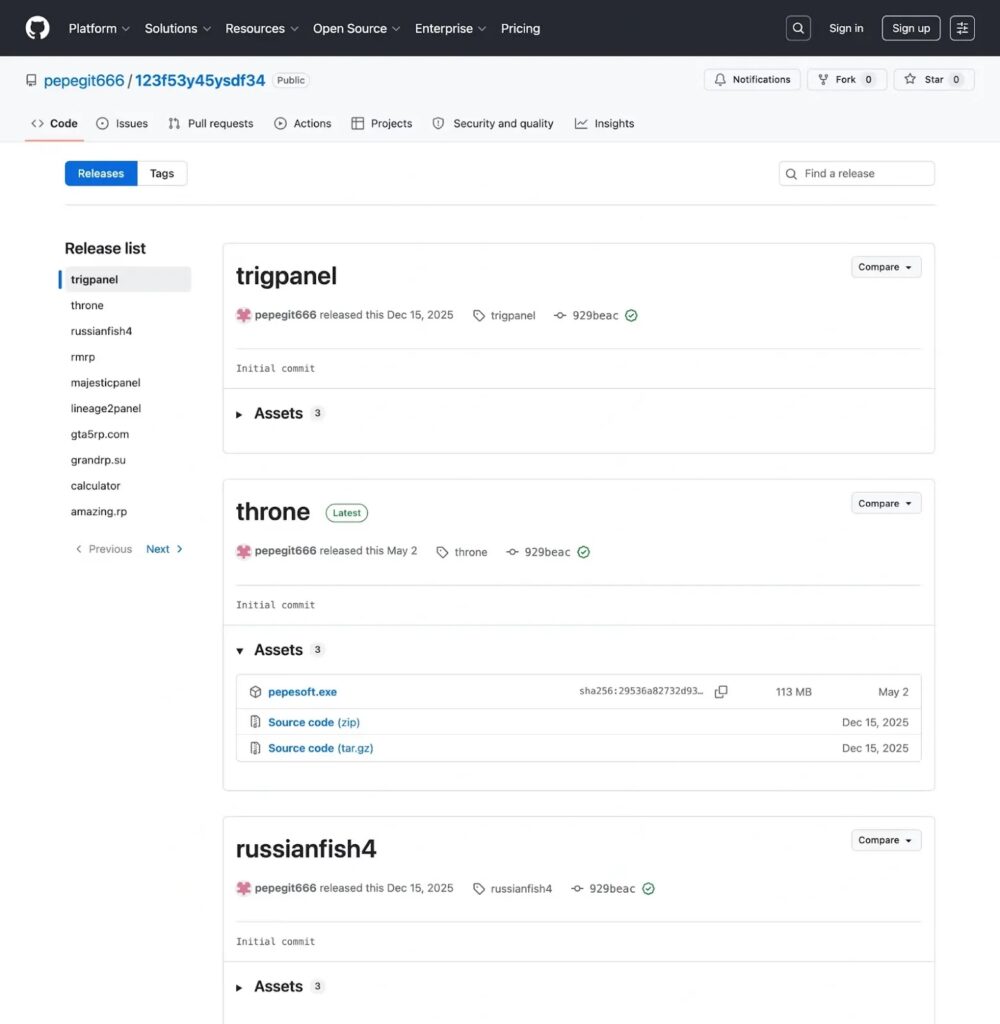
The packages targeted players of Albion Online, GTA5RP, GrandRP, Majestic RP, Throne and Liberty, Russian Fishing 4, and other games. According to Socket’s investigation, every package downloaded and launched a second Windows payload called pepesoft.exe.

Access content across the globe at the highest speed rate.
70% of our readers choose Private Internet Access
70% of our readers choose ExpressVPN

Browse the web from multiple devices with industry-standard security protocols.

Faster dedicated servers for specific actions (currently at summer discounts)
Three variants included Telegram commands that allowed users in the attacker’s chat to request screenshots and control selected game functions. The other eight used a protected payload focused on licensing, hardware tracking, telemetry, and access to remote configuration.
Researchers Found 11 Malicious NuGet Packages
NuGet serves as the package manager for .NET software. Developers normally use it to distribute reusable libraries and command-line applications, as explained in the official NuGet documentation.
The malicious packages used the DotnetTool package type, making them appear to be installable .NET command-line utilities. Their names referred to cheats, bots, calculators, panels, or automation tools that could attract players looking for an advantage.
Researchers linked all 11 packages through shared code, a common mutex, matching cloud credentials, repeated infrastructure, and the same pepesoft.exe payload family.
| Package name | Claimed target or purpose |
|---|---|
| albion-x-x | Albion Online automation |
| amazing-x-x | Amazing RP tool |
| calc-x-x | Calculator utility |
| grandrp-x-x | GrandRP tool |
| gta5rp-x-x | GTA5RP automation |
| l2-x-x | Lineage 2 tool |
| majestic-x-x | Majestic RP tool |
| rmrp-x-x | Roleplay game utility |
| rusfish4-x-x | Russian Fishing 4 automation |
| throne-x-x | Throne and Liberty automation |
| trigger-x-x | Game trigger utility |
How the Fake Game Cheats Infected Windows PCs
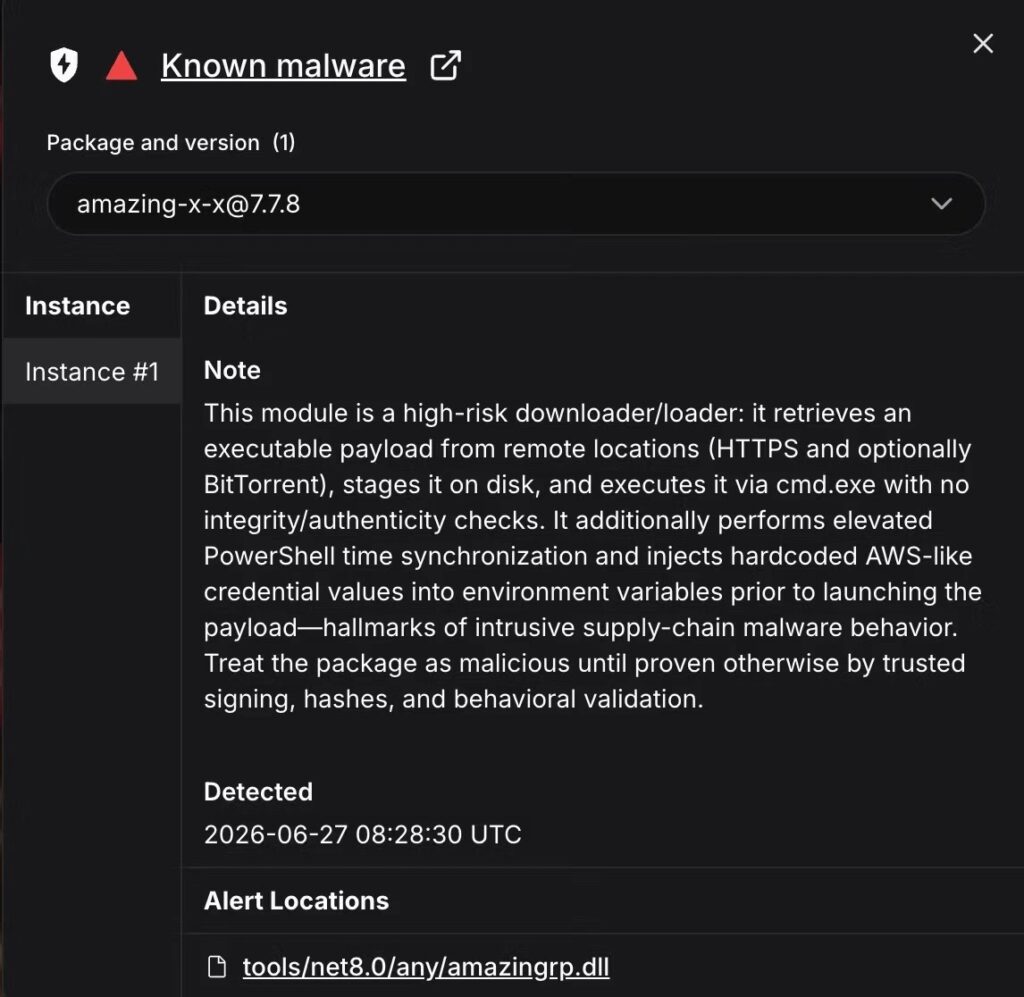
Each package acted as a first-stage downloader. After installation, it contacted attacker-controlled locations on GitHub Releases or Hugging Face and retrieved pepesoft.exe.
The downloader saved the file with a random temporary name inside a local underscore directory. It then started the payload through the Windows command interpreter.
The attack followed this general sequence:
- A player installed a NuGet tool presented as a cheat, bot, calculator, or management panel.
- The .NET downloader prepared the system and contacted the operator’s hosting infrastructure.
- It downloaded pepesoft.exe from GitHub Releases or Hugging Face.
- The payload collected system details and contacted services including Google Sheets.
- Some variants enabled screenshot capture and game-control commands through Telegram.
DNS-over-HTTPS Helped the Downloader Reach GitHub
The downloader used Google’s DNS-over-HTTPS service when resolving GitHub hostnames. This allowed it to avoid the Windows system resolver, local hosts-file entries, and some DNS sinkholes.
This method did not defeat every network control. Security products could still block connections through destination IP addresses, TLS server names, web proxies, or endpoint detection rules.
Ten of the 11 downloaders also requested UAC elevation before running a hidden Windows clock synchronization command. The Calculator variant did not contain this routine. Researchers assessed that the operation needed accurate system time for cloud authentication and signed requests.
What pepesoft.exe Collected
The second-stage payload used Python code packaged as a Windows executable with PyInstaller. It contacted Google Sheets for telemetry, licensing information, hardware restrictions, and operator-controlled data.
The malware family could build a detailed profile of each computer. The exact fields varied between versions, but researchers found collection routines for:
- Hardware identifiers and disk information
- Windows username and computer hostname
- CPU, GPU, motherboard, and screen details
- Operating system and architecture
- Internet connectivity and IP-based location
- Windows activation information
- Active-window and program information
- Tool activation, runtime, and licensing records
Some versions checked a remote hardware ban list every time they started. If the computer appeared on that list, the application closed. This gave the operator central control over which customers or infected systems could run the tool.
Three Variants Allowed Remote Screenshot Requests
The Albion, Calculator, and Throne variants contained direct Python bytecode with Telegram command handlers. Socket found no separate authorization check across the recovered handlers after a Telegram user completed the /start command.
This design could let an outside Telegram user gain access to the command interface. Available functions included requesting game or program screenshots, changing automation settings, reconnecting the tool, and controlling predefined keyboard, mouse, or game actions.
The Throne variant could capture the full desktop during a disconnect command. Other commands focused on selected game or program windows. Password managers, cryptocurrency wallets, browser sessions, private messages, or authentication codes could become exposed if they appeared in a captured image.
| Payload group | Included variants | Confirmed behavior |
|---|---|---|
| Direct Python bytecode | Albion, Calculator, Throne | Telegram commands, screenshots, game automation, telemetry, and cleanup functions |
| PyArmor-protected payloads | Amazing RP, GrandRP, GTA5RP, Lineage 2, Majestic, RMRP, Russian Fishing 4, Trigger | Licensing, hardware binding, Google Sheets telemetry, ban-list checks, and proxy fallback |
Protected Variants Used a Proxy Fallback
The eight PyArmor-protected versions tried to reach Google Sheets directly. If that connection failed, they could route requests through a hardcoded authenticated proxy.
This fallback made simple domain blocking less reliable. Defenders would need to examine endpoint activity, proxy connections, process behavior, and package installation history together.
The protected variants did not contain the same Telegram screenshot handlers found in the three direct-bytecode versions. However, they still ran untrusted operator code, collected device information, and relied on remote services controlled by the campaign.
Cleanup Code Could Delete Unrelated Files
The three direct-bytecode variants included exit routines that removed certain Windows Installer policy values when present. They also contained conditional cleanup code capable of deleting non-executable files and recursively removing subdirectories from the program’s working folder.
The effect depended on where the program ran. If a user launched it from a folder containing unrelated documents or software, the cleanup operation could cause additional data loss.
Researchers also found remote configuration delivered through a Cloudflare Worker with an S3-compatible storage fallback. The storage client supported file uploads and deletions, although the recovered code did not show the upload method being called locally.
Evidence Points to a Commercial Cheat Operation
The packages contained Russian-language console messages and developer comments. Several targeted roleplay games popular with Russian-speaking communities.
Researchers also connected the payload family to a storefront on bots.pepesoft[.]ru that advertised paid game bots. Other infrastructure included Russian and former Soviet Union domain names and a Selectel-hosted storage service.
These indicators support an assessment that a Russian-speaking operator ran the campaign as a commercial cheat service. They do not prove the operator’s nationality or establish any connection to a government.
How Gamers and Security Teams Should Respond
Socket reported the packages to the NuGet security team and requested their removal along with suspension of the associated accounts. Users should not assume that an unfamiliar package is safe simply because it appears in a public software repository.
Anyone who installed one of the listed tools should remove it through the same NuGet tool management process used during installation. Users should also search for downloaded copies of pepesoft.exe, temporary payload directories, and pepesoft-related files under their Windows profile.
The technical analysis of the campaign recommends checking for the malware’s directories, mutex, cloud-related environment variables, unusual clock synchronization commands, and .NET processes making DNS-over-HTTPS requests.
- Uninstall the suspicious .NET tool with the
dotnet tool uninstallcommand. - Delete leftover pepesoft.exe copies and the local underscore download directory.
- Check
%LOCALAPPDATA%\Windows Srcand%APPDATA%\pepesoftfor related files. - Run a complete scan with an updated endpoint security product.
- Change passwords entered while the tool was running or displayed on screen.
- Revoke exposed session tokens and review cryptocurrency accounts where relevant.
- Review GitHub, email, gaming, and messaging accounts for unfamiliar sessions.
- Monitor managed systems for unexpected
dotnet tool installactivity.
Static code analysis establishes what these packages could do, but it does not reveal how many gamers installed them or how many screenshots operators collected. Prompt removal, credential rotation, and account monitoring can reduce the risk of continued access.
FAQ
Researchers identified 11 packages named albion-x-x, amazing-x-x, calc-x-x, grandrp-x-x, gta5rp-x-x, l2-x-x, majestic-x-x, rmrp-x-x, rusfish4-x-x, throne-x-x, and trigger-x-x. They posed as cheats, bots, calculators, or game-management tools.
The payload collected hardware and system information, contacted remote configuration and telemetry services, checked licensing or ban-list data, and supported game automation. Three variants also accepted Telegram commands for screenshots and predefined remote-control functions.
The Throne variant contained a command that could capture the full desktop. Other confirmed screenshot functions targeted active game or program windows. Screenshot handlers appeared in the Albion, Calculator, and Throne variants, not all 11 packages.
Users should uninstall the affected .NET tool, delete downloaded pepesoft.exe copies and related directories, run a complete security scan, rotate exposed passwords, revoke active sessions, and monitor important accounts for unauthorized activity.
No government link was established. Russian-language code, Russian-speaking gaming targets, related domains, and a commercial cheat storefront suggest a Russian-speaking operator or audience, but they do not prove nationality or state sponsorship.


Read our disclosure page to find out how can you help VPNCentral sustain the editorial team Read more


Improve this guide

User forum
0 messages