
Microsoft Will End OneDrive Updates on Older Windows 10 Versions


 6 min. read
  Published on
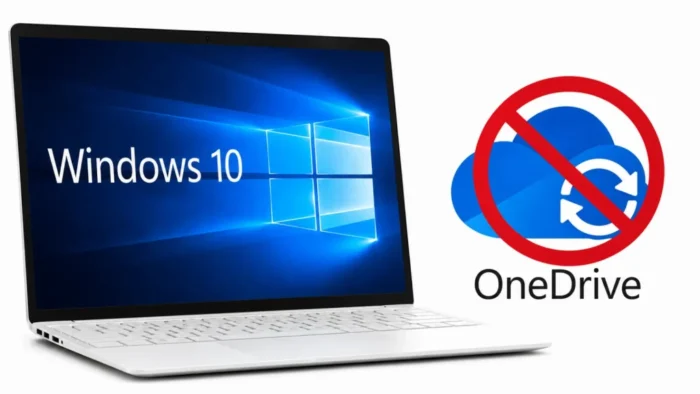
Microsoft will stop updating the OneDrive sync app on devices running Windows 10 version 21H2 or earlier on August 15, 2026. After the deadline, affected computers will no longer receive OneDrive features, bug fixes, security patches, or technical support.
The change was disclosed in Microsoft 365 Message Center notice MC1426708. Microsoft published the notice on July 13, 2026, and updated it on July 17.

Access content across the globe at the highest speed rate.
70% of our readers choose Private Internet Access
70% of our readers choose ExpressVPN

Browse the web from multiple devices with industry-standard security protocols.

Faster dedicated servers for specific actions (currently at summer discounts)
The installed OneDrive client may continue working after August 15. Microsoft has not announced an immediate shutdown, but future synchronization, authentication, and compatibility are not guaranteed on the affected Windows versions.
What Changes on August 15, 2026?
The retirement affects the desktop OneDrive sync client used to keep files synchronized between a Windows computer and Microsoft 365. It does not delete files already stored in OneDrive or prevent users from signing in through a supported web browser.
Devices covered by the cutoff will stop receiving the improvements documented in Microsoft’s OneDrive sync app release notes. These releases commonly include reliability, performance, compatibility, and security fixes.
The following table explains how the change applies to the main Windows versions still likely to be found in business environments.
| Windows version | OneDrive update status | Recommended action |
|---|---|---|
| Windows 10 21H2 or earlier | Updates end August 15, 2026 | Upgrade to Windows 11 or Windows 10 22H2 |
| Windows 10 22H2 | Updates continue through October 10, 2028 | Plan a Windows 11 migration |
| Supported Windows 11 release | Updates continue under the applicable lifecycle | Keep Windows and OneDrive updated |
Windows 10 22H2 Is an Important Exception
Windows 10 version 22H2 is not included in the August 2026 OneDrive cutoff. Microsoft plans to provide OneDrive feature updates, security patches, and bug fixes for that version until October 10, 2028.
This app-level policy should not be confused with operating system support. Standard Windows 10 support ended on October 14, 2025. A computer running Windows 10 22H2 may therefore receive OneDrive updates while the operating system requires Extended Security Updates to remain protected against newly discovered Windows vulnerabilities.
Organizations using Enterprise, Education, IoT, or Long-Term Servicing Channel editions should check the lifecycle that applies to their specific Windows release. The operating system lifecycle and the OneDrive sync client lifecycle are separate policies.
What Unsupported OneDrive Means for Users
OneDrive is not expected to stop synchronizing immediately on August 15. Existing installations may continue operating for some time, but Microsoft will no longer test or repair the client on Windows 10 21H2 and earlier.
Problems may emerge gradually as Microsoft changes its cloud services, authentication systems, sharing features, or file-handling requirements. An unsupported client could eventually experience failed sign-ins, unreliable synchronization, or incompatibility with newer OneDrive functions.
Security exposure is also likely to increase over time. If a vulnerability is discovered after the cutoff, affected installations will not receive the corresponding OneDrive fix listed in the official release history.
How Organizations Can Find Affected Devices
IT teams should identify every computer running Windows 10 21H2 or an earlier release. On an individual computer, users can press Windows key and R, enter winver, and review the displayed version.
Managed environments can collect this information through Microsoft Intune, Configuration Manager, endpoint management software, or asset inventory tools. Administrators should compare the results with devices that actively use OneDrive.
Microsoft’s OneDrive Sync Health dashboard can help administrators review sync client versions, synchronization errors, known-folder status, and the health of OneDrive installations across managed devices.
Recommended Upgrade Options
Moving eligible computers to a supported Windows 11 release is the preferred long-term response. Before upgrading, organizations should confirm hardware compatibility, application support, disk capacity, security requirements, and recovery procedures.
Where an immediate Windows 11 migration is not possible, upgrading to Windows 10 22H2 can preserve OneDrive sync app updates until October 10, 2028. This should be treated as a temporary measure because it does not reverse the end of standard Windows 10 support.
- Inventory devices running Windows 10 21H2 or earlier.
- Confirm which affected devices use the OneDrive desktop client.
- Upgrade compatible systems to a supported Windows 11 release.
- Use Windows 10 22H2 only as a temporary OneDrive compatibility path.
- Back up important files before operating system upgrades.
- Test synchronization and Known Folder Move after migration.
OneDrive Web Access Remains Available
Users on an affected computer can continue accessing cloud files through the OneDrive website in a supported browser. According to reporting on Microsoft’s retirement notice, web access is the recommended fallback when a device cannot be upgraded immediately.
The web interface does not provide the same experience as the desktop client. Files will not automatically synchronize with local folders in the background, and workflows that depend on File Explorer integration or offline access may be disrupted.
Organizations using the web option should provide clear instructions covering file uploads, downloads, sharing, version history, and access to corporate document libraries.
What IT Teams Should Do Before the Deadline
No Microsoft 365 tenant configuration change is required for the retirement. The necessary work is primarily at the device, support, and migration levels.
Administrators should update internal support documents, notify affected users, and establish an escalation path for synchronization problems. They should also confirm that replacement devices or upgrade schedules are available for employees who rely on OneDrive for daily work.
Microsoft’s sync health reporting guidance can support this process by helping teams find old clients and unresolved errors. Organizations should also follow Microsoft’s Windows 10 lifecycle guidance when deciding between Windows 11 migration and temporary Extended Security Updates.
- Complete the Windows and OneDrive device inventory.
- Prioritize systems running Windows 10 21H2 or earlier.
- Create a migration schedule before August 15, 2026.
- Test business applications and OneDrive synchronization after each upgrade.
- Monitor failed synchronization, outdated clients, and user support requests.
- Set a final Windows 10 retirement date for the organization.
FAQ
Windows 10 version 21H2 and earlier will stop receiving OneDrive sync app updates on August 15, 2026.
Not necessarily. The installed client may continue working, but it will no longer receive fixes, security patches, new features, or technical support on affected Windows versions.
No. Microsoft plans to continue updating the OneDrive sync app on Windows 10 22H2 through October 10, 2028. This does not extend standard support for the Windows 10 operating system.
Yes. Users can access OneDrive through a supported web browser, although the web interface does not provide automatic background synchronization or full File Explorer integration.
Organizations should identify affected devices, upgrade eligible computers to Windows 11, update remaining systems to Windows 10 22H2 where necessary, and monitor OneDrive client health during the migration.


Read our disclosure page to find out how can you help VPNCentral sustain the editorial team Read more


Improve this guide

User forum
0 messages