
Zimbra 10.1.20 Fixes Critical SNMP Command Injection Flaw


 8 min. read
  Published on
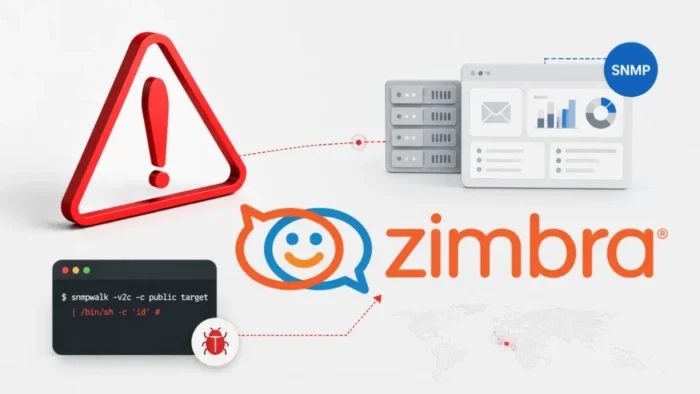
Zimbra has released Zimbra Collaboration Suite 10.1.20 to fix a command injection vulnerability in its SNMP monitoring component. The flaw affects servers that have SNMP notifications enabled and could allow an attacker to execute unauthorized system commands under the required conditions.
The Zimbra 10.1.20 patch announcement describes the update as a permanent fix for the critical SNMP vulnerability that the company first disclosed on June 26, 2026. Zimbra recommends that administrators install the release promptly.

Access content across the globe at the highest speed rate.
🔥 Save 81% + 2 bonus months! 🔥
70% of our readers choose Private Internet Access
70% of our readers choose ExpressVPN
2
Browse the web from multiple devices with industry-standard security protocols.
🔥 Save 73%! 🔥

Faster dedicated servers for specific actions (currently at summer discounts)
🔥 Save 69%! 🔥
The update also fixes eight other security issues, including four cross-site scripting vulnerabilities, a mail-forwarding restriction bypass, an SSRF flaw, and access-control weaknesses. The official Zimbra 10.1.20 release notes list nine security fixes in total.
Zimbra SNMP Command Injection Flaw Explained
The primary vulnerability affects the SNMP monitoring component when administrators enable SNMP notifications. SNMP commonly lets organizations collect performance information and send alerts about server health or service failures.
A command injection vulnerability occurs when software passes untrusted data into a system command without safely validating or escaping it. An attacker who can influence the vulnerable input could add operating-system commands to data that the application expects to process normally.
Zimbra has not published the vulnerable function, attack vector, authentication requirements, or privileges gained after exploitation. The company has also not assigned a public CVE identifier to the SNMP vulnerability.
| Vulnerability detail | Confirmed information |
|---|---|
| Affected component | Zimbra SNMP monitoring component |
| Required configuration | SNMP notifications must be enabled |
| Potential impact | Command injection and arbitrary command execution |
| Permanent fix | Zimbra Collaboration Suite 10.1.20 |
| Public CVE | Not disclosed by Zimbra |
| Active exploitation | No public reports |
| Patch security severity | High |
| Deployment risk | Low |
Remote Exploitation Has Not Been Confirmed
The vulnerability could create a route to serious server compromise because Zimbra services often process sensitive email and authentication data. However, the available advisory does not establish that any internet user can exploit the flaw without credentials.
An attacker may need access to a trusted monitoring path, the ability to influence SNMP notification data, or an existing foothold inside the network. Zimbra has withheld these details to reduce the risk of attackers creating working exploits before organizations complete patching.
Administrators should therefore avoid assuming that a firewall alone removes the risk. Internal systems, monitoring platforms, compromised credentials, and management networks can provide attack paths even when a service does not face the public internet.
Zimbra 10.1.20 Fixes Nine Security Issues
The Zimbra security fixes summary lists the SNMP vulnerability alongside eight issues affecting the Classic Web Client, mail forwarding, mailbox delegation, the EWS extension, and Nextcloud integration.
Four vulnerabilities affect content rendered in the Classic Web Client. Crafted attachment names, attachments, or message fields could cause the browser to execute malicious scripts under specific conditions.
The update also fixes an SSRF vulnerability in the Nextcloud integration. SSRF flaws can let an attacker cause a server to send requests to internal or external destinations that the attacker could not access directly.
| Security issue | Affected area | Potential impact |
|---|---|---|
| Command injection | SNMP monitoring | Execution of unauthorized system commands |
| Stored XSS | Classic Web Client attachment filenames | Malicious script execution in a user’s browser |
| Cross-site scripting | Classic Web Client crafted fields | Browser-based script execution |
| Cross-site scripting | Classic Web Client rendered fields | Session or mailbox data exposure |
| Cross-site scripting | Classic Web Client attachments | Malicious script execution when content renders |
| Forwarding restriction bypass | Mail filtering controls | Email exfiltration by authenticated users |
| Access-control weakness | EWS extension | Unauthorized access to restricted functions or data |
| Authorization weakness | Mailbox delegation | Improper access to delegated mailbox functions |
| Server-side request forgery | Nextcloud integration | Unauthorized requests from the Zimbra server |
Classic Web Client XSS Flaws Put Sessions at Risk
The four cross-site scripting vulnerabilities require specific crafted content to reach the Classic Web Client. Successful exploitation could let malicious JavaScript run within the trusted Zimbra web interface.
Depending on the user’s permissions and browser session, an XSS attack could expose mailbox information, change account settings, perform actions as the victim, or steal session-related data. Administrators should not rely on user awareness because the malicious code may execute when Zimbra renders an attachment or field.
Organizations that do not require the Classic Web Client should review whether they can restrict its use. However, installing Zimbra 10.1.20 remains the primary remediation because configuration changes do not remove the vulnerable code.
Mail Forwarding Bypass Could Support Data Theft
The update fixes a restriction bypass that could let authenticated users exfiltrate email even when administrators disable mail forwarding. This flaw carries the identifier CVE-2026-50055.
According to an independent analysis of the Zimbra security update, Rapid7 researcher Jonah Burgess discovered and reported the forwarding vulnerability. The flaw could undermine controls that organizations use to prevent users from sending corporate messages to external addresses.
The release also changes related mail-filtering behavior. Zimbra says administrator-configured redirects should continue working when the system disables user-created forwarding rules.
- Review users who created or modified forwarding rules before the update.
- Search for messages redirected to unusual external domains.
- Inspect Sieve filters and administrator-level redirect scripts.
- Confirm that forwarding restrictions work after installing the patch.
- Investigate unexplained mailbox exports or synchronization activity.
EWS, Delegation, and Nextcloud Flaws Expand the Risk
Zimbra 10.1.20 corrects an access-control issue in the Exchange Web Services extension. Zimbra has not disclosed the exact operations or data exposed through the weakness.
The mailbox delegation fix addresses an authorization problem that could allow access outside the permissions an administrator intended to grant. Organizations that rely heavily on shared or delegated mailboxes should review recent delegation changes and access records.
The Nextcloud integration fix prevents server-side request forgery. Administrators should check whether their environment enables this integration and review outbound requests from Zimbra servers for unexpected internal addresses or unknown external destinations.
Which Zimbra Installations Need the Update?
Zimbra released version 10.1.20 on July 20, 2026. The Canadian Centre for Cyber Security says the update addresses vulnerabilities in Zimbra Collaboration Suite versions before 10.1.20, with its alert specifically highlighting the Classic Web Client.
Administrators running Zimbra 10.1 should upgrade to version 10.1.20 or a newer supported release. They should also confirm whether their installation enables SNMP notifications, the Classic Web Client, EWS, mailbox delegation, or Nextcloud integration.
The absence of SNMP notifications may remove exposure to the main command injection flaw, but it does not address the other eight security issues. Administrators should install the full update rather than applying only an SNMP workaround.
How Administrators Should Deploy Zimbra 10.1.20
Zimbra rates the patch security severity as High and the deployment risk as Low. The official patch notice strongly recommends upgrading to keep Zimbra environments secure.
Administrators should follow Zimbra’s documented package and installation procedure for their operating system. They should also test mail delivery, authentication, web clients, delegation, EWS, monitoring, forwarding restrictions, and integrations after installation.
The Canadian Cyber Centre advisory also urges users and administrators to review Zimbra’s release information and apply the necessary updates.
- Confirm the installed Zimbra version and enabled components.
- Check whether SNMP notifications are active.
- Back up Zimbra configuration, LDAP data, mailboxes, and custom scripts.
- Review the official installation instructions for the operating system.
- Install all required 10.1.20 packages.
- Restart the affected Zimbra services where required.
- Verify the installed package and application versions.
- Test inbound and outbound mail delivery.
- Test the Classic and Modern Web Clients.
- Confirm that SNMP monitoring and approved forwarding rules still work.
What Security Teams Should Monitor
Zimbra has not published dedicated indicators of compromise for the SNMP vulnerability. Security teams should monitor broader signs of command execution, unexpected configuration changes, malicious web content, and unauthorized mailbox activity.
The available security reporting found no evidence that attackers were exploiting the nine vulnerabilities when Zimbra released version 10.1.20. Administrators should still review activity from the period before patching because exploitation status can change after disclosure.
Teams should preserve relevant logs before upgrades or service restarts. Web access logs, mailbox audit records, authentication events, SNMP logs, process execution records, and outbound network telemetry can support a later investigation.
- Unexpected child processes launched by Zimbra or monitoring services
- Shell commands executed by Zimbra service accounts
- Unusual SNMP notification content or destinations
- New or modified mailbox delegation permissions
- Unexpected EWS access from unfamiliar accounts or addresses
- New forwarding rules or redirects to external domains
- Suspicious scripts in messages, attachment names, or rendered fields
- Outbound requests from Zimbra to internal management services
- Configuration files or binaries modified outside maintenance periods
Zimbra 10.1.20 provides the permanent fix for the SNMP command injection vulnerability and closes eight additional security gaps. Organizations should patch the complete platform, validate the installation, and examine exposed systems for suspicious activity.
FAQ
The vulnerability affects Zimbra’s SNMP monitoring component when SNMP notifications are enabled. Under the required conditions, an attacker who can influence vulnerable input may execute unauthorized operating-system commands.
Zimbra Collaboration Suite 10.1.20 contains the permanent fix. Administrators should install version 10.1.20 or a newer supported release.
Zimbra has not disclosed enough technical information to confirm unauthenticated remote exploitation. The company has only confirmed that the vulnerability affects systems with SNMP notifications enabled.
No security authority or vendor had publicly reported active exploitation when Zimbra released version 10.1.20. Administrators should still patch promptly and monitor for suspicious activity.
The update fixes four Classic Web Client XSS vulnerabilities, a mail-forwarding restriction bypass, an EWS access-control issue, a mailbox delegation authorization flaw, and an SSRF vulnerability in the Nextcloud integration.
No. Disabling SNMP notifications may reduce exposure to the command injection flaw, but Zimbra 10.1.20 also fixes eight unrelated security vulnerabilities. Administrators should install the complete update.


Read our disclosure page to find out how can you help VPNCentral sustain the editorial team Read more


Improve this guide




User forum
0 messages