
How to Fix Proxy Error 401: Easy Steps Explained


 4 min. read
  Updated on
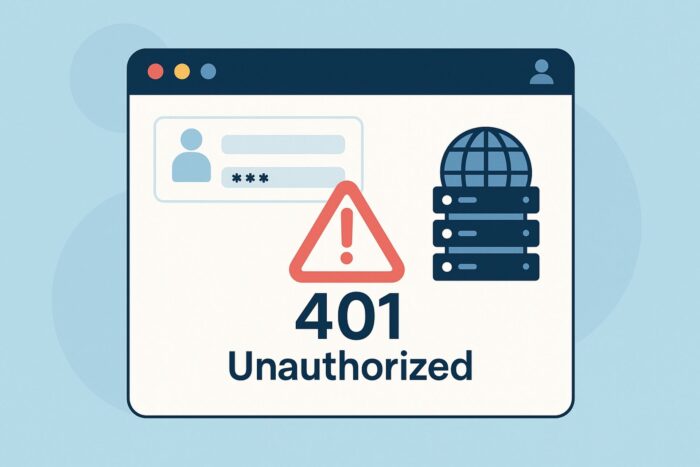
When you see Proxy Error 401: Unauthorized, it usually means your authentication with the proxy server or website failed.
This can happen because of expired login sessions, incorrect credentials, or misconfigured proxy/VPN settings. Use the step-by-step fixes below to restore access quickly.

Access content across the globe at the highest speed rate.
🔥 Save 81% + 2 bonus months! 🔥
70% of our readers choose Private Internet Access
70% of our readers choose Private Internet Access
2
Browse the web from multiple devices with industry-standard security protocols.
🔥 Save 73%! 🔥

Faster dedicated servers for specific actions (currently discounted)
🔥 Save 69%! 🔥
Table of contents
Fixes for Proxy Error 401
1. Refresh and Re-Authenticate
The simplest cause of a 401 error is an expired login session. Refresh the page and try signing in again.
- Reload the webpage in a new tab.
- When prompted, enter your username and password again.
- If the login box doesn’t appear, manually log out and back in.
Temporary blocks may behave similarly to a Proxy Error 2606, where waiting and retrying solves the issue.
2. Clear Browser Cookies and Cache
Corrupted or outdated cookies can break the authentication handshake between your browser and the proxy.
- Open your browser settings.
- Navigate to Privacy & Security → Clear browsing data.
- Select Cookies and Cache.
- Restart the browser and try again.
This is also a known fix for gateway issues like a Proxy Error 502, which often comes from session conflicts.
3. Double-Check Proxy Login Credentials
A 401 often appears when your proxy username or password is incorrect, outdated, or not recognized.
- Go to your proxy settings in the browser or system preferences.
- Re-enter the username and password provided by your proxy or network admin.
- Save changes and test the connection again.
In some cases, this mirrors how repeated requests may cause a Proxy Error 407, which also stems from authentication loops.
4. Switch IP or VPN Server
If the site flags your IP, authentication requests may fail even with valid credentials. Rotating your IP can resolve this.
- Restart your router to receive a new IP (if using dynamic IP).
- Switch networks (try mobile data instead of Wi-Fi).
- Use a VPN to change your IP or server location.
Blocked or overloaded endpoints can trigger errors like Proxy Error 500 or Proxy Error 503, which behave similarly.
5. Adjust Proxy or VPN Configuration
Incorrect proxy settings can cause endless 401 responses. Reconfigure or temporarily disable them to test connectivity.
- In Windows, go to Settings → Network & Internet → Proxy.
- Check if manual proxy setup is enabled and verify details.
- Toggle it off to test direct access, then re-enable with correct credentials.
Similar issues can surface as Proxy Error: No Response From Bot PSGHAG2 or a Proxy Not Found message when misconfigured.
6. Contact Website or Proxy Administrator
If credentials and configs are correct, the server itself may be enforcing stricter rules.
- Contact the website admin for clarification on authentication requirements.
- Provide your IP address, account details, and error timing.
- Ask about whitelisting, increased quota, or updated login methods.
This approach is also recommended when errors like Proxy Not Controllable or Proxy Server Cannot Establish Connection With Target repeatedly appear.
7. Advanced: Inspect Headers and Token Expiry
Developers can use browser dev tools to confirm why the server is rejecting credentials.
- Press F12 to open Developer Tools.
- In the Network tab, reload the failing request.
- Check Response headers for
WWW-Authenticateor token expiry info. - Update or refresh access tokens if required.
Header analysis can also highlight routing issues, like a Proxy Error Could Not Proxy Request or even cases where assets fail, such as Proxy Not Working For This Image. If IP conflicts persist, see Repairing IP Address Proxy Errors.
Conclusion
A Proxy Error 401 means authentication has failed between your client and the proxy. Fixes include re-entering login credentials, clearing cookies, switching IPs, or adjusting proxy configurations. For stubborn cases, reach out to the website or proxy admin for assistance. If your issue instead shows a Proxy Not Available Yet error, follow that guide for provider-side readiness and connection fixes.
FAQ
It signals an authentication failure. The proxy or server requires credentials you haven’t provided, or your existing session expired.
Try refreshing the page, logging in again, or clearing your cookies. If that fails, re-enter proxy credentials and rotate your IP.
Yes, if your IP has been blocked. But if incorrect credentials are the problem, a VPN alone won’t resolve it.
Cookies, expired tokens, or misconfigured proxy settings may reject correct credentials. Clear your session and reset proxy configs.
Review authentication headers, token expiry, and retry logic. Ensure credentials are correctly encoded and refresh tokens when needed.


Read our disclosure page to find out how can you help VPNCentral sustain the editorial team Read more


Improve this guide



User forum
0 messages