
How to Fix Virgin TV Go Not Working with VPN


 5 min. read
  Published on
Key notes
Quick fixes you can try right now: (More details below)
1. Switch to a different UK-based VPN server.
2. Use a dedicated IP address with a premium VPN service.
3. Double-check your VPN settings and configuration.
4. Use Virgin TV Anywhere if you’re in Ireland.
5. Download content before traveling for offline viewing.
6. Try Smart DNS Proxy as an alternative to VPNs.
7. Clear your browser cache and cookies.
8. Try NordVPN for better VPN compatibility with Virgin TV Go.

Virgin TV Go is a streaming service for Virgin Media customers in the United Kingdom. If you’re trying to use it abroad with a VPN and it suddenly stops working, the problem likely stems from Virgin Media’s strict geo-blocking system.
This guide explains why that happens and shows how to get Virgin TV Go running again with step-by-step fixes.

Access content across the globe at the highest speed rate.
🔥 Save 81% + 2 bonus months! 🔥
70% of our readers choose Private Internet Access
70% of our readers choose ExpressVPN
2
Browse the web from multiple devices with industry-standard security protocols.
🔥 Save 73%! 🔥

Faster dedicated servers for specific actions (currently at summer discounts)
🔥 Save 69%! 🔥
Table of Contents
- Why Virgin TV Go is Not Working with VPN
- Step-by-Step Fixes to Make Virgin TV Go Work with VPN
- Does Using a VPN Change Virgin TV Go’s Availability?
- Is Virgin TV Go Available Worldwide?
- Features Affected by VPN/Proxy/Firewall
- How to Choose the Best VPN for Virgin TV Go
- Conclusion: Fixing Virgin TV Go Not Working with VPN
- FAQ About Virgin TV Go and VPN
Why Virgin TV Go is Not Working with VPN
Virgin TV Go is only available in the UK, and the platform uses IP-based detection to block traffic from outside the region. Even well-known VPNs can fail to bypass these restrictions. The company also blocks certain websites and services, so you may need to learn how to bypass Virgin Media’s website blocking if your connection is filtered at the network level.
Common Symptoms and What They Mean
- “This content is not available in your region” – The service detected a non-UK IP address.
- “Access Denied” – Virgin TV Go has blocked your VPN server.
- “Streaming Error” – Your VPN connection dropped or was throttled.
- “Geo-restricted Content” – Rights restrictions prevent playback outside the UK.
Typical Virgin TV Go Error Messages
- “Sorry, this isn’t available in your region.”
- “Access Denied: The content is unavailable due to geo-restrictions.”
- “This content is restricted and not available in your country.”
Step-by-Step Fixes to Make Virgin TV Go Work with VPN
1) Switch to a Different UK-Based VPN Server
1. Disconnect from your current VPN server.
2. Connect to another UK location.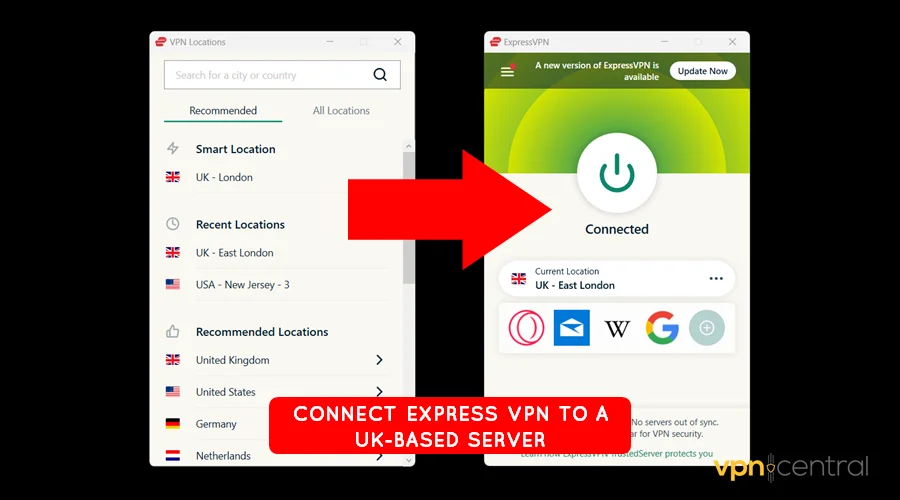
3. Reopen Virgin TV Go and test playback.
Why this helps: Virgin TV Go may have blacklisted your previous server. Changing servers can bypass temporary IP blocks.
2) Use a Dedicated IP Address
1. Upgrade to a VPN plan with a dedicated IP.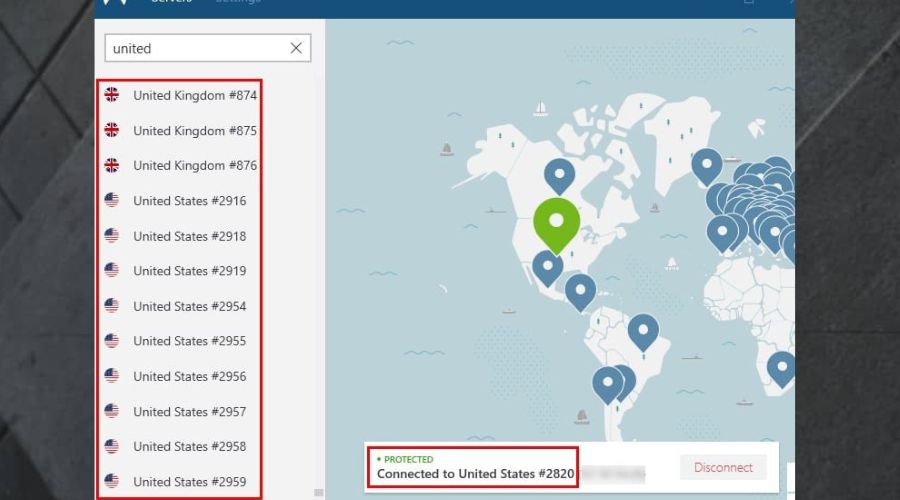
2. Configure it inside your VPN settings.
3. Reconnect and reload the stream.
Why this helps: Dedicated IPs aren’t shared with other users, so they’re less likely to appear on Virgin’s block lists.
3) Adjust Your VPN Settings
1. Enable obfuscated or stealth servers in your VPN app.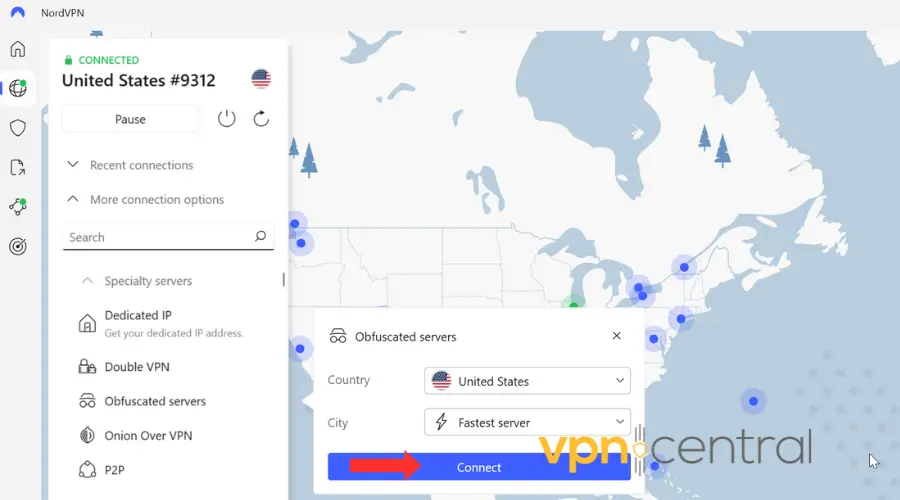
2. Use protocols like OpenVPN or WireGuard.
3. Reconnect and try again.
Why this helps: Obfuscation hides VPN traffic signatures that trigger Virgin’s detection systems. This can also help if you’re affected by Virgin Media’s Child Safe filter, which can block streaming categories by default.
4) Use Virgin TV Anywhere (For Irish Users)
If you’re in Ireland, Virgin offers an alternative app. Virgin TV Anywhere provides similar functionality and doesn’t require a UK IP.
5) Download Content Before Traveling
Use the Virgin TV Go download option while still in the UK so you can watch shows offline later. It’s the simplest way to avoid geo-blocks when traveling.
6) Try a Smart DNS Service
Consider using Smart DNS instead of a VPN. Services like Smart DNS Proxy reroute only your DNS queries, allowing you to bypass regional blocks without encrypting traffic.
Why this helps: Smart DNS is lightweight and effective for streaming sites like Virgin TV Go. If your ISP also blocks certain domains, check the list of sites blocked by Virgin Media to confirm it’s not a network-level issue.
7) Clear Browser Cache and Cookies
Old session data may expose your true region. Clear cookies and cache before reloading the player to force a new location check.
8) Try a More Reliable VPN Provider
Some VPNs can’t keep up with Virgin’s detection systems. If you keep hitting errors, switch to a top-tier option like NordVPN, which regularly updates its UK servers. You can read more in this detailed guide on why some VPNs won’t work with Virgin Media.
Does Using a VPN Change Virgin TV Go’s Availability?
A working VPN or Smart DNS can make Virgin TV Go accessible from abroad, but the connection isn’t guaranteed. Virgin Media actively monitors and blocks known VPN IPs, so reliability depends on the provider’s refresh rate and server rotation.
Is Virgin TV Go Available Worldwide?
No. Virgin TV Go only works in the UK. If you want to access similar content while abroad, see how to watch Virgin Media Player abroad, which covers official streaming alternatives available outside the country.
Features Affected by VPN/Proxy/Firewall
- Live TV channels: Blocked if your VPN IP is detected.
- On-demand library: Restricted when region verification fails.
- Playback quality: May drop if your VPN is throttled or unstable.
How to Choose the Best VPN for Virgin TV Go
- Server coverage: Pick providers with multiple UK locations.
- Speed: Favor high-speed, streaming-optimized servers.
- Reliability: Check if they routinely replace blocked IPs.
- Privacy: Choose no-logs VPNs to keep activity private.
Conclusion: Fixing Virgin TV Go Not Working with VPN
Virgin TV Go enforces strict geo-restrictions, and Virgin Media also blocks many VPN IPs by default. You can restore access by changing servers, using a dedicated IP, or switching to a Smart DNS setup. If your VPN still fails, verify that your ISP isn’t filtering the service and learn how to bypass Virgin Media’s content blocking to ensure full access.
FAQ About Virgin TV Go and VPN
Yes, but it only works with VPNs that successfully bypass Virgin Media’s geo-blocks.
Your VPN IP may be blacklisted. Try another UK server or use obfuscation mode.
You can stream similar shows by following our guide on how to watch Virgin Media Player abroad.
Yes. Check our article on why some VPNs won’t work with Virgin Media and how to fix that.
Meta Description


Read our disclosure page to find out how can you help VPNCentral sustain the editorial team Read more


Improve this guide




User forum
0 messages