
OpenClaw Supply Chain Attack: 1,184 Malicious AI Skills Deploy AMOS Malware


 5 min. read
  Published on
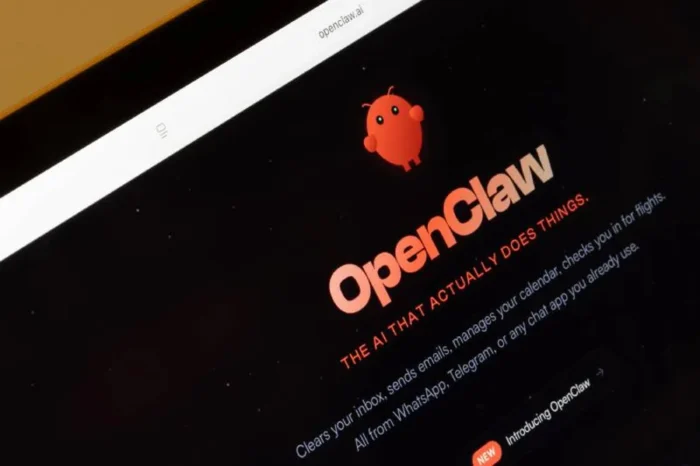
The most downloaded extension on the OpenClaw AI platform is actually functional malware. Security researchers recently discovered 1,184 malicious skills on ClawHub, the official marketplace for OpenClaw. These compromised packages trick users into executing code that deploys Atomic Stealer on macOS or opens reverse shells on other operating systems.
OpenClaw is an open source AI assistant that runs locally with deep access to user files and terminals. The platform relies on a public registry called ClawHub to distribute extensions, known as skills. Until recently, anyone with a new GitHub account could publish a package. Attackers exploited this lack of verification to flood the ecosystem with dangerous code.

Access content across the globe at the highest speed rate.
🔥 Save 81% + 2 bonus months! 🔥
70% of our readers choose Private Internet Access
70% of our readers choose ExpressVPN
2
Browse the web from multiple devices with industry-standard security protocols.
🔥 Save 73%! 🔥

Faster dedicated servers for specific actions (currently at summer discounts)
🔥 Save 69%! 🔥
A single threat actor uploaded 677 malicious packages alone. These fake tools masqueraded as cryptocurrency trading bots, YouTube summarizers, and system utilities. They featured professional documentation designed to deceive both the AI agent and the human user.
Koi Security was the primary research team that audited the ClawHub repository and identified the coordinated effort to distribute malware. “Koi researchers analyzed ClawHub, the third-party skill repository for OpenClaw, and found that threat actors had quietly turned the ecosystem into a large-scale malware distribution channel. We found 341 malicious skills — 335 of them from what appears to be a single campaign.”
The Top Ranked Skill Was Malware
The highest ranking skill on the platform was a package named “What Would Elon Do?”. Cisco ran a security scan on this specific extension and uncovered nine severe vulnerabilities. Two of those flaws were rated as critical.
The skill silently exported user data to an attacker controlled server. It redirected the terminal output to hide the network traffic from the victim. Furthermore, it embedded prompt injection payloads to bypass the internal safety guidelines of the AI model. It achieved thousands of downloads before being exposed.
How the Infection Works
The attack mechanism relies on the AI agent itself. The malicious instructions are hidden inside a standard text document called SKILL.md.
When OpenClaw processes this file, the hidden prompt forces the AI to advise the user to run a specific terminal command. The agent presents this command as a required software dependency. If the user copies and pastes the code into their terminal, the machine is compromised.
On Apple computers, this single command installs Atomic Stealer (AMOS). This is a well known infostealer designed to strip valuable data from the host.
The malware targets the following sensitive information:
- Browser passwords and session cookies
- Secure Shell (SSH) cryptographic keys
- Telegram and messaging app session tokens
- Cryptocurrency wallet recovery phrases
- Developer API keys stored in local environment variables
On Windows and Linux systems, the payload typically opens a reverse shell. This grants the attacker full remote control over the victim computer.
Industry Audits Reveal Widespread Exposure
The scale of the problem extends beyond a few isolated incidents. Several major cybersecurity firms conducted independent audits of the ClawHub ecosystem and found massive security failures.
- Koi Security: Audited 2,857 skills and found 341 malicious entries linked to a coordinated campaign called ClawHavoc.
- Snyk: Discovered over 280 skills containing critical flaws that forced the AI agent to leak API keys in plaintext.
- VirusTotal: Google partnered with OpenClaw to scan all uploaded skills using AI models to detect malicious behaviors hidden in the documentation.
Malicious vs Legitimate Skills
Understanding the difference between a safe extension and a dangerous one is difficult in an AI ecosystem.
| Feature | Legitimate OpenClaw Skill | Malicious OpenClaw Skill |
| Execution | Uses built in platform APIs | Demands external terminal commands |
| Data Transfer | Keeps data local or uses verified endpoints | Exfiltrates data to unknown IP addresses |
| Documentation | Explains features clearly | Hides prompt injections in markdown files |
| Publisher | Verified developer history | Uploaded by newly created GitHub accounts |
Frequently Asked Questions
OpenClaw is an open source AI agent that runs locally on your computer. It connects to messaging apps and can execute terminal commands, manage files, and automate daily workflows.
You should review your installed skills. If you recently downloaded a popular skill and executed a terminal command it recommended, you might be compromised. You should immediately rotate your SSH keys, change your passwords, and check for unauthorized access to your cloud accounts.
OpenClaw has integrated Google VirusTotal to scan new uploads. However, you should still treat every third party AI skill with extreme caution. Security experts recommend running OpenClaw in an isolated virtual machine rather than your primary computer.
Traditional antivirus tools struggle to detect this threat. The initial attack vector is a simple text file containing natural language instructions. The malicious payload is only downloaded after the user is socially engineered into running a terminal command.


Read our disclosure page to find out how can you help VPNCentral sustain the editorial team Read more


Improve this guide




User forum
0 messages