
MetaMask Phishing Emails Use Fake Security Reports to Steal Wallets


 3 min. read
  Published on
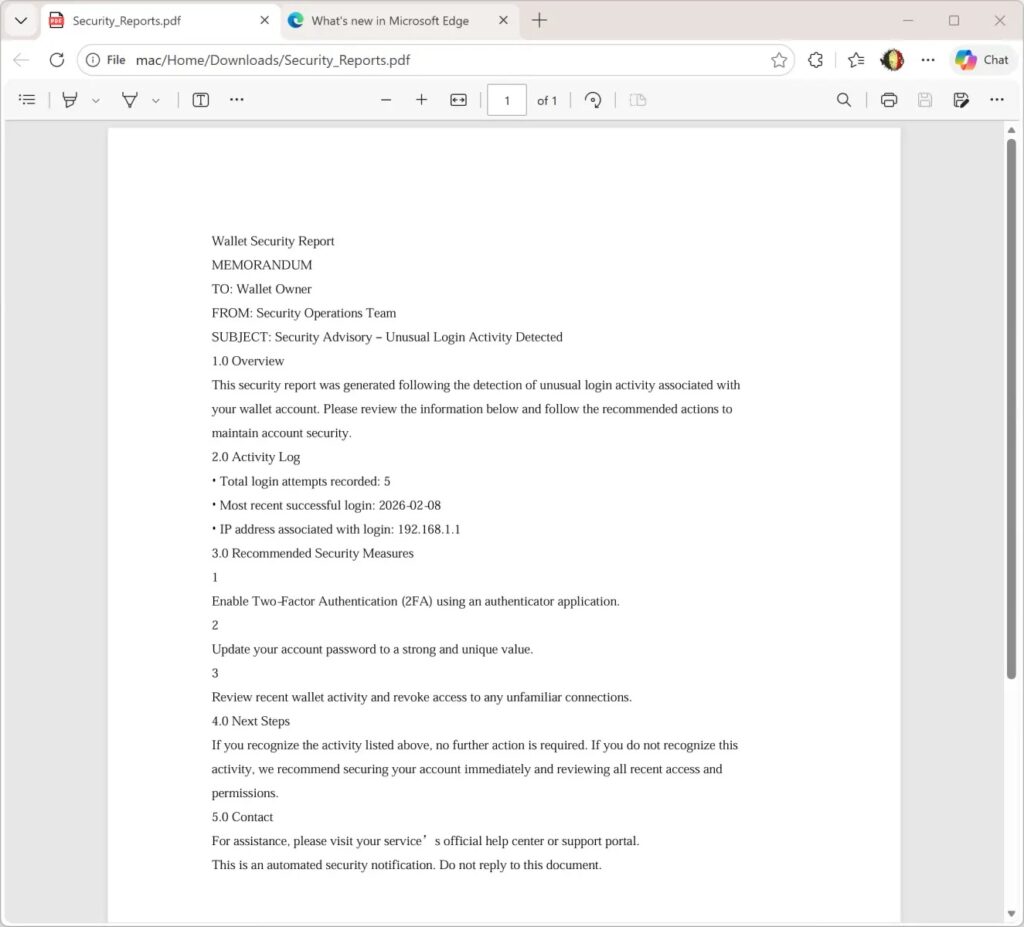
Attackers target MetaMask users with phishing emails that include forged “Security_Reports.pdf” files. These create panic about account breaches and push clicks to AWS-hosted fake 2FA pages. Internet Storm Center detailed the campaign, noting its ReportLab-generated PDFs with SHA256 hash 2486253ddc186e9f4a061670765ad0730c8945164a3fc83d7b22963950d6dcd1.
The emails warn of unusual login activity. They urge users to enable two-factor authentication fast. Links lead to hxxps://access-authority-2fa7abff0e.s3.us-east-1.amazonaws.com/index.html for credential theft.

Access content across the globe at the highest speed rate.
70% of our readers choose Private Internet Access
70% of our readers choose ExpressVPN

Browse the web from multiple devices with industry-standard security protocols.

Faster dedicated servers for specific actions (currently at summer discounts)
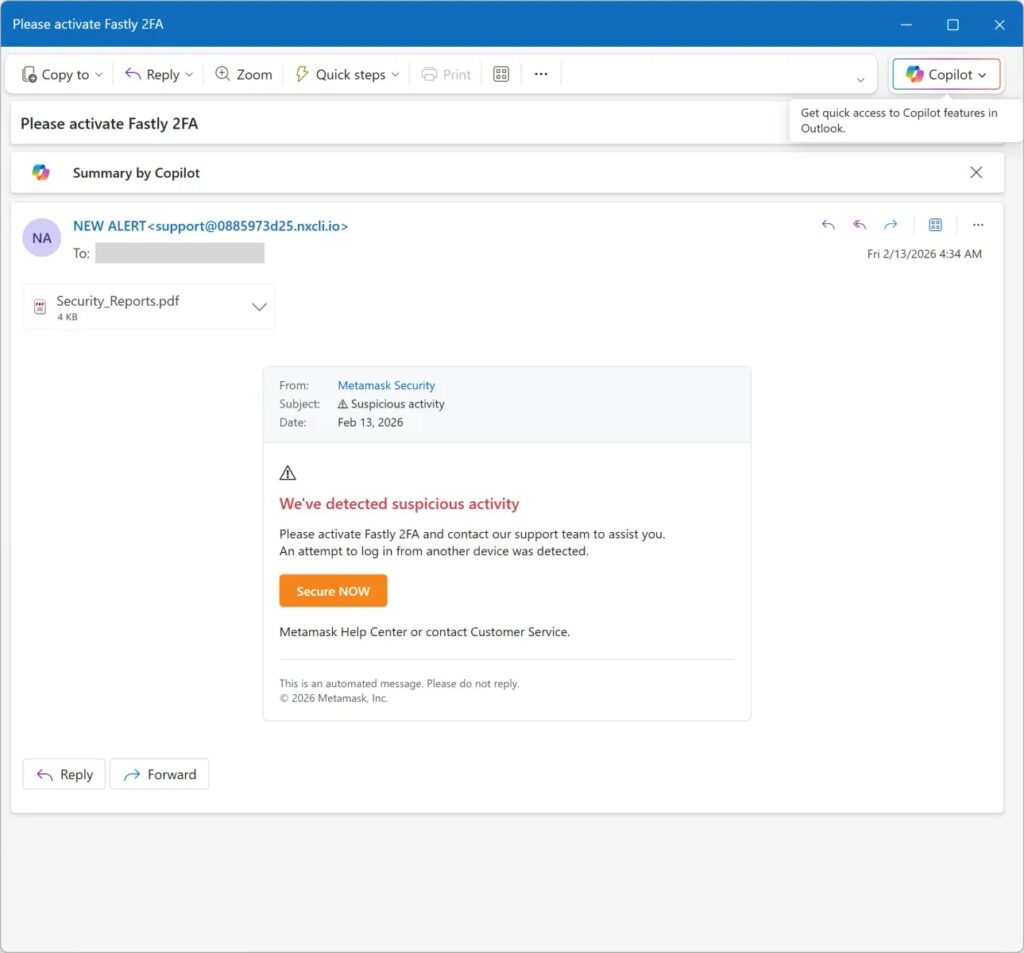
MetaMask serves over 100 million users as a top crypto wallet extension and app. Attackers exploit this trust. The PDFs look professional but stay benign to dodge email filters. Social engineering builds urgency around fake security threats.
Despite clever touches, flaws exist. Sender addresses show no spoofing. PDFs lack victim-specific details or MetaMask branding. These gaps help spot fakes on close check.
Campaign Technical Details
Emails attach the PDF as a fear trigger. It claims unauthorized access without proof. Readers feel pressed to act on the 2FA link right away.
The AWS domain adds trust since cloud services seem legit. Phishing pages mimic MetaMask flows perfectly. Victims enter seed phrases at the final step, losing all funds instantly.
Internet Storm Center tracked the hash across samples. ReportLab’s ease lets attackers scale fast. Low quality shows in unpersonalized blasts though.
Phishing Flow Table
| Step | Tactic | Goal |
|---|---|---|
| Email Delivery | Attach Security_Reports.pdf | Bypass filters, build panic |
| Social Engineering | Urgent login alerts | Lower victim skepticism |
| Link Click | AWS-hosted fake page | Redirect to credential form |
| Fake 2FA | Seed phrase prompt | Full wallet drain |
This chain preys on crypto users’ security worries. Bull markets spike such attacks as trades rise.
Protection Measures
- Check sender domains against official MetaMask lists.
- Never enter seed phrases on prompted pages.
- Type metamask.io manually for checks.
- Block AWS phishing URLs in filters.
MetaMask never emails for recovery phrases or 2FA setup. Use extension alerts only. Teams should hash-block the PDF and scan for similar lures.
FAQ
Attachment named Security_Reports.pdf warns of logins. Pushes 2FA link urgently.
No. It uses ReportLab for looks only. Real theft happens on linked page.
Unspoofed senders. No personalization. AWS domains in links.
Move funds to new wallet now. Check transactions. Enable real 2FA via official site.
Security report at metamask


Read our disclosure page to find out how can you help VPNCentral sustain the editorial team Read more


Improve this guide


User forum
0 messages