
Zoom Update Scam Hits 1,437 Windows Users with Hidden Surveillance in 12 Days


 4 min. read
  Published on

A fake Zoom update scam infected 1,437 Windows users worldwide in just 12 days. Attackers used a rogue version of Teramind, a real employee monitoring tool, to spy on victims. Microsoft Defender for Endpoint first spotted the campaign on February 11, 2026.
Teramind issued an official statement confirming no ties to the attackers. “We have no affiliation with these threat actors and did not authorize any such deployment,” the company said in a blog post dated February 25, 2026. Malwarebytes detailed the scam in their February 24 report, noting its reliance on social engineering over complex code.

Access content across the globe at the highest speed rate.
🔥 Save 81% + 2 bonus months! 🔥
70% of our readers choose Private Internet Access
70% of our readers choose ExpressVPN
2
Browse the web from multiple devices with industry-standard security protocols.
🔥 Save 73%! 🔥

Faster dedicated servers for specific actions (currently at summer discounts)
🔥 Save 69%! 🔥
The scam starts at uswebzoomus[.]com/zoom/. This site mimics a Zoom waiting room perfectly. It pings attackers when someone arrives. Fake participants like Matthew Karlsson, James Whitmore, and Sarah Chen join with chimes and looped audio.
This only triggers on real user clicks. Bots and scanners miss it entirely. A fake network issue banner appears. Audio stutters. Video freezes. Users blame their own setup.
Ten seconds in, a pop-up demands an update. A countdown runs with no close button. At zero, it downloads malware silently. A phony Microsoft Store screen distracts while the file drops into Downloads. No permissions asked.
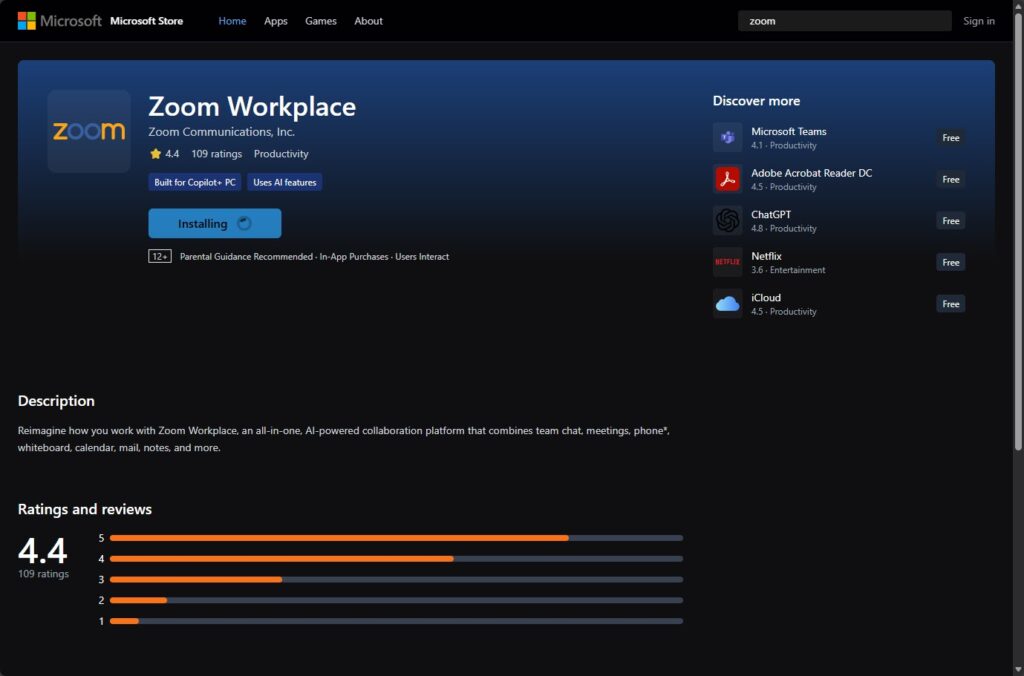
Attack Mechanics
The malware file is zoom_agent_x64_s-i(__941afee582cc71135202939296679e229dd7cced)(1).msi. Its SHA-256 hash is 644ef9f5eea1d6a2bc39a62627ee3c7114a14e7050bafab8a76b9aa8069425fa. VirusTotal showed no flags from Microsoft Defender at discovery.
Attackers repurposed Teramind’s stealth mode. No custom code needed. The installer hides in out_stealth builds. It renames to dwm.exe and nests in C:\ProgramData{4CEC2908-5CE4-48F0-A717-8FC833D8017A}. A tsvchst service ensures persistence.
It grabs PC name, user account, keyboard language, and locale. Data flows to attacker servers. Keystrokes log. Screenshots snap. Web activity tracks. Clipboard and files monitor.
Sandbox detection kicks in too. It spots research environments and shifts behavior. Temp files self-delete post-install. Traces vanish.
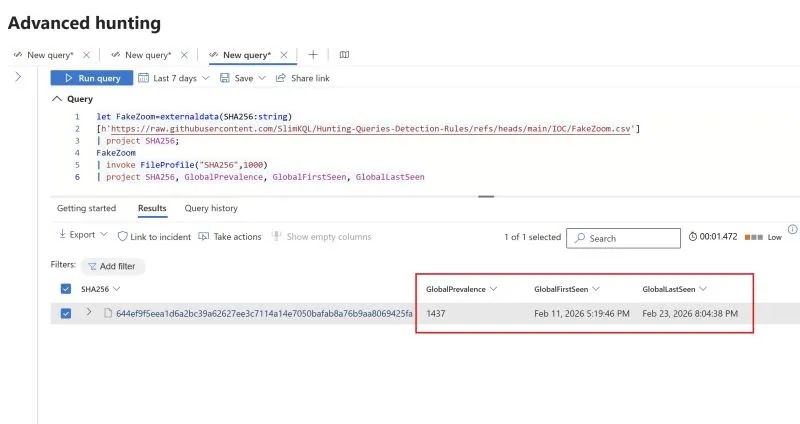
Key Indicators of Compromise (IoCs)
| Type | Value |
|---|---|
| File Hash (SHA-256) | 644ef9f5eea1d6a2bc39a62627ee3c7114a14e7050bafab8a76b9aa8069425fa |
| Malicious Domain | uswebzoomus[.]com |
| Teramind Instance ID | 941afee582cc71135202939296679e229dd7cced |
| Malicious File Name | zoom_agent_x64_s-i(__941afee582cc71135202939296679e229dd7cced)(1).msi |
| Agent Binary Name | dwm.exe |
| Installation Path | C:\ProgramData{4CEC2908-5CE4-48F0-A717-8FC833D8017A} |
| Persistence Service | tsvchst |
Detection and Removal Steps
- Scan with updated antivirus like Microsoft Defender or Malwarebytes.
- Check for C:\ProgramData{4CEC2908-5CE4-48F0-A717-8FC833D8017A}.
- Look for tsvchst service in Task Manager or services.msc. Stop and delete if found.
- Run full system scan in safe mode.
- Reset browser and clear Downloads folder.
If infected, assume compromise. Change passwords from a clean device. Report to IT for work machines.
Prevention Tips for Zoom Update Scams
- Launch Zoom from desktop app, not browser links.
- Type zoom.us directly. Verify URLs.
- Ignore pop-ups. Check official site for updates.
- Enable MFA on accounts. Use EDR like Microsoft Defender for Endpoint.
- Train on phishing: Fake meetings often rush or frustrate.
Zoom recommends official channels only in their security blog. Stay safe from Zoom phishing, fake updates, and surveillance malware.
FAQ
1,437 Windows users across the globe in 12 days, from February 11 to 23, 2026.
It logs keystrokes, takes screenshots, tracks web use, clipboard, and files silently.
Yes, for authorized purposes. Teramind confirmed no involvement
Search for tsvchst service or the hidden folder. Scan with Defender. Block the hash and domain.
Traditional signature-based tools may miss it initially. Use behavior detection in tools like Defender. Updates rolled out February 26.
Download from zoom.us only. Avoid unsolicited links. Watch for fake waiting rooms with issues.


Read our disclosure page to find out how can you help VPNCentral sustain the editorial team Read more


Improve this guide




User forum
0 messages