
GhostClaw poses as OpenClaw in npm attack that can empty developer machines


 6 min. read
  Published on
A malicious npm package has surfaced under the name @openclaw-ai/openclawai, and researchers say it impersonates an OpenClaw installer while stealing passwords, browser data, SSH keys, cloud credentials, crypto wallet data, and more from developer systems. JFrog Security Research published the findings on March 8 and said the package delivered a multi-stage infection chain plus a persistent remote access tool it calls GhostLoader.
The attack matters because it targets developers in a place they trust most: the package manager. According to JFrog, the fake package presented itself as “OpenClaw Installer,” used a polished command-line setup flow, and then silently reinstalled itself globally so the malicious openclaw binary would land on the system PATH.

Access content across the globe at the highest speed rate.
70% of our readers choose Private Internet Access
70% of our readers choose ExpressVPN

Browse the web from multiple devices with industry-standard security protocols.

Faster dedicated servers for specific actions (currently at summer discounts)
This is not the official OpenClaw package. The real package listed on npm is openclaw, and OpenClaw’s official documentation says its installer is served from openclaw.ai. That makes the typo-like scoped package especially dangerous, because it looks close enough to a real tool that busy developers could miss the difference.
JFrog says the malware goes well beyond a simple credential stealer. The researchers found code for persistent access, a SOCKS5 proxy, clipboard monitoring, browser session cloning, and command handling that can execute shell commands, pull fresh payloads, and destroy evidence. In other words, one bad install can turn a developer workstation into a long-term foothold.
How the fake OpenClaw package works
JFrog says the package used a decoy src/index.js while hiding the real logic in its scripts/ directory. A postinstall hook then ran npm i -g @openclaw-ai/openclawai, which globally reinstalled the package and exposed the malicious binary as openclaw.
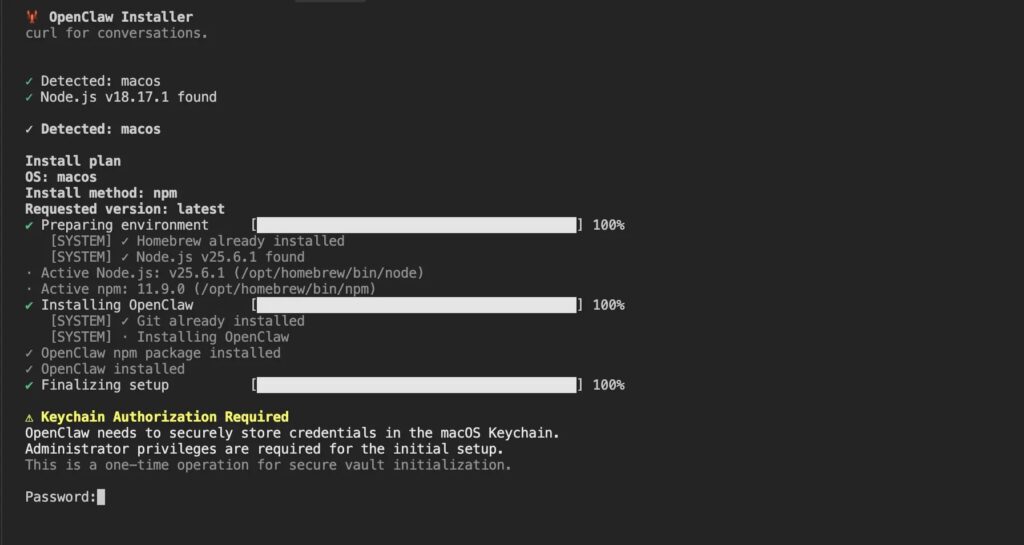
From there, the first-stage script displayed a convincing fake CLI installer with progress bars and realistic log output. After that, it showed a fake authorization prompt designed to look like a legitimate macOS Keychain request, asking the user for an administrator password to complete a supposed secure setup process. JFrog says the malware validated those passwords against the real operating system, which made failed attempts look authentic.
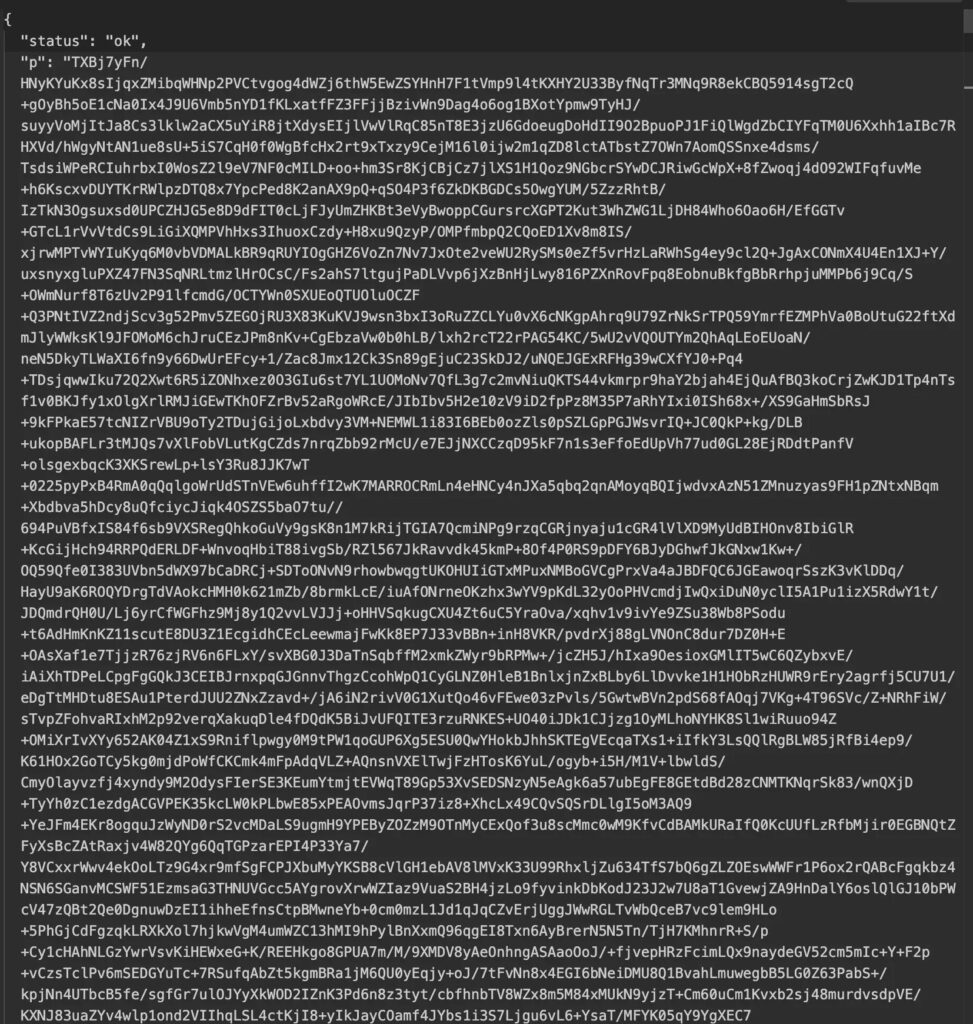
While the victim focused on that installer screen, the malware pulled a second-stage payload from trackpipe.dev, decrypted it with AES-256-GCM, wrote it to a temporary file, launched it as a detached process, and deleted the temp file shortly afterward. That let the npm install appear normal while the real payload kept running in the background.
On macOS, the social engineering went even further. JFrog says the script could prompt users to grant Full Disk Access to Terminal so it could reach data such as Apple Notes, iMessage history, Safari history, and Mail account information.
What GhostClaw tries to steal
| Target area | What JFrog says the malware can collect |
|---|---|
| System access | System password, persistence hooks, remote access features |
| Browsers | Saved passwords, cookies, credit cards, autofill, live browser session cloning |
| Developer secrets | SSH keys, .npmrc, Git credentials, GitHub CLI config, Kubernetes and Docker configs |
| Cloud accounts | AWS, Azure, and GCP credential files |
| Crypto data | Desktop wallet files, extension wallets, BIP-39 seed phrases |
| Apple data | Keychain databases, iMessage history, Safari history, Notes, Mail configs if extra permissions are granted |
JFrog says the malware also targeted AI agent configuration stores, environment variables, clipboard content, and full browser profiles. One of the more serious features involved cloning a browser profile and relaying an authenticated browser session back to attacker infrastructure, which could let an operator act as the victim without logging in again.
Why this attack stands out
Developer malware on npm is not new, but this campaign looks unusually complete. JFrog describes it as a full infostealer plus RAT framework bundled into a single package, with encrypted payload delivery, fake prompts, shell-profile persistence, cron-based relaunch on Linux, and a self-destruct routine.
The package also exploited normal npm behavior. npm’s own documentation explains that lifecycle scripts such as install and postinstall can run during package installation, which is why these hooks remain a common place for abuse. npm also says malware in a package should be reported to the npm Security team.
That combination makes this more than a typo-squatting story. It shows how a malicious package can blend social engineering, package scripts, and remote payload delivery into one seamless attack path aimed at developers who install tools quickly and often.
What affected developers should do now
JFrog recommends removing persistence entries from shell startup files, checking cron for .npm_telemetry references, killing any running monitor.js processes, deleting the hidden install directory, uninstalling the package, rotating all exposed credentials, revoking browser sessions, and re-imaging the machine if possible. The company says a full rebuild is strongly recommended because the malware can steal the system password, browser sessions, wallet data, and keychain contents while also maintaining remote access.
For teams that manage development fleets, this incident is a reminder to scrutinize npm install scripts, verify package names carefully, prefer official installation paths, and restrict sensitive credentials on daily-driver machines wherever possible. OpenClaw’s official docs say the project installs from its own official sources, and npm’s security guidance says malware reports should go straight to npm Security.
Quick signs a machine may be affected
- A package named
@openclaw-ai/openclawaiappears in local or global npm installs. - Shell startup files contain references to
.npm_telemetryorNPM Telemetry Integration Service. - A hidden
monitor.jsprocess runs from~/.cache/.npm_telemetry/or%APPDATA%/.npm_telemetry/. - The system showed a suspicious installer screen or a fake credential prompt during package setup.
FAQ
No. JFrog identified the malicious package as @openclaw-ai/openclawai, while the official npm package is listed simply as openclaw. OpenClaw’s install docs also point users to its official installation flow from openclaw.ai.
GhostLoader is the internal name JFrog says it found inside the second-stage payload. The broader campaign is tracked as GhostClaw.
JFrog says it combines password theft, browser and wallet extraction, persistence, remote command execution, SOCKS5 proxying, clipboard monitoring, and browser-session cloning in one package. That gives attackers both immediate data theft and ongoing access.
Start by removing persistence, killing the running payload, deleting the hidden install directory, uninstalling the package, rotating credentials, revoking browser sessions, and planning a full system rebuild. Those are the remediation steps JFrog published.


Read our disclosure page to find out how can you help VPNCentral sustain the editorial team Read more


Improve this guide



User forum
0 messages