
Oblivion RAT turns fake Play Store updates into an Android spyware service with live remote control


 4 min. read
  Published on
A newly documented Android malware service called Oblivion RAT uses fake Google Play update pages to trick victims into sideloading spyware, then abuses accessibility features to seize deep control of the device. The operation is sold as malware-as-a-service, with iVerify reporting pricing that starts at $300 per month and runs up to $2,200 for lifetime access.
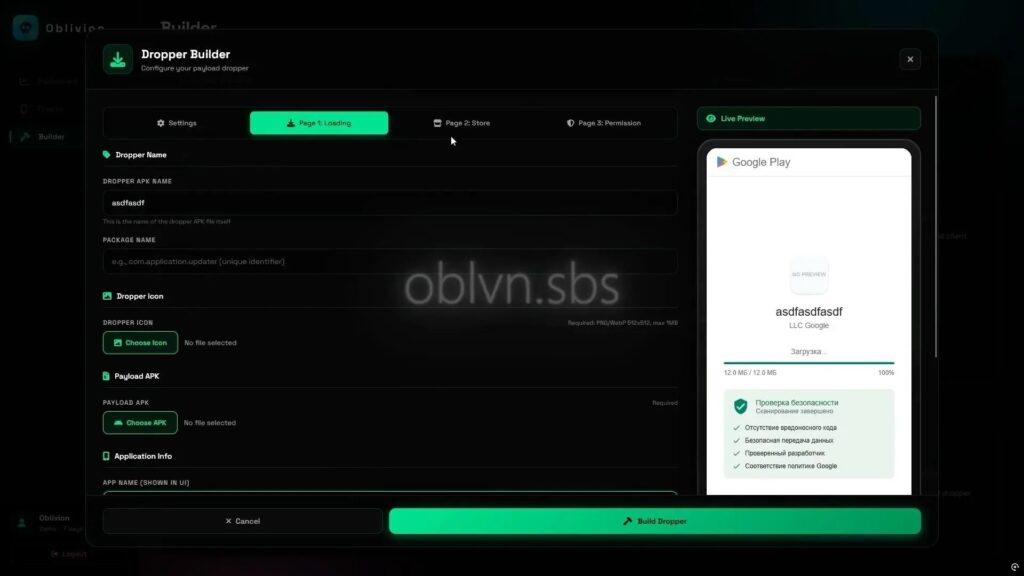
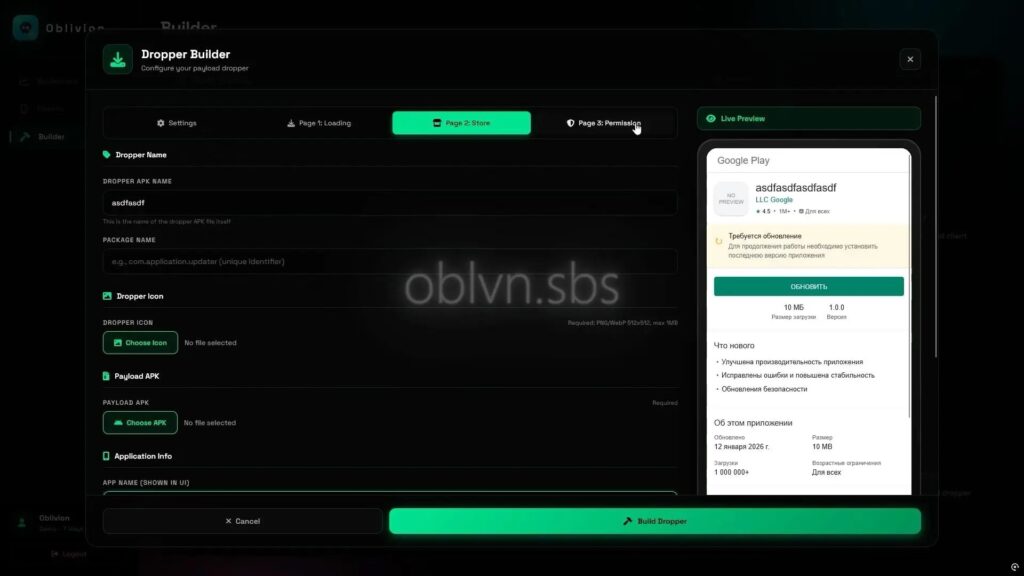
What makes this campaign stand out is how complete the package looks. iVerify says the operators offer an APK builder for the payload, a dropper builder that creates fake Play Store-style update flows, and a command-and-control panel for managing infected phones. The user-provided draft also highlights the same builder-and-panel structure and the fake update theme.

Access content across the globe at the highest speed rate.
70% of our readers choose Private Internet Access
70% of our readers choose ExpressVPN

Browse the web from multiple devices with industry-standard security protocols.

Faster dedicated servers for specific actions (currently at summer discounts)
How the infection works
According to iVerify, the attack uses a two-stage flow. Victims first install a dropper APK that contains a compressed second-stage implant and multiple HTML pages that imitate a Play Store update process. Those pages show a fake progress screen, a bogus Play Store listing, and a walkthrough that pushes the user to allow installation from outside the Play Store.
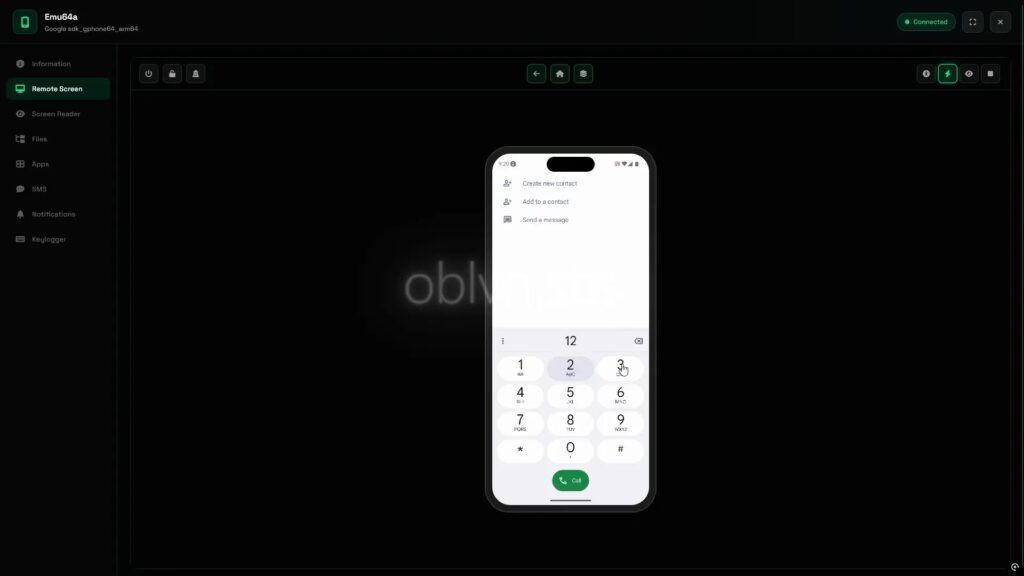
Once the second-stage implant lands, the malware asks for accessibility access and uses a fake interface that looks like Android settings. iVerify says this step gives the attacker a path to automate permission grants and gain broad surveillance and control features, including SMS interception, keylogging, live screen control, and visibility into installed banking or crypto apps.
The pasted draft adds concrete details that line up with the public reporting, including the use of fake “LLC Google” branding, a bogus security scan, and a backend option designed to hide permission prompts from the victim.
Why accessibility abuse matters
Android accessibility services exist to help users interact with devices, but malware authors often abuse them because they can enable screen reading, input automation, and interaction with system dialogs. Google has tightened Android protections around sideloaded apps and accessibility over time, and outside Android security reporting has noted that newer Android versions make it harder for sideloaded apps to abuse accessibility APIs.
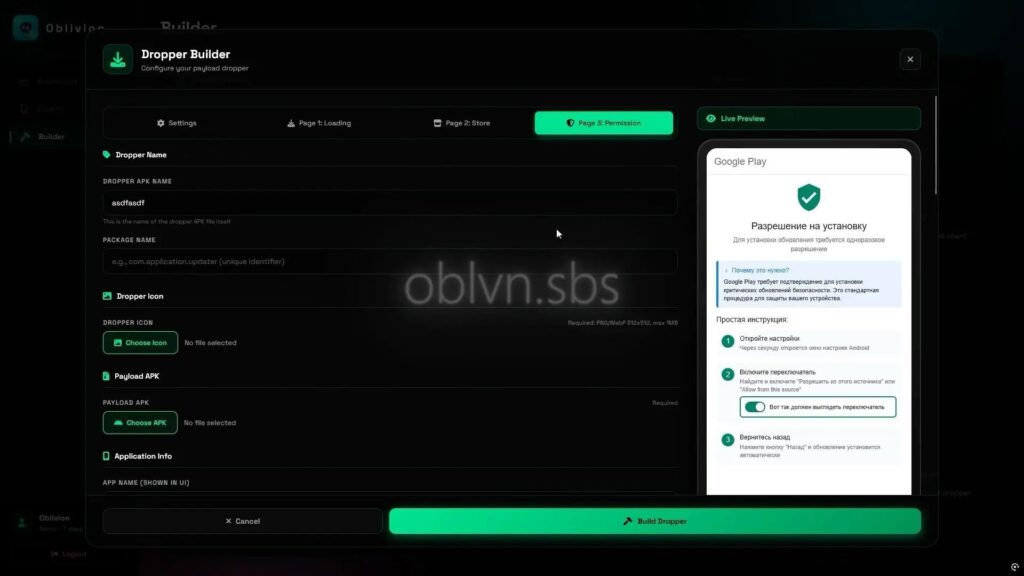
That matters here because Oblivion RAT does not rely only on a malicious app install. It relies on social engineering that convinces a user to keep granting more power after installation. In practice, the fake update pages do the first half of the job, and the accessibility lure does the rest.
What attackers appear to gain
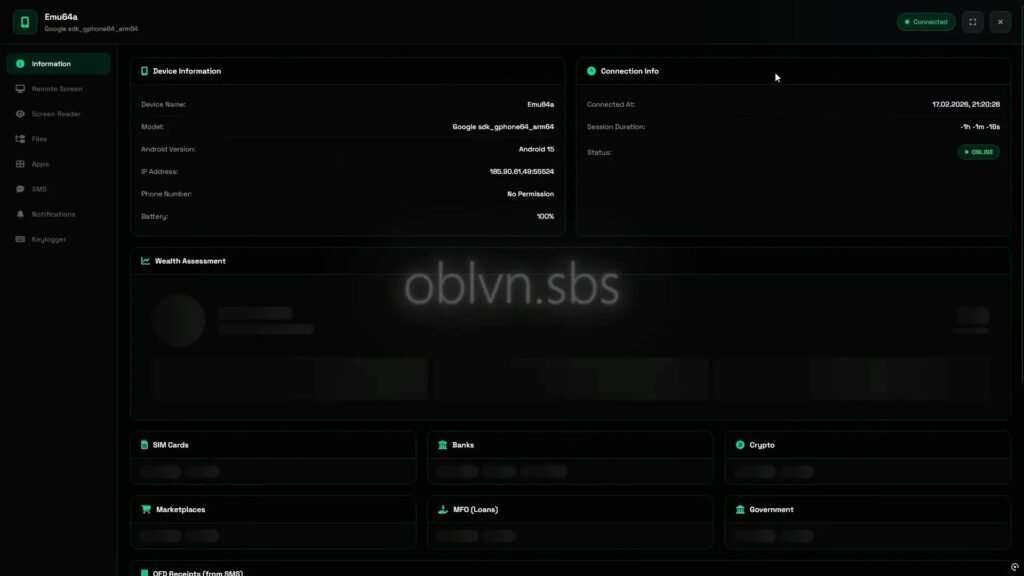
If the victim completes the flow, researchers say the attacker can turn the infected phone into a broad espionage and fraud platform. iVerify says the malware supports live VNC-style remote control, SMS capture, keylogging, and app-based profiling of valuable targets such as banks, crypto services, and government apps. That gives the operator multiple routes to steal credentials, capture one-time passcodes, and take over accounts.
Quick facts
| Item | Details |
|---|---|
| Malware name | Oblivion RAT |
| Platform | Android |
| Delivery lure | Fake Google Play update flow |
| Business model | Malware-as-a-service |
| Reported pricing | $300/month to $2,200 lifetime |
| Key abuse path | Sideloading plus accessibility permissions |
| Reported capabilities | SMS theft, keylogging, live remote control, app profiling |
Source: iVerify analysis.
What Android users and admins should do
- Avoid app installs that start from links in chats, dating apps, or unsolicited messages.
- Treat any request to install an APK outside Google Play as a red flag unless you fully trust the source. Google says Android blocks inadvertent installs from outside trusted stores until the user explicitly opts in.
- Be extremely cautious with accessibility prompts from unfamiliar apps, especially right after sideloading.
- Use mobile security or MDM controls that restrict unknown-source installs and monitor for suspicious accessibility-service activity. This matches the guidance in the pasted draft.
FAQ
It is an Android remote access trojan sold as malware-as-a-service that uses fake Google Play update pages and accessibility abuse to control infected devices.
The public reporting points to fake Play Store-style pages and sideloaded APKs, not a malicious app listed in the official Play Store.
Because it can let malware observe the screen, automate actions, and interact with permission flows once the user grants it.
Do not sideload unexpected APKs, and never grant accessibility access to an app you do not fully trust.


Read our disclosure page to find out how can you help VPNCentral sustain the editorial team Read more


Improve this guide




User forum
0 messages