
Google Drive ransomware detection and bulk file restoration are now generally available


 4 min. read
  Published on
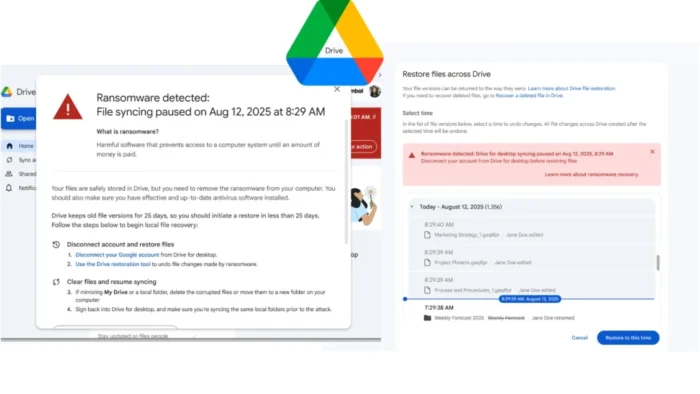
Google has moved its ransomware detection and file restoration features for Google Drive out of beta and into general availability. The tools are designed to stop encrypted files from spreading into Google Drive and to help users recover earlier, unencrypted versions of affected files after an attack.
The rollout builds on Google’s September 2025 beta launch. Google says its updated AI model now detects 14 times more infections than the beta version, with broader coverage and faster detection of ransomware encryption patterns.

Access content across the globe at the highest speed rate.
70% of our readers choose Private Internet Access
70% of our readers choose ExpressVPN

Browse the web from multiple devices with industry-standard security protocols.

Faster dedicated servers for specific actions (currently at summer discounts)
For organizations that rely on Google Drive for desktop, the feature can stop an endpoint incident from turning into a wider cloud sync problem. When Google Drive detects ransomware behavior on a local machine, it pauses syncing so encrypted files do not overwrite healthy versions stored in the cloud.
How Google’s ransomware detection works
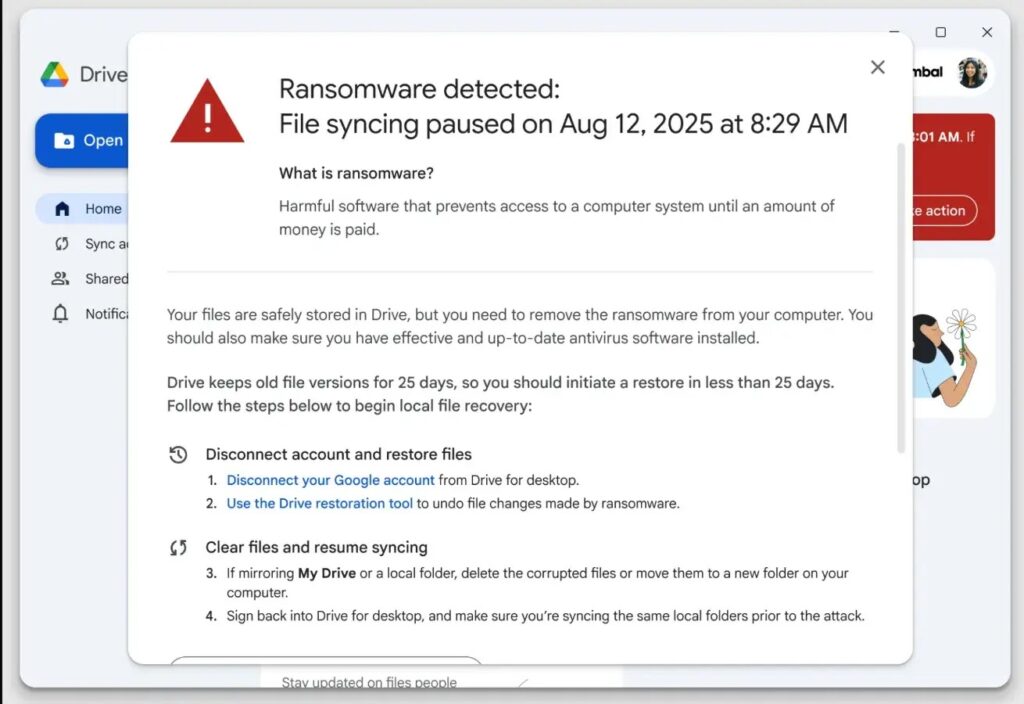
The detection feature works through Google Drive for desktop. Google says the app scans files during synchronization, and if it detects ransomware-encrypted content, syncing stops automatically to contain the damage.
Users on Drive for desktop version 114 or later also get local desktop alerts. Google says older versions still stop syncing when ransomware is detected, but they do not show those pop-up warnings on the device itself.
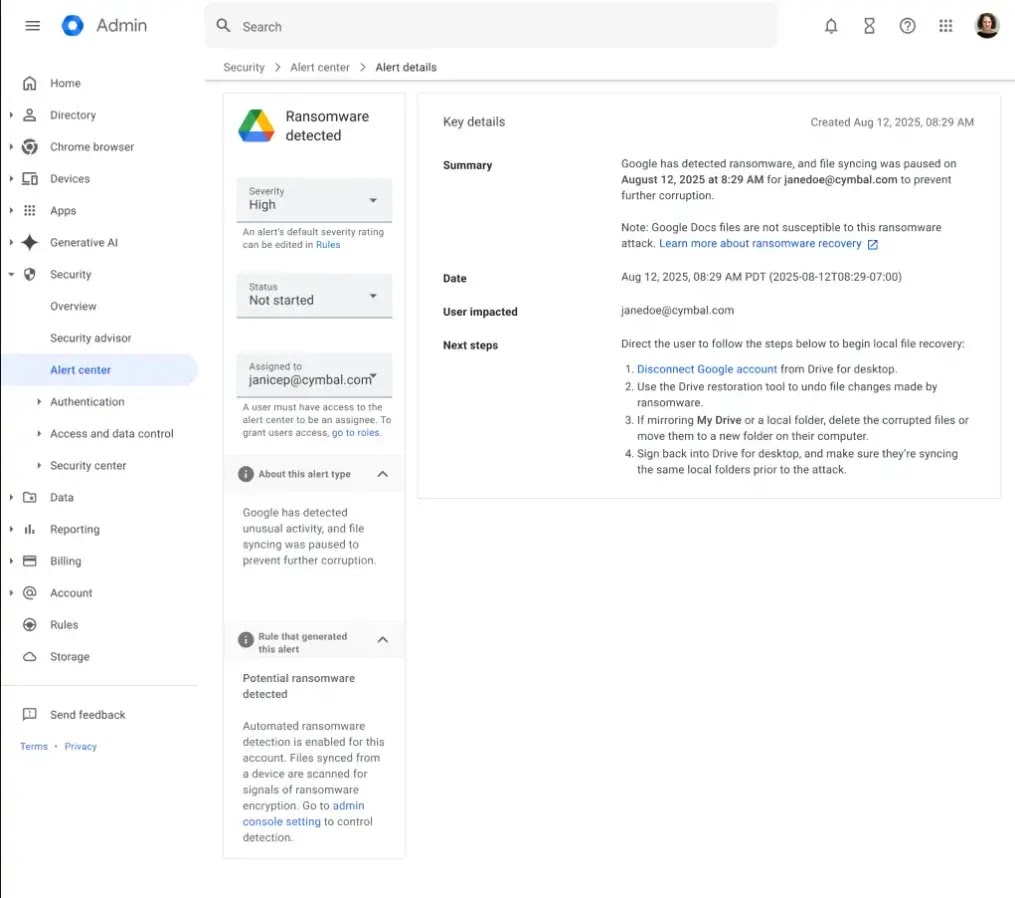
Admins also get notified. Google says ransomware detections trigger emails to administrators and alerts in the Admin console Alert center, while affected users receive their own notifications and recovery guidance.
What the new file restoration feature adds
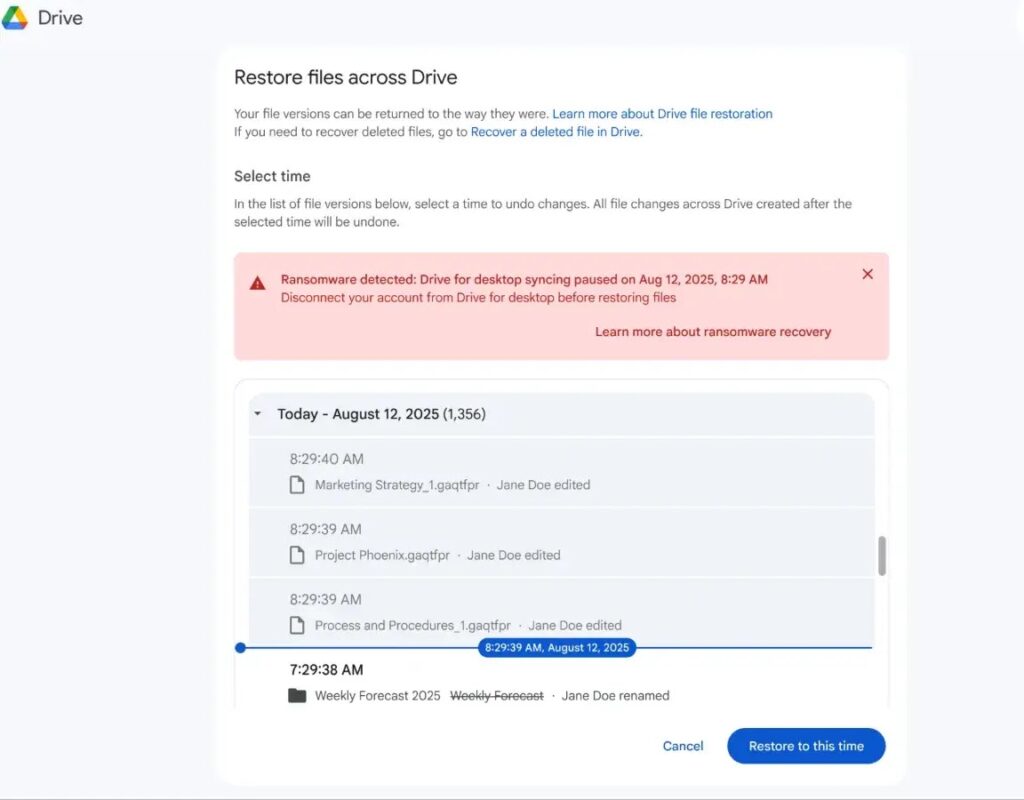
Google’s second big improvement is bulk file restoration. If ransomware encrypts files on a machine connected to Drive, users can restore multiple files to earlier, clean versions instead of fixing them one by one.
Google says the feature has already been tested by thousands of users during the beta phase, which the company cites as evidence that the recovery workflow is scalable and reliable.
There are limits, though. Google’s Help page says bulk restoration covers files that were created or changed in the past 25 days, including My Drive, Shared with me files, and content on internal or external shared drives.
Who gets which features
Google says file restoration has broad availability, including all Google Workspace customers, Workspace Individual subscribers, and users with personal Google accounts. Ransomware detection does not have that same reach. It is only available on certain paid Workspace tiers.
That means a personal Gmail or standard free Google account can use file restoration, but it does not get the full ransomware detection stack described for supported Workspace plans.
Both features are on by default where supported. Google says admins can manage them at the organizational unit level in the Admin console under Drive and Docs settings.
Availability at a glance
| Feature | Availability |
|---|---|
| File restoration | All Google Workspace customers, Workspace Individual, and personal Google accounts |
| Ransomware detection | Business Standard and Plus; Enterprise Starter, Standard and Plus; Education Standard and Plus; Frontline Standard and Plus |
| Desktop alert pop-ups | Require Drive for desktop version 114 or later |
| Sync pausing on older desktop builds | Still works, even without local pop-up alerts |
Why this matters
Ransomware often starts on an endpoint, but the damage spreads when encrypted files sync back into cloud storage and replace clean copies. Google’s detection and sync-pausing approach aims to break that chain before it reaches the cloud copy.
The bulk restore option matters just as much. It gives users a practical recovery path without needing to restore files one at a time or rely entirely on separate backup systems.
This does not replace endpoint protection or backups, but it gives Google Drive users a stronger recovery layer inside the platform they already use every day.
Quick takeaways
- Google Drive ransomware detection and file restoration are now generally available.
- Google says the updated AI model detects 14 times more infections than the beta version.
- Ransomware detection pauses syncing when malicious encryption is detected.
- Bulk restoration lets users recover multiple files to earlier versions.
- File restoration is broader than ransomware detection in terms of availability.
FAQ
Yes. Google says ransomware detection and file restoration for Google Drive are now generally available.
No. Google says ransomware detection is limited to specific paid Workspace editions, while file restoration is available more broadly.
For local pop-up alerts, yes. Google says users need Drive for desktop version 114 or later. Older versions still pause syncing when ransomware is detected.
Yes. Google says users can bulk restore multiple files to earlier versions after ransomware damage.


Read our disclosure page to find out how can you help VPNCentral sustain the editorial team Read more


Improve this guide



User forum
0 messages