
Russian “CTRL” toolkit hijacks RDP sessions and steals Windows credentials


 6 min. read
  Published on
A newly uncovered malware toolkit called “CTRL” gives attackers a quiet way to take over Windows systems, steal credentials, and keep long-term access. Security researchers at Censys ARC say the framework supports phishing, keylogging, RDP abuse, persistence, and reverse tunneling in one attack chain.
The most serious risk comes from how the toolkit handles remote access. Censys says CTRL can patch termsrv.dll and install RDP Wrapper to allow concurrent Remote Desktop sessions, which lets an attacker work on the machine without forcing the legitimate user off immediately. MITRE ATT&CK classifies this as RDP hijacking, a technique attackers use to take over an existing remote session and move laterally.

Access content across the globe at the highest speed rate.
70% of our readers choose Private Internet Access
70% of our readers choose ExpressVPN

Browse the web from multiple devices with industry-standard security protocols.

Faster dedicated servers for specific actions (currently at summer discounts)
Researchers say the malware appears to be a private or closely held toolkit rather than a commodity family that already circulates widely across public repositories. At the time of analysis, Censys said it had not shown up in public malware repositories or major threat intelligence feeds, which suggests defenders may not have broad detection coverage yet.
How the attack works
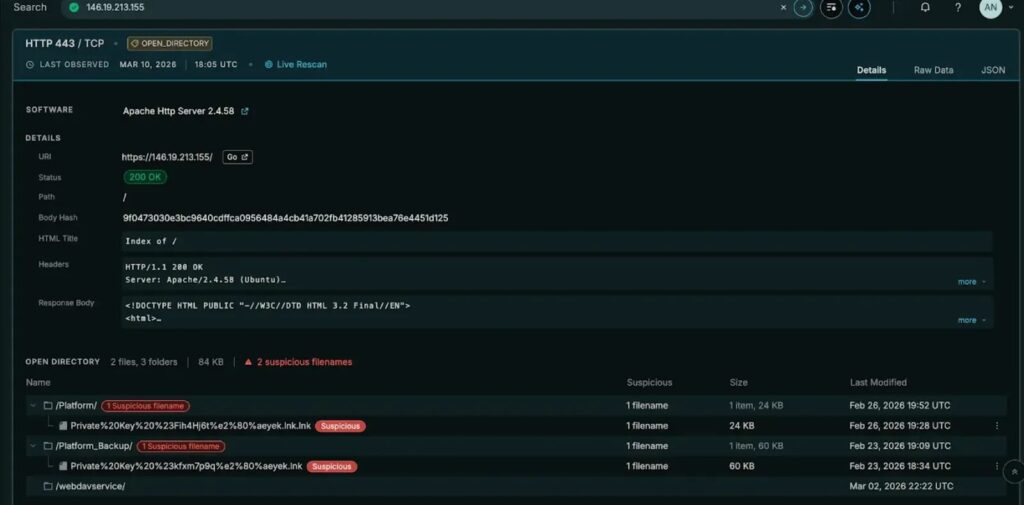
According to the Censys ARC report, the infection starts with a malicious LNK shortcut disguised as a folder and named like a private key archive. When the victim opens it, hidden PowerShell code launches a staged in-memory loader, which delays exposure of the main infrastructure until later in the chain.
From there, CTRL stores payloads inside registry values that look like normal Explorer settings, creates scheduled tasks for startup execution, and can use a fodhelper.exe registry hijack to bypass User Account Control. Censys also found that the malware can add hidden backdoor accounts to Administrators and Remote Desktop Users groups, making cleanup harder if responders miss those changes.
The framework then opens a stealthier access path by using FRP, or Fast Reverse Proxy, to tunnel traffic back to operator-controlled infrastructure. That matters because reverse proxies can reduce noisy beaconing and help attackers reach internal systems without exposing standard remote administration traffic in obvious ways. CISA has previously documented threat actors using FRP for command and control and remote access workflows.
Why defenders should pay attention
One standout feature in CTRL is a fake Windows Hello PIN prompt. Censys says the phishing window copies the real Windows experience, pulls in the victim’s actual display name and photo, matches the light or dark theme, blocks common escape key combinations, and validates stolen PINs against the real authentication process before accepting them.
The toolkit also runs a background keylogger that writes captured keystrokes to C:\Temp\keylog.txt, while a named pipe called ctrlPipe supports local command execution. Instead of depending only on a traditional remote control channel, the operator can work through tunneled RDP and local control features that may blend in better with normal system activity.
This makes CTRL more than a simple RAT. It behaves like a post-compromise access framework built for hands-on keyboard operations on modern Windows systems. Microsoft’s own Remote Desktop guidance stresses limiting exposure, using gateways and MFA, and avoiding unnecessary direct RDP access, while MITRE’s detection guidance highlights suspicious session reassignment, process launches inside hijacked sessions, and unusual RDP traffic as key signs of abuse.
What security teams should look for
| Indicator area | What to watch for |
|---|---|
| Initial access | Suspicious .lnk files posing as folders or archives |
| Persistence | New scheduled tasks running encoded PowerShell at boot |
| Registry abuse | Binary payloads hidden in Explorer-related registry paths |
| Privilege escalation | fodhelper.exe registry hijack behavior |
| RDP tampering | Changes to termsrv.dll, RDP Wrapper installation, unexpected concurrent sessions |
| Credential theft | Fake Windows Hello prompts, blocked hotkeys, local PIN harvesting |
| Lateral movement | Hidden admin accounts or new members in Remote Desktop Users |
| Network activity | FRP tunnels, unusual outbound traffic to attacker-controlled relays |
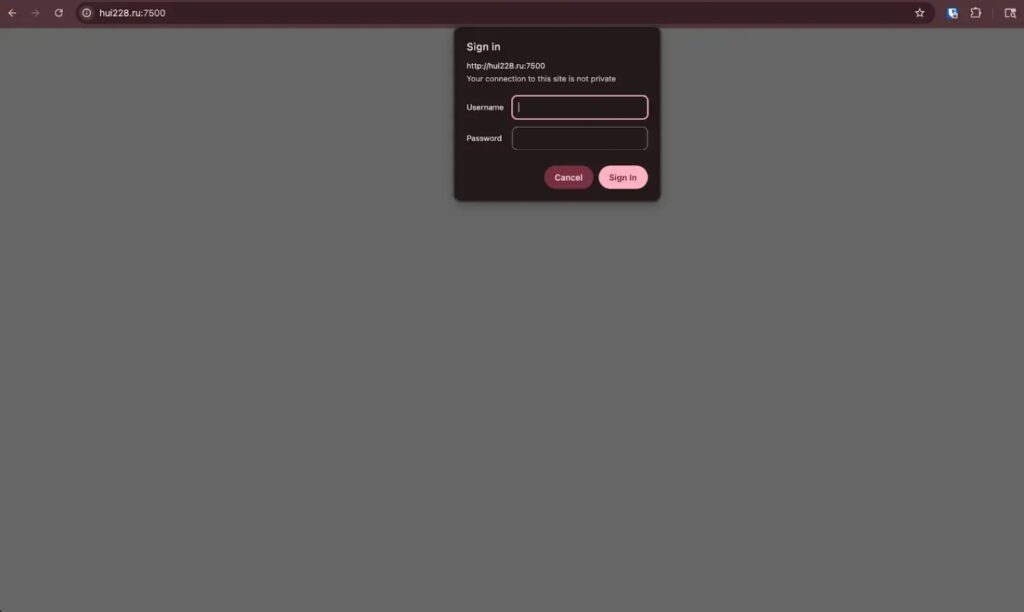
Censys specifically highlighted infrastructure tied to hui228[.]ru, 194.33.61.36, and 109.107.168.18 during its analysis. Defenders should treat those indicators carefully and confirm whether their own telemetry shows related connections, scheduled task creation, or registry writes tied to the same activity.
MITRE’s current guidance for RDP hijacking detection points to several useful telemetry sources, including Security Event IDs 4624 and 4648, Sysmon process creation, Sysmon network events, and System Event ID 7045 for service creation. In plain terms, if a machine shows session activity that does not line up with a normal user logon, or if it suddenly starts spawning processes within an existing RDP session, analysts should investigate fast.
Microsoft and CISA guidance also supports a practical response plan: reduce direct RDP exposure, use MFA where possible, isolate suspicious endpoints, collect investigation data, and review Remote Desktop Users group membership and firewall rules. These steps will not remove the malware by themselves, but they can cut off attacker access and help responders scope the intrusion.
Quick defensive checklist
- Hunt for malicious or newly dropped
.lnkfiles on user-accessible paths - Review scheduled tasks created recently, especially ones launching PowerShell
- Check for unauthorized changes to
termsrv.dllor signs of RDP Wrapper installation - Audit local administrator accounts and Remote Desktop Users group membership
- Monitor for FRP-related binaries, configs, and unusual outbound tunnels
- Investigate fake credential prompts or reports of unusual Windows Hello behavior
- Correlate logon events with active RDP sessions to spot hijacking patterns
- Isolate affected endpoints before starting deeper remediation
Key technical points at a glance
| Component | Reported CTRL behavior |
|---|---|
| Delivery | Malicious LNK disguised as a folder/private key archive |
| Phishing | Fake Windows Hello PIN prompt using victim details |
| Persistence | Registry-stored payloads plus scheduled tasks |
| Elevation | UAC bypass through fodhelper.exe hijack |
| Remote access | termsrv.dll patching and RDP Wrapper installation |
| Tunneling | FRP reverse proxy for RDP and shell traffic |
| Logging | Keystrokes saved to C:\Temp\keylog.txt |
| Local control | Named pipe ctrlPipe |
FAQ
CTRL is a newly documented Windows access framework that combines credential phishing, keylogging, persistence, reverse tunneling, and RDP abuse in one toolkit. Censys ARC says it appears to be a previously undocumented framework linked to a Russian-speaking developer or operator set.
Censys says the toolkit patches termsrv.dll and installs RDP Wrapper to allow concurrent RDP sessions. That gives the attacker a way to access the machine remotely while reducing the chances that the user immediately notices the session takeover.
Because it looks unusually realistic. The phishing window reportedly copies the victim’s real account details, blocks escape shortcuts, and checks entered PINs against the actual Windows credential process, which can make the theft more convincing and harder to spot.
Start by isolating suspicious systems, reviewing recent scheduled tasks and registry changes, checking for unauthorized RDP configuration changes, and auditing Remote Desktop Users and administrator accounts. Security teams should also review outbound connections for signs of FRP tunneling and correlate logon events with active RDP sessions.


Read our disclosure page to find out how can you help VPNCentral sustain the editorial team Read more


Improve this guide



User forum
0 messages