
Microsoft confirms some Windows Server domain controllers can enter reboot loops after April 2026 patches


 5 min. read
  Published on
Microsoft has confirmed that some Windows Server domain controllers can enter repeated restart loops after installing the April 2026 security updates. The company says the issue affects domain controllers in environments with multiple domains in the forest that use Privileged Access Management, where LSASS can crash during startup and leave authentication and directory services unavailable.
The sample you shared gets the broad story right, but it is too narrow in one key area. This is not limited to Windows Server 2025. Microsoft’s Windows release health page says the confirmed reboot-loop issue affects Windows Server 2016, 2019, 2022, version 23H2, and 2025.

Access content across the globe at the highest speed rate.
70% of our readers choose Private Internet Access
70% of our readers choose ExpressVPN

Browse the web from multiple devices with industry-standard security protocols.

Faster dedicated servers for specific actions (currently at summer discounts)
The trigger is the April 2026 security update for each affected server version. For Windows Server 2025, the update is KB5082063, released on April 14, 2026, and Microsoft’s support page now lists “Domain controllers might restart repeatedly after installing this update” as a known issue.
What Microsoft has confirmed
Microsoft says the restart loop happens after installing the April security update and rebooting. The affected domain controllers can hit LSASS crashes during startup, which then causes repeated restarts and can render the domain unavailable if the server cannot recover cleanly.
Microsoft also says the issue is specific to Windows Server environments and does not affect consumer PCs or typical personal devices. The scenario is tied to managed enterprise environments, especially those using PAM in multi-domain forests.
There is also no public one-click fix yet. Microsoft says administrators need to contact Microsoft Support for Business to obtain a mitigation, and that the company is working on a resolution it expects to release in the next few days.
The Windows Server 2025 side of the story
For Windows Server 2025 specifically, KB5082063 carries OS Build 26100.32690 and includes the monthly security fixes plus non-security improvements from the March preview update KB5078740. Microsoft’s release notes also confirm that the servicing stack update KB5082062, build 26100.32692, ships with this release.
Your sample also mentions another issue tied to Server 2025, and that part is supported by Microsoft. The company says a limited number of Windows Server 2025 systems may fail to install KB5082063 and can show error 0x800F0983 or 800F0983 during deployment, though Microsoft has not published a workaround yet on the main KB page.
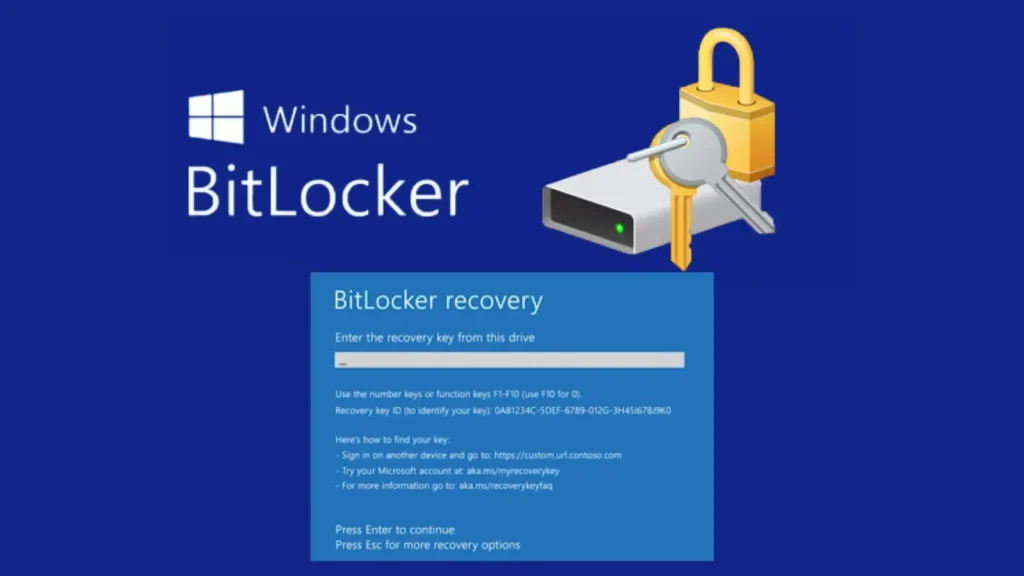
The BitLocker warning is also real, but it needs tighter wording. Microsoft says only a limited number of systems are affected, and only when several specific conditions are all true, including BitLocker on the OS drive, a particular Group Policy configuration involving PCR7, and a device state where the 2023-signed Windows Boot Manager has not already become the default.
What KB5082063 does fix
Despite the known issues, KB5082063 still includes several real improvements. Microsoft says it changes the default DefaultDomainSupportedEncTypes value for Kerberos KDC operations to use AES-SHA1 for accounts without an explicit Active Directory encryption type definition, tied to CVE-2026-20833.
The update also improves SMB compression over QUIC, adds protections when opening Remote Desktop .rdp files by showing requested settings before connection, improves the Set-GPPrefRegistryValue PowerShell cmdlet, and disables the Windows Deployment Services “Hands-Free Deployment” feature by default as part of the hardening related to CVE-2026-0386.
Microsoft additionally says the release expands high-confidence targeting data for Secure Boot certificate rollout and addresses an issue where devices could enter BitLocker Recovery after Secure Boot updates. That matters because Secure Boot certificate expiry starts in June 2026, so Microsoft is clearly trying to prepare systems ahead of that transition.
What admins should do now
The most practical guidance right now is to pause broad deployment of the April security update on domain controllers in affected enterprise environments until Microsoft publishes the fix or gives you a case-specific mitigation. That is especially important for organizations using multi-domain forests with PAM, because Microsoft has tied the reboot-loop issue directly to that setup.
If you already installed the update and hit the problem, Microsoft’s official guidance is to contact Microsoft Support for Business for the mitigation. Public third-party reports say some administrators recovered by uninstalling the update, but Microsoft has not published that as the official universal workaround on the KB page, so it is better to present that only as anecdotal field reporting rather than settled vendor guidance.
Organizations that may also fall into the BitLocker-risk group should audit the relevant Group Policy before patching. Microsoft gives exact steps, including setting “Configure TPM platform validation profile for native UEFI firmware configurations” to “Not Configured,” then using gpupdate /force and BitLocker protector disable/enable commands to refresh the bindings.
Key details at a glance
| Item | Details |
|---|---|
| Main issue | Domain controllers may restart repeatedly |
| Trigger | April 2026 security updates |
| Confirmed cause path | LSASS crashes during startup |
| Affected environments | Multi-domain forests using PAM |
| Affected versions | Windows Server 2016, 2019, 2022, 23H2, 2025 |
| Windows Server 2025 KB | KB5082063 |
| Server 2025 build | 26100.32690 |
| Bundled SSU | KB5082062, build 26100.32692 |
| Extra known issue | Some Server 2025 installs fail with 0x800F0983 |
| Current Microsoft guidance | Contact Microsoft Support for Business for mitigation |
The table above is based on Microsoft’s release notes and Windows release health status pages.
FAQ
No. Microsoft says it affects Windows Server 2016, 2019, 2022, version 23H2, and 2025.
Microsoft says affected domain controllers can experience LSASS crashes during startup after installing the April 2026 security update, which then leads to repeated restarts.
Not yet. Microsoft says a mitigation is available through Microsoft Support for Business and that a full resolution is coming in the next few days.
It is a separate known issue tied to KB5082063 on a limited number of Windows Server 2025 systems. Microsoft is investigating it, but the reboot loop and the install failure are not described as the same fault.


Read our disclosure page to find out how can you help VPNCentral sustain the editorial team Read more


Improve this guide


User forum
0 messages