
12 fake TikTok downloader extensions caught spying on 130,000 users


 5 min. read
  Published on
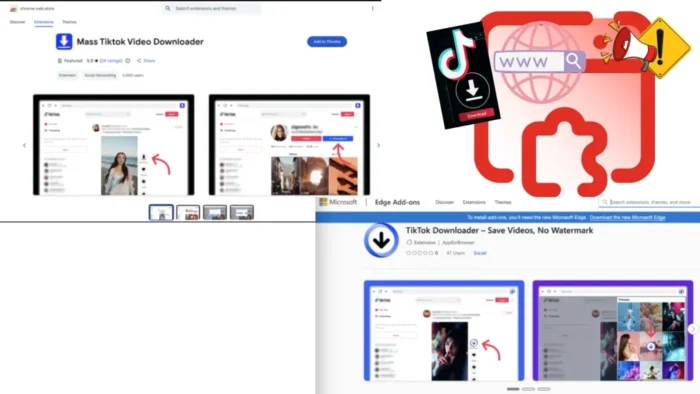
A coordinated browser extension campaign has compromised more than 130,000 users by posing as TikTok video downloaders on Chrome and Edge. Security firm LayerX says at least 12 related extensions were involved, and about 12,500 installations were still active when the company published its findings.
The campaign, which LayerX calls StealTok, worked because the extensions did not look malicious at first. They performed the promised task of downloading TikTok videos, which helped them gain trust, collect positive reviews, and in some cases even receive a “Featured” badge in official extension marketplaces. Once they had built that reputation, the operators pushed remote configuration changes that turned them into spying tools.

Access content across the globe at the highest speed rate.
🔥 Save 81% + 2 bonus months! 🔥
70% of our readers choose Private Internet Access
70% of our readers choose Private Internet Access
2
Browse the web from multiple devices with industry-standard security protocols.
🔥 Save 73%! 🔥

Faster dedicated servers for specific actions (currently discounted)
🔥 Save 69%! 🔥
That delay made the campaign harder to catch. LayerX says many of the extensions behaved normally for six to twelve months before fetching new instructions from external command-and-control infrastructure. By the time the malicious behavior appeared, users had little reason to suspect that a video downloader had become a surveillance tool.
How the extensions stayed under the radar
The attackers appear to have reused the same core codebase across multiple extensions, with only small branding changes between them. LayerX says this gave the operation resilience, because one extension could disappear while a near-identical clone quickly replaced it in the store.
The extensions also blended in by working exactly as advertised. Users could download TikTok videos without watermarks, which made the tools look useful rather than suspicious. Some remained online long enough to collect significant install counts and stronger store credibility before the malicious capabilities arrived.
This exposed a weakness in marketplace review systems. A browser extension can pass initial checks, operate cleanly for months, and then evolve later through remote configuration. LayerX says that means installation-time validation alone no longer catches the full risk.
What data the campaign collected
After activation, the extensions began collecting telemetry and user-environment data. LayerX says the malware tracked browsing-related activity, monitored extension usage, and gathered high-entropy signals such as time zone, language settings, and battery status. Those details can help attackers build a stable fingerprint for a device and track the same user across sessions and services.
The data did not go to obviously malicious domains. LayerX says the campaign used deceptive hostnames with slight misspellings, including examples such as trafficreqort.com, to reduce the chance of casual detection by users or admins.
That makes the threat bigger than a simple annoying extension. A downloader that quietly fingerprints devices and phones home to lookalike domains can support surveillance, ad fraud, account targeting, or later-stage theft depending on what the operators decide to push next. This is an inference based on LayerX’s description of remote configuration and stealthy data collection.
Active and removed extensions
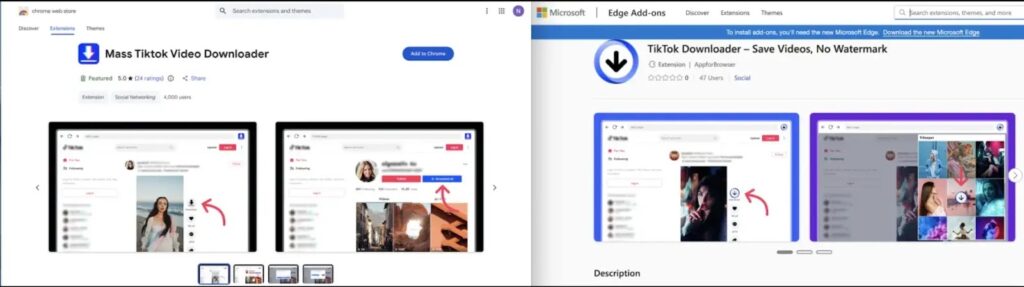
LayerX says active malicious extensions on Chrome included “TikTok Downloader – Save Videos, No Watermark” with about 3,000 installs, “TikTok Video Downloader – Bulk Save” with about 1,000 installs, and “Tiktok Downloader” with 353 installs. On Edge, the report lists “Mass Tiktok Video Downloader” with 77 installs and another “TikTok Downloader – Save Videos, No Watermark” variant with 47 installs.
The campaign also included extensions that had already been removed by the time LayerX published its report. Those included “TikTok Video Keeper,” which reportedly reached 60,000 installs, and “Video Downloader for Tiktok,” which reportedly reached 20,000 installs on Chrome.
Some TikTok downloader extensions remain available in browser stores, which makes user caution important. Not every downloader is malicious, but LayerX’s findings show that store presence and a useful feature set do not guarantee safety.
Why this campaign matters
StealTok shows how extension-based attacks have changed. The old model relied on obviously shady plugins or fast smash-and-grab behavior. This campaign used patience, reputation-building, and delayed activation to stay alive longer and reach more victims.
It also shows why browser extensions deserve the same scrutiny as regular software. Extensions can read page content, observe browsing patterns, inject code into visited websites, and communicate with remote servers. When one of them turns hostile months after installation, the damage can continue quietly for a long time. This is an inference from LayerX’s findings and the nature of extension permissions.
For companies, the lesson is clear. Security teams need continuous monitoring for browser activity, extension behavior, and suspicious outbound traffic rather than relying only on allowlists and store reputation. LayerX says behavior-based detection is essential against extension threats that change after approval.
At a glance
| Item | Detail |
|---|---|
| Campaign name | StealTok |
| Number of related extensions | At least 12 |
| Users affected | More than 130,000 |
| Still-active installs at disclosure | About 12,500 |
| Primary disguise | TikTok video downloaders |
| Main tactic | Delayed malicious activation through remote configuration |
| Main risk | User tracking, telemetry collection, and device fingerprinting |
Recommended actions
- Remove any TikTok downloader extension you do not fully trust, especially ones matching LayerX’s list.
- Review installed Chrome and Edge extensions and uninstall anything unnecessary or unfamiliar.
- Change passwords for sensitive accounts if one of the listed extensions was installed.
- Watch for suspicious outbound requests to typo-like domains and other unexpected browser traffic.
- Use browser security controls that monitor extension behavior over time, not only at installation.
FAQ
StealTok is a malicious browser extension operation identified by LayerX. It used at least 12 Chrome and Edge extensions disguised as TikTok downloaders to spy on users and collect telemetry.
Yes. LayerX says the campaign operated through the Chrome Web Store and Microsoft Edge marketplace, and some extensions even gained “Featured” status.
Because the extensions initially worked as promised and only became malicious later through remote configuration changes. LayerX says some behaved legitimately for six to twelve months.
Users should remove suspicious TikTok downloader extensions immediately and change passwords for sensitive accounts if any listed extension was installed.


Read our disclosure page to find out how can you help VPNCentral sustain the editorial team Read more


Improve this guide




User forum
0 messages