
Fake OpenClaw installer targets crypto wallets and password managers


 6 min. read
  Published on
A fake OpenClaw installer is being used to deliver a Rust-based infostealer framework that targets crypto wallets, password managers, browser data, and Ledger Live files. The campaign impersonates OpenClaw, the popular open-source personal AI assistant, and tricks users into downloading a malicious Windows installer.
Netskope Threat Labs tracks the newer wave as Hologram. The company says the malware can steal data from more than 250 browser extensions, including crypto wallet extensions, password managers, and authenticator tools.

Access content across the globe at the highest speed rate.
70% of our readers choose Private Internet Access
70% of our readers choose ExpressVPN

Browse the web from multiple devices with industry-standard security protocols.

Faster dedicated servers for specific actions (currently at summer discounts)
The campaign has evolved across multiple waves since at least February 2026. Earlier activity documented by Huntress used fake OpenClaw repositories to deliver Vidar, PureLogs, and GhostSocks, while the newer Hologram and Pathfinder waves added more modular malware, stronger evasion, and rotating infrastructure.
How the fake installer reaches victims
The attack starts with a fake website at openclaw-installer.com. The site imitates a legitimate OpenClaw installer page and points visitors to an archive named OpenClaw_x64.7z.
Inside that archive is a large Rust-compiled executable named OpenClaw_x64.exe. Netskope says the Hologram version is about 130MB, with fake documentation padding the file to make it look more convincing and to bypass some automated scanning limits.
The file also shows a graphical installer and asks for administrator approval. That helps the malware look like normal setup software while it prepares the next stage of the attack.
At a glance
| Detail | Information |
|---|---|
| Campaign theme | Fake OpenClaw installer |
| Main malware wave | Hologram |
| Later wave | Pathfinder |
| Installer file | OpenClaw_x64.7z and OpenClaw_x64.exe |
| Primary goal | Credential theft and crypto wallet theft |
| Targeted extensions | More than 250 crypto wallet, password manager, and authenticator extensions |
| Abused services | Azure DevOps, Telegram, Hookdeck, GitHub, and Pastebin-style dead drops |
| Notable evasion | Large file size, anti-VM checks, mouse movement gate, and dynamic infrastructure |
The malware waits for a real user
Before the main payload runs, Hologram checks whether it is inside a virtual machine or analysis sandbox. It looks at BIOS strings, sandbox-related files, hardware details, process counts, RAM, disk size, screen resolution, and other signals.
The malware also waits for mouse movement before continuing. This matters because many automated sandboxes run samples without real user input, so the malware can stay quiet during analysis.
Once those checks pass, the dropper launches an obfuscated PowerShell stage. Netskope says this stage disables parts of Microsoft Defender, opens firewall rules on specific ports, and prepares the system for six second-stage components.
What the malware steals
The main target is stored user data. The malware can go after browser extensions connected to crypto wallets, password managers, and authenticator apps.
Netskope says the target list includes 201 crypto wallet extensions and 49 password manager or authenticator extensions. The list is stored remotely in an attacker-controlled Azure DevOps repository, which means the attackers can update targets without changing the main malware binary.
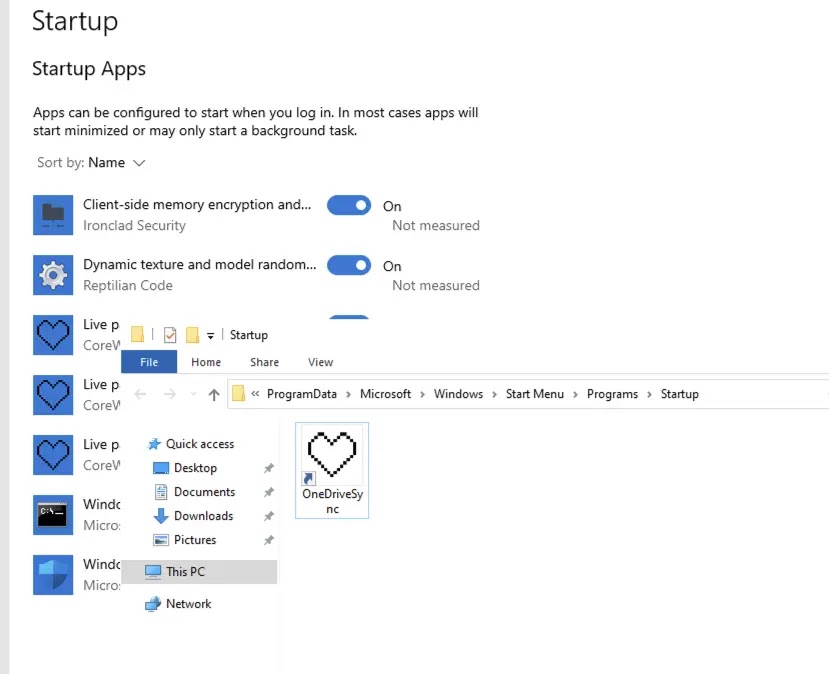
The campaign also targets Ledger Live data on the file system. That gives the attacker another path to wallet-related information outside the browser extension list.
Examples of targeted data
- Crypto wallet browser extension data
- Password manager extension data
- Authenticator extension data
- Browser cookies and stored credentials
- Ledger Live files
- System fingerprints
- Victim telemetry such as usernames, IP addresses, and timestamps
Why the campaign is hard to block
The attackers do not rely on one simple command-and-control domain. Netskope says the malware can retrieve infrastructure details from Telegram channel descriptions and other dead-drop locations.
Victim telemetry also moves through Hookdeck, a legitimate webhook relay service. This helps hide the attacker’s backend because defenders may only see traffic to trusted services instead of a direct connection to the final operator infrastructure.
During analysis, the operator rotated infrastructure across several layers. Netskope reported changes to primary and secondary C2 domains, Telegram dead drops, Pastebin or snippet-based locations, and campaign tags.
Older OpenClaw malware activity adds context
Huntress previously documented fake OpenClaw installers in February 2026. That earlier activity used malicious GitHub repositories posing as OpenClaw installers and delivered information stealers along with GhostSocks.
GhostSocks is important because it can turn a victim’s device into a proxy. That can help attackers use stolen credentials from the victim’s own network, which may reduce fraud alerts and make unauthorized logins look more legitimate.
The newer Hologram activity shows faster development. Netskope says the later framework added CLR injection through clroxide, reflective PE loading, a WinLogon Userinit hijack, COM hijacking, scheduled task persistence, and direct NT syscall thread injection.
What users should do
- Download OpenClaw only from the official OpenClaw website or official GitHub organization.
- Avoid installer links promoted by search results, forums, social posts, or unknown GitHub repositories.
- Do not run oversized installer archives from unofficial sources.
- Check the publisher, repository owner, release history, and community activity before installing open-source tools.
- Move crypto assets to a clean wallet if a suspicious installer was executed.
- Rotate passwords stored in browser extensions or password managers after possible exposure.
- Revoke suspicious active sessions from email, crypto exchanges, cloud services, and developer accounts.
- Scan the device from a trusted security environment before using it for financial accounts again.
What security teams should watch
Blocking one domain will not be enough for this campaign because the operators can rotate infrastructure without rebuilding the malware. Defenders should focus on behavior that stays consistent across waves.
Useful signs include unusually large installer files, PowerShell launched by a newly dropped binary, fragmented PowerShell command names, Defender configuration changes, new inbound firewall rules, and non-development processes connecting to Azure DevOps.
Security teams should also monitor outbound traffic to Telegram APIs, Hookdeck-style webhook relay domains, and suspicious installer domains. Connections from endpoint processes that do not normally use these services deserve extra review.
Summary
- A fake OpenClaw installer is delivering Rust-based infostealer malware.
- The Hologram wave targets more than 250 crypto wallet, password manager, and authenticator extensions.
- The malware uses anti-VM checks, a mouse movement gate, PowerShell, and modular second-stage payloads.
- Attackers abuse trusted services such as Azure DevOps, Telegram, Hookdeck, and GitHub to support the campaign.
- Users should avoid unofficial OpenClaw installers and rotate sensitive credentials if they ran a suspicious installer.
FAQ
It is a malware campaign that impersonates OpenClaw and tricks users into running a malicious Windows installer. The installer delivers infostealer malware focused on credentials, crypto wallets, and password manager data.
The campaign targets crypto wallets, password managers, and authenticator extensions. Netskope says the remote target list covers more than 250 extensions, including 201 crypto wallets and 49 password manager or authenticator tools.
Hologram is a Rust-based dropper used in the newer fake OpenClaw installer wave. It checks for sandboxes, waits for mouse movement, disables defenses, and loads several second-stage components.
No. The campaign abuses OpenClaw’s name and popularity. Users should download OpenClaw only from official OpenClaw sources and avoid unrelated installer websites or copycat repositories.


Read our disclosure page to find out how can you help VPNCentral sustain the editorial team Read more


Improve this guide


User forum
0 messages