
Ukraine Says Russian Intelligence Used Fake Support Texts to Steal Messaging Credentials


 6 min. read
  Published on
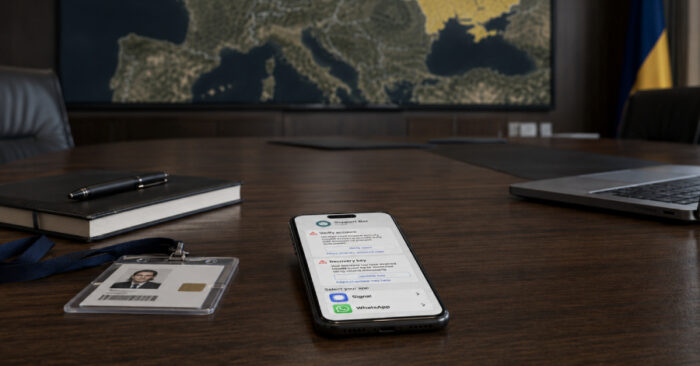
Ukraine’s Security Service says Russian intelligence services used fake messaging-app support texts to steal account credentials from officials, military personnel, politicians, activists, and ordinary Ukrainian users.
The Security Service of Ukraine said it uncovered the campaign together with the FBI. The attacks targeted messaging accounts used by people in Ukraine, Europe, and the United States, with the goal of collecting sensitive military, political, and economic information.

Access content across the globe at the highest speed rate.
70% of our readers choose Private Internet Access
70% of our readers choose ExpressVPN

Browse the web from multiple devices with industry-standard security protocols.

Faster dedicated servers for specific actions (currently at summer discounts)
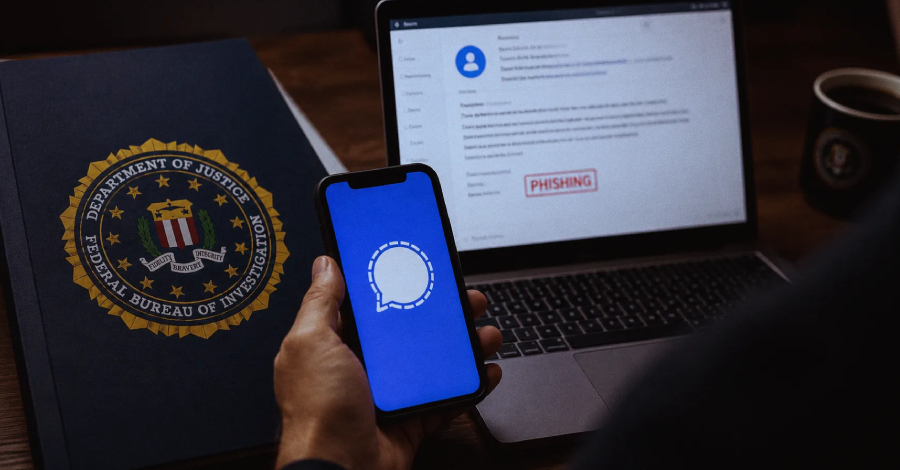
The warning fits a wider pattern of Russian-linked phishing against secure messaging apps. A recent FBI and CISA advisory says Russian Intelligence Services actors continue to target commercial messaging applications without breaking the apps’ encryption or core security.
Fake Support Texts Used to Steal Accounts
According to the SSU, attackers often send SMS messages that appear to come from official support teams or automated support bots. The messages pressure users to share passwords, confirmation codes, PINs, or account recovery keys.
The agency said these messages often arrive in the morning, when users may be less alert and more likely to respond quickly. That timing turns a simple phishing message into a more effective social engineering tactic.
The attackers are not only targeting public figures or government institutions. The SSU warning says personal accounts belonging to Ukrainian citizens are also being targeted.
Who Is Being Targeted?
| Target group | Why attackers want access |
|---|---|
| Government officials | Access to policy discussions, diplomatic information, and internal decisions |
| Military personnel | Operational details, unit communications, and battlefield-related information |
| Politicians | Political strategy, contacts, and sensitive communications |
| Activists and civil society figures | Networks, campaigns, contacts, and personal data |
| Ordinary Ukrainian users | Personal data, trusted contacts, and access to wider phishing chains |
The campaign shows why secure messaging accounts remain valuable espionage targets. Even when encryption works, attackers can still bypass it by tricking users into giving away access.
Once attackers control an account, they may read messages, impersonate the victim, contact trusted people, and launch new phishing attempts from a familiar identity.
The FBI and CISA previously said this type of activity has resulted in unauthorized access to thousands of commercial messaging accounts worldwide.
How the Social Engineering Works
The lure usually starts with a message that claims the user must secure, verify, restore, or protect their account. It may look like a warning from Signal, WhatsApp, Telegram, or another messaging platform.
The attacker then asks the target to share a one-time code, PIN, password, QR code, or recovery key. In some cases, the goal is to take over the account. In others, the attacker tries to connect a new device to the victim’s messaging account.
The updated FBI public service announcement says Russian-linked actors have also moved toward stealing Backup Recovery Keys, which can expose historical private and group messages if victims follow the attackers’ instructions.
Messaging Apps Were Not Broken
Security agencies have repeatedly stressed that these attacks do not mean Signal, WhatsApp, or similar apps had their encryption defeated. The weakness is the user account, not the encryption layer.
Google’s threat researchers warned in 2025 that multiple Russia-aligned actors were targeting Signal accounts used by people of interest to Russian intelligence services. The Google Threat Intelligence Group report described phishing campaigns that abused legitimate linked-device features through malicious QR codes.
That earlier research also found that similar tradecraft extended beyond Signal to WhatsApp and Telegram. The goal was to access sensitive conversations by getting into the user’s account or pairing an attacker-controlled device.
Recommended Actions for Users
- Do not reply to messages claiming to be support bots.
- Never share verification codes, PINs, passwords, or recovery keys in chat.
- Check active sessions and linked devices inside each messaging app.
- Log out of devices or sessions you do not recognize.
- Enable two-factor authentication or registration lock where available.
- Do not scan QR codes sent by unknown users or suspicious bots.
- Do not open files from unknown or questionable chats.
- Be careful with links, even when they come from known contacts.
Users should also treat urgent security messages with caution. Real support teams do not ask people to paste account secrets into a chat or hand over recovery keys through an in-app conversation.
The U.K. National Cyber Security Centre has issued similar advice for people at risk of targeted messaging-app attacks. The NCSC warning recommends checking linked devices, avoiding unexpected QR codes, and enabling stronger account protections.
Those steps matter most for people who work in government, defense, journalism, diplomacy, activism, humanitarian support, and Ukraine-related operations.
Why Attackers Abuse Trusted Contacts
After taking over one account, attackers can send messages from that trusted identity. This makes the next phishing attempt more convincing because the message appears to come from a colleague, friend, official, or known contact.
That is why users should verify unusual requests through another channel. A known name in a chat window does not guarantee that the real person controls the account.
Organizations should also brief staff on how these attacks look. A short internal warning can prevent employees from sharing codes or scanning malicious QR codes during a high-pressure moment.
How Organizations Should Respond
| Action | Reason |
|---|---|
| Train staff to identify fake support messages | Most attacks rely on social engineering, not technical exploits |
| Require two-factor authentication where possible | It reduces the chance of account takeover |
| Review linked devices regularly | It helps find unauthorized device pairing |
| Use approved communication tools for sensitive work | It limits exposure from personal messaging accounts |
| Report suspicious messages quickly | Early reporting helps security teams stop follow-on phishing |
The NCSC guidance also recommends using corporate services and devices for work communications where available. That reduces the risk of sensitive work conversations depending on personal accounts.
Google’s earlier Signal targeting research shows that attackers can adapt the same idea across different platforms. That makes user training, linked-device reviews, and cautious handling of QR codes important across all messaging apps.
The main lesson is simple: encryption still protects message content in transit, but it cannot protect an account after the user gives attackers the keys. People who handle sensitive information should treat every request for codes, PINs, passwords, recovery keys, or QR scans as a potential intelligence operation.
FAQ
Ukraine’s Security Service said Russian intelligence services used fake messaging-app support texts to steal credentials and access accounts belonging to officials, military personnel, politicians, activists, and Ukrainian citizens.
No. Security agencies say these campaigns compromise individual accounts through phishing and social engineering. They do not break the encryption of the messaging apps themselves.
The messages may ask users to share verification codes, account PINs, passwords, recovery keys, or to scan QR codes that link an attacker-controlled device to the account.
People with access to sensitive information face the highest risk, including government officials, military personnel, journalists, politicians, activists, diplomats, and people involved in Ukraine-related work.
Users should never share codes, PINs, passwords, or recovery keys in chat. They should enable two-factor authentication, review linked devices, remove unknown sessions, avoid suspicious QR codes, and report suspicious messages quickly.


Read our disclosure page to find out how can you help VPNCentral sustain the editorial team Read more


Improve this guide

User forum
0 messages