
Parrot 7.3 Released With Optimized Packages, New Menu System and Updated Tools


 8 min. read
  Published on
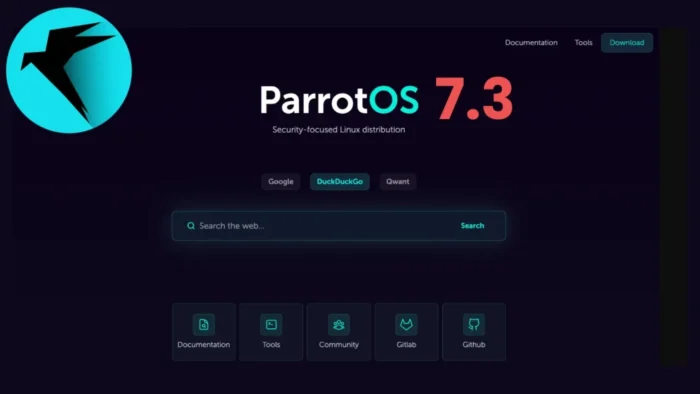
Parrot Security has released Parrot OS 7.3 with a focus on performance, usability, and cleaner system management. The new version is available now through the official Parrot 7.3 release notes, and every main edition has been rebuilt around the updated base.
This release does not mainly expand the number of preinstalled tools. Instead, Parrot 7.3 trims unnecessary packages, introduces optimized builds for modern processors, updates major security tools, and improves how users find and install applications.

Access content across the globe at the highest speed rate.
70% of our readers choose Private Internet Access
70% of our readers choose ExpressVPN

Browse the web from multiple devices with industry-standard security protocols.

Faster dedicated servers for specific actions (currently at summer discounts)
The official ParrotOS download page lists version 7.3 as the latest release. Security professionals, developers, and privacy-focused users can choose between Security, Home, Hack The Box, Raspberry Pi, and special deployment editions.
Parrot 7.3 Focuses on Speed and Cleaner Images
The biggest technical change is the new optimized package repository. Parrot now offers selected packages rebuilt for newer CPU baselines, giving modern systems a faster path for workloads that benefit from newer processor instructions.
Traditional Debian-based systems prioritize broad compatibility, so amd64 packages usually target the older x86-64 baseline. Parrot 7.3 keeps that safe default, but gives users an opt-in path for newer hardware.
The Parrot optimized builds documentation says the new components target x86-64-v3 on amd64 and ARMv8.2-A on arm64, with features such as AVX2, FMA, BMI1, BMI2, MOVBE, F16C, LSE atomics, DOTPROD, FP16, and cryptography extensions.
| Feature | Parrot 7.3 change | Why it matters |
|---|---|---|
| Optimized packages | Optional amd64v3 and arm64v8.2 repositories | Can improve performance on supported modern CPUs |
| Menu system | Go-based parrot-exec and launcher-updater | Makes tool launching and on-demand installation cleaner |
| Vagrant boxes | Official Home and Security boxes for amd64 | Helps teams build repeatable labs and training environments |
| Firefox start page | New Vite-built start page | Adds search options and resources without data collection |
| Security tools | Updated core pentesting and research packages | Keeps the distribution current for testing workflows |
Optimized Builds Are Optional
Parrot Security is not forcing optimized packages on every user. The optimized builds sit in separate repository components and coexist with the standard archive.
When enabled, APT prefers the optimized version only when one exists. All other packages stay on the normal build, and security updates from the standard archive still take priority when a newer patched package arrives first.
The project says performance gains depend heavily on workload. Compression, encryption, hashing, media encoding, numerical computation, and similar compute-heavy tasks can benefit most, while general desktop use and I/O-heavy services may see little change.
- amd64v3 targets Intel Haswell or newer and AMD Excavator, Zen, Ryzen or newer.
- arm64v8.2 targets Apple M1 or newer, Raspberry Pi 5, AWS Graviton 2 or newer, and many modern ARM chips.
- Older CPUs remain on the standard package baseline.
- Hardware checks help prevent incompatible optimized packages from installing.
- No full reinstall is required to enable the optimized repository.
Security Updates Still Come First
One important detail is how Parrot handles security fixes. The optimized repository uses version-based selection, so a newer standard security update can temporarily replace an older optimized build.
This means users should not delay updates waiting for an optimized rebuild. If a security patch arrives first in the standard archive, the system installs that patched standard package, then returns to the optimized variant later when it becomes available.
That design helps Parrot balance speed with safety. Performance tuning should not slow down critical package maintenance, especially on a distribution used for security work.
New Go-Based Menu System
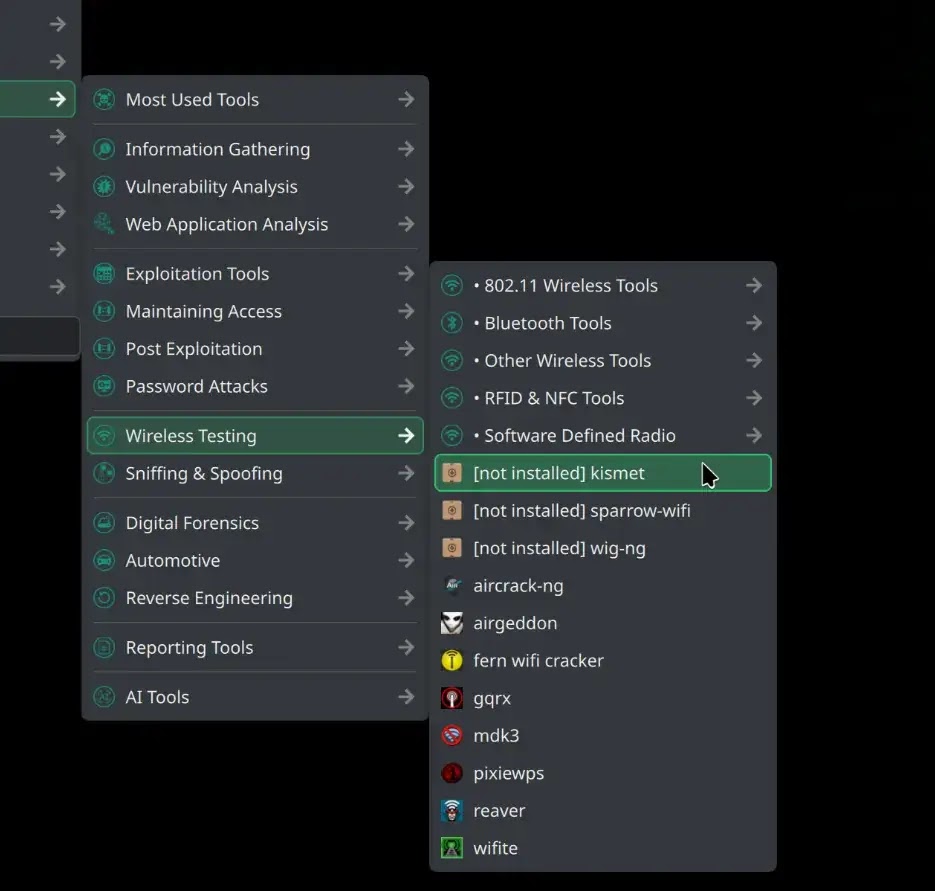
Parrot 7.3 also introduces a redesigned application menu system. The older shell-heavy approach has been replaced with Go-based components, including parrot-exec and launcher-updater.
The public Parrot menu repository shows that the menu stack includes parrot-exec, launcher-updater, desktop files, menu icons, templates, and supporting package metadata.
The practical result is a menu where tools can be visible even when they are not installed. If a user selects a missing tool, Parrot can check package availability, install it, and refresh the launcher instead of forcing the user to search manually.
| Menu component | Role in Parrot 7.3 |
|---|---|
| parrot-exec | Acts as the launcher behind desktop entries and can trigger on-demand installs |
| launcher-updater | Refreshes desktop entries and keeps launchers consistent |
| Desktop file metadata | Connects menu entries to related packages |
| Package checks | Help determine whether a tool is installed or available from repositories |
On-Demand Tools Reduce Bloat
The new menu approach supports a more modular Parrot experience. Users can keep a cleaner system while still discovering tools through the menu.
This matters because large security distributions can become heavy when every possible tool ships by default. Parrot 7.3 tries to keep tool access convenient without turning every installation into a full tool archive.
The menu project also shows how Parrot connects desktop entries with package names, which makes it easier to maintain launcher behavior as tools are added, removed, or reorganized.
Official Vagrant Boxes Help Labs and Teams
Parrot 7.3 adds official Vagrant boxes for the Home and Security editions on amd64. These are intended for reproducible lab setups, training, testing, and team environments.
For security teams, this can reduce setup friction. Instead of manually installing and configuring a VM for every test machine, users can start from a repeatable Parrot environment and rebuild it when needed.
The download page now lists Vagrant images alongside ISO, OVA, UTM, VMDK, and QCOW2 options, with the Vagrant option described as a way to create reproducible ParrotOS environments.
Updated Security Tools and Kernel
Parrot 7.3 also refreshes several tools used in penetration testing, reverse engineering, wireless testing, and security research. The release includes Linux kernel 7.0.9 and updated packages across the platform.
Notable tool updates include Metasploit 6.4.136, SQLMap 1.10.4, Bettercap 2.41.5, and Ghidra 12.0.4. These updates keep Parrot aligned with current testing workflows and vulnerability research needs.
The Security edition remains the main choice for penetration testing and research, while Home remains the cleaner daily-use edition for users who want privacy, development tools, and a lighter base.
| Tool or component | Version in Parrot 7.3 |
|---|---|
| Linux kernel | 7.0.9 |
| Metasploit | 6.4.136 |
| SQLMap | 1.10.4 |
| Bettercap | 2.41.5 |
| Ghidra | 12.0.4 |
New Firefox Start Page Adds Privacy-Friendly Polish
Parrot 7.3 includes a new Firefox start page built with Vite. It provides search options and curated project resources while following the project’s privacy-first approach.
The change is small compared with the optimized package work, but it matters for daily usability. Many users interact with the browser start page every session, so a cleaner default experience helps the distribution feel more polished.
Parrot’s website also states that it avoids cookies and respects user privacy. That fits the broader goal of keeping the system useful for security professionals and privacy-conscious users without adding unnecessary tracking.
What Existing Users Should Know
Existing users do not need to reinstall Parrot to benefit from the update. The normal upgrade path remains available, and the optimized repository can be enabled separately after checking CPU compatibility.
Users with older hardware should stay on the standard builds. Installing packages that target unsupported instructions can cause programs to fail, so compatibility checks matter before enabling amd64v3 or arm64v8.2 repositories.
The optimized builds guide explains how to verify hardware support, enable the repository, recognize optimized package suffixes, and disable the feature if needed.
- Use the standard Parrot upgrade path for the main 7.3 update.
- Enable optimized builds only after confirming CPU support.
- Expect the biggest gains in compute-heavy workloads.
- Use Vagrant boxes for repeatable labs or training setups.
- Choose Security edition for pentesting and Home edition for daily secure use.
Bottom Line
Parrot 7.3 is a practical release rather than a flashy tool dump. Its main improvements are faster optional packages, a cleaner Go-based menu system, official Vagrant boxes, a privacy-friendly Firefox start page, updated security tools, and smaller, more focused images.
The release announcement makes clear that Parrot is prioritizing system quality and workflow speed. For cybersecurity professionals, that means Parrot 7.3 should feel more efficient on modern hardware while staying flexible enough for daily work, labs, and research environments.
FAQ
Parrot OS 7.3 adds optional optimized packages for newer CPUs, a Go-based menu system, on-demand tool installation from the menu, official Vagrant boxes, a new Firefox start page, updated security tools, and Linux kernel 7.0.9.
No. The optimized packages are optional. Users need to confirm hardware compatibility, enable the correct optimized repository component, and then upgrade the system.
The amd64v3 builds target Intel Haswell or newer and AMD Excavator, Zen, Ryzen or newer. The arm64v8.2 builds target hardware such as Apple M1 or newer, Raspberry Pi 5, AWS Graviton 2 or newer, and many modern ARM chips.
Parrot 7.3 includes updated tools such as Metasploit 6.4.136, SQLMap 1.10.4, Bettercap 2.41.5, and Ghidra 12.0.4, along with Linux kernel 7.0.9.
No. Existing users can upgrade through the normal Parrot update process. A reinstall is not required, and optimized builds can be enabled separately after checking hardware compatibility.


Read our disclosure page to find out how can you help VPNCentral sustain the editorial team Read more


Improve this guide



User forum
0 messages