
Windows 11 24H2 and 25H2 Issue Causes Black Screen, Start Menu Failure, and Taskbar Crashes


 8 min. read
  Published on
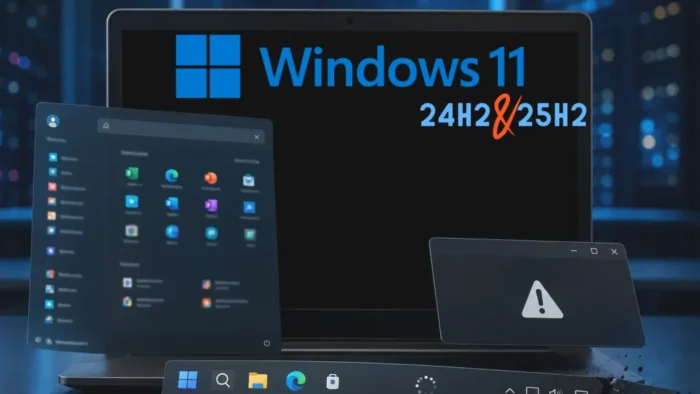
Microsoft has confirmed a Windows 11 issue that can break major desktop interface components on some enterprise devices running version 24H2 or 25H2. Affected systems may show a black screen after sign-in, a missing taskbar, a Start menu that will not open, or crashes in Explorer and other XAML-dependent apps.
The problem is documented in KB5072911, which applies to all editions of Windows 11 version 24H2 and Windows 11 version 25H2. Microsoft says the issue mainly affects a limited number of enterprise or managed environments and is very unlikely on personal devices.

Access content across the globe at the highest speed rate.
70% of our readers choose Private Internet Access
70% of our readers choose ExpressVPN

Browse the web from multiple devices with industry-standard security protocols.

Faster dedicated servers for specific actions (currently at summer discounts)
The failure can appear after provisioning a PC with a monthly cumulative update released in July 2025 or later, including updates such as KB5062553 and KB5065789. Microsoft says the issue is addressed starting with KB5095093, released on June 23, 2026.
What breaks on affected Windows 11 systems
The bug affects modern Windows components that depend on XAML packages. These components include Explorer, the Start menu, System Settings, the taskbar, Windows Search, and other apps that use XAML views.
In the worst cases, users sign in and see a black screen instead of the desktop. In other cases, the desktop appears but the taskbar does not render, Explorer crashes on start, or the Start menu opens with a critical error message.
The issue can also affect SystemSettings and Consent.exe, the binary that handles User Account Control prompts. That makes the problem more disruptive for IT teams because basic troubleshooting and elevation flows may fail on impacted machines.
| Component | Possible symptom | User impact |
|---|---|---|
| Explorer.exe | Black screen, Explorer crash, missing taskbar | Desktop may be unusable after sign-in |
| StartMenuExperienceHost | Start menu fails to open or shows a critical error | Users cannot launch apps normally |
| shellhost.exe | ShellHost crashes | Shell features may fail during session start |
| SystemSettings | Settings silently fails to open | Users and admins lose access to configuration pages |
| Consent.exe | UAC prompt problems | Admin approval workflows may fail |
Why enterprise and VDI environments are more exposed
Microsoft says the issue is most likely when Windows updates are installed before the first user logon on a persistent OS installation. It can also occur at every user logon in a non-persistent OS installation.
This makes virtual desktop infrastructure, pooled desktops, instant clones, and similar managed deployments more vulnerable. In those environments, application packages may need to be installed or registered each time a user signs in.
Microsoft’s Sysprep black screen guidance also points administrators back to KB5072911 when symptoms persist and Sysprep as System is not the cause. That distinction matters because not every post-login black screen has the same root cause.
The root cause is delayed XAML package registration
The issue comes from a timing problem. Microsoft says affected applications depend on XAML packages that do not register in time after Windows updates install.
The packages named by Microsoft include MicrosoftWindows.Client.CBS_cw5n1h2txyewy, Microsoft.UI.Xaml.CBS_8wekyb3d8bbwe, and MicrosoftWindows.Client.Core_cw5n1h2txyewy. When these dependencies are not ready before shell components start, the desktop experience can fail.
This explains why the problem can be worse in non-persistent desktops. If the required packages must be installed at every logon, Explorer can start too early and fail before the XAML dependencies finish registering.
- Windows update installs before the first user logon or during a non-persistent session flow.
- Required XAML packages do not register quickly enough.
- Explorer, Start, Settings, Search, and taskbar components try to initialize.
- The shell cannot load required dependencies in time.
- Users see black screens, crashes, missing UI elements, or failed apps.
Microsoft’s fix started with KB5095093
Microsoft says the issue is addressed starting with Windows updates released on June 23, 2026. That release is the Windows 11 preview update known as KB5095093, which carries OS builds 26200.8737 and 26100.8737.
The fix is gradually rolling out. Microsoft says it will become fully available in the following monthly Windows update, so administrators should verify the exact update level across their managed devices instead of assuming every machine already has the resolution.
For systems still running updates released before late July 2026, Microsoft recommends using the listed workarounds if the issue appears. That means enterprise administrators may need to combine patching, deployment sequencing, and temporary scripts during the transition period.
| Update or advisory | Role in the issue | What IT admins should know |
|---|---|---|
| KB5062553 | Example July 2025 cumulative update | Listed by Microsoft as one update after which the issue can appear |
| KB5065789 | Example later cumulative update | Also listed as an example trigger in the advisory |
| KB5072911 | Issue advisory | Documents affected versions, symptoms, cause, resolution, and workarounds |
| KB5095093 | First update with the fix | Released June 23, 2026, with gradual rollout |
Temporary workaround for affected machines
Microsoft’s workaround asks IT administrators to manually register the missing packages in the user session and restart SiHost. This allows Immersive Shell and related components to pick up the required packages.
The manual registration targets the SystemApps directories for MicrosoftWindows.Client.CBS, Microsoft.UI.Xaml.CBS, and MicrosoftWindows.Client.Core. Microsoft provides PowerShell commands in the KB5072911 workaround section.
For non-persistent OS installations, Microsoft recommends a logon script approach. The goal is to run the package-registration script synchronously before Explorer launches, preventing the desktop shell from starting before the packages are ready.
Why the issue matters for managed Windows fleets
This issue highlights how modern Windows shell components depend on app-style packages, not only traditional executable files and services. If those dependencies arrive late during provisioning or sign-in, the user experience can collapse at the desktop layer.
For enterprise IT teams, the impact goes beyond inconvenience. A black screen or missing taskbar can block work immediately after login, while Settings or UAC failures can slow remediation on the affected device.
Virtual desktop platforms face extra risk because non-persistent sessions recreate parts of the user environment repeatedly. That makes timing and sequencing more important than on a typical consumer PC with a long-lived local profile.
Recommended steps for administrators
Organizations should first identify whether their affected systems run Windows 11 24H2 or 25H2 and whether they received cumulative updates from July 2025 onward. They should then check whether KB5095093 or a later monthly update with the fix has reached those devices.
Administrators should also compare the symptom pattern with other known black-screen causes. Microsoft’s Windows black screen troubleshooting article warns that some black screen cases involve third-party tools running Sysprep as System, which requires a different fix path.
For VDI and managed deployments, update sequencing should be tested in a small ring before broad rollout. This is especially important when images are patched before first logon or when user sessions are rebuilt at every sign-in.
- Inventory Windows 11 24H2 and 25H2 devices in managed environments.
- Check whether affected devices have KB5095093 or a newer monthly update.
- Prioritize VDI, non-persistent desktops, and newly provisioned PCs.
- Use Microsoft’s package registration workaround only where needed.
- Run logon scripts synchronously before Explorer starts in non-persistent environments.
- Validate updates in pilot rings before applying them broadly.
- Document black screen cases separately from unrelated Sysprep or profile issues.
Impact on personal Windows 11 PCs
Microsoft says the issue is very unlikely on personal devices used by individuals. That does not mean it is impossible, but the documented trigger pattern focuses on enterprise provisioning, managed update flows, and non-persistent OS installations.
Consumers who see a black screen, missing taskbar, or Start menu failure should still install the latest Windows update and restart the PC. However, they should also consider broader troubleshooting, because personal-device black screens can come from graphics drivers, failed shell startup, profile corruption, startup apps, or display configuration problems.
Businesses should not treat consumer rarity as a reason to delay remediation. Managed desktops can share the same image, update process, and logon behavior across many devices, so a timing problem can scale quickly inside an enterprise environment.
Bottom line
The Windows 11 24H2 and 25H2 issue is a XAML package registration timing problem that can break the Start menu, taskbar, Explorer, Settings, Search, and other modern shell components in some enterprise environments.
Microsoft has started rolling out the fix through June 23, 2026 updates and recommends installing the latest update for affected devices. Until the fix reaches every managed endpoint, IT teams should use the package-registration workaround and pay close attention to non-persistent desktop logon sequencing.
FAQ
It is a Microsoft-confirmed issue where some enterprise or managed Windows 11 24H2 and 25H2 devices can fail to load XAML-dependent components after updates. Users may see a black screen, missing taskbar, Start menu failure, Explorer crashes, Settings failure, or Windows Search problems.
Microsoft says the issue applies to Windows 11 version 24H2 and Windows 11 version 25H2, all editions. It mainly affects a limited number of enterprise or managed environments and is very unlikely on personal devices.
Microsoft says the affected apps depend on XAML packages that are not registering in time after Windows updates. When Explorer and other shell components start before those packages are ready, the Start menu, taskbar, Settings, Search, and related apps can fail.
Yes. Microsoft says the issue is addressed starting with Windows updates released on June 23, 2026, including KB5095093. The resolution is rolling out gradually and is expected to be fully available in the following monthly Windows update.
IT administrators should install the latest Windows update, verify affected devices are on a fixed build, and use Microsoft’s workaround if needed. In non-persistent environments, Microsoft recommends a synchronous logon script that registers the required packages before Explorer launches.


Read our disclosure page to find out how can you help VPNCentral sustain the editorial team Read more


Improve this guide




User forum
0 messages