
NSA Urges Organizations to Disable Cisco Smart Install as Russian Hackers Target Network Devices


 8 min. read
  Published on
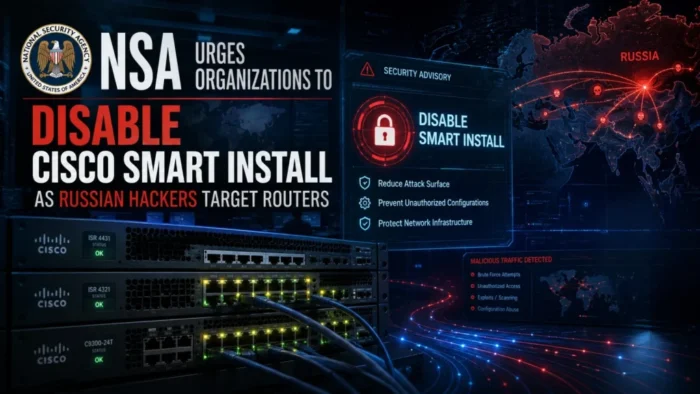
The National Security Agency and international partners are urging organizations to disable Cisco Smart Install and strengthen router security as Russian state-sponsored hackers continue targeting network infrastructure.
The warning focuses on activity attributed to Center 16 of Russia’s Federal Security Service, or FSB. The actors have exploited weak credentials, outdated protocols, unsupported devices, and a critical Cisco vulnerability to access networks in the United States and other countries.

Access content across the globe at the highest speed rate.
🔥 Save 81% + 2 bonus months! 🔥
70% of our readers choose Private Internet Access
70% of our readers choose ExpressVPN
2
Browse the web from multiple devices with industry-standard security protocols.
🔥 Save 73%! 🔥

Faster dedicated servers for specific actions (currently at summer discounts)
🔥 Save 69%! 🔥
The July 13 NSA router security advisory tells network owners to disable Cisco Smart Install, use SNMPv3, block unnecessary management protocols, and install current firmware.
Russian hackers continue targeting routers and switches
FSB Center 16 has targeted network devices for more than a decade. Security researchers also track related activity under names including Static Tundra, Berserk Bear, and Dragonfly.
The hackers frequently target devices that remain exposed to the internet or use older management protocols. Routers and switches can provide valuable access because they sit between external traffic and sensitive internal systems.
An earlier FBI warning about Russian network attacks said the actors had collected configuration files from thousands of devices associated with US organizations.
| Targeted weakness | Potential security impact |
|---|---|
| Cisco Smart Install | Remote code execution, device crashes, and unauthorized configuration changes |
| SNMP versions 1 and 2 | Exposure of device information through older, unencrypted protocols |
| Default or reused passwords | Unauthorized access to administrative interfaces |
| End-of-life hardware | Continued exposure to vulnerabilities that vendors no longer patch |
| Exposed management services | Remote discovery, configuration theft, and device compromise |
CVE-2018-0171 remains a serious Cisco security risk
A central concern is CVE-2018-0171, a critical vulnerability in the Smart Install feature of Cisco IOS and IOS XE Software. The flaw carries a CVSS score of 9.8 out of 10.
An unauthenticated remote attacker can exploit the vulnerability by sending a specially crafted Smart Install message to TCP port 4786. A successful attack can reload the device, cause a denial-of-service condition, or execute arbitrary code.
The official Cisco security advisory for CVE-2018-0171 says the vulnerability results from improper validation of packet data.
Only vulnerable devices running the Smart Install client feature face exposure to this specific flaw. Cisco devices configured only as Smart Install directors are not affected by CVE-2018-0171.
What Cisco Smart Install does
Cisco Smart Install provides plug-and-play deployment and image management for some switches. It allows administrators to install and configure new switches with limited manual setup.
However, the protocol does not include authentication by design. That makes exposed Smart Install services dangerous, especially when organizations leave them reachable from untrusted networks.
Cisco says customers who do not need the feature can disable it with the following command:
no vstackAdministrators can check whether Smart Install client functionality is active by running:
show vstack configOutput showing an enabled client role indicates that the feature is active. Organizations should confirm the setting across all supported Cisco switches rather than checking only internet-facing routers.
Five router security measures recommended by agencies
The joint guidance highlights five immediate actions that can reduce the risk of Russian state-sponsored attacks against network infrastructure.
- Replace SNMP versions 1 and 2 with SNMPv3.
- Use strong and unique passwords for network devices.
- Disable Cisco Smart Install when the organization does not need it.
- Block TFTP, Smart Install, and SNMP traffic at the firewall perimeter.
- Upgrade router and switch firmware to versions that fix known vulnerabilities.
The latest NSA guidance on router hygiene presents these measures as priority protections for critical infrastructure and other high-value networks.
Legacy SNMP versions expose sensitive network information
Simple Network Management Protocol allows administrators to monitor and configure network devices. Older versions often rely on unencrypted community strings that attackers can intercept, guess, or recover from stolen configuration files.
SNMPv3 adds authentication and encryption features that older versions lack. Organizations should configure it securely and remove SNMPv1 and SNMPv2 access wherever possible.
Security teams should also restrict SNMP traffic to approved management systems. Internet users and ordinary workstation networks should not have direct access to device management services.
| Protocol | Recommended action |
|---|---|
| SNMPv1 | Disable and replace with SNMPv3 |
| SNMPv2 | Disable and replace with SNMPv3 |
| Smart Install | Disable unless a confirmed operational requirement exists |
| TFTP | Block at external boundaries and restrict internally |
| Telnet | Replace with securely configured SSH |
Attackers collected thousands of device configurations
The FBI previously found that FSB Center 16 actors had collected configuration files from thousands of networking devices associated with US organizations across critical infrastructure sectors.
On some vulnerable devices, the hackers modified configurations to establish unauthorized access. They then conducted network reconnaissance and showed interest in protocols and applications commonly associated with industrial control systems.
The 2025 FBI public service announcement connected the activity to organizations in the United States and other countries.
Targeted sectors included:
- Communications
- Defense industrial organizations
- Energy
- Financial services
- Government facilities
- Healthcare and public health
- Transportation and other critical infrastructure
Why compromised network devices are valuable
Routers and switches often carry traffic from many systems, yet organizations may monitor them less closely than servers and employee devices.
A compromised network device can help attackers inspect traffic, redirect connections, collect credentials, map internal systems, and maintain access without installing traditional malware on every endpoint.
Attackers may also alter access control lists, create hidden accounts, change routing settings, or copy device configurations. These changes can survive until administrators review the configuration or replace the device.
Organizations should inspect devices for signs of compromise
Installing patches alone may not remove unauthorized configuration changes or malware that attackers placed on a device before the update.
Network teams should compare current configurations with approved backups and investigate unexpected accounts, access rules, tunnels, scripts, services, and outbound connections.
Recommended investigation steps include:
- Identify every router, switch, firewall, and other edge device.
- Record each device’s model, firmware version, support status, and management exposure.
- Check for Smart Install, legacy SNMP, Telnet, TFTP, and unnecessary remote management.
- Review configuration changes and compare them with trusted baseline files.
- Inspect logs for unusual logins and configuration downloads.
- Search for unknown administrative accounts, scheduled actions, or modified access lists.
- Replace end-of-life devices that cannot receive security updates.
- Reset credentials after confirming that the devices no longer contain unauthorized changes.
Cisco recommends upgrading to fixed software
Cisco first disclosed CVE-2018-0171 in March 2018 and released updates that address the vulnerability. The company later updated its advisory after observing continued exploitation.
There is no workaround that fully addresses the flaw for organizations that must continue using Smart Install. Those customers need to install a fixed Cisco IOS or IOS XE release.
The updated Cisco Smart Install vulnerability notice strongly recommends assessing affected systems and upgrading them as soon as possible.
The warning differs from recent GRU router attacks
The latest guidance concerns activity attributed to Russia’s FSB Center 16. It should not be confused with a separate 2026 warning involving hackers from Russia’s military intelligence agency, the GRU.
That separate campaign involved APT28, also called Fancy Bear and Forest Blizzard. The actors compromised small-office and home-office routers, including vulnerable TP-Link devices, to support credential theft and traffic-hijacking operations.
Both cases show that Russian intelligence services continue to exploit routers and other edge devices. However, the agencies, threat groups, vulnerabilities, and affected hardware differ.
Basic router hygiene can block many attacks
Network devices need the same security attention as servers and workstations. Organizations should include them in vulnerability management, credential rotation, logging, incident response, and asset replacement programs.
Disabling Cisco Smart Install removes one major attack path when the organization does not need the feature. Moving to SNMPv3, blocking exposed management protocols, and replacing unsupported equipment further reduces the available attack surface.
These measures cannot stop every state-sponsored operation, but they can prevent attackers from exploiting well-known weaknesses that have remained exposed for years.
FAQ
Cisco Smart Install lacks authentication by design and has been linked to critical vulnerabilities. Disabling it removes an unnecessary remote management service when an organization does not use the feature.
CVE-2018-0171 is a critical remote code execution vulnerability in the Smart Install client feature of vulnerable Cisco IOS and IOS XE devices. Attackers can exploit it through crafted traffic sent to TCP port 4786.
US agencies attribute the activity to Center 16 of Russia’s Federal Security Service. Security researchers track related operations under names including Static Tundra, Berserk Bear, and Dragonfly.
Administrators can run the show vstack config command. Output that identifies the device as a Smart Install client with an enabled operating mode shows that the feature is active.
Organizations should install current firmware, use strong passwords, adopt SNMPv3, disable unused services, restrict management access, inspect configurations, and replace unsupported network devices.


Read our disclosure page to find out how can you help VPNCentral sustain the editorial team Read more


Improve this guide




User forum
0 messages