
North Korean Campaign Hides OTTERCOOKIE Malware Code in SVG Flag Images


 10 min. read
  Published on
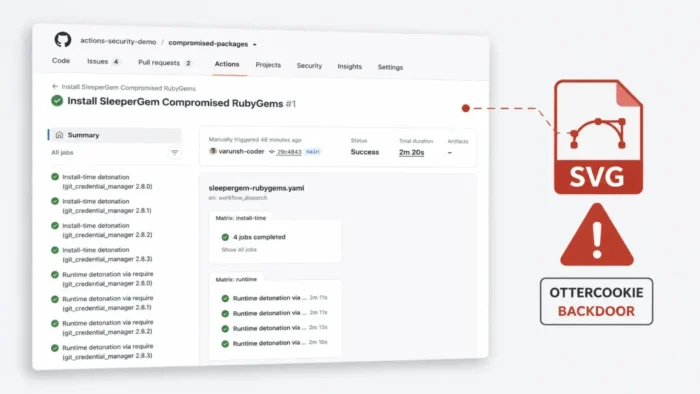
North Korean-linked attackers are hiding OTTERCOOKIE-aligned malware inside SVG country-flag files distributed through fake developer coding tests. The malicious code executes when a target starts the supplied e-commerce project, not when someone merely views an image.
The campaign, tracked as REF9403, uses social engineering rather than a software vulnerability. Attackers pose as recruiters or project owners, approach developers with job opportunities and convince them to download and run a functional coding assessment.

Access content across the globe at the highest speed rate.
🔥 Save 81% + 2 bonus months! 🔥
70% of our readers choose Private Internet Access
70% of our readers choose ExpressVPN
2
Browse the web from multiple devices with industry-standard security protocols.
🔥 Save 73%! 🔥

Faster dedicated servers for specific actions (currently at summer discounts)
🔥 Save 69%! 🔥
Elastic Security Labs discovered REF9403 after an attacker posted a developer opportunity in the company’s community Slack workspace. Elastic links the operation to Contagious Interview, a long-running campaign attributed to actors aligned with North Korea.
How the Fake Coding Test Reaches Developers
On May 26, 2026, a Slack user named “Maxwell” posted in a jobs channel and claimed to need help modernizing an e-commerce platform. Interested developers were moved into private messages and asked to complete a coding assessment.
The supplied project appeared legitimate. It used familiar web-development technologies and remained functional after installation, helping the repository look like a genuine technical test.
This approach exploits the trust developers place in recruitment workflows. A candidate expects to clone repositories, install dependencies, inspect code and start local servers during an assessment, giving the attackers a plausible reason to request potentially dangerous actions.
Malware Fragments Were Stored in SVG Comments
The project contained SVG images showing country flags. Files such as AE.svg and AF.svg rendered normally, but their source contained HTML-style comment blocks holding Base64-encoded malware fragments.
SVG is an XML-based image format that can contain text, metadata and comments. In this case, the attackers did not conceal code through changes to image pixels. They placed encoded text directly inside comments that an image viewer would ignore.
A JavaScript file named serverValidation.js collected the SVG files, sorted them alphabetically, extracted the comments and joined the fragments. It then decoded and executed the reconstructed JavaScript payload.
| Attack stage | Observed activity |
|---|---|
| Recruitment lure | Fake developer opportunity posted through Slack |
| Private contact | Interested targets moved into direct messages |
| Project delivery | Functional e-commerce coding assessment supplied |
| Payload storage | Base64 fragments placed in comments inside SVG flag files |
| Reconstruction | serverValidation.js reads and joins the fragments |
| Execution | Recovered JavaScript runs whenever the project server starts |
| Data theft | Credentials, wallets, files and clipboard data collected |
| Remote access | Socket.IO channel allows interactive command execution |
The Payload Runs at Server Startup
The project’s server/index.js file calls the malicious validation routine after setting up its initial middleware. Both npm run dev and npm start launch this server file.
As a result, the malware runs each time the local development server starts. Package-manager controls that focus only on install scripts may not stop this execution path.
This also means that an SVG preview alone does not infect the system. The observed attack requires the target to run the project and activate the server-side JavaScript that reconstructs the hidden payload.
Why Researchers Call It OTTERCOOKIE-Aligned
Elastic found similarities between the recovered JavaScript and OTTERCOOKIE, including matching strings, code structure, behavior and API endpoints. However, the sample included modifications and combined capabilities previously divided across related malware families.
The Microsoft Contagious Interview analysis describes OTTERCOOKIE as a modular JavaScript backdoor that can execute commands, search for cryptocurrency keys, load additional modules and exfiltrate data.
Elastic said the boundaries between OTTERCOOKIE and BEAVERTAIL have become less clear. The REF9403 payload operates as an all-in-one toolkit without the Python stage seen in some earlier Contagious Interview infections.
Four Malware Modules Run on the Device
The reconstructed JavaScript launches four main components. Together, they provide credential theft, file collection, clipboard monitoring and remote access.
The first component targets browser credentials, autofill databases and cryptocurrency wallet extensions across Windows, macOS and Linux. It changes its process title to npm-cache to appear like an ordinary Node.js process.
The other components search the filesystem, create a Socket.IO command channel and collect clipboard contents. On Windows, the malware can also attempt to download additional executable files from attacker-controlled infrastructure.
| Module | Main capability | Supported platforms |
|---|---|---|
| Browser and wallet stealer | Collects saved browser data and cryptocurrency wallet extension databases | Windows, macOS and Linux |
| File stealer | Searches for documents, source code, credentials and configuration files | Windows, macOS and Linux |
| Socket.IO RAT | Provides system registration and interactive shell command execution | Windows, macOS and Linux |
| Clipboard stealer | Monitors and uploads changing clipboard content | Windows and macOS |
| Payload dropper | Attempts to download and execute additional files | Windows |
Browser Credentials and Cryptocurrency Wallets Targeted
The credential module searches profiles belonging to browsers such as Chrome, Edge, Brave, Opera and LT Browser. The exact browser paths vary by operating system.
It targets databases that can contain saved logins, autofill information and extension data. The samples also contain a hard-coded list of 25 cryptocurrency wallet browser extensions, including MetaMask, Phantom, Rabby, Trust Wallet, TronLink, OKX Wallet and Coinbase-related alternatives.
On macOS, the module also attempts to collect the user’s login keychain database. Stolen browser sessions or wallet-extension data could remain useful even after a victim changes one account password.
File Stealer Searches Developer Directories
The file-stealing component searches for environment files, private keys, shell histories, documents, source code, configuration files and images. On Windows, it enumerates mounted drives before scanning them.
On macOS and Linux, the search focuses on the user’s home directory. Paths containing .aws, .azure, .config, .ssh, .bash_history or .zsh_history receive particular attention.
This targeting creates serious organizational risk. Developer machines often contain cloud credentials, repository tokens, SSH keys and access to CI/CD systems that could support a wider compromise.
- Environment files containing application secrets
- AWS and Azure credentials
- SSH private keys and configuration
- Shell command histories
- Source-code files and project documents
- Browser login databases
- Cryptocurrency wallet extension data
- macOS login keychain data
Socket.IO Backdoor Gives Attackers an Interactive Shell
The remote-access module connects to controller.rightwidth[.]dev through Socket.IO over HTTPS. It registers the infected system and sends identifying host information to the controller.
An operator can submit a shell command through the channel. The malware runs it with Node.js child_process.exec() and returns the output, providing interactive access to the compromised machine.
The module checks for signs of VMware, VirtualBox, QEMU and other virtualized environments. A positive result adds a virtual-machine label to the registration information, but the malware continues running.
Clipboard Monitoring Runs Every Half-Second
On Windows and macOS, the clipboard component checks for new content every 500 milliseconds. Any change can be sent to the attacker’s infrastructure.
Windows systems run repeated hidden PowerShell commands using Get-Clipboard. On macOS, the malware uses the pbpaste command. The Linux implementation in the analyzed sample did not collect clipboard contents.
This feature could expose passwords, API tokens, wallet addresses, recovery phrases or private messages that a developer copies during ordinary work.
Windows Component Attempts Additional Downloads
The Windows-only dropper attempts to download three files disguised with .txt extensions. It renames them as hostService.exe, printSvc.exe and dhcpSvc.exe before execution.
Elastic could not retrieve these files because the server was unavailable during analysis. Their exact functionality therefore remains unconfirmed and should not be inferred from their filenames.
The failed retrieval does not make an infected system safe. The credential theft, file collection, clipboard monitoring and remote-access modules can already expose sensitive information without those additional payloads.
Contagious Interview Has Targeted Developers for Years
Contagious Interview has operated since at least December 2022. Attackers commonly impersonate recruiters from cryptocurrency, technology or artificial-intelligence companies and guide victims through a convincing hiring process.
Unit 42’s Contagious Interview research previously documented North Korean-linked fake recruiters delivering BEAVERTAIL and InvisibleFerret malware to technology job seekers.
The REF9403 campaign changes the packaging, but the social-engineering goal remains consistent. The attacker needs the target to trust the assignment and execute code in an environment containing valuable credentials.
Indicators Associated With REF9403
Security teams should combine file, network and behavioral indicators. Archive names can be changed easily, while legitimate projects may coincidentally use generic names such as ecommerce-main.zip.
| Type | Indicator | Reported purpose |
|---|---|---|
| File | serverValidation.js | Reconstructs the payload from SVG comments |
| File | AE.svg and AF.svg | Examples of flag files containing encoded fragments |
| Process title | npm-cache | Malware process disguise |
| Domain | rightwidth[.]dev | Clipboard and command infrastructure |
| Domain | ldb.rightwidth[.]dev | Browser and wallet data collection |
| Domain | upload.rightwidth[.]dev | Stolen file uploads |
| Domain | controller.rightwidth[.]dev | Socket.IO remote-access controller |
| Domain | file.rightwidth[.]dev | Windows payload downloads |
| IPv4 | 195.26.248[.]212 | Reported command infrastructure |
| IPv4 | 188.40.64[.]61 | Reported command infrastructure |
How Developers Can Check Coding Assessments
Developers should treat every unsolicited coding test as untrusted code. A polished interface, valid dependencies and working features do not establish that the repository is safe.
Before execution, reviewers should inspect package.json, server startup files, task configurations and scripts that read asset directories. Long encoded comments inside SVG, HTML or other static files also warrant investigation.
The Microsoft mitigation guidance recommends using isolated, non-persistent virtual machines for coding tests and avoiding primary workstations that have access to production systems, repositories or cloud accounts.
- Verify the recruiter and company through an independent channel.
- Check the age and history of the repository and sender account.
- Review all startup and task configuration files.
- Search for
eval(), dynamic function construction and shell execution. - Inspect comments inside SVG, HTML and other static assets.
- Use a disposable virtual machine with no personal or corporate credentials.
- Restrict outbound network access while testing unknown projects.
- Do not disable security tools at a recruiter’s request.
What to Do After Running a Suspect Repository
Anyone who ran a matching project should disconnect the device from the network and contact the relevant security team. The repository, terminal history, process information and network logs should be preserved before cleanup.
Credentials should be rotated from a separate trusted device. Teams should revoke browser sessions, repository tokens, npm credentials, cloud keys and other secrets that were available to the affected account.
Elastic’s REF9403 indicators can support hunting, but responders should also investigate behavioral evidence such as broad file enumeration, repeated clipboard access, suspicious Node.js processes and unexpected Socket.IO connections.
- Isolate the suspected developer device.
- Preserve the repository and record its source and commit information.
- Collect running processes, terminal history and network logs.
- Search for the known filenames, domains, IP addresses and archive hashes.
- Revoke active sessions from a clean device.
- Rotate GitHub, GitLab, npm, SSH, cloud and CI/CD credentials.
- Review cryptocurrency wallets and move funds if exposure is likely.
- Check source-control and cloud audit logs for unauthorized access.
- Investigate other systems reachable through credentials stored on the device.
- Rebuild the endpoint when responders cannot establish the full scope.
Developer Endpoints Need Stronger Isolation
Developers require tools that can execute code, install packages and reach external services. Those capabilities make their systems valuable targets and can weaken controls designed for ordinary office devices.
The earlier Unit 42 developer-targeting findings showed how fake interviews could place cross-platform malware on Windows and macOS systems. REF9403 extends that pattern to assets developers may assume are harmless.
Organizations should provide dedicated environments for candidate assessments, open-source testing and unfamiliar repositories. Short-lived credentials, secret vaults and strict access boundaries can reduce the impact if a developer runs malicious code.
FAQ
REF9403 is an Elastic Security Labs tracking name for a North Korean-linked Contagious Interview campaign that distributes malicious coding assessments to software developers.
The observed REF9403 infection does not start when someone simply views a flag image. The malware runs when the victim starts the supplied project and its server-side JavaScript reconstructs and executes Base64 fragments stored in SVG comments.
The malware can collect browser credentials, autofill data, cryptocurrency wallet extension databases, cloud credentials, SSH files, environment files, documents, source code, shell histories and clipboard contents.
The main credential, file-stealing and remote-access modules support Windows, macOS and Linux. Clipboard collection works on Windows and macOS in the analyzed sample, while additional executable downloads target Windows.
The developer should isolate the device, preserve evidence and notify the security team. From a separate clean device, exposed sessions and credentials should be revoked or rotated, including source-control tokens, cloud keys, SSH keys and cryptocurrency wallet secrets.


Read our disclosure page to find out how can you help VPNCentral sustain the editorial team Read more


Improve this guide




User forum
0 messages