
How to Watch Earwig and the Witch on Netflix in the US with a VPN (2026)


 9 min. read
  Updated on

If you want to watch Earwig and the Witch specifically on Netflix from the United States, India is one of the regions to check in 2026. The movie currently appears in the Netflix India catalog, so the basic method involves connecting to an Indian VPN location before opening Netflix.
Private Internet Access is our Editor’s Choice, followed by ExpressVPN and NordVPN. All three provide an Indian VPN location or Indian IP option, although the way they deliver that connection differs.

Access content across the globe at the highest speed rate.
🔥 Save 81% + 2 bonus months! 🔥
70% of our readers choose Private Internet Access
70% of our readers choose ExpressVPN
2
Browse the web from multiple devices with industry-standard security protocols.
🔥 Save 73%! 🔥

Faster dedicated servers for specific actions (currently at summer discounts)
🔥 Save 69%! 🔥
Netflix actively detects some VPN connections, so this method is not guaranteed. Netflix may restrict the titles you can see when it detects a VPN, and the company does not support VPN viewing on its ad-supported experience.
How to watch Earwig and the Witch on Netflix with a VPN
The current Netflix India page for Earwig and the Witch lists the Studio Ghibli movie in its catalog. You can therefore use India as the Netflix region to try when connecting through a VPN.
You can use your existing Netflix account. Connecting through a VPN does not require creating a second Netflix account simply to establish an Indian IP connection.
Follow these steps:
- Choose Private Internet Access, ExpressVPN, or NordVPN.
- Download and install the VPN app on the device you use for Netflix.
- Sign in to the VPN.
- Select an India server or Indian virtual location.
- Connect and wait for the VPN to confirm that the connection is active.
- Fully close Netflix if it was already open.
- Open Netflix again, preferably in a web browser when testing the connection.
- Sign in with your existing Netflix account.
- Search for Earwig and the Witch and start playback if the title appears.
You can also open the official Netflix listing for the movie after establishing the VPN connection. Netflix can still determine that you are using a VPN and restrict access, so an Indian IP address does not guarantee playback.
Why an India VPN location makes sense
The important factor is the Netflix catalog associated with the VPN location. In this case, India currently has the movie in its Netflix catalog, making an Indian IP address the relevant one to try.
A VPN sends your traffic through a remote server and replaces the public IP address websites normally see. Connecting to an Indian location can therefore make your internet connection appear to originate from India.
Netflix has its own VPN detection system, however. According to the company’s official guidance for watching Netflix with a VPN, a VPN can cause Netflix to show only movies and TV shows for which it has worldwide rights.
Best VPNs for watching Earwig and the Witch on Netflix
The three options below provide a way to establish an Indian IP connection while protecting your traffic with VPN encryption.
| VPN | India option | Best for |
|---|---|---|
| Private Internet Access | India server location | Editor’s Choice |
| ExpressVPN | Virtual Indian locations | Multiple Indian IP options |
| NordVPN | Virtual Indian location | Streaming features and simple setup |
None of these VPNs can guarantee access to a particular Netflix movie. Netflix can identify VPN IP addresses, change its regional catalogs, or modify how it handles VPN traffic at any time.
1. Private Internet Access
Private Internet Access is our Editor’s Choice. Its current PIA server location list includes India among the countries available from its VPN apps.
Setup is straightforward. Open PIA, find India in the server list, establish the connection, and then restart Netflix. Using a browser can make troubleshooting easier because you can quickly clear Netflix cookies or open a fresh private browsing window.
PIA also gives users a large selection of locations worldwide, including standard and streaming-optimized servers in many countries. The company’s current server documentation confirms that India remains available as a location in 2026.
Keep in mind that a VPN provider offering an Indian IP location does not control what Netflix displays. Netflix makes the final decision about catalog availability and whether it accepts a particular VPN connection.
2. ExpressVPN
ExpressVPN is the second option and provides more than one way to obtain an Indian IP address. Its current VPN server list includes India via Singapore and India via the UK.
These are virtual server locations. That means the physical VPN servers operate outside India while assigning users an Indian IP address. For Netflix, the visible IP location matters more than the physical location of the VPN hardware.
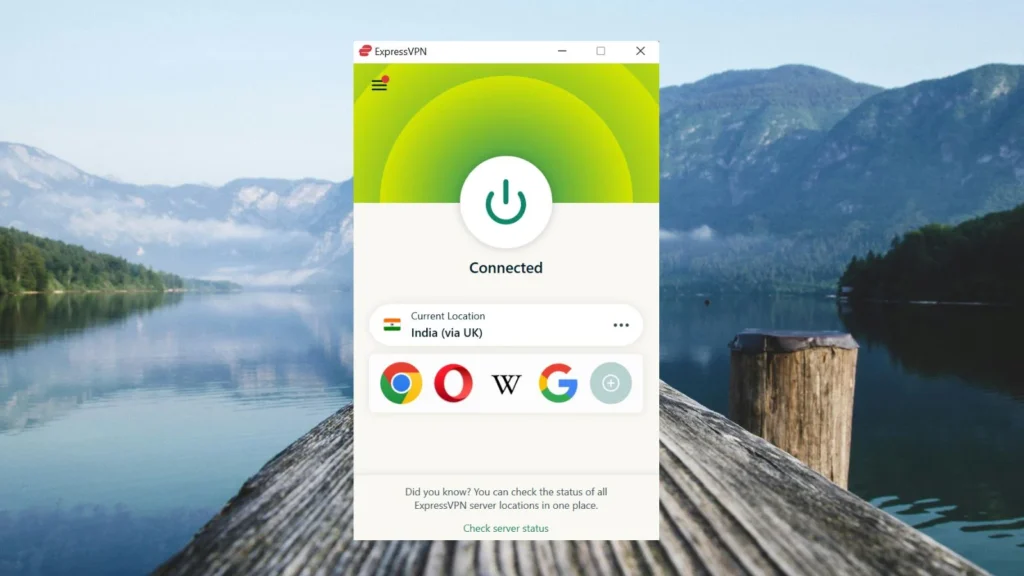
To try it, choose one of the Indian locations in the ExpressVPN app, connect, fully close Netflix, and open it again. If one Indian location does not produce the expected result, you can test the other location.
The ExpressVPN server directory currently lists both Indian virtual locations, giving you an alternative connection to test if the first one encounters problems.
3. NordVPN
NordVPN is the third recommendation. The company no longer operates physical VPN servers in India, but it provides a virtual location that assigns users an Indian IP address.
NordVPN’s official India server documentation confirms that its virtual Indian location remains available. NordVPN introduced that option after removing its physical Indian servers.
You only need to choose India from the NordVPN app and connect. NordVPN also includes SmartPlay automatically in its apps, so you do not have to configure an additional streaming feature before opening Netflix.
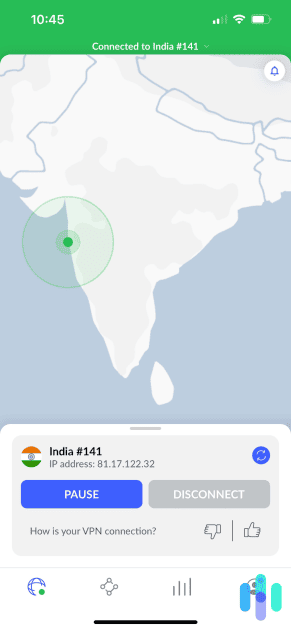
The company explains that its Indian VPN option provides an Indian IP through a virtual location, which makes it suitable for establishing an Indian internet location without using a physical server inside the country.
What to do if Earwig and the Witch does not appear
Connecting to India does not always mean Netflix will immediately refresh its catalog. Netflix can retain session information, detect the VPN IP, or continue showing a restricted selection of titles.
Try these fixes before giving up on the connection:
- Fully close the Netflix app or browser tab.
- Disconnect from the VPN.
- Reconnect to another Indian server or location if your VPN offers one.
- Clear Netflix cookies and cached site data in your browser.
- Open a private or incognito browser window.
- Sign in to Netflix again.
- Search for Earwig and the Witch.
- If you use the Netflix app, force-close it before reconnecting.
NordVPN’s own Netflix troubleshooting instructions recommend closing Netflix and switching to another server in the same country when streaming does not work. They also note that repeatedly changing Netflix regions on one profile can cause problems with the visible region.
If you use NordVPN and Netflix still displays the wrong catalog, its current Netflix support guide also suggests checking the VPN connection, refreshing the region, and clearing application data where appropriate.
Netflix may detect the VPN
A VPN changes your IP address, but Netflix has systems designed to recognize VPN and proxy traffic. This explains why the movie may appear for one connection but disappear on another.
Netflix says its VPN restrictions can limit users to titles with worldwide licensing. The company also states that VPN connections are not supported while using its ad-supported experience.
If Netflix detects the connection, changing to another Indian server may help when the issue involves a blocked IP address. There is still no guarantee that another server will expose the Indian catalog.
Can you use a Netflix ad-supported plan with a VPN?
Netflix says no. Its current support policy does not support VPN use with the ad-supported Netflix experience.
That makes an ad-free Netflix subscription the relevant option if you intend to have a VPN active while streaming. Even with an ad-free subscription, Netflix can still detect the VPN and limit regional content.
The Netflix plan itself does not make a VPN capable of accessing every regional catalog. Your VPN connection, Netflix’s detection systems, licensing rights, and the current availability of the movie all affect the result.
Does changing the VPN location change your Netflix account?
No. Connecting to an Indian VPN location does not create a new Netflix account or permanently convert your existing account into an Indian account.
Your profiles, password, watch history, and account details remain associated with your existing Netflix subscription. The VPN primarily changes the public IP address presented by your internet connection.
Netflix can then use that connection information when deciding which catalog to display. Once you disconnect from the VPN, your public IP address returns to the location provided by your normal internet connection.
Which VPN should you use?
Private Internet Access takes the first spot because it offers an Indian location in its current network and provides straightforward apps for connecting. ExpressVPN follows with two virtual Indian locations, which gives you another server route to test. NordVPN comes third with a virtual Indian IP location and built-in SmartPlay functionality.
Whichever VPN you choose, install the official app, connect to India before opening Netflix, and restart Netflix after changing locations. If the movie does not appear, test another Indian connection where available and clear old Netflix session data.
Most importantly, treat VPN access as something that can change. Netflix regularly updates how it handles VPN traffic, and movie licensing can also change during 2026. No VPN can promise permanent access to Earwig and the Witch or any other regional Netflix title.
Frequently asked questions
India currently has Earwig and the Witch in its Netflix catalog, making an Indian VPN location one region to try from the United States.
Install a VPN with an Indian location, connect to India, fully close Netflix, reopen it, and search for Earwig and the Witch. Netflix can detect VPN connections, so access is not guaranteed.
Private Internet Access is our Editor’s Choice, followed by ExpressVPN and NordVPN. Each provides an Indian IP option, but none can guarantee access to a particular Netflix region.
Netflix may have detected the VPN, retained data from your previous session, or restricted the visible catalog. Try another Indian server, restart Netflix, and clear browser cookies.
No. Netflix states that VPN connections are not supported on its ad-supported experience.


Read our disclosure page to find out how can you help VPNCentral sustain the editorial team Read more


Improve this guide




User forum
0 messages