
How to Secure Your Digital Life With Surfshark


 13 min. read
  Published on

Surfshark can strengthen your online privacy by encrypting internet traffic, replacing the public IP address visible to websites, and protecting unlimited compatible devices with one subscription. It also includes tools for blocking malicious domains, separating selected traffic from the VPN, and routing connections through two servers.
The service operates more than 4,500 RAM-only servers in 100 countries. Surfshark supports modern VPN protocols, publishes details about its security practices, and has undergone independent reviews of its no-logs controls.

Access content across the globe at the highest speed rate.
70% of our readers choose Private Internet Access
70% of our readers choose ExpressVPN

Browse the web from multiple devices with industry-standard security protocols.

Faster dedicated servers for specific actions (currently at summer discounts)
A VPN cannot secure every part of your digital life by itself. Surfshark does not replace software updates, unique passwords, multi-factor authentication, encrypted backups, antivirus protection, or careful account management. It works most effectively as one part of a broader security plan.
Surfshark security overview
| Security area | Surfshark protection |
|---|---|
| Internet traffic | Encrypted VPN tunnel |
| Visible IP address | Replaced with the VPN server’s address |
| Device allowance | Unlimited simultaneous connections |
| Server network | More than 4,500 RAM-only servers in 100 countries |
| Connection failure | Kill switch blocks unprotected traffic |
| Ads and malicious domains | CleanWeb filtering |
| Split tunnelling | Bypasser on supported platforms |
| Two-server routing | Dynamic MultiHop |
| Logging policy | Deloitte-reviewed no-logs controls |
| Money-back guarantee | 30 days for eligible first purchases |
Install Surfshark on your main devices
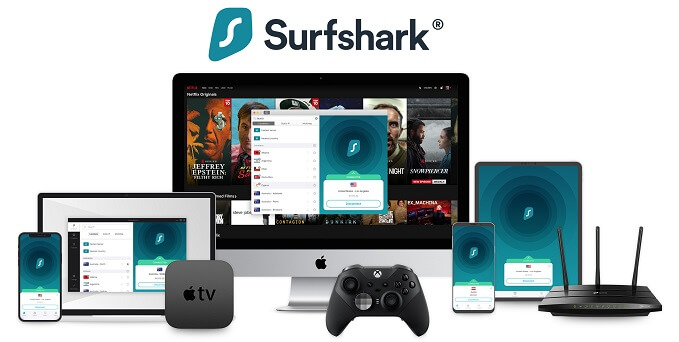
A paid Surfshark subscription supports unlimited simultaneous connections. One account can protect compatible computers, phones, tablets, televisions, and other household devices without requiring additional connection slots.
Start with devices that regularly leave your home, such as work laptops, personal phones, and tablets. These devices frequently connect to hotel, airport, café, conference, and shared workplace networks.
Surfshark provides applications for Windows, macOS, Linux, Android, iOS, Apple TV, Android TV, Fire TV, and other supported platforms. The company lists current operating-system support on its official download page.
Prioritise frequently used devices
- Personal and work laptops
- Android phones and iPhones
- Tablets used while travelling
- Streaming devices
- Computers used for remote work
- Devices that regularly join public Wi-Fi
Keep each Surfshark application updated. Updates can close security flaws, improve operating-system compatibility, add protocol support, and correct connection problems.
Browser extensions protect only browser traffic. Use the full application when you also need to protect email clients, games, cloud backup tools, torrent applications, and background services.
Connect to a nearby Surfshark server
A VPN sends internet traffic through an encrypted tunnel to a remote server. Websites then receive the VPN server’s public IP address instead of the address assigned by the user’s internet provider.
For routine browsing, choose a nearby server. A shorter physical distance generally produces lower latency and better download and upload performance.
Surfshark lists more than 4,500 RAM-only servers across 100 countries in its global VPN server directory.
Choose another country when necessary
A more distant server can provide an IP address from another country. This may help travellers access services available through their normal regional subscriptions or test how a website appears in another market.
Long-distance connections usually increase latency because traffic must travel farther. They may also reduce transfer speeds, particularly during video calls, cloud backups, or large file uploads.
Surfshark uses both physical and virtual locations. A virtual location provides an IP address for the selected country while the physical hardware operates elsewhere, which can affect latency.
Enable automatic connection
Automatic connection reduces the risk of forgetting to activate the VPN. Surfshark can connect when the application starts or when a device joins a network that the user has not marked as trusted.
This feature is useful for remote workers and travellers who frequently switch between home Wi-Fi, mobile hotspots, hotels, airports, and shared offices.
- Open the Surfshark application.
- Go to Settings.
- Open VPN settings.
- Find the automatic connection controls.
- Choose when Surfshark should connect.
- Review the trusted network list.
Do not trust a network only because it has a familiar name. Attackers can create access points with names similar to those used by cafés, hotels, airports, and conference centres.
Turn on the kill switch
Surfshark’s kill switch blocks internet traffic when the VPN connection unexpectedly fails. This reduces the chance that applications will immediately return to the normal connection and expose the user’s public IP address.
The feature matters when someone transfers sensitive information, works remotely, uses peer-to-peer applications, or connects through an unstable network.
A kill switch cannot protect traffic sent before Surfshark connects. Combine it with automatic connection so the VPN starts before applications begin using the internet.
Test the kill switch
- Connect to a Surfshark server.
- Confirm that the kill switch is enabled.
- Interrupt the VPN connection.
- Check whether the device loses internet access.
- Reconnect the VPN.
- Confirm that internet access returns.
Kill switch behaviour differs between operating systems. Test it after major application or system updates, especially when an exposed connection would create a privacy risk.
Use Bypasser for selected apps and websites
Bypasser is Surfshark’s split-tunnelling feature. It lets selected applications or websites use a different route from the rest of the device.
For example, a user can keep general browsing inside the VPN while allowing a banking application, local printer, work platform, or online game to use the normal internet connection.
Bypasser is available with Surfshark’s VPN plans, but the controls differ by operating system. Users should check the Surfshark feature overview before relying on app-level or website-level routing.
Use split tunnelling carefully
Traffic excluded from the VPN does not receive the protection of the encrypted tunnel. The website or application will see the normal public IP address assigned by the internet provider.
- Exclude only applications that genuinely require it.
- Avoid excluding browsers used for sensitive activity.
- Review the Bypasser list regularly.
- Remove applications you no longer use.
- Test whether excluded traffic follows the intended route.
Split tunnelling can improve performance, but it creates separate protected and unprotected paths. Users should understand which path each application follows.
Use CleanWeb to reduce unwanted content
CleanWeb blocks connections to many advertising, tracking, phishing, and malicious domains. This can reduce unwanted content and help prevent access to known harmful websites.
The feature works at the network level, but it cannot block every advertisement or cookie notice. Ads delivered from the same domain as a website’s main content may still appear.
CleanWeb also does not replace antivirus protection. It can block connections to known threats, but it cannot guarantee that every file, website, or message is safe.
What CleanWeb can help block
- Known advertising domains
- Common web trackers
- Some phishing pages
- Domains linked to malware
- Selected intrusive pop-ups
Users should continue to inspect links, downloads, email attachments, and browser warnings. No blocking system detects every new or carefully disguised threat.
Choose the right VPN protocol
A VPN protocol determines how a device creates and maintains its encrypted connection to the server. Surfshark offers Dausos, WireGuard, OpenVPN, and IKEv2, depending on the application and operating system.
WireGuard commonly provides a strong balance of speed and security. OpenVPN offers broad compatibility and can work well on networks where another protocol fails. IKEv2 can reconnect quickly when mobile devices switch between Wi-Fi and cellular connections.
Surfshark explains the available options in its VPN protocol comparison.
| Protocol | Encryption | Typical use |
|---|---|---|
| Dausos | AEGIS-256X2 | Supported macOS devices and post-quantum protection |
| WireGuard | ChaCha20 | Everyday speed and security |
| OpenVPN | AES-256 | Compatibility and network reliability |
| IKEv2 | AES-256 | Fast reconnection on supported devices |
Dausos has limited availability
Dausos is Surfshark’s proprietary VPN protocol. It includes post-quantum protection and creates separate encrypted paths for sessions.
The protocol is currently available only through the Surfshark macOS App Store application. Users on Windows, Android, iOS, Linux, and other platforms must select another supported protocol.
The current compatibility details appear in Surfshark’s protocol documentation.
Use Dynamic MultiHop when extra routing matters
Dynamic MultiHop sends traffic through two Surfshark servers before it reaches the destination. Users can select an entry location and a different exit location.
This creates more separation between the original connection and the address visible to the destination. However, traffic is not simply made twice as secure because it passes through two servers.
The additional route increases distance and processing, so MultiHop can reduce speed and raise latency. It is more suitable for users who prioritise routing flexibility over maximum performance.
When MultiHop may help
- Separating the entry and exit countries
- Researching how services behave across regions
- Adding another routing layer on an untrusted network
- Avoiding one fixed server path
MultiHop does not remove cookies, hide account activity, or prevent browser fingerprinting. Websites may still identify users through information unrelated to the IP address.
Use Alternative ID for low-risk registrations
Alternative ID creates substitute personal details and a forwarding email address. Users can provide these details to selected websites instead of exposing their primary email address.
This can reduce spam and limit the effect of a breach involving a newsletter, online forum, trial account, or low-risk shopping service.
Alternative ID should not be used for banking, government services, healthcare, employment checks, legal documents, age verification, or any service requiring accurate identity information.
Alternative ID does not replace account security
A forwarding address can hide a primary email address, but it does not protect a weak password. Use a unique password and multi-factor authentication whenever a service supports them.
Users should also remember that Surfshark handles the forwarding process. Avoid using an alias for highly sensitive messages or accounts that need direct, permanent access.
Add Surfshark One security tools
Surfshark One includes the VPN features in Starter and adds Antivirus, Alert, and private Search. These tools broaden the subscription beyond network privacy.
| Surfshark One tool | Purpose |
|---|---|
| Antivirus | Scans supported devices for malware |
| Alert | Checks registered details against known breaches |
| Search | Provides search without personalised advertising profiles |
| Email Scam Checker | Analyses supported messages for common scam indicators |
| Web Content Blocker | Blocks selected categories of websites |
Surfshark Antivirus can add real-time protection on supported platforms, but users should compare it with the security software already included with their operating system.
Running two real-time antivirus products at the same time may create conflicts or reduce performance. Check which application provides active protection before enabling another scanner.
Check Surfshark Alert for exposed accounts
Surfshark Alert checks selected email addresses and other supported details against known breach information. It can notify the user when data appears in a reported incident.
An alert does not automatically repair the affected account. Users must change exposed passwords, sign out unknown sessions, enable multi-factor authentication, and review recovery details themselves.
- Review the affected service.
- Change the password immediately.
- Replace the password on any account where it was reused.
- Enable multi-factor authentication.
- Check recent login activity.
- Remove unfamiliar devices or sessions.
Password reuse creates more danger than the original breach because attackers often test exposed credentials against other websites.
Understand Surfshark’s no-logs policy
Surfshark says it does not record browsing history, visited websites, traffic content, used bandwidth, DNS requests, source IP addresses, or VPN-assigned addresses.
The company still processes information required to operate accounts and optional products. This can include an email address, billing information, application diagnostics, and data submitted to Alert or Antivirus.
Surfshark describes its policies, audit history, and transparency information in its Trust Center.
Deloitte reviewed the no-logs controls
Deloitte conducted assurance procedures covering Surfshark’s compliance with its no-logs policy in 2023 and again in 2025. Surfshark announced the latest result in June 2026.
An independent review provides more evidence than a company statement alone. However, an audit covers a defined scope and period and cannot guarantee that a provider will never make a mistake or change its systems.
The latest assurance information also appears in the Surfshark security and transparency centre.
Secure accounts outside the VPN
A VPN protects traffic between the device and the VPN server. It does not stop someone from accessing an account with a stolen password, clicking a phishing link, or installing malicious software.
Use a password manager to generate a different password for every important account. Enable multi-factor authentication, preferably through an authenticator application or hardware security key.
- Install operating-system and application updates.
- Use unique passwords for every account.
- Enable multi-factor authentication.
- Review account recovery options.
- Back up important files.
- Encrypt sensitive local storage.
- Remove applications and accounts you no longer use.
These controls protect areas that a VPN cannot reach, including account access, files stored on the device, and information entered into websites.
Be careful on public Wi-Fi
Surfshark encrypts traffic between the device and its VPN server, making it harder for other users on the same local network to inspect that traffic.
However, a VPN cannot make a fraudulent Wi-Fi network trustworthy. Users should still confirm the correct network name, disable automatic file sharing, and avoid unexpected certificate or login warnings.
Most reputable websites also use HTTPS encryption. Check the address bar before entering passwords or payment information, even when the VPN is active.
Public Wi-Fi safety checklist
- Confirm the correct network with staff.
- Disable automatic Wi-Fi connections.
- Turn on Surfshark before opening sensitive applications.
- Keep the kill switch enabled.
- Avoid installing software requested by the network.
- Use HTTPS websites.
- Forget the network after leaving.
How much does Surfshark cost?
Surfshark sells Starter, One, and One+ plans. The current July 2026 promotion prices Starter at $2.49 per month for 24 months plus three extra months.
The monthly figure represents the full cost divided by 27 months. Customers pay the complete introductory amount upfront rather than receiving a $2.49 charge every month.
Surfshark displays the current promotion, bonus months, and coupon details on its official July 2026 deals page.
| Plan | Main products | Best for |
|---|---|---|
| Surfshark Starter | VPN, CleanWeb, Alternative ID, and core privacy tools | Users who mainly need a VPN |
| Surfshark One | Starter features, Antivirus, Alert, and Search | Users who want broader device security |
| Surfshark One+ | One features and Incogni data removal | Users who want data broker removal |
Review the renewal price
The introductory price applies to the first subscription period. Surfshark may renew the service under a different term and at a higher price.
Check the upfront charge, taxes, billing period, renewal date, and renewal amount before entering payment information.
The current Surfshark subscription offer also includes a 30-day money-back guarantee for eligible first purchases.
Surfshark digital security verdict
Surfshark provides a useful foundation for online privacy. It encrypts internet traffic, replaces the public IP address visible to websites, protects unlimited devices, and includes practical tools such as CleanWeb, Bypasser, Dynamic MultiHop, and a kill switch.
Its RAM-only server network, broad country coverage, modern protocols, and Deloitte-reviewed no-logs controls provide additional reassurance. Surfshark One also adds antivirus protection and breach monitoring for users who want a broader security package.
Users should not treat a VPN as complete protection against cybercrime. Combine Surfshark with software updates, unique passwords, multi-factor authentication, secure backups, and careful browsing to protect more of your digital life.
FAQ
A paid Surfshark subscription supports unlimited simultaneous connections on compatible devices. You can install it on computers, phones, tablets, televisions, and other supported platforms, although available features differ by operating system.
Surfshark says it does not store browsing history, traffic content, DNS requests, source IP addresses, VPN-assigned addresses, or used bandwidth. Deloitte reviewed its no-logs controls in 2023 and 2025.
The kill switch blocks internet traffic when the VPN connection unexpectedly fails. This reduces the chance that applications will return to the normal connection and expose the user’s public IP address.
No VPN provides complete protection. Surfshark should be combined with software updates, unique passwords, multi-factor authentication, antivirus protection, secure backups, and careful account management.
Surfshark Starter currently starts at $2.49 per month for 24 months plus three extra months. Customers pay the complete introductory amount upfront, and taxes or renewal prices may increase the total.
Yes. Surfshark encrypts traffic between the device and its VPN server, which can improve privacy on public Wi-Fi. Users should still verify the network, keep devices updated, use HTTPS websites, and avoid suspicious login or certificate warnings.


Read our disclosure page to find out how can you help VPNCentral sustain the editorial team Read more


Improve this guide
User forum
0 messages