
Surfshark VPN Review 2026: Affordable, Feature-Packed, and Built for Unlimited Devices


 19 min. read
  Published on
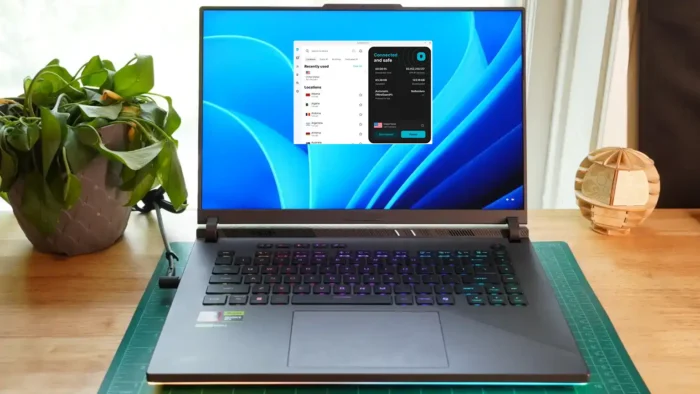
Surfshark is one of the strongest value VPNs in 2026. It combines unlimited simultaneous connections, more than 4,500 servers in 100 countries, reliable streaming access, customizable MultiHop routes, and a long list of privacy and security tools.
Its long-term subscriptions cost much less than the monthly plan, making Surfshark particularly attractive for families and users with many devices. The Starter plan currently begins at $2.49 per month under Surfshark’s 27-month introductory offer.

Access content across the globe at the highest speed rate.
🔥 Save 81% + 2 bonus months! 🔥
70% of our readers choose Private Internet Access
70% of our readers choose ExpressVPN
2
Browse the web from multiple devices with industry-standard security protocols.
🔥 Save 73%! 🔥

Faster dedicated servers for specific actions (currently at summer discounts)
🔥 Save 69%! 🔥
The service still has drawbacks. Monthly prices remain high, some server locations are virtual, upload performance can vary across long-distance connections, and several extra tools require the more expensive One or One+ plans.
Surfshark VPN review summary
| Category | Surfshark details |
|---|---|
| Overall rating | 4.4 out of 5 |
| Best for | Streaming, families, travel, and multi-device households |
| Starting price | $2.49 per month for the introductory 27-month Starter plan |
| Server network | More than 4,500 servers in 100 countries |
| Simultaneous connections | Unlimited |
| Protocols | WireGuard, OpenVPN, IKEv2, and selected platform-specific options |
| Headquarters | The Netherlands |
| Money-back guarantee | 30 days for eligible first purchases |
| No-logs audits | Deloitte verification in 2023 and 2025 |
Surfshark pros and cons
| Pros | Cons |
|---|---|
| Unlimited simultaneous device connections More than 4,500 servers in 100 countries Strong streaming performance Affordable introductory long-term plans Customizable Dynamic MultiHop connections RAM-only server infrastructure Independently verified no-logs policy Useful tools such as Alternative ID and CleanWeb Apps for most popular platforms | Expensive monthly subscriptions Renewal prices exceed introductory rates Some locations use virtual servers Upload speeds can fall on distant connections Some features differ between platforms Antivirus and breach monitoring cost extra No port forwarding |
How much does Surfshark cost?
Surfshark sells three subscription tiers: Starter, One, and One+. Customers can choose monthly, 12-month, or 24-month billing, although the longest option receives the largest introductory discount.
The current long-term promotion includes 24 months plus three extra months. Surfshark Starter costs $2.49 per month, Surfshark One costs $2.79 per month, and Surfshark One+ costs $4.49 per month before applicable taxes.
Customers pay the entire subscription period upfront. Surfshark’s official pricing page displays the total charge, introductory discount, included months, and renewal conditions.
| Plan | Introductory price | Main features |
|---|---|---|
| Surfshark Starter | $2.49 per month | VPN, Alternative ID, CleanWeb, MultiHop, Bypasser, and core privacy tools |
| Surfshark One | $2.79 per month | Starter features plus Antivirus, Alert, and Search |
| Surfshark One+ | $4.49 per month | One features plus Incogni data removal |
Long-term plans offer the strongest value
The monthly plan costs considerably more than the discounted 24-month option. It may suit someone who only needs a VPN briefly, but it provides poor value for regular use.
The 27-month promotional rate applies only to the initial billing period. After that period, Surfshark usually renews the subscription under annual terms at a higher effective monthly price.
Check the complete amount and renewal notice on the Surfshark plan comparison page. Local taxes, exchange rates, and active promotions may alter the final charge.
Surfshark Starter vs One vs One+
Surfshark Starter includes the full VPN service and most connection-related privacy tools. It provides enough features for users who already have antivirus software and do not need data breach monitoring.
Surfshark One adds Antivirus, Alert, and private Search. This tier offers the strongest balance for users who want a VPN and a broader security package under one subscription.
Surfshark One+ adds Incogni, which sends removal requests to supported data brokers. The higher price makes sense mainly for people who specifically want automated personal data removal.
| Feature | Starter | One | One+ |
|---|---|---|---|
| VPN | Yes | Yes | Yes |
| Unlimited devices | Yes | Yes | Yes |
| Alternative ID | Yes | Yes | Yes |
| Antivirus | No | Yes | Yes |
| Data breach monitoring | No | Yes | Yes |
| Private search | No | Yes | Yes |
| Incogni data removal | No | No | Yes |
Surfshark server network
Surfshark now operates more than 4,500 servers across 100 countries. The network covers North America, South America, Europe, Asia, Africa, the Middle East, and Oceania.
This represents a significant expansion from the 3,200-server network reported in older reviews. Surfshark added capacity in several high-demand regions, including the United States, United Kingdom, and Japan.
The company’s current server directory lists the available countries, cities, static IP locations, dedicated IP options, and supported connection features.
Physical and virtual server locations
Surfshark uses both physical servers and virtual locations. A virtual server provides an IP address for the listed country while its hardware operates in another country.
Virtual locations can extend coverage to regions where operating physical infrastructure would create technical, security, or legal difficulties. They are not automatically unsafe, but the hardware’s actual distance may affect latency and speed.
Surfshark marks virtual locations inside its apps and on the official VPN server list. Users who prioritise speed should test several nearby options rather than relying only on the displayed country name.
Surfshark apps and ease of use
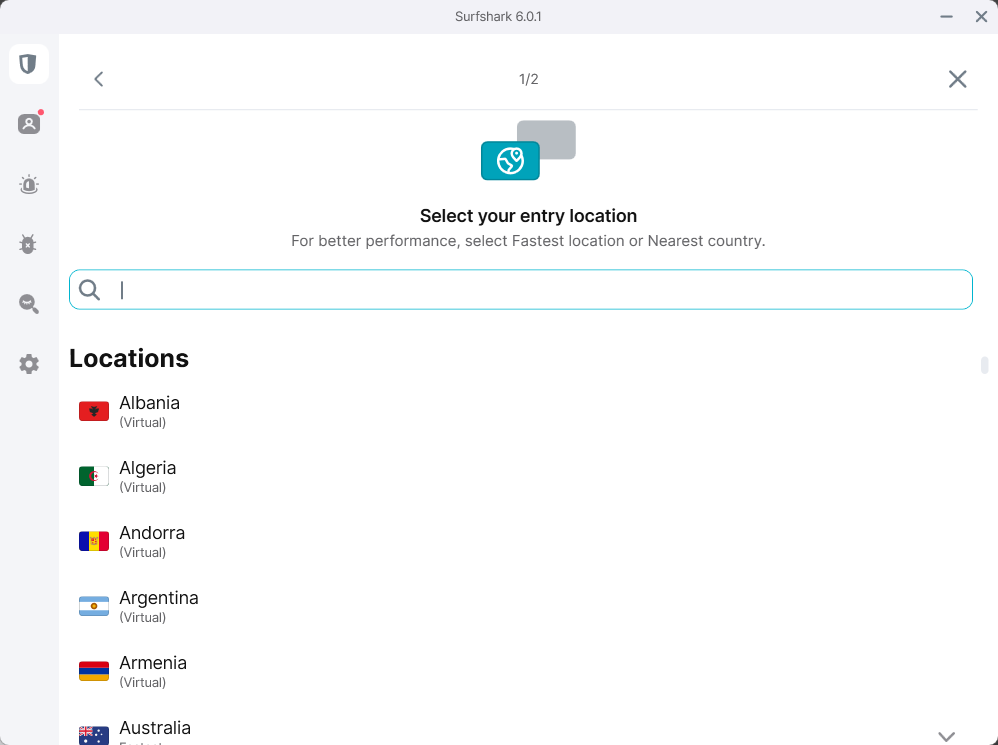
Surfshark offers a clean and consistent interface across Windows, macOS, Android, and iOS. The desktop application displays server locations, Static IP, MultiHop, Dedicated IP, Alternative ID, Alert, Antivirus, Search, and settings in a side menu.
The large number of tools can make the interface feel busy, particularly when some menu items promote features that are not included in the customer’s plan. However, the app explains most options clearly.
Installation takes only a few minutes on most platforms. Users can connect to the fastest location automatically or select a specific country, city, static address, or MultiHop route.
Windows app
The Windows app provides one of Surfshark’s most complete feature sets. It includes WireGuard, OpenVPN, IKEv2, Bypasser, CleanWeb, kill switch controls, Rotating IP, NoBorders, MultiHop, and automatic connection settings.
Bypasser allows users to exclude selected applications or websites from the VPN. This helps with banking sites, local services, games, and other applications that may reject VPN connections.
Windows users can also configure the app to launch automatically, connect when the device starts, or activate protection on unfamiliar networks.
macOS app
Surfshark’s macOS app follows the same general design but offers different protocol and split-tunnelling options. Feature availability can also differ between the App Store and direct-download versions.
The Mac app supports core VPN tools, including the kill switch, CleanWeb, MultiHop, Rotating IP, and NoBorders. Users should install the version recommended for the feature set they need.
Surfshark has also tested newer protocol technology on selected macOS builds. Beta features may change or disappear, so users should not base a purchase solely on an experimental protocol.
Android and iOS apps
The Android and iOS apps place the connection button and location selection on the main screen. Both versions support automatic protection, server favourites, MultiHop, Rotating IP, and several privacy settings.
Android generally offers broader split-tunnelling controls because it allows VPN applications to manage traffic by app. iOS provides fewer routing options due to Apple’s platform restrictions.
Mobile users can also configure automatic connections for trusted and untrusted Wi-Fi networks, reducing the chance that they forget to activate the VPN while travelling.
Unlimited simultaneous connections
Surfshark allows unlimited simultaneous connections on paid subscriptions. Customers can use one account across phones, laptops, tablets, televisions, browsers, and other compatible devices.
This policy gives Surfshark a major advantage over VPNs that permit only five, seven, or ten connections. Large families do not need to disconnect one device before protecting another.
Surfshark’s official service page confirms that a paid subscription works on multiple devices at the same time. The free trial has a separate three-device limit.
Supported devices
- Windows computers
- Mac computers
- Linux systems
- Android phones and tablets
- iPhones and iPads
- Android TV
- Apple TV
- Amazon Fire TV devices
- Smart televisions
- Chrome, Firefox, Edge, and other supported browsers
- Compatible routers
- Gaming consoles through router or Smart DNS configuration
Unlimited connections do not permit commercial resale or unrestricted account sharing outside normal household use. Surfshark may investigate activity that violates its fair-use or subscription terms.
The current Surfshark product information states that one subscription can protect an entire household without requiring separate accounts for each device.
Surfshark performance and speed
Surfshark provides strong download speeds on nearby servers and competitive performance across many international locations. Its move to high-capacity server ports reduces congestion when many customers connect at once.
Distance remains the largest factor. Nearby servers usually produce small speed reductions, while routes across continents add latency and can reduce both download and upload performance.
Independent testing has produced mixed upload results on distant servers. This matters more for cloud backups, livestreaming, large file transfers, and video production than for ordinary browsing or streaming.
What affects Surfshark speed?
- Distance to the VPN server
- Selected protocol
- Internet provider performance
- Local Wi-Fi quality
- Server congestion
- Device hardware
- Time of day
- MultiHop or obfuscation use
WireGuard usually provides the strongest combination of speed and security. OpenVPN may prove more stable on some networks, while obfuscated connections can add overhead.
Users should compare several nearby servers and protocols before deciding that Surfshark performs poorly. Automatic selection does not always choose the fastest route for every internet provider.
FastTrack route optimisation
FastTrack evaluates possible network paths and selects an efficient route between the user and the destination server. Surfshark designed it to reduce latency and avoid slow public internet routes.
The system can pass traffic through several Surfshark-controlled servers before it reaches the selected exit location. It continuously evaluates available routes rather than relying on one fixed path.
Surfshark lists FastTrack in its Trust Center as part of its network technology. Availability can vary by location and platform during the rollout.
Everlink self-healing infrastructure
Everlink aims to restore a protected connection when a VPN server experiences an unexpected problem. Instead of leaving the device unprotected, Surfshark’s infrastructure moves the connection to a working server.
This differs from a kill switch. A kill switch blocks traffic after a VPN failure, while Everlink attempts to recover the protected route and keep the connection active.
Surfshark’s Everlink documentation describes it as supporting infrastructure that reduces dropped connections and limits possible IP exposure.
Everlink does not replace the kill switch
Everlink improves resilience, but users should still keep the kill switch enabled when an exposed connection would create a privacy risk.
A successful recovery depends on the cause of the interruption. Everlink cannot restore a VPN when the entire device loses internet access or the local network stops working.
The official Surfshark Everlink guide explains that the system works at the server infrastructure level rather than as a normal app toggle.
Streaming performance
Surfshark remains one of the better VPNs for streaming. Testing has shown successful access to services such as Netflix, BBC iPlayer, Disney+, Hulu, Prime Video, and Max through supported locations.
Surfshark does not require users to select a separate streaming server pool. A standard server in the appropriate country can often access that country’s supported service.
Streaming access can still change without notice. Platforms regularly block VPN addresses, update location checks, and apply different restrictions to individual accounts.
Streaming quality depends on distance
A nearby server should support HD and 4K video on a sufficiently fast internet connection. Distant locations may take longer to begin playback or reduce quality while the stream adapts.
Users should try another server in the same country when a service displays a proxy error. Clearing cookies or restarting the streaming app may also help after changing locations.
A VPN does not change account billing regions, payment methods, GPS data, or store settings. Some services check several location signals in addition to the IP address.
Torrenting and P2P support
Surfshark allows peer-to-peer traffic across its network. Users do not need to select a dedicated P2P category before opening a torrent application.
The kill switch reduces the risk of exposing the normal public IP address when the VPN connection fails. Users should confirm that the VPN is connected before starting a transfer.
Surfshark does not offer port forwarding. This may reduce incoming peer connections and make the service less suitable for users who maintain upload ratios on private trackers.
Security features
Surfshark includes encryption, modern VPN protocols, DNS protection, a kill switch, split tunnelling, obfuscation, MultiHop, Rotating IP, and RAM-only server infrastructure.
The apps primarily support WireGuard, OpenVPN, and IKEv2, although protocol availability differs by platform. Surfshark uses established encryption standards to protect traffic between the device and VPN server.
Its RAM-only servers do not rely on conventional persistent storage for the operating environment. Restarting a server removes its active contents and reloads a controlled software image.
Kill switch
The kill switch blocks internet traffic when the VPN disconnects unexpectedly. This prevents applications from immediately returning to the normal unprotected connection.
Surfshark provides different kill switch modes on supported platforms. Users should test the setting because operating systems handle sleep, network changes, and app termination differently.
A kill switch cannot protect traffic that occurred before the VPN connected. Configure automatic connection rules when the device frequently joins public or unfamiliar networks.
Bypasser split tunnelling
Bypasser lets users choose which apps or websites should use the VPN. It can also send selected traffic outside the encrypted tunnel.
This helps when a bank, local streaming platform, printer, or gaming service rejects VPN traffic. It can also keep latency-sensitive applications outside the VPN while protecting the browser.
Bypasser functions differ between Windows, Android, macOS, and browser extensions. iOS provides fewer controls because Apple restricts app-level traffic routing.
CleanWeb
CleanWeb blocks connections to known advertising, tracking, phishing, and malicious domains. It can reduce some unwanted content before it reaches the browser.
DNS-level filtering cannot remove every advertisement. It may not block ads delivered from the same domain as a website’s primary content, including many video advertisements.
CleanWeb also lacks some of the detailed logs and controls available in dedicated content-blocking tools. It remains useful as a basic protective layer.
Dynamic MultiHop
MultiHop sends traffic through two Surfshark VPN servers before it reaches the destination. The website sees the second server’s address rather than the user’s normal address or the first VPN location.
Surfshark allows users to create custom entry and exit combinations. This provides more flexibility than services that offer only predetermined double-VPN routes.
The additional server increases latency and usually reduces speed. MultiHop makes the most sense for users who value routing separation more than maximum performance.
Rotating IP
Rotating IP changes the VPN address periodically without disconnecting the protected session. This makes it harder for websites to associate a long browsing session with one VPN address.
The feature does not erase cookies, change browser fingerprints, or sign users out of accounts. Websites can still connect activity through other identifiers.
Rotating IP can run alongside other Surfshark tools, although combining several privacy features may affect speed or website compatibility.
NoBorders and restrictive networks
NoBorders helps Surfshark operate on networks that block or limit ordinary VPN connections. The app can identify restrictions and present suitable server options.
Results vary by country, internet provider, local firewall, device, and government filtering system. A connection that works one day may fail after a network update.
Travellers should install and test multiple VPN applications before entering a country that restricts access. Download pages and app stores may become inaccessible after arrival.
Alternative ID
Alternative ID creates a separate online identity and forwarding email address. Users can provide it to websites instead of exposing their primary contact details.
The tool can reduce spam and limit the effect of low-risk website breaches. It suits newsletters, trials, online communities, and other services that do not require verified legal information.
Alternative ID should not be used to misrepresent identity for financial, legal, medical, government, or age-restricted services. It also does not replace strong passwords or multi-factor authentication.
Surfshark Alert and Search
Surfshark Alert checks whether registered email addresses or other supported details appear in known data breaches. It notifies the user so they can change passwords and secure affected accounts.
The service does not automatically repair a breach. Users must change exposed credentials, close unused accounts, and review login activity themselves.
Surfshark Search provides results without personalised advertising profiles. It can help reduce search tracking, although its coverage and advanced query tools may not match larger search engines.
Surfshark Antivirus
Surfshark Antivirus comes with One and One+ subscriptions. It provides real-time protection, scheduled scanning, malware detection, web protection, and threat database updates on supported devices.
The antivirus adds value for customers who want one subscription for VPN and malware protection. However, users should compare its independent test results, operating-system support, and controls with dedicated security products.
Running two real-time antivirus engines at the same time can create conflicts or reduce performance. Windows users should check how Surfshark Antivirus interacts with Microsoft Defender or another installed product.
Incogni data removal
Surfshark One+ includes Incogni, a service that sends personal data removal requests to supported data brokers.
Removal can take weeks or months because brokers follow different verification and response procedures. Some organisations may require additional information before processing a request.
Incogni availability depends on the customer’s country. Users should check whether the service supports their location before choosing the more expensive One+ plan.
Surfshark privacy policy
Surfshark says it does not monitor or store browsing activity, visited websites, traffic content, DNS queries, connection timestamps, used bandwidth, or source IP addresses.
The company still processes account and operational information, including an email address, payment details, app diagnostics, and data required by optional services such as Antivirus or Alert.
Surfshark’s privacy policy describes the information collected by each product, its purpose, retention period, and available privacy rights.
Surfshark operates from the Netherlands
Surfshark B.V. operates from the Netherlands and falls under Dutch and European Union data protection rules.
The Netherlands participates in international intelligence-sharing arrangements, but jurisdiction alone does not establish whether a VPN records useful activity data. Logging practices, technical design, legal demands, and independent audits matter more.
Customers should review the latest Surfshark privacy documentation because optional products process more information than the core VPN service.
Deloitte verified Surfshark’s no-logs policy
Deloitte conducted assurance procedures on Surfshark’s compliance with its no-logs policy in 2023 and again in 2025.
Surfshark announced the latest verification in June 2026. The assessment examined whether the relevant systems and configurations aligned with the provider’s stated logging commitments.
The company’s Deloitte audit announcement states that the review found Surfshark’s configuration supported its no-logs claims.
Audits improve trust but have limits
An independent audit offers more evidence than a marketing statement alone. It allows an outside organisation to inspect selected systems, processes, and configurations.
However, an audit covers a defined scope and period. It does not guarantee that a service can never change, suffer a breach, or make a configuration mistake later.
Surfshark also summarises its audit history, infrastructure protections, and privacy technologies in its Trust Center.
Customer support
Surfshark provides 24/7 live chat, email assistance, and an extensive online help centre. Support covers account issues, installation, connection errors, streaming problems, and billing.
The knowledge base includes guides for different operating systems and devices. Finding the correct article can require several searches because similar features work differently across platforms.
Live chat may begin with an automated assistant before transferring the conversation to a human agent. Customers seeking refunds should clearly request both cancellation and a refund.
Does Surfshark offer a free trial?
Surfshark offers a seven-day free trial for eligible long-term plans and supported payment methods. Trial users can test the service on up to three devices.
The selected paid subscription begins automatically when the trial ends unless the customer cancels before the deadline.
Surfshark also provides a 30-day money-back guarantee for eligible first purchases. App store transactions and optional products may follow different refund rules.
Is Surfshark safe?
Surfshark is safe for ordinary browsing, streaming, travel, and public Wi-Fi protection. It uses established protocols, encrypted tunnels, leak protection, RAM-only servers, and an automatic kill switch.
Deloitte’s no-logs verification gives users additional evidence that Surfshark’s infrastructure matches its stated privacy practices. Its audit record and public Trust Center improve transparency.
No VPN provides complete anonymity. Websites can still identify users through account logins, cookies, browser fingerprints, advertising identifiers, payment details, and information they submit.
Who should use Surfshark?
Surfshark suits households that need to protect many devices without paying for extra connection slots. It also works well for streaming users, travellers, and customers seeking advanced privacy tools at a low introductory price.
- Families with many phones, computers, and televisions
- Streaming subscribers who need international server choices
- Users who want customizable MultiHop connections
- Travellers who frequently use shared Wi-Fi
- Customers who want VPN and antivirus tools in one plan
- Users who prefer an independently audited no-logs provider
Users who only need one month, require port forwarding, depend heavily on long-distance upload performance, or want a minimal VPN app may prefer another provider.
Surfshark VPN verdict
Surfshark remains one of the strongest affordable VPN services in 2026. Unlimited connections, broad server coverage, reliable streaming performance, MultiHop customization, and a growing set of privacy tools provide excellent value.
The latest network expansion and Deloitte verification strengthen its position. Everlink and FastTrack also show that Surfshark continues to invest in connection stability and routing performance rather than relying only on promotional pricing.
The expensive monthly plan, higher renewal rate, virtual locations, uneven platform features, and lack of port forwarding prevent a perfect score. The discounted Starter and One plans still offer a compelling combination of privacy, usability, and multi-device support.
FAQ
Yes. Surfshark offers more than 4,500 servers in 100 countries, unlimited simultaneous connections, reliable streaming access, modern security features, and affordable introductory long-term plans.
Surfshark Starter currently begins at $2.49 per month for the introductory 27-month offer. Surfshark One starts at $2.79 per month, while One+ begins at $4.49 per month before taxes.
A paid Surfshark subscription supports unlimited simultaneous device connections. The seven-day free trial has a separate limit of three devices.
Surfshark says it does not record browsing activity, traffic content, DNS requests, source IP addresses, used bandwidth, or connection timestamps. Deloitte verified its no-logs policy in 2023 and 2025.
Surfshark performs well with major streaming services and does not require a separate streaming server category. Access can still change when platforms update their VPN detection systems.
Starter includes the VPN, Alternative ID, CleanWeb, MultiHop, and other core privacy tools. Surfshark One adds Antivirus, Alert data breach monitoring, and private Search.


Read our disclosure page to find out how can you help VPNCentral sustain the editorial team Read more


Improve this guide




User forum
0 messages