
How to Watch The Wolf of Wall Street on Netflix in the US with a VPN (2026)


 8 min. read
  Published on

The Wolf of Wall Street is currently available on Netflix Belgium. Netflix’s Belgian page currently displays the movie normally, including its playback details, without an availability warning.
The movie is not currently available on Netflix US. Netflix’s US title page says it cannot currently be watched in the country. Private Internet Access, ExpressVPN, and NordVPN all currently provide Belgium locations.

Access content across the globe at the highest speed rate.
🔥 Save 81% + 2 bonus months! 🔥
70% of our readers choose Private Internet Access
70% of our readers choose ExpressVPN
2
Browse the web from multiple devices with industry-standard security protocols.
🔥 Save 73%! 🔥

Faster dedicated servers for specific actions (currently at summer discounts)
🔥 Save 69%! 🔥
Keep in mind that Netflix can detect VPN connections, so connecting to Belgium does not guarantee that the Belgian catalog will appear. Netflix’s VPN guidance says VPN users may only see titles with worldwide licensing in some cases.
How to watch The Wolf of Wall Street on Netflix in the US
If you want to try accessing the Belgian Netflix catalog from the US, use a VPN that currently provides a Belgian IP location.
- Make sure you have an ad-free Netflix plan because Netflix does not support VPNs with its ad-supported experience.
- Install Private Internet Access, ExpressVPN, or NordVPN on your device.
- Open the VPN and connect to a server in Belgium.
- Wait until the VPN confirms that the connection is active.
- Open Netflix and search for The Wolf of Wall Street.
- If the title appears, select it and start watching.
Belgium is the location used in this guide because the official Netflix Belgium page currently shows the movie as available. JustWatch Belgium also currently lists Netflix among the services streaming the movie.
Best VPN options for The Wolf of Wall Street on Netflix
All three VPNs below currently support Belgium. Their exact Belgium location options differ, so use only the locations their current documentation lists.
| VPN | Current Belgium locations | Location to try first | Notes |
|---|---|---|---|
| Private Internet Access | Belgium, BE Streaming Optimized | BE Streaming Optimized | PIA does not list Belgium among its current virtual server locations |
| ExpressVPN | Belgium, Brussels | Belgium | ExpressVPN does not classify Belgium as a virtual location |
| NordVPN | Belgium, Brussels | Belgium | NordVPN currently lists Belgium as one city |
1. Private Internet Access
Private Internet Access is the first option to try because its current server location list includes both Belgium and BE Streaming Optimized.
Start with BE Streaming Optimized. PIA specifically designs its streaming-optimized locations for more stable streaming connections. If that location does not work, disconnect and try the standard Belgium location instead.
PIA’s current server documentation does not publish a city for its standard shared Belgium or BE Streaming Optimized locations. It separately offers dedicated IP addresses in Brussels, but you do not need a dedicated IP for this setup.
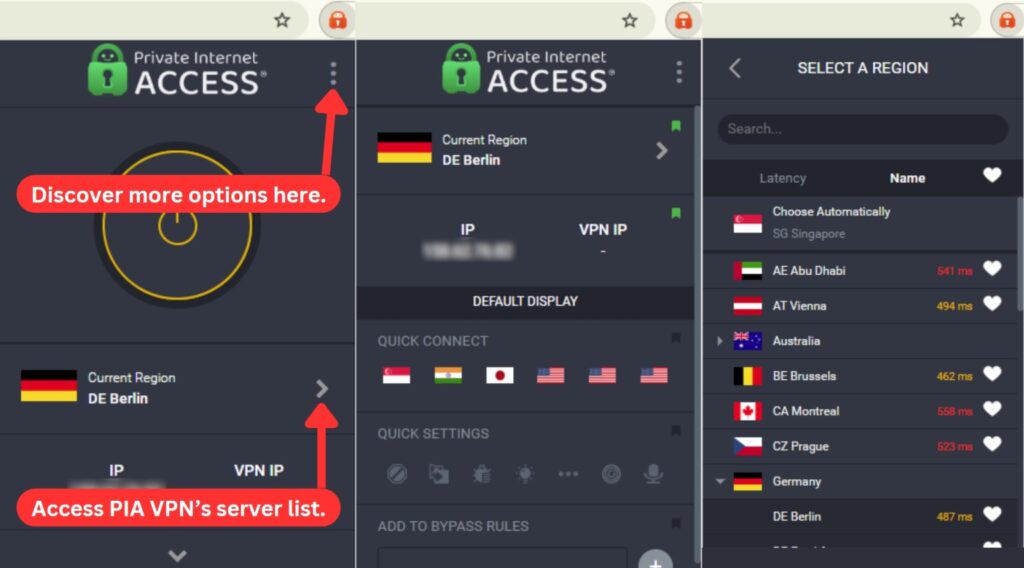
PIA also publishes a complete virtual location list. Belgium does not appear on that list, so PIA does not currently identify its Belgium location as one of its geo-located virtual regions.
No PIA server can guarantee that Netflix will display the Belgian catalog. Netflix can identify VPN IP addresses and restrict access.
2. ExpressVPN
ExpressVPN currently provides a Belgium VPN location and identifies Brussels as its Belgian server location.
Choose Belgium in the ExpressVPN app. Its Belgium page says this connection gives you a Belgian IP address through its Brussels location.
ExpressVPN’s current virtual server list does not include Belgium. ExpressVPN states that locations not included on that virtual list have the physical server and registered IP address in the selected country.
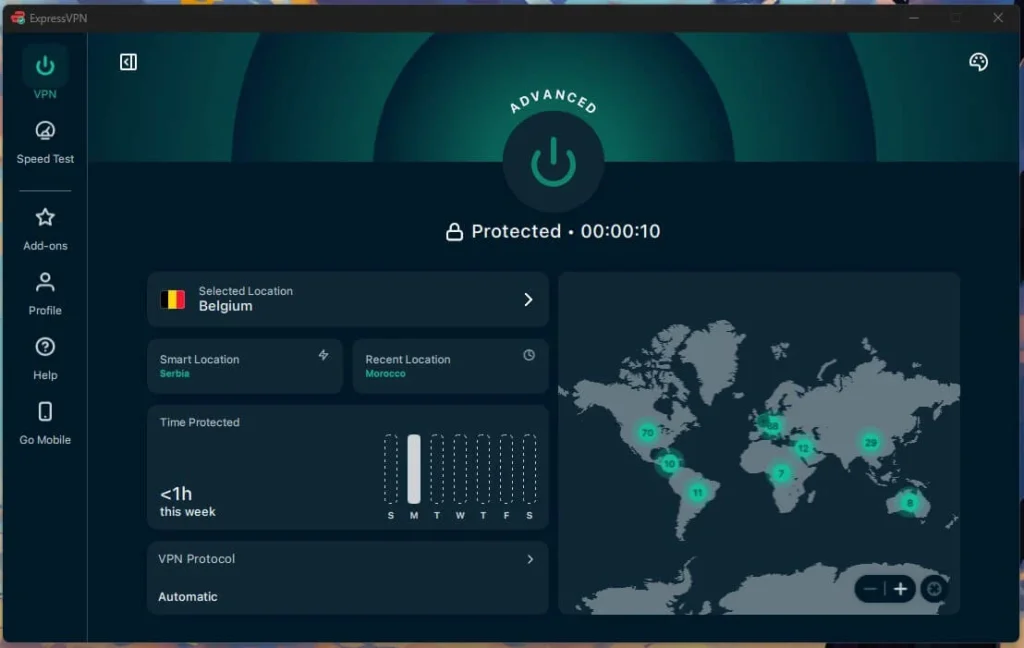
ExpressVPN currently lists one Belgian location rather than several Belgian cities. If Netflix does not load correctly, disconnect and reconnect to Belgium to try another available endpoint instead of switching to an invented Belgian city.
Netflix can still identify an ExpressVPN connection, so access to the Belgian Netflix library is not guaranteed.
3. NordVPN
NordVPN also currently provides VPN servers in Belgium. Its Belgium page identifies Brussels as the Belgian IP location, while NordVPN’s main server directory currently lists Belgium as having one city.
The simplest option is to select Belgium in the NordVPN app. NordVPN can automatically choose an available Belgian server based on its connection algorithm.
NordVPN does not publish a Belgium-specific server count on its current Belgium page, so there is no reliable country-specific number to quote here.
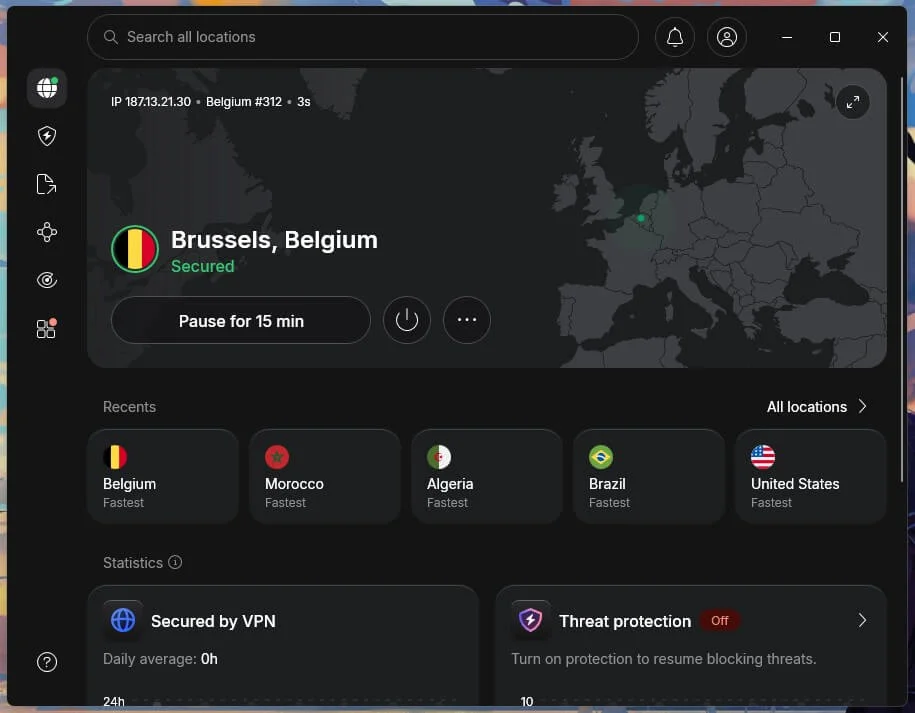
NordVPN also includes SmartPlay. The feature combines VPN and SmartDNS technologies for streaming and activates automatically when you connect to a NordVPN server. You do not need to enable SmartPlay separately.
SmartPlay does not guarantee that Netflix will show a different regional catalog. Netflix can still recognize the VPN connection.
What to do if The Wolf of Wall Street does not appear
Netflix actively checks VPN and proxy connections, so the Belgian catalog may not appear every time. Try these steps in order.
- Check your Netflix plan. Make sure you are not using Netflix’s ad-supported experience because Netflix currently does not support VPN connections on it.
- Confirm that you are connected to Belgium. Disconnect from any other country before reopening Netflix.
- Try the recommended Belgium location. PIA users should start with BE Streaming Optimized, while ExpressVPN and NordVPN users should select Belgium.
- Close and reopen Netflix. Fully exit the Netflix app or browser tab after changing your VPN location.
- Clear Netflix cookies and browser cache. Stored location information can sometimes remain after switching servers.
- Reconnect to the VPN. Disconnecting and connecting again may assign a different Belgian VPN IP address.
- Try another available Belgian endpoint. PIA users can switch between BE Streaming Optimized and Belgium. ExpressVPN and NordVPN users can reconnect to their Belgium location.
- Turn off the VPN if Netflix continues blocking playback. Netflix may have recognized the connection, and no VPN can guarantee access to a regional catalog.
For PIA, try BE Streaming Optimized first and the regular Belgium location second. For ExpressVPN, select Belgium, which ExpressVPN identifies with Brussels, and reconnect if necessary. For NordVPN, select Belgium and let its server-selection system choose an available Brussels connection.
Can Netflix detect a VPN?
Yes. A VPN changes the public IP address Netflix sees, but it does not guarantee access to the Netflix catalog associated with that IP address.
Netflix says VPN connections can cause the service to show only movies and shows for which Netflix has worldwide licensing. Netflix can also display a VPN or proxy error and ask you to disconnect.
If Netflix recognizes one VPN server, trying another Belgian endpoint may help, but there is no guaranteed workaround. VPN detection systems and server IP addresses change regularly.
Can I use a Netflix ad-supported plan with a VPN?
No. Netflix currently states that VPNs are not supported with its ad-supported experience. Netflix may show an error if you connect through a VPN while using an ad-supported plan.
If you want to use Netflix while connected to a VPN, Netflix’s current ad-supported plan guidance says you need an ad-free plan.
Does connecting to Belgium change my Netflix account?
No. Connecting to a Belgian VPN server changes the IP location that websites and services see. It does not replace or modify your Netflix account.
Your Netflix email address, password, profiles, and existing account credentials stay the same. You continue signing in with your normal Netflix account.
The VPN only changes the apparent network location of your connection. It does not create a Belgian Netflix account or permanently move your account to Belgium. If you disconnect from the VPN, Netflix will once again see your normal US IP location. The Netflix US page currently shows The Wolf of Wall Street as unavailable in the US.
Final thoughts
Private Internet Access is the first option I would try because it currently provides both a standard Belgium location and a dedicated BE Streaming Optimized option. Start with the streaming-optimized location, then try the regular Belgium connection if necessary.
ExpressVPN and NordVPN are useful alternatives because both currently support Belgium and identify Brussels as their Belgian location. ExpressVPN provides a physical Belgian location according to its current virtual-server documentation, while NordVPN includes SmartPlay automatically with its VPN connection.
The Wolf of Wall Street is currently verified on Netflix Belgium, while Netflix US currently shows it as unavailable. Netflix catalogs, VPN server locations, and VPN detection can change, so check availability again if the movie stops appearing.
The Wolf of Wall Street is currently available on Netflix Belgium. Netflix’s official Belgian title page currently displays the movie normally, and JustWatch Belgium also lists Netflix as a streaming option.
The movie is not currently available on Netflix US. You can try connecting to a Belgian VPN location with Private Internet Access, ExpressVPN, or NordVPN before opening Netflix, but Netflix may detect the VPN and access is not guaranteed.
Private Internet Access is the Editor’s Choice for this setup because it currently lists both Belgium and a BE Streaming Optimized location. ExpressVPN and NordVPN also currently provide Belgian locations.
Confirm that you are connected to Belgium, restart Netflix, clear browser cookies if necessary, and try reconnecting to another Belgian VPN endpoint. Netflix may recognize VPN connections, so no server can guarantee access.
No. Netflix currently states that VPNs are not supported with its ad-supported experience. You need to disconnect the VPN or use an ad-free Netflix plan.


Read our disclosure page to find out how can you help VPNCentral sustain the editorial team Read more


Improve this guide




User forum
0 messages