
How to Watch F9: The Fast Saga on Netflix in the US with a VPN (2026)


 18 min. read
  Published on

F9: The Fast Saga (2021) is currently available on Netflix in Hungary, where it appears under the localized title Halálos iramban 9. Directed by Justin Lin, the ninth main installment in the Fast & Furious franchise stars Vin Diesel, Michelle Rodriguez, John Cena, Tyrese Gibson, and Ludacris. The official Netflix Hungary page for F9: The Fast Saga confirms the movie’s listing, with English original audio, English subtitles, and offline downloads for eligible subscribers.
Unfortunately, F9: The Fast Saga is not currently available on Netflix in the United States. American viewers can instead stream the movie through Peacock Premium and several other services. Hungary offers a different Netflix catalog, and Private Internet Access (PIA), ExpressVPN, and NordVPN all maintain Hungarian VPN connections. PIA provides a dedicated streaming-optimized Hungarian location, ExpressVPN offers a Budapest IP address, and NordVPN lists Hungarian connections through Budapest.

Access content across the globe at the highest speed rate.
🔥 Save 81% + 2 bonus months! 🔥
70% of our readers choose Private Internet Access
70% of our readers choose ExpressVPN
2
Browse the web from multiple devices with industry-standard security protocols.
🔥 Save 73%! 🔥

Faster dedicated servers for specific actions (currently at summer discounts)
🔥 Save 69%! 🔥
However, connecting to a Hungarian VPN server does not guarantee access to F9 on Netflix. The platform may recognize VPN connections and restrict viewers to titles with worldwide licensing rights. Netflix explains these limitations in its official VPN streaming policy. VPN providers may also restrict geographic circumvention, so users should review the applicable terms before attempting to access international streaming catalogs.
How to watch F9: The Fast Saga on Netflix with a VPN
Netflix Hungary currently lists F9: The Fast Saga under the title Halálos iramban 9. The following steps explain how to establish a Hungarian VPN connection and check the movie’s availability, subject to Netflix’s policies and your VPN provider’s usage restrictions.
- Choose a VPN service. Consider Private Internet Access first, ExpressVPN second, and NordVPN third, based on their officially documented Hungarian server options.
- Download and install the VPN application on your Windows PC, Mac, smartphone, or another compatible device.
- Open the VPN application and connect to Hungary. Select an available Hungarian server or location from the provider’s official list.
- Fully close Netflix, including any open browser tabs or background application sessions.
- Reopen Netflix after establishing the VPN connection so the service can refresh its connection and catalog information.
- Sign in using your existing Netflix account and select your preferred viewing profile.
- Search for F9: The Fast Saga. If the movie does not appear under its English title, search for Halálos iramban 9.
- If the movie appears and Netflix permits playback under the applicable terms, select Play to start watching.
The important distinction is that a Hungarian VPN connection changes your visible public IP address, not your Netflix account’s billing country. Netflix may use the IP address when evaluating your location, but its VPN detection systems can limit regional titles even when the VPN connection works correctly.
You can check the movie directly through the official Hungarian Netflix listing for Halálos iramban 9. The page identifies the correct 2021 movie and includes the cast, description, available languages, and download information.
The Hungarian listing confirms English original audio, English audio description, German, French, Hungarian, and Ukrainian audio. Subtitles include English, German, French, Hungarian, Romanian, and Ukrainian. Viewers with legitimate access can therefore watch the original English-language version without needing a Hungarian dub.
There is one availability detail worth understanding. The Hungarian-language Netflix page displays the movie and its download information, while some English-language versions of the listing show an unavailability warning. JustWatch Hungary independently confirms Netflix availability. Your actual signed-in Netflix catalog ultimately determines whether playback is possible.
Best VPNs for watching F9: The Fast Saga on Netflix
All three VPN services provide Hungarian connections, but their location options and features differ. PIA offers a standard Hungarian server location and a streaming-optimized alternative, ExpressVPN provides a Budapest IP address, and NordVPN documents Hungarian servers associated with Budapest.
| VPN | Server locations in Hungary | Option to try first |
|---|---|---|
| Private Internet Access (Editor’s Choice) | Hungary, HU Streaming Optimized | HU Streaming Optimized for permitted streaming, or Hungary for general use |
| ExpressVPN | Hungary, with a Budapest IP address | Hungary / Budapest |
| NordVPN | Budapest, Hungary; the country page identifies a virtual location | Automatic Hungary connection or a manually selected Budapest server |
PIA provides the only specifically named Hungarian streaming-optimized location among these three providers. ExpressVPN emphasizes straightforward location selection and its Lightway protocol. NordVPN offers automatic server selection, NordLynx, and integrated SmartPlay technology.
These features support secure Hungarian VPN connections, but none guarantees that Netflix will provide access to F9. Netflix’s licensing rules and the VPN providers’ service restrictions still apply.
1. Private Internet Access
Private Internet Access is our Editor’s Choice because of its straightforward Hungarian server selection, dedicated streaming-optimized option, and configurable VPN protocols. Its features provide flexibility for privacy-focused connections and streaming activity that complies with the relevant service terms.
According to PIA’s official server location directory, users can select Hungary or HU Streaming Optimized.
The standard Hungary location provides a Hungarian VPN connection for general browsing and online privacy. HU Streaming Optimized is a specialized location that PIA includes in its network for supported streaming services.
Unlike countries where PIA lists several individual cities, its current Hungarian directory does not identify separate Budapest, Debrecen, or Szeged servers. Users should select the actual Hungary entries shown in the application rather than assuming that PIA offers particular city-level choices.
For legitimate streaming activity within Hungary, HU Streaming Optimized is the logical first option. PIA designs its streaming-optimized locations to support a more stable viewing experience with compatible services.
If that connection experiences ordinary network problems, the standard Hungary location provides another officially documented choice. Switching between the two can help determine whether congestion or connection configuration contributes to buffering or instability.
To connect, open the PIA application and select the VPN SERVER section. Search for Hungary to locate the standard location, or search for streaming to find HU Streaming Optimized. Select the location you want and activate the connection using the application’s main power button.
PIA supports WireGuard and OpenVPN. WireGuard uses a lightweight protocol design that generally offers efficient encrypted connections and good performance for bandwidth-intensive activities, including video streaming.
OpenVPN provides additional configuration flexibility. On supported devices, users can select UDP or TCP transport. UDP commonly offers better throughput, while TCP may help maintain connectivity on networks that interfere with certain UDP traffic.

PIA’s official advanced connection settings documentation explains these options. Most users can start with WireGuard and consider OpenVPN when they encounter connection stability problems.
Another consideration is whether a server physically operates in the country associated with its IP address. VPN providers sometimes use virtual server locations, where the assigned IP address represents one country but the underlying hardware operates elsewhere.
PIA maintains an official list of virtual server locations and physical hosting countries. Hungary does not appear in that published list, meaning PIA does not currently identify its Hungarian entries as virtual locations. The documentation does not establish a specific Hungarian city or data center for either connection.
For a smooth connection, compare your ordinary internet speed with the speed you receive through PIA. High latency, local Wi-Fi interference, and overloaded network routes can affect streaming quality even when the VPN connects successfully.
If Netflix behaves unexpectedly, try restarting its application, signing out and back in, clearing Netflix cookies and cached browser information, and updating the PIA application. These steps may resolve ordinary connection or browser problems, but they cannot override Netflix’s geographic licensing restrictions.
PIA’s official streaming guidance also includes an important restriction. The provider instructs users to connect to a server matching their physical country and explicitly prohibits using its service to circumvent geographic restrictions imposed by content providers.
Consequently, although PIA offers useful Hungarian server options, its dedicated streaming-optimized location should not be interpreted as permission or a guarantee to access the Hungarian Netflix catalog from the United States.
2. ExpressVPN
ExpressVPN takes second place because it provides an officially documented Hungarian connection, supports several modern VPN protocols, and offers simple location-selection tools for users who prefer minimal configuration.
The provider’s official Hungary VPN page confirms that customers can connect to a Hungarian location and receive an IP address associated with Budapest.
ExpressVPN’s global server directory identifies Hungary as an available destination. Unlike countries where the directory lists several city-level entries, its Hungarian entry does not include multiple individually named locations.
Budapest is therefore the only Hungarian city explicitly identified in the provider’s current country-specific documentation. Users should not assume that additional locations such as Debrecen or Szeged are available.

To connect, open the ExpressVPN application, select the location menu, and search for Hungary. Choose the Hungarian location and activate the connection.
The provider also offers Smart Location, which automatically selects a server based on connection conditions. However, Smart Location may choose a server outside Hungary, so users who specifically need a Hungarian IP address should select Hungary manually.
ExpressVPN’s official server directory confirms support for Lightway UDP, Lightway TCP, WireGuard, OpenVPN UDP, and OpenVPN TCP in Hungary. Protocol availability can vary across operating systems and application versions.
Lightway is ExpressVPN’s proprietary protocol, designed to establish secure connections quickly and maintain performance when network conditions change. It can be particularly useful for users switching between Wi-Fi and mobile networks.
WireGuard offers another lightweight protocol option, while OpenVPN provides a widely established alternative with configurable transport settings.
ExpressVPN also advertises upgraded 40Gbps server infrastructure in Hungary. This describes server-side network capacity, not the speed that every customer will receive. Actual throughput depends on the user’s internet connection, network congestion, device, and routing distance.
For most users, the application’s automatic protocol setting provides a reasonable starting point. If a connection experiences unusual latency or frequent disconnections, testing another supported protocol can help identify a compatibility problem.
Virtual server infrastructure is another relevant detail. With a virtual server location, a VPN provider assigns an IP address associated with one country while hosting the hardware in another.
ExpressVPN explains this distinction in its official virtual server location documentation. Hungary does not appear in its published virtual-location list, and the main server directory does not label the Hungarian entry as virtual. However, the country page does not identify a specific physical hosting facility.
If Netflix produces a connection error, ExpressVPN recommends closing and reopening the application, signing out and back in, checking the VPN connection, and trying Netflix through a supported web browser.
The provider’s Netflix troubleshooting guide explains these steps and directs users to support when normal troubleshooting does not work.
That documentation also contains a significant service restriction. ExpressVPN tells customers to select a VPN country matching their physical location and expressly prohibits using its service to circumvent geographic restrictions imposed by streaming providers.
ExpressVPN therefore offers a practical Budapest connection for legitimate privacy and security needs, but users should not assume that it guarantees or authorizes access to F9 on Netflix Hungary from the US.
3. NordVPN
NordVPN is the third recommendation and offers Hungarian VPN connections through Budapest, automatic server selection, its NordLynx protocol, and SmartPlay technology.
According to NordVPN’s official Hungary server page, users can choose from 10 Hungarian VPN servers. The page identifies Budapest as the available Hungarian location.
NordVPN’s global server directory also lists Hungary with one city. This means users can select the country or its Budapest location, but the documentation does not establish additional Hungarian city options.
For an automatic connection, open the NordVPN application and choose Hungary from the country list or map. The service uses its selection algorithm to connect to a suitable server.
Users who prefer manual control can open the location options and choose a specific available server. This is useful when diagnosing connection stability or comparing different endpoints within the same country.
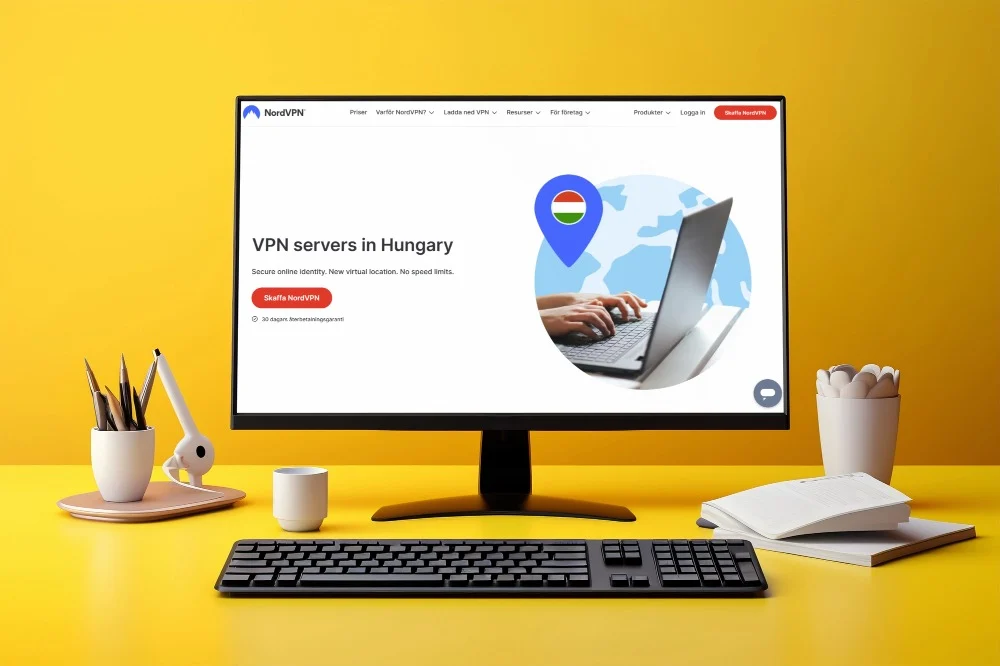
NordVPN’s Hungary page describes the destination as a virtual location. A virtual location can provide a Hungarian IP address while using infrastructure hosted in another country. The page does not identify the physical hosting country for this connection, so users should not assume the underlying hardware operates in Budapest.
NordVPN also supports NordLynx, a protocol based on WireGuard technology. NordLynx focuses on efficient encrypted connections and can help maintain good performance during bandwidth-intensive activities.
Another significant feature is SmartPlay, which combines VPN protection with technology related to SmartDNS.
According to NordVPN’s official SmartPlay documentation, the feature activates automatically whenever users establish a connection through a NordVPN application.
SmartPlay does not require a separate installation, browser extension, or manual DNS configuration. It operates alongside the VPN’s encryption and IP address protection.
However, SmartPlay does not guarantee access to every Netflix title. Netflix may still recognize the VPN connection and restrict regional movies, regardless of the server or technology involved.
For ordinary connection problems, NordVPN users can disconnect and reconnect, manually select another available Hungarian server, restart the application, or check the selected protocol.
NordVPN also offers specialty connection options for certain privacy and network requirements. Double VPN and obfuscated servers can serve specific security needs, but users should not assume these features are available in every country or that they improve access to regional Netflix titles.
For standard streaming performance, a regular Hungarian connection using NordLynx is a sensible starting point. Additional routing can increase latency, potentially causing buffering on slower internet connections.
NordVPN’s SmartPlay documentation also cautions users against violating copyright regulations. Its Hungarian server coverage and SmartPlay functionality therefore do not guarantee that Netflix will permit international playback of F9.
What to do if F9: The Fast Saga does not appear
Even though Netflix Hungary currently lists F9, you may not see the movie when using a VPN. The issue can involve cached browser information, network settings, Netflix’s VPN detection, or regional licensing rules.
The following steps can help identify ordinary connection and account-session problems.
- Close Netflix completely, including any browser tabs or background application sessions.
- Disconnect from your current VPN connection using the provider’s application.
- Reconnect to the selected Hungarian location if your intended activity complies with the relevant service terms.
- Try another officially available Hungarian server or connection option if the original endpoint has network problems.
- Clear Netflix cookies and your browser cache to remove outdated session information.
- Open an incognito or private browser window to test Netflix without previously stored browser cookies.
- Reopen Netflix and sign in using your normal account credentials.
- Search for F9: The Fast Saga again, including the Hungarian title Halálos iramban 9.
Private Internet Access users can compare Hungary with HU Streaming Optimized for permitted activity. ExpressVPN users can restart their Hungary connection or test another supported connection protocol, since the provider does not publicly list separate Hungarian city options.
NordVPN users can select another available Hungarian server within Budapest or allow the application to choose one automatically.
These options can help resolve ordinary network problems, but they do not guarantee that Netflix will display a movie restricted by regional licensing.
The localized movie title is also important. Netflix Hungary uses Halálos iramban 9, while international listings commonly use F9 or F9: The Fast Saga. Searching under the Hungarian title may help identify the correct listing when Netflix displays localized search results.
Make sure you select the 2021 film rather than another installment in the franchise. The original movie follows Dominic Toretto as he confronts his estranged brother Jakob, portrayed by John Cena.
Netflix’s official missing-title troubleshooting page explains that titles may disappear because of regional licensing rights, VPN recognition, language settings, or profile maturity restrictions.
If Netflix otherwise works normally but F9 remains unavailable, the problem may concern Netflix’s rights or VPN detection rather than your connection speed.
Remember that PIA and ExpressVPN explicitly restrict using their services to circumvent geographic restrictions. Follow the applicable terms instead of treating server switching as a guaranteed way to bypass Netflix’s catalog rules.
Netflix may detect the VPN
A VPN routes your internet traffic through an encrypted connection to a remote server. Websites and streaming platforms generally see the VPN server’s public IP address rather than your original public IP address.
For example, connecting to a Hungarian VPN location may cause an IP lookup service to identify your connection as Hungarian. However, Netflix does not necessarily grant unrestricted access to the Hungarian catalog based on that address alone.
Netflix licenses movies and television shows for different geographical markets. A title available through Netflix Hungary may not be included in Netflix US because another platform holds the American streaming rights.
Netflix can also recognize VPN or proxy connections and limit viewers to titles for which it holds worldwide streaming rights.
This means F9 may appear on the official Hungarian Netflix website while remaining unavailable within a particular account or VPN session.
Some viewers may encounter missing search results, playback errors, or a message requesting that they turn off their VPN connection.
Netflix’s official VPN and proxy error documentation explains that users may encounter error E106 or other playback issues when the service detects a VPN.
The company recommends disconnecting the VPN when these problems persist. No VPN provider can guarantee that a particular Hungarian server will remain compatible with regional Netflix playback.
Can you use a Netflix ad-supported plan with a VPN?
No. Netflix explicitly states that its ad-supported experience does not support VPN connections.
If you subscribe to a Netflix plan with advertisements and attempt to watch movies while a VPN is active, you may encounter playback errors or a warning asking you to disable the VPN.
Netflix recommends turning off the VPN to restore normal access to the content available under your subscription.
This restriction applies regardless of whether F9 is available in another country’s Netflix library.
An ad-free subscription avoids this specific limitation on VPN connections for ad-supported viewing. However, it does not guarantee access to regional catalogs or prevent Netflix from detecting a VPN.
For the current rules, consult Netflix’s official guidance on watching through a VPN.
Does changing the VPN location change your Netflix account?
No. Connecting to a VPN location in another country changes the public IP address that websites see. It does not automatically modify your Netflix account credentials, registered country, profiles, password, or billing information.
Your Netflix subscription remains associated with your existing account, even if your connection appears to originate from another country.
Netflix catalogs differ because studios and distributors negotiate streaming rights for individual regions. Changing your public IP address may affect how a website interprets your connection, but Netflix can still recognize VPN traffic and apply licensing restrictions.
Netflix also explains that users cannot simply change their account country through the settings menu. Its account country guidance outlines the process for people who actually move to another country.
If you live in the United States and want to watch F9 without relying on international Netflix availability, Peacock Premium currently provides a subscription streaming option. Peacock Premium Plus, YouTube TV, and USA Network are also listed among the available services.
You can check the current US streaming availability for F9 to compare subscription, rental, and purchase options.
These licensed American streaming services provide a more predictable way to watch the movie without depending on access to another country’s Netflix catalog.
Which VPN should you use?
Private Internet Access is our Editor’s Choice because it offers Hungary and HU Streaming Optimized connections alongside configurable WireGuard and OpenVPN protocols. Its dedicated streaming location provides a useful option for permitted streaming activity, while the standard Hungary server supports general browsing and online privacy. However, PIA explicitly prohibits using its service to circumvent geographic restrictions, so US viewers should not interpret this recommendation as authorization or a guarantee to access Netflix Hungary.
ExpressVPN provides a documented Hungarian connection with a Budapest IP address, supports Lightway, WireGuard, and OpenVPN, and offers simple location selection. NordVPN offers Hungarian servers associated with Budapest, automatic connection selection, NordLynx, and automatically enabled SmartPlay. NordVPN’s Hungary page identifies its destination as virtual, without specifying the underlying physical hosting country. Both services remain subject to streaming restrictions, and neither guarantees access to regional Netflix titles.
As of October 12, 2026, F9: The Fast Saga is available on Netflix Hungary under the title Halálos iramban 9, while Netflix US does not include the movie. The Hungarian listing confirms English audio, English subtitles, and offline downloads for eligible subscribers. Nevertheless, licensing agreements, Netflix’s VPN detection, and individual VPN provider terms determine whether international playback is permitted. If the Hungarian Netflix version remains inaccessible, Peacock and authorized US rental services offer alternative ways to watch the movie.
Which Netflix country currently has F9: The Fast Saga?
F9: The Fast Saga (2021) is available on Netflix Hungary as of October 12, 2026, under the title Halálos iramban 9. The Hungarian listing confirms English original audio, English subtitles, and offline downloads.
How can I watch F9: The Fast Saga on Netflix in the US?
F9 is unavailable on Netflix US but appears in the Hungarian catalog. VPN providers offer Hungarian connections, although Netflix may detect VPNs and restrict regional movies. Check the applicable provider terms before attempting international access.
What is the best VPN for F9: The Fast Saga on Netflix?
Private Internet Access is our first choice for Hungarian VPN connections because it offers Hungary and HU Streaming Optimized locations. ExpressVPN and NordVPN are alternatives. Netflix access is not guaranteed, and PIA prohibits circumventing geographic restrictions.
What should I do if F9: The Fast Saga does not appear?
Restart Netflix, clear outdated browser information, check your profile settings, and verify your connection. Try searching for the Hungarian title Halálos iramban 9. Netflix may hide regional movies when it detects a VPN, and changing servers cannot guarantee access.
Can I use a Netflix ad-supported plan with a VPN?
No. Netflix does not support VPN connections on its ad-supported experience. Disconnect the VPN to restore normal playback. Ad-free subscriptions avoid that specific restriction, but regional licensing and VPN detection still apply.


Read our disclosure page to find out how can you help VPNCentral sustain the editorial team Read more


Improve this guide




User forum
0 messages