
How to Watch Focus on Netflix in the US with a VPN (2026)


 19 min. read
 Published on

Focus (2015), starring Will Smith and Margot Robbie, is available on Netflix Australia as of November 15, 2026. The official Netflix Australia listing confirms the movie’s availability. Directed by Glenn Ficarra and John Requa, the crime comedy follows Nicky Spurgeon, a professional con artist who takes an inexperienced thief named Jess Barrett under his wing. Their romantic relationship complicates their criminal partnership, and an unexpected reunion several years later threatens Nicky’s latest elaborate scheme.
Focus is not currently available on Netflix US, but Netflix Australia includes the movie in its catalog. American viewers interested in international Netflix availability can compare VPN services with Australian servers, including Private Internet Access, ExpressVPN, and NordVPN. All three providers offer Australian VPN connections, with server options in cities such as Sydney, Melbourne, Brisbane, Adelaide, and Perth. However, connecting to an Australian VPN server does not automatically unlock the Australian Netflix catalog.

Access content across the globe at the highest speed rate.
🔥 Save 81% + 2 bonus months! 🔥
70% of our readers choose Private Internet Access
70% of our readers choose Private Internet Access
2
Browse the web from multiple devices with industry-standard security protocols.
🔥 Save 73%! 🔥

Faster dedicated servers for specific actions (currently discounted)
🔥 Save 69%! 🔥

Netflix uses geographical licensing agreements to determine which movies subscribers can watch in each country. According to Netflix’s VPN policy, subscribers using VPN connections may only see titles that Netflix licenses worldwide. Therefore, an Australian VPN connection cannot guarantee access to Focus from the United States. Subscribers should follow Netflix’s requirements and their VPN provider’s terms when using these services.
How to watch Focus on Netflix with a VPN
Netflix Australia currently carries Focus, while Netflix US does not. If your location, subscription, and applicable service terms permit VPN use, follow these eight steps to check the movie’s availability through an Australian connection.
- Choose a VPN service. Private Internet Access is the first recommendation because it offers seven Australian server locations, including Australia Streaming Optimized. ExpressVPN and NordVPN also provide Australian connections.
- Download the official VPN application from your chosen provider. Install it on a compatible Windows PC, Mac, smartphone, tablet, or another supported device, then sign in.
- Open the VPN application and select Australia. PIA provides Sydney, Melbourne, Brisbane, Adelaide, Perth, Woolloomooloo, and a streaming-optimized option. ExpressVPN and NordVPN offer additional Australian server choices.
- Fully close Netflix before changing your connection. Exit the application or close all Netflix browser tabs to end the previous session.
- After establishing the Australian VPN connection, reopen Netflix. The service will evaluate your network connection and determine which movies and shows it can display.
- Sign in using your existing Netflix account. A VPN connection does not automatically change your account country, subscription, password, profiles, or billing information.
- Search for Focus. Check that the result identifies the 2015 movie starring Will Smith and Margot Robbie rather than another production with the same name.
- If Netflix displays Focus and allows playback, select Play. If the movie does not appear or Netflix reports a VPN-related restriction, follow the service’s official guidance.
Connecting to an Australian VPN server does not guarantee that Netflix will provide access to its Australian movie catalog. Netflix can identify VPN traffic and restrict the selection to titles licensed worldwide.
The official Netflix page for Focus identifies the film as a 2015 comedy with an MA15+ classification. Its running time is approximately one hour and 44 minutes.
The movie combines romance, crime, humor, and elaborate confidence tricks. Will Smith plays Nicky Spurgeon, an experienced con artist who teaches Jess Barrett, played by Margot Robbie, how to manipulate targets and exploit distractions.
Adrian Martinez plays Farhad, one of Nicky’s associates, while Rodrigo Santoro portrays Garriga. Gerald McRaney and BD Wong also feature in the supporting cast.
Netflix Australia’s listing currently includes English original audio, English audio description, and English subtitles. The page also indicates that eligible subscribers can download the movie for offline viewing on supported devices.
Audio, subtitle, and download availability can vary by account, device, and location. Viewers should check the playback settings and their subscription eligibility before relying on these features.
Because several movies share the title Focus, adding the release year or actors’ names to your search can help identify the correct film.
Best VPNs for watching Focus on Netflix
Private Internet Access, ExpressVPN, and NordVPN provide officially documented Australian VPN servers. Their locations, protocols, and privacy features differ, but none guarantees access to Netflix Australia’s regional catalog from the United States.
| VPN | Server locations in Australia | Option to try first |
|---|---|---|
| Private Internet Access (Editor’s Choice) | AU Adelaide, AU Brisbane, AU Melbourne, AU Perth, AU Sydney, AU Woolloomooloo, and Australia Streaming Optimized | Australia Streaming Optimized for permitted streaming within Australia |
| ExpressVPN | Adelaide, Brisbane, Melbourne, Perth, Sydney, Sydney – 2, and Woolloomooloo | Australia – Sydney |
| NordVPN | Adelaide, Brisbane, Melbourne, Perth, and Sydney, with 237 Australian servers advertised | Automatically selected Australian server |
These locations provide Australian VPN connectivity rather than guaranteed access to Focus. Netflix may restrict regionally licensed movies even when a VPN successfully assigns an Australian IP address.
1. Private Internet Access
Private Internet Access, also known as PIA, ranks as the Editor’s Choice because it provides several Australian connection options, a streaming-optimized server location, and configurable VPN protocols.
According to PIA’s official server directory, the provider offers seven Australian entries.
These locations include AU Adelaide, AU Brisbane, AU Melbourne, AU Perth, AU Sydney, AU Woolloomooloo, and Australia Streaming Optimized.
The six standard geographical entries give users several connection choices across Australia. Sydney and Woolloomooloo appear separately in PIA’s location list, while Melbourne, Brisbane, Adelaide, and Perth provide alternatives in other parts of the country.
Australia Streaming Optimized offers a connection that PIA specifically configures for supported streaming activities. The provider monitors its streaming-optimized network to identify performance and compatibility problems.
For permitted streaming within Australia, this optimized server offers a practical starting point. However, streaming optimization does not guarantee that Netflix will display Focus or permit playback.
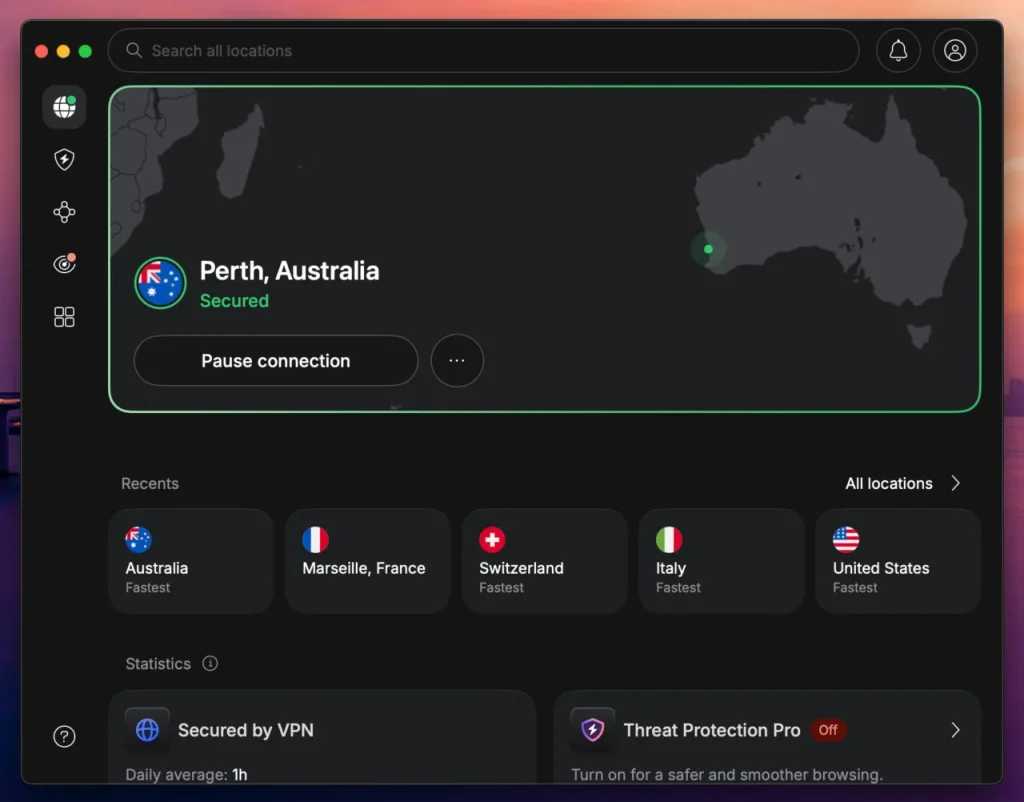
To find the optimized location, open the PIA application and select the VPN SERVER section. Enter streaming in the search field, then choose Australia Streaming Optimized.
Users can also search for Australia to display the standard server options. Selecting AU Sydney or AU Melbourne allows users to compare ordinary connection performance and latency.
PIA explains this process in its official streaming instructions.
There is an important restriction. PIA explicitly prohibits using its service to circumvent geographic restrictions imposed by content providers. Its streaming documentation also instructs customers to select servers in the country where they currently reside.
Consequently, US subscribers must not interpret Australia Streaming Optimized as permission to access Netflix Australia outside its licensed region. Users need to follow PIA’s terms and Netflix’s content restrictions.
For permitted connections, PIA supports WireGuard and OpenVPN. Both protocols protect internet traffic through an encrypted VPN tunnel.
WireGuard uses a relatively lightweight design that can provide responsive connections and efficient performance. OpenVPN offers an alternative for users who need greater compatibility with certain networks or devices.
The best protocol depends on internet service quality, device capabilities, server congestion, and local network restrictions. Selecting WireGuard does not automatically guarantee faster streaming in every situation.
To change protocols on a desktop computer, disconnect from PIA and open the three-dot menu. Select Settings, open Protocols, and switch between WireGuard and OpenVPN.
After applying the change, reconnect to your selected server and test your network connection.
PIA provides these steps in its connection troubleshooting guide.
PIA also distinguishes between physical server locations and virtual server locations. The distinction matters because a VPN server’s physical location may differ from the country associated with its public IP address.
A physical server generally operates within the country represented by its IP address. A virtual server location provides an IP address associated with one country while operating its hardware in another country.
According to PIA’s virtual server documentation, Australia does not appear among the provider’s listed virtual destinations.
PIA states that most of its server locations use physical infrastructure within their advertised countries. However, users should consult the latest documentation because infrastructure arrangements can change.
Connection quality also depends on geographical distance. Australian VPN connections can introduce significant additional latency for users in the United States because traffic travels across a much greater distance.
For routine connections, users can compare Sydney, Melbourne, and other Australian locations to determine which provides the most stable experience.
If PIA cannot establish a reliable connection, update the application, restart it, and check whether the internet works normally without the VPN.
Clearing browser cookies, disabling conflicting extensions, and reviewing firewall or antivirus settings can also help identify common connectivity problems.
However, these troubleshooting measures cannot override Netflix’s content licensing agreements or PIA’s prohibition against circumventing geographical restrictions.
PIA remains the first recommendation because of its seven documented Australian locations, streaming optimization, and protocol flexibility. These features provide useful connection options, but they do not guarantee that US subscribers can stream Focus through Netflix Australia.
2. ExpressVPN
ExpressVPN offers several Australian VPN locations, including Sydney, Melbourne, Brisbane, Adelaide, Perth, and Woolloomooloo. Its complete location directory also lists a second Sydney server entry.
According to ExpressVPN’s Australian server page, the provider maintains substantial server capacity in major Australian cities.
The company’s main Australian locations include Sydney, Melbourne, Brisbane, Adelaide, and Perth. ExpressVPN also operates a separate Woolloomooloo connection in the Sydney metropolitan area.
Its full directory lists Australia – Sydney – 2 as an additional connection choice.
For a straightforward Australian VPN connection, Sydney provides a reasonable starting point. Melbourne or Brisbane may offer alternative routing and performance characteristics.
Adelaide and Perth provide further options, especially for users whose internet providers route traffic more efficiently through those destinations.
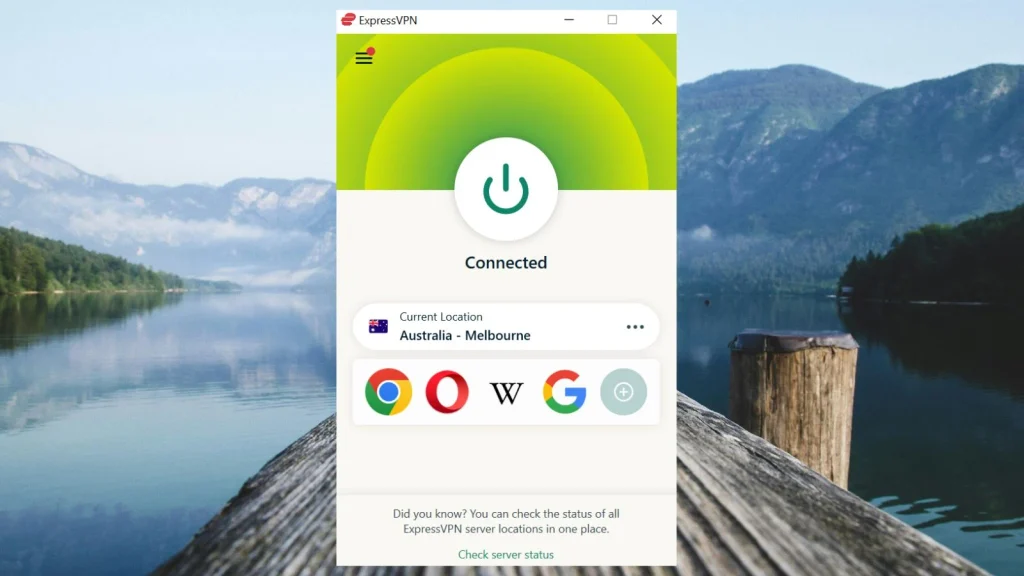
To connect, open ExpressVPN, select the VPN location control, and search for Australia. Choose Sydney or another available location, then establish the connection.
ExpressVPN also includes Smart Location, which automatically selects a server based on factors such as geographical distance, connection latency, and expected performance.
However, Smart Location does not necessarily select Australia for someone connecting from the United States. Users who require an Australian IP address need to choose Australia manually.
According to ExpressVPN’s official server directory, its Australian locations support Lightway UDP, Lightway TCP, WireGuard, OpenVPN UDP, OpenVPN TCP, and IKEv2.
The available protocols depend on the device and application version. For example, ExpressVPN’s published directory identifies WireGuard availability on supported Windows, Android, and iOS applications.
Lightway UDP offers an efficient connection option for users who prioritize speed and responsiveness. Lightway TCP provides an alternative when restrictive networks interfere with UDP traffic.
WireGuard and OpenVPN provide additional choices. Users who do not need a specific protocol can allow ExpressVPN to select one automatically.
ExpressVPN has also upgraded several Australian locations to higher-capacity server infrastructure.
Its 40Gbps server documentation identifies Adelaide, Brisbane, Melbourne, Perth, and Sydney among the locations with upgraded infrastructure.
The provider identifies Woolloomooloo as a separate 10Gbps option. These figures describe server networking capacity rather than guaranteed download speeds for individual customers.
Actual performance depends on the user’s home internet connection, server load, network congestion, protocol selection, and routing distance.
ExpressVPN also distinguishes physical servers from virtual server locations.
According to ExpressVPN’s virtual server guidance, the provider uses physical servers in most advertised countries and virtual locations where suitable local infrastructure is unavailable.
Australia does not appear among its published virtual destinations. ExpressVPN identifies Australia as a country where it maintains physical server infrastructure.
If an Australian connection becomes unreliable, restart ExpressVPN and update its application. Compare Sydney with Melbourne or Brisbane to determine whether another location offers a more stable connection.
Users can also test Sydney – 2 when the standard Sydney entry encounters technical problems.
Changing between Lightway UDP and Lightway TCP may help resolve connection difficulties on certain networks. Returning to automatic protocol selection may also help when custom settings cause compatibility problems.
However, successful VPN connectivity does not guarantee that Netflix will display Focus. Netflix can recognize VPN connections and limit access to its globally licensed titles.
ExpressVPN’s multiple Australian locations, high-capacity infrastructure, and protocol support make it a flexible option for encrypted connections. Nevertheless, these features do not override Netflix’s licensing restrictions.
3. NordVPN
NordVPN offers another officially documented Australian VPN option. Its features include a substantial server network, five Australian city locations, automatic server selection, NordLynx, and SmartPlay.
According to NordVPN’s Australian server page, the provider advertises 237 Australian servers across five locations as of November 15, 2026.
The five cities are Adelaide, Brisbane, Melbourne, Perth, and Sydney. These locations provide connection choices across eastern, southern, and western Australia.
NordVPN’s server count can change as the company adds infrastructure, removes outdated equipment, or performs maintenance. Users should consult the live server directory for the current number.
To connect, open the NordVPN application and search for Australia in its location list. Alternatively, select Australia’s pin on the VPN map.
NordVPN can automatically choose a suitable server. This option provides a convenient starting point for general browsing and other permitted activities.
Users who want to select a specific Australian city can open the location controls beside Australia and choose Adelaide, Brisbane, Melbourne, Perth, or Sydney.
NordVPN also allows users to reconnect or manually select another available server when their original connection experiences problems.
Its primary VPN protocol is NordLynx, which uses technology based on WireGuard. NordLynx aims to provide efficient encryption with relatively low protocol overhead.
NordVPN also supports OpenVPN on compatible devices. Users can switch protocols when network restrictions or device compatibility problems interfere with their connection.
Another feature worth considering is SmartPlay.
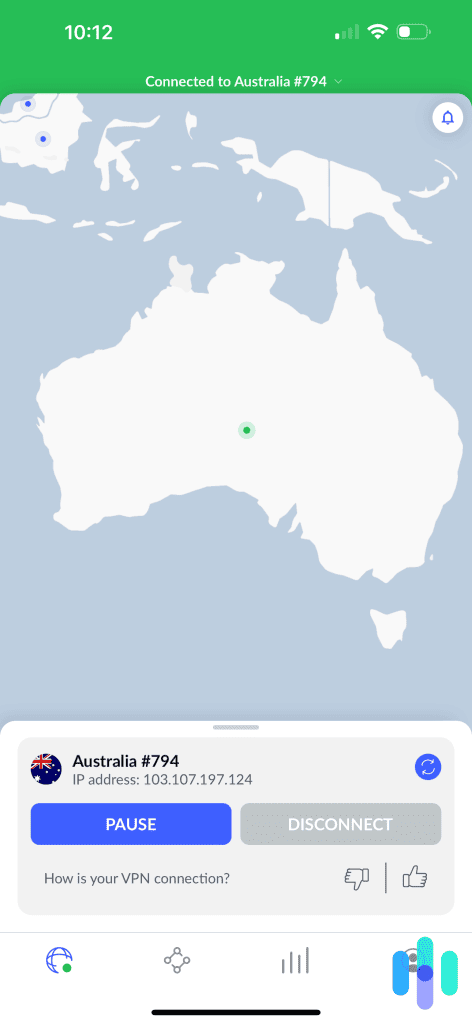
According to NordVPN’s SmartPlay documentation, the feature activates automatically when users connect to a VPN server through the NordVPN application.
SmartPlay combines VPN encryption, IP address protection, and DNS-related technology to support private streaming.
Users do not need to install a separate application or manually activate SmartPlay. The feature works as part of a regular NordVPN connection.
However, SmartPlay does not guarantee access to Netflix Australia’s regional catalog. Netflix can still identify VPN traffic and restrict movies without worldwide licensing.
NordVPN also offers specialty servers for additional privacy requirements, including Double VPN and Onion Over VPN.
Double VPN routes traffic through two VPN servers, while Onion Over VPN combines VPN connectivity with the Onion network. These options address different privacy needs rather than providing guaranteed improvements to Netflix streaming.
NordVPN distinguishes regular, physical, and virtual server types in its broader server directory.
Its Australian country page confirms the five advertised city locations but does not publish a separate physical hosting address for every individual server. Users should not infer exact physical infrastructure locations from the city names alone.
For US subscribers, connecting to Australia introduces a substantial geographical distance. That distance may increase latency and affect connection responsiveness.
The actual impact depends on the user’s internet provider, routing, server congestion, and chosen VPN protocol.
If a connection becomes unreliable, restart NordVPN, install any available updates, and choose another Australian server.
Users can compare Sydney, Melbourne, Brisbane, Adelaide, and Perth to identify ordinary network performance differences. Switching between NordLynx and OpenVPN may also help diagnose protocol-related problems.
However, changing servers, cities, or protocols cannot guarantee access to Focus through Netflix Australia.
NordVPN remains a strong alternative for users who want a broad Australian server network, automatic connection selection, and configurable security features. Its infrastructure does not override Netflix’s regional licensing rules.
What to do if Focus does not appear
Focus may remain absent from Netflix search results even when a device connects to an Australian VPN server. Netflix can recognize VPN traffic, restrict regional movies, or hide titles because of profile settings. The following eight steps can help identify ordinary connection and browser problems.
- Close Netflix completely, including open browser tabs and background application sessions.
- Disconnect from the VPN to reset the current network connection.
- Reconnect to Australia if your intended activity complies with Netflix’s requirements and your VPN provider’s terms.
- Try another available Australian server or location to determine whether the original connection has a technical problem.
- Clear Netflix cookies and the relevant browser cache to remove outdated session information.
- Open an incognito or private browser window to test Netflix without existing cookies or browser extensions interfering.
- Reopen Netflix and sign in using your existing account credentials.
- Search for Focus and confirm that the result identifies the 2015 movie starring Will Smith and Margot Robbie.
PIA users can compare Australia Streaming Optimized with AU Sydney or AU Melbourne for permitted connections. ExpressVPN users can compare Sydney, Sydney – 2, Melbourne, and Brisbane. NordVPN users can reconnect to another available Australian server.
These changes may resolve ordinary connection problems, but switching servers does not guarantee access to Netflix Australia’s regional catalog. PIA also prohibits using its service to circumvent geographic restrictions imposed by content providers.
If Focus does not appear, search using the movie’s release year or the names of its lead actors.
The correct film is the 2015 crime comedy starring Will Smith as Nicky Spurgeon and Margot Robbie as Jess Barrett. Glenn Ficarra and John Requa directed it.
Other productions also use the title Focus, so identifying the release year and cast helps avoid selecting the wrong movie.
Check the Netflix profile’s maturity settings as well. Netflix Australia classifies Focus as MA15+, so restrictive profile settings may prevent the movie from appearing.
According to Netflix’s missing title guidance, several factors can affect search results, including regional licensing, VPN detection, maturity settings, and profile language preferences.
If Focus remains unavailable, Netflix’s licensing restrictions may be responsible rather than an incorrect VPN setting.
In that situation, choosing an authorized US streaming service may provide a more dependable viewing option.
Netflix may detect the VPN
A VPN encrypts traffic between a device and the selected VPN server. Websites generally see the VPN server’s public IP address instead of the user’s regular public IP address.
Connecting to an Australian VPN server can therefore make websites see an Australian IP address. However, Netflix does not automatically provide access to its Australian catalog based on that address.
Netflix applies regional licensing restrictions and can identify VPN or proxy connections. Its official policy explains that VPN users may see only movies and television shows licensed worldwide.
Focus currently has different Netflix availability in Australia and the United States. Netflix Australia carries the movie, while Netflix US does not.
That difference matters because Netflix may hide Focus from search results or restrict playback when it recognizes VPN traffic.
Neither PIA, ExpressVPN, nor NordVPN can guarantee access to regionally licensed Netflix movies. A successful VPN connection does not override the streaming service’s licensing agreements.
Can you use a Netflix ad-supported plan with a VPN?
No. Netflix does not support VPN connections on its ad-supported experience.
Subscribers using an ad-supported plan may encounter a playback error even when the VPN itself connects successfully.
According to Netflix’s VPN error guidance, affected subscribers may encounter error E121 or a message explaining that Netflix detected a VPN or proxy.
Netflix recommends disconnecting the VPN to resolve the problem.
An ad-free subscription avoids this particular plan restriction, but it does not guarantee access to regionally licensed movies through a VPN.
Netflix may still recognize VPN traffic and limit the available catalog to titles licensed worldwide.
Does changing the VPN location change your Netflix account?
Changing a VPN location alters the public IP address websites see. It does not automatically change Netflix account credentials, passwords, subscription details, profiles, or billing information.
Netflix operates different movie catalogs across countries because licensing agreements vary by region. However, choosing an Australian VPN server does not guarantee access to Netflix Australia’s movie catalog.
According to Netflix’s account country guidance, subscribers cannot simply change the country associated with their account unless they move to another country.
American viewers who want to watch Focus without relying on international Netflix access have domestic streaming alternatives.
As of November 15, 2026, JustWatch US lists Focus through Starz Apple TV Channel and Starz Roku Premium Channel.
Digital rental and purchase options include Amazon Video, Apple TV Store, and Fandango at Home. Plex also offers a rental option.
JustWatch does not currently identify a free streaming option for the movie in the United States.
These services allow US viewers to watch Focus without relying on another country’s Netflix catalog. Streaming availability, subscription requirements, and rental prices may change.
Which VPN should you use?
Private Internet Access ranks first because it offers seven documented Australian locations, including Australia Streaming Optimized, alongside WireGuard and OpenVPN support. Its official server directory and troubleshooting documentation provide useful options for managing encrypted connections. However, PIA explicitly prohibits circumventing geographical restrictions and recommends selecting streaming servers in the user’s current country, so subscribers must respect those limitations.
ExpressVPN provides Australian connections in Sydney, Melbourne, Brisbane, Adelaide, Perth, and Woolloomooloo, plus a second Sydney option and support for Lightway, WireGuard, and OpenVPN. NordVPN advertises 237 Australian servers across five cities, with automatic server selection, NordLynx, and SmartPlay. Both providers offer flexible encrypted connections, but neither guarantees access to Focus through Netflix Australia.
As of November 15, 2026, Focus (2015) is available on Netflix Australia but not Netflix US. Nevertheless, Netflix’s regional licensing agreements, VPN detection, subscription restrictions, and individual provider terms determine whether playback is possible. An Australian VPN connection alone does not guarantee that American subscribers can stream the movie.
Netflix Australia currently carries Focus (2015), starring Will Smith and Margot Robbie. Netflix US does not currently offer the movie. Availability may change.
Focus is unavailable on Netflix US but appears on Netflix Australia. An Australian VPN connection does not guarantee access because Netflix may restrict regional titles when it detects VPN traffic. US viewers can also check Starz through Apple TV or Roku.
Private Internet Access ranks first for its Australian server locations and Australia Streaming Optimized option, followed by ExpressVPN and NordVPN. However, PIA prohibits circumventing geographic restrictions, and no VPN guarantees regional Netflix playback.
Restart Netflix, clear outdated browser cookies, check profile maturity settings, and verify that you searched for the 2015 movie starring Will Smith and Margot Robbie. Netflix may hide regional movies when it detects a VPN, so switching servers cannot guarantee access.
No. Netflix does not support VPN connections on its ad-supported experience. Netflix recommends disconnecting the VPN to resolve related playback errors. Ad-free plans avoid that specific restriction, but VPN detection can still limit regional content.


Read our disclosure page to find out how can you help VPNCentral sustain the editorial team Read more


Improve this guide




User forum
0 messages