
How to Watch Parasite on Netflix in the US with a VPN (2026)


 18 min. read
 Published on

Parasite (2019), the Oscar-winning South Korean thriller directed by Bong Joon Ho, is available on Netflix South Korea. Starring Song Kang-ho, Lee Sun-kyun, Cho Yeo-jeong, Choi Woo-shik, and Park So-dam, the movie follows a struggling family that gradually infiltrates the household of a wealthy couple. The official Netflix South Korea page for Parasite confirms the movie’s listing under its original Korean title, 기생충, with Korean original audio, English and Korean subtitles, and offline downloads.
Unfortunately, Parasite is not currently available on Netflix US as of November 21, 2026. The movie is also absent from Netflix UK, but South Korea offers a verified international Netflix subscription option. Private Internet Access, ExpressVPN, and NordVPN all operate South Korean VPN connections that can provide a South Korean IP address. Their server locations, connection features, and streaming policies differ, however, and a Korean IP address does not automatically grant access to Netflix South Korea.

Access content across the globe at the highest speed rate.
🔥 Save 81% + 2 bonus months! 🔥
70% of our readers choose Private Internet Access
70% of our readers choose Private Internet Access
2
Browse the web from multiple devices with industry-standard security protocols.
🔥 Save 73%! 🔥

Faster dedicated servers for specific actions (currently discounted)
🔥 Save 69%! 🔥

Netflix can recognize VPN connections and restrict viewers to movies with worldwide streaming rights. Its official guidance on watching Netflix with a VPN explains these limitations. VPN providers also impose their own restrictions, and Private Internet Access explicitly prohibits circumventing geographic restrictions imposed by content providers. Consequently, connecting to South Korea does not guarantee that Parasite will appear or play.
How to watch Parasite on Netflix with a VPN
Netflix South Korea currently carries Parasite, while Netflix US does not. If your account, location, and VPN provider permit the connection, follow these eight steps to check whether the movie is accessible.
- Choose a VPN provider. Private Internet Access ranks first for its South Korean streaming-optimized endpoint, followed by ExpressVPN and NordVPN. Review each provider’s streaming restrictions before proceeding.
- Download and install the official VPN application on your Windows PC, Mac, Android phone, iPhone, or another supported device.
- Open the VPN application and select South Korea. PIA offers standard and streaming-optimized South Korean connections, ExpressVPN provides a Seoul location, and NordVPN operates servers in Seoul.
- Fully close Netflix, including any open browser tabs and background application sessions.
- Establish the permitted South Korean VPN connection and reopen Netflix after confirming that the connection is active.
- Sign in using your existing Netflix account credentials. Changing the VPN location does not require creating another Netflix account.
- Search for Parasite (2019). You can also search for the Korean title 기생충 if Netflix displays localized names.
- If Netflix displays the correct movie and permits playback through your connection, select Play.
You can also open the Korean Netflix listing for Parasite to review its availability and language options.
Netflix South Korea identifies the film as a 2019 comedy thriller and lists Korean original audio with English and Korean subtitles. The movie also supports offline downloads on compatible devices.
The Korean title is 기생충, which translates to Parasite. Both titles identify Bong Joon Ho’s 2019 film, not another movie with a similar name.
Netflix determines regional availability independently of the VPN connection. A South Korean IP address does not guarantee access to the Korean catalog, even when the VPN application reports a successful connection.
Best VPNs for watching Parasite on Netflix
Private Internet Access, ExpressVPN, and NordVPN all offer South Korean VPN connections. Their documented server locations and connection features differ.
| VPN | Server locations in South Korea | Option to try first |
|---|---|---|
| Private Internet Access (Editor’s Choice) | South Korea, KR Streaming Optimized | KR Streaming Optimized for permitted streaming activity |
| ExpressVPN | South Korea, with Seoul documented on its country-specific page | Seoul |
| NordVPN | Seoul, 58 advertised South Korean servers | Automatic South Korean server selection |
PIA provides a streaming-optimized Korean endpoint alongside its standard connection. ExpressVPN offers a Seoul location and several VPN protocols, while NordVPN advertises 58 South Korean servers.
All three providers can assign South Korean IP addresses. However, Netflix may recognize VPN traffic and restrict access to regional movies. Server availability does not guarantee successful Netflix playback.
1. Private Internet Access
Private Internet Access (PIA) is our Editor’s Choice because it offers two documented South Korean server options, including a streaming-optimized endpoint. It also supports WireGuard and OpenVPN, allowing users to customize their connection settings.
According to PIA’s official VPN server directory, South Korea has two available connections:
- South Korea: A standard VPN endpoint for private browsing and other authorized activities.
- KR Streaming Optimized: A South Korean connection configured specifically for streaming performance.
KR Streaming Optimized offers the most relevant starting point for authorized streaming activity because PIA identifies it as a streaming-focused location.
However, the streaming-optimized designation does not guarantee that Netflix will accept the connection. PIA also prohibits using its service to circumvent geographic restrictions imposed by content providers.
How to connect to South Korea using PIA
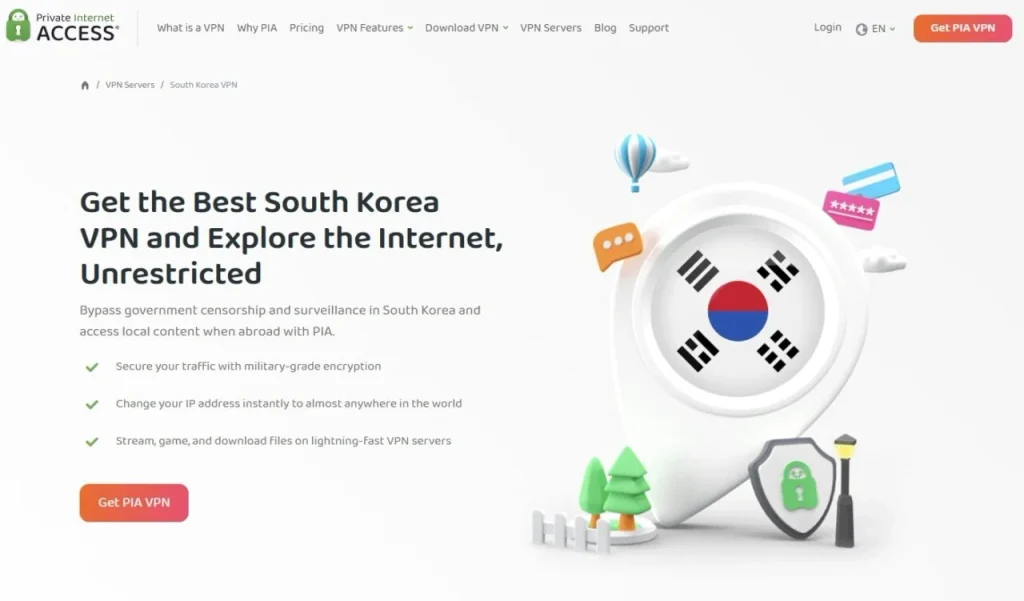
PIA provides a searchable server directory in its desktop and mobile applications.
- Launch the PIA application and sign in.
- Select VPN SERVER to display the available locations.
- Search for South Korea or enter streaming to find optimized endpoints.
- Select South Korea or KR Streaming Optimized, depending on your permitted activity.
- Return to the main application screen and activate the VPN connection.
After connecting, confirm that PIA reports an active session. You can also use an independent IP checker to determine whether websites identify the connection as originating from South Korea.
PIA does not document several separate Korean city locations in its current application directory. Users should choose one of the two listed connections rather than assuming that Busan, Incheon, or Daegu are available.
Physical versus virtual South Korean servers
PIA operates physical and virtual VPN server locations across its international network.
Virtual locations provide an IP address associated with one country while routing traffic through infrastructure physically hosted elsewhere.
PIA’s official virtual server documentation does not identify South Korea as one of its virtual locations.
The company’s documentation therefore does not classify its South Korean endpoints as foreign-hosted virtual connections.
However, PIA does not disclose the exact physical hosting facility for each Korean server in that document. Users should not assume a particular data center or city based solely on the advertised country.
Physical server placement can influence routing and latency, but it does not determine whether Netflix accepts a particular VPN connection.
WireGuard and OpenVPN
PIA supports WireGuard and OpenVPN, two established VPN protocols that encrypt network traffic between the user’s device and the VPN server.
WireGuard uses a relatively lightweight architecture and generally offers a practical starting point for bandwidth-intensive activities, including authorized video streaming.
OpenVPN provides an alternative when restrictive networks interfere with WireGuard or users encounter connection compatibility problems.
To change protocols, disconnect from PIA, open Settings, select Protocols, and choose WireGuard or OpenVPN.
Reconnect to the South Korean location afterward and check whether the ordinary connection problem continues.
Changing protocols can improve network reliability, but it cannot override Netflix’s regional licensing requirements.
Streaming performance and server alternatives
PIA offers two South Korean endpoints, allowing users to compare connection performance for authorized activities.
The standard South Korea location supports general VPN use, while KR Streaming Optimized focuses on streaming performance.
American users may experience additional latency when connecting to South Korea because of the distance between the countries.
However, stable bandwidth and connection reliability generally matter more than latency alone for ordinary video playback.
Actual performance depends on internet speed, server congestion, routing, and device capabilities.
Switching between the standard and optimized endpoints may resolve ordinary networking problems, but it cannot guarantee access to Parasite on Netflix.
PIA streaming restrictions and troubleshooting
PIA’s official streaming guide recommends connecting to a server in the country where the user is physically located.
The company explicitly prohibits using its service to circumvent geographic restrictions imposed by content providers.
Consequently, US viewers should not use PIA’s South Korean servers to bypass Netflix’s geographic licensing restrictions.
For permitted streaming activity, PIA recommends clearing browser cookies and cached files, disconnecting and reconnecting, and updating the VPN application.
Users can also change between WireGuard and OpenVPN when a network interferes with the VPN connection.
These measures may resolve technical problems, but they cannot guarantee access to Parasite through Netflix South Korea.
2. ExpressVPN
ExpressVPN ranks second because it offers a documented South Korean location, supports several VPN protocols, and provides a straightforward application interface.
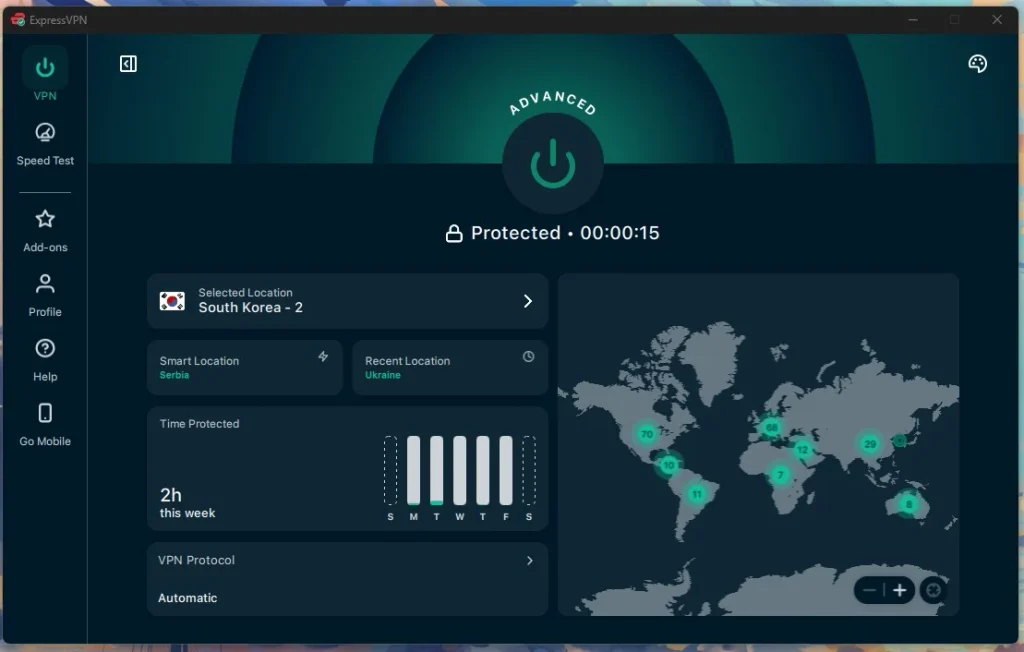
Its official South Korea VPN page identifies Seoul as the available connection location.
ExpressVPN’s main server directory lists South Korea as one country-level connection. The company does not document several separately selectable Korean cities in that directory.
How to select the South Korea server
ExpressVPN allows users to choose VPN locations manually through its desktop and mobile applications.
- Open ExpressVPN and sign in.
- Display the available VPN locations.
- Search for South Korea.
- Select the South Korea location, which ExpressVPN identifies as Seoul on its country page.
- Activate the connection and confirm that ExpressVPN reports success.
ExpressVPN also provides Smart Location, which automatically chooses a connection based on factors such as distance, latency, and network performance.
However, Smart Location may select another country. Users who require a South Korean IP address for authorized activities should select South Korea manually.
Lightway, WireGuard, and OpenVPN
ExpressVPN’s official server and protocol directory lists support for Lightway UDP, Lightway TCP, WireGuard, OpenVPN UDP, OpenVPN TCP, and IKEv2 on its South Korean location.
The protocols available to individual subscribers depend on the device and application version.
Lightway UDP offers a practical starting point for activities requiring responsive connections and sustained bandwidth.
Lightway TCP or OpenVPN TCP may help when restrictive networks interfere with UDP traffic.
WireGuard provides another modern connection option on supported devices, including Windows, Android, and iOS.
Users can also allow ExpressVPN to choose a protocol automatically.
Changing protocols may improve ordinary network performance, but it does not determine whether Netflix provides access to geographically restricted movies.
Physical versus virtual South Korean servers
ExpressVPN operates both physical and virtual VPN server locations.
Its official virtual server documentation explains that virtual locations provide IP addresses associated with one country while hosting the actual servers elsewhere.
South Korea does not appear in ExpressVPN’s published virtual server list.
Under the company’s documented classification, its South Korean connection falls outside the virtual server locations it identifies.
However, ExpressVPN does not publish the exact physical facility for every Korean endpoint. Users should not assume a particular data center based solely on the Seoul location name.
ExpressVPN connection performance
ExpressVPN provides a South Korean connection suitable for users who need a Korean IP address for authorized activities.
Its South Korea page highlights Seoul as the main location and references high-speed VPN infrastructure.
However, the provider does not publish a reliable country-specific server count on that page.
Actual performance depends on internet speed, network routing, server load, and the user’s physical location.
Because South Korea is far from the United States, some American users may experience more latency than they would through nearby domestic VPN servers.
Nevertheless, sufficient bandwidth and stable connections can support ordinary video playback even over relatively long distances.
ExpressVPN troubleshooting
If ExpressVPN cannot establish a stable South Korean connection, first check whether ordinary websites load correctly.
Reconnect to South Korea, restart the application, or change between supported Lightway, WireGuard, and OpenVPN protocols.
Users can also install application updates and check whether another VPN service or browser extension interferes with the connection.
ExpressVPN documents Seoul as its South Korean location, so users should not assume that switching to another Korean city is possible.
If Netflix does not display Parasite despite a successful South Korean VPN connection, Netflix’s licensing rules or VPN detection may explain the issue.
ExpressVPN cannot guarantee that the movie will appear or play through Netflix South Korea.
3. NordVPN
NordVPN ranks third in this comparison. It offers a South Korean server network, automatic server selection, NordLynx, and SmartPlay technology.
According to NordVPN’s official South Korea server page, the provider currently advertises 58 South Korean servers.
The company’s documentation identifies Seoul as the available city location.
This server count reflects NordVPN’s published information as of November 21, 2026. The provider may add or remove servers as it updates its network.
NordVPN South Korean servers
NordVPN allows users to connect to South Korea automatically or select an available server through the application.
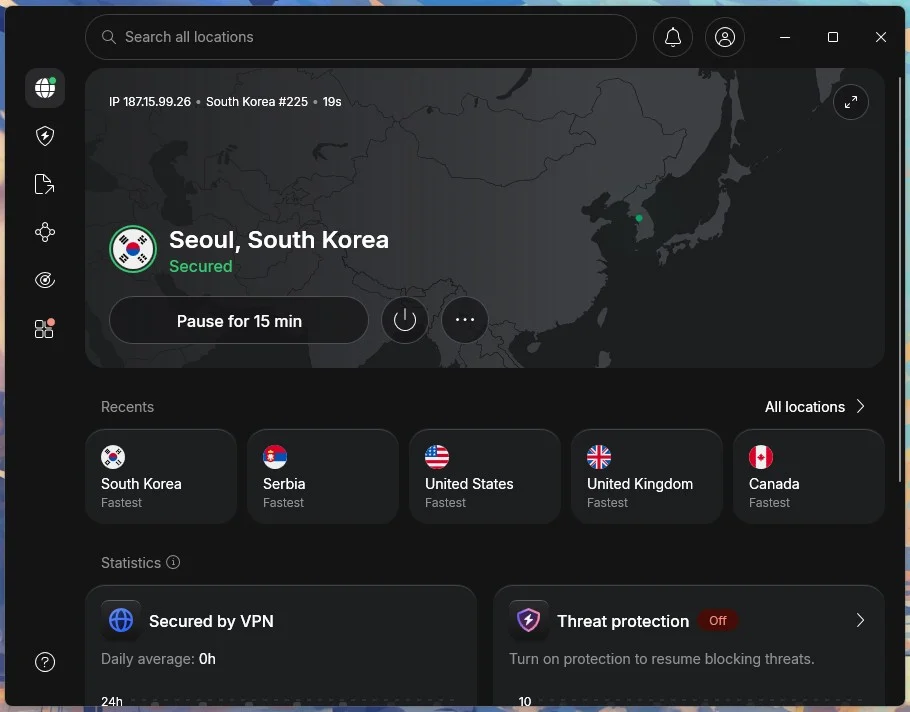
Its country directory identifies one South Korean city, Seoul.
Users should therefore select Seoul rather than assuming that additional options such as Busan or Incheon are available.
NordVPN’s South Korea page does not identify every physical hosting facility or provide a separate virtual server designation for each endpoint.
Consequently, users should not assume a precise physical data center location for individual servers.
How to connect to South Korea using NordVPN
NordVPN includes a searchable server directory and map-based selection.
- Open the NordVPN application and sign in.
- Search for South Korea or locate it on the server map.
- Select South Korea to request an automatically chosen server.
- Alternatively, select an available Seoul server manually.
- Confirm that NordVPN reports an active connection.
NordVPN’s automatic selection system considers available servers, connection conditions, and the user’s location.
Users can also reconnect when the initial server experiences network problems.
Reconnecting may assign another available South Korean server, although this does not guarantee compatibility with Netflix.
NordLynx and connection performance
NordLynx is NordVPN’s connection protocol based on WireGuard technology.
It aims to provide encrypted connections with relatively low networking overhead, making it useful for everyday browsing and authorized video streaming.
Actual performance depends on internet speed, server congestion, network routing, and device capabilities.
For American users, geographic distance to South Korea may introduce additional latency compared with nearby domestic connections.
NordVPN also provides alternative protocols on compatible devices. Switching protocols may resolve some networking problems without changing the selected country.
How NordVPN SmartPlay works
NordVPN includes SmartPlay, a feature that combines VPN protection with DNS-related functionality.
According to its official SmartPlay documentation, the feature activates automatically when users connect to a NordVPN server.
Users do not need to install another application, change DNS settings manually, or activate SmartPlay separately.
SmartPlay changes DNS behavior, hides the public IP address, and encrypts network traffic as part of the active VPN connection.
Unlike standalone SmartDNS, SmartPlay operates alongside VPN encryption and IP protection.
However, SmartPlay does not guarantee access to regionally licensed Netflix movies.
Netflix may still recognize the VPN and restrict viewers to titles with worldwide streaming rights.
NordVPN troubleshooting
If NordVPN cannot maintain a stable South Korean connection, disconnect and reconnect to the country.
You can also select another available Seoul server, change protocols, or update the application.
Check whether another VPN application or browser extension interferes with the connection.
If ordinary websites load normally but Netflix cannot find Parasite, the issue may involve Netflix’s regional licensing restrictions rather than a malfunctioning VPN.
Neither NordLynx nor SmartPlay guarantees access to Parasite through Netflix South Korea.
What to do if Parasite does not appear
Parasite may not appear in Netflix search results even when Netflix South Korea lists the movie. Netflix can recognize VPN connections, apply profile restrictions, or change its regional licensing agreements.
For permitted VPN activity, follow these eight steps to identify common browser and connection problems.
- Close Netflix completely, including open browser tabs and background application sessions.
- Disconnect from the active VPN connection.
- Reconnect to South Korea if your VPN provider and Netflix permit that use.
- Try another available South Korean server or connection if your provider offers one.
- Clear Netflix cookies and browser cache to remove outdated session information.
- Open an incognito or private browser window to test a clean session.
- Reopen Netflix and sign in using your existing account credentials.
- Search for Parasite (2019) or its Korean title, 기생충.
PIA users can compare South Korea and KR Streaming Optimized when troubleshooting permitted streaming connections. However, PIA prohibits circumventing geographic restrictions imposed by content providers.
ExpressVPN users can reconnect to the Seoul location or change between supported Lightway, WireGuard, and OpenVPN protocols.
NordVPN users can reconnect automatically or manually select another available Seoul server.
These actions may resolve ordinary networking problems, but they cannot guarantee access to Parasite.
Netflix’s official missing-title troubleshooting guide identifies regional licensing, VPN detection, maturity restrictions, and profile language preferences as possible reasons a movie may not appear.
The original Korean title is 기생충. Searching for that name may help when Netflix displays Korean-language movie titles rather than their English equivalents.
Make sure you select Bong Joon Ho’s 2019 film starring Song Kang-ho, not another production with a similar English title.
Netflix may also change its regional licensing agreements without notice. A movie available today may leave the catalog later.
Netflix may detect the VPN
A VPN creates an encrypted connection between your device and a remote server. Websites generally see the VPN server’s public IP address instead of the address assigned by your ordinary internet provider.
Connecting to a South Korean VPN server can make your internet connection appear to originate in South Korea.
However, Netflix does not automatically provide another country’s entire streaming catalog simply because the connection uses an IP address associated with that country.
Netflix licenses movies separately across geographic regions.
Parasite can appear on Netflix South Korea while remaining unavailable on Netflix US because the company does not hold identical streaming rights in both markets.
Netflix can also recognize certain VPN connections and restrict viewers to movies with worldwide streaming licenses.
As a result, Parasite might disappear from Netflix search results or produce a playback error even when the VPN application reports a successful South Korean connection.
Netflix’s VPN and proxy troubleshooting guidance recommends disconnecting VPN services when they interfere with playback.
Neither Private Internet Access, ExpressVPN, nor NordVPN guarantees access to Parasite through Netflix South Korea.
Can you use a Netflix ad-supported plan with a VPN?
No. Netflix does not support VPN connections with its ad-supported experience.
Subscribers using an ad-supported plan may encounter error E121 or a message indicating that Netflix detected a VPN or proxy.
Netflix’s official ad-supported VPN troubleshooting instructions explain that users should disconnect their VPN when this problem occurs.
An ad-free Netflix subscription avoids this particular plan restriction, but it does not eliminate Netflix’s broader VPN detection and regional licensing limitations.
Therefore, switching to an ad-free subscription does not guarantee that a US viewer can watch Parasite through a South Korean VPN connection.
Does changing the VPN location change your Netflix account?
No. Changing your VPN location changes the public IP address visible to online services. It does not automatically modify your Netflix account’s registered country, email address, password, profiles, or billing information.
Netflix manages account country information separately from the temporary location associated with a VPN connection.
Its official account country documentation explains that subscribers cannot change their registered country unless they move to another country.
Netflix also maintains different regional catalogs because licensing agreements vary internationally.
If you live in the United States and simply want to watch Parasite, authorized domestic streaming and rental services provide more predictable alternatives.
According to current US streaming availability for Parasite, viewers can stream the movie through Kanopy when their participating library or institution provides access.
US viewers can also rent or purchase the movie through digital stores such as Amazon Video, Apple TV Store, and Fandango at Home. FlixFling offers another rental option.
Rental prices, availability, and service requirements may change. These domestic alternatives avoid the uncertainty of attempting to access another country’s Netflix catalog through a VPN.
Which VPN should you use?
Private Internet Access ranks first because it offers South Korea and KR Streaming Optimized connections, along with WireGuard and OpenVPN support. Its streaming-optimized Korean endpoint provides an option for authorized streaming activity. However, PIA explicitly prohibits circumventing geographic content restrictions, so US viewers must not treat its South Korean servers as permission to bypass Netflix’s regional licensing rules.
ExpressVPN ranks second with its Seoul connection and support for Lightway, WireGuard, and OpenVPN on compatible devices. NordVPN ranks third with 58 advertised South Korean servers, Seoul as its documented city location, automatic server selection, NordLynx, and SmartPlay. Both services offer South Korean IP connections, but neither guarantees access to Parasite on Netflix.
As of November 21, 2026, Parasite (2019) is available on Netflix South Korea but not Netflix US. The South Korean listing includes Korean original audio, English and Korean subtitles, and offline downloads. However, Netflix licensing agreements, VPN detection, subscription restrictions, and provider terms may prevent playback through a South Korean VPN connection. US viewers can also access the movie through authorized domestic streaming and rental services.
Parasite (2019) is available on Netflix South Korea as of November 21, 2026. Its original Korean title is 기생충. The official listing includes Korean original audio, English and Korean subtitles, and offline downloads. Netflix US does not currently carry the movie.
Netflix US does not currently carry Parasite. Netflix South Korea lists the movie, and PIA, ExpressVPN, and NordVPN offer South Korean VPN connections. However, Netflix may restrict regional access through VPNs, and PIA prohibits circumventing geographic restrictions. US viewers can also check Kanopy and digital rental services.
Private Internet Access ranks first for its South Korea and KR Streaming Optimized connections, followed by ExpressVPN with its Seoul location and NordVPN with 58 advertised South Korean servers. PIA prohibits circumventing geographic restrictions, and none of these services guarantees Netflix access.
Check your Netflix subscription, profile settings, and network connection. For permitted VPN activity, restart Netflix and verify the South Korean connection. You can also search for 기생충, the original Korean title. Netflix may hide regional movies when detecting VPN traffic, and changing servers does not guarantee access.
No. Netflix does not support VPN connections with its ad-supported experience. Subscribers may encounter error E121 and should disconnect their VPN. Ad-free subscriptions avoid that specific restriction but do not guarantee access to regional Netflix movies.


Read our disclosure page to find out how can you help VPNCentral sustain the editorial team Read more


Improve this guide




User forum
0 messages