
How to Watch Final Destination: Bloodlines on Netflix in the US with a VPN (2026)


 15 min. read
 Published on

Final Destination: Bloodlines (2025) is currently available on Netflix Canada. The official Netflix Canada page confirms the movie’s listing, and JustWatch Canada independently identifies Netflix as a streaming option. Directed by Zach Lipovsky and Adam B. Stein, the supernatural horror movie stars Kaitlyn Santa Juana, Teo Briones, Brec Bassinger, and Tony Todd. The sixth installment in the Final Destination franchise follows college student Stefani Reyes as she discovers that Death is targeting her family.
Unfortunately, Final Destination: Bloodlines is not currently available on Netflix US. American viewers can watch the movie through HBO Max, but Netflix’s regional licensing agreements mean Canada offers a different selection of movies. Private Internet Access, ExpressVPN, and NordVPN all provide Canadian VPN connections, including locations in Toronto, Montreal, and Vancouver.

Access content across the globe at the highest speed rate.
🔥 Save 84% + 4 bonus months! 🔥
70% of our readers choose Private Internet Access
70% of our readers choose Private Internet Access
2
Browse the web from multiple devices with industry-standard security protocols.
🔥 Save 81% + 4 bonus months! 🔥

Faster dedicated servers for specific actions (currently discounted)
🔥 Save 77% + 3 bonus months! 🔥

A VPN changes your visible public IP address, but connecting to Canada does not guarantee access to Final Destination: Bloodlines. Netflix may detect VPN connections and restrict subscribers to movies with worldwide distribution rights. Its official VPN guidance explains these restrictions. Users should also follow Netflix’s service rules and their VPN provider’s applicable terms.
How to watch Final Destination: Bloodlines on Netflix with a VPN
Netflix Canada currently lists Final Destination: Bloodlines. If your circumstances and the applicable service terms permit VPN use, follow these eight steps to check whether your Netflix account can access the movie.
- Choose a VPN provider. Review Private Internet Access first, followed by ExpressVPN and NordVPN. Check each provider’s streaming restrictions before continuing.
- Download and install the VPN application from its official website. Open the application and sign in using your VPN account.
- Open the VPN server list and select Canada. Choose an available Canadian location, such as Toronto, Montreal, or Vancouver.
- Fully close Netflix, including any active browser tabs or background application processes.
- Reopen Netflix after establishing the VPN connection.
- Sign in using your existing Netflix account. Changing your network connection does not require creating another subscription.
- Search for Final Destination: Bloodlines (2025) using Netflix’s search function.
- Start playback if Netflix displays the movie and your subscription, location, and applicable terms permit access.
You can also check the Final Destination: Bloodlines listing on Netflix Canada to identify the correct film. Netflix describes a college student who discovers that her family is on Death’s list because her grandmother once prevented a deadly disaster.
The Canadian Netflix listing includes English original audio and French Canadian audio, along with English and French subtitles. Netflix may change language options depending on the device, account settings, and regional licensing.
The movie sometimes appears under the title Final Destination Bloodlines without the colon. Both names refer to the same 2025 film, so try either version if you cannot find it immediately.
These steps generally apply to Windows, macOS, Android, and iOS. Smart TVs and streaming devices may require different VPN configurations. A successful VPN connection does not guarantee that Netflix will display its Canadian catalog.
Best VPNs for watching Final Destination: Bloodlines on Netflix
Private Internet Access, ExpressVPN, and NordVPN all operate Canadian VPN servers. Their official directories document the following locations and connection options.
| VPN | Server locations in Canada | Option to try first |
|---|---|---|
| Private Internet Access (Editor’s Choice) | CA Montreal, CA Ontario, CA Ontario Streaming Optimized, CA Toronto, CA Vancouver | CA Ontario Streaming Optimized for permitted streaming |
| ExpressVPN | Montreal, Toronto, Toronto – 2, Vancouver | Canada – Toronto |
| NordVPN | Calgary, Montreal, Toronto, Vancouver; 402 Canadian servers listed | Automatic Canada connection |
These locations provide Canadian VPN connections, but they do not guarantee access to Netflix Canada’s movies. Netflix may detect VPN traffic and limit the available content regardless of the selected server.
1. Private Internet Access
Private Internet Access is our Editor’s Choice for Canadian VPN coverage because it offers several locations, including a dedicated streaming-optimized connection. Its support for WireGuard and OpenVPN also provides flexibility when configuring a secure connection.
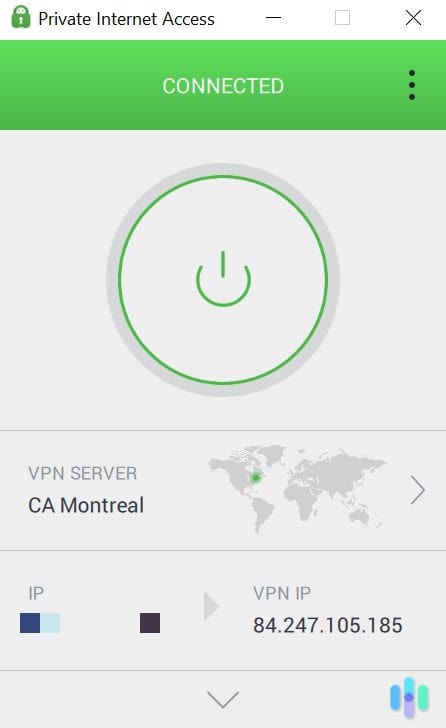
According to the official PIA server directory, the provider currently offers five Canadian entries: CA Montreal, CA Ontario, CA Ontario Streaming Optimized, CA Toronto, and CA Vancouver.
CA Ontario Streaming Optimized is the most relevant option for streaming activity that complies with PIA’s terms. This connection aims to provide reliable streaming performance, although it does not guarantee access to individual Netflix titles.
To locate these servers, launch the PIA application and open the VPN SERVER section. Search for Canada to display the available locations. You can also search for streaming to find the optimized Ontario connection.
For permitted streaming, the Ontario Streaming Optimized location provides a sensible starting point. If that connection experiences technical problems, CA Toronto and CA Montreal offer alternatives. CA Vancouver may provide lower latency for users closer to western Canada.
PIA supports WireGuard and OpenVPN. WireGuard generally uses fewer resources and introduces relatively little connection overhead, making it suitable for bandwidth-intensive activities such as video streaming.
OpenVPN provides an alternative when WireGuard encounters compatibility issues or unstable network conditions. Users can change between these protocols in the application’s settings.
Streaming performance depends on the underlying internet connection, server congestion, geographic distance, and local network conditions. Selecting a streaming-optimized server cannot compensate for every connection problem.
PIA also distinguishes between physical and virtual server locations. A virtual location assigns an IP address associated with one country while the actual hardware operates somewhere else.
Its virtual server documentation does not identify Canada as a virtual-location country. It also identifies Montreal as the physical hosting location for the provider’s virtual Greenland server.
However, PIA does not publicly identify the exact physical hosting facility for every Canadian endpoint.
If the connection becomes slow, try another Canadian server or switch between WireGuard and OpenVPN. Updating the VPN application, restarting the connection, and checking for bandwidth-heavy background downloads may also improve performance.
Clearing browser cookies and cached data can resolve ordinary website problems. However, these steps cannot guarantee access to Netflix movies restricted by geographic licensing.
There is an important limitation. PIA’s official streaming policy instructs subscribers to connect to locations matching their current country. It explicitly prohibits using the service to circumvent geographic restrictions imposed by content providers.
Consequently, American viewers should not use PIA to bypass Netflix Canada’s geographic restrictions. Its Canadian servers remain useful for privacy protection and permitted streaming activity, but this restriction applies regardless of the selected location.
2. ExpressVPN
ExpressVPN provides several Canadian server locations, allowing subscribers to choose a connection according to their geographic location and network conditions.
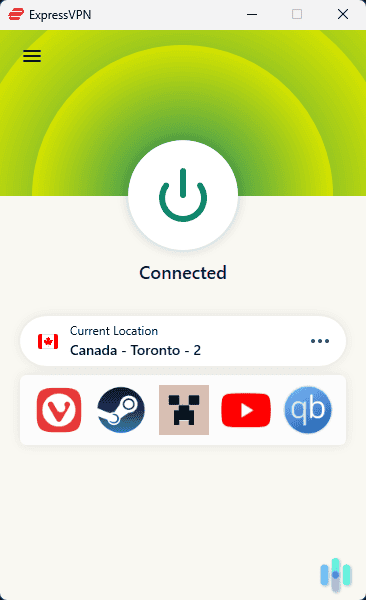
The official ExpressVPN server directory lists four Canadian entries: Canada – Montreal, Canada – Toronto, Canada – Toronto – 2, and Canada – Vancouver.
Toronto is a sensible first choice for users in the eastern United States because of its proximity to several major American cities. Montreal provides another eastern Canadian option, while Vancouver may offer lower latency for users along the Pacific coast.
To choose a server, open the ExpressVPN application and access the location picker. Search for Canada and select Toronto or another available Canadian location.
ExpressVPN also offers Smart Location, which automatically recommends a server based on factors including latency, distance, and connection performance. However, Smart Location may choose a country other than Canada. Select Canada manually when you specifically need a Canadian connection.
The company supports Lightway, WireGuard, and OpenVPN protocols. Lightway focuses on quick connection establishment and reliable performance, including when devices switch between different networks.
WireGuard provides another efficient connection option, while OpenVPN remains useful when particular networks create compatibility problems.
ExpressVPN’s VPN protocol documentation explains these technologies. Available protocols depend on the operating system and application version.
ExpressVPN also distinguishes physical servers from virtual server locations. Its virtual server documentation does not classify Canada as a virtual location.
The company states that locations absent from its virtual-location list have their physical server infrastructure in the advertised country. This means its documented Canadian connections use infrastructure physically located in Canada.
ExpressVPN’s Canadian infrastructure also uses TrustedServer technology, which operates servers on RAM rather than relying on traditional persistent storage. This supports its privacy design but does not determine whether Netflix accepts the VPN connection.
The provider offers high-capacity network infrastructure in several major locations. However, available bandwidth, connection speed, and latency still depend on the selected server and underlying internet connection.
If ExpressVPN experiences connection problems, try Toronto – 2 or Montreal. Vancouver provides another option, particularly for users in western North America.
Switching from Lightway to another supported protocol may help resolve network compatibility issues. Updating the application and checking local firewall settings can also help when connections fail.
ExpressVPN cannot guarantee that Netflix will display Final Destination: Bloodlines through a Canadian connection. Netflix may identify VPN traffic and restrict its regional catalog regardless of the city or protocol you select.
3. NordVPN
NordVPN operates a substantial Canadian server network and provides automatic connection selection, NordLynx, and SmartPlay.
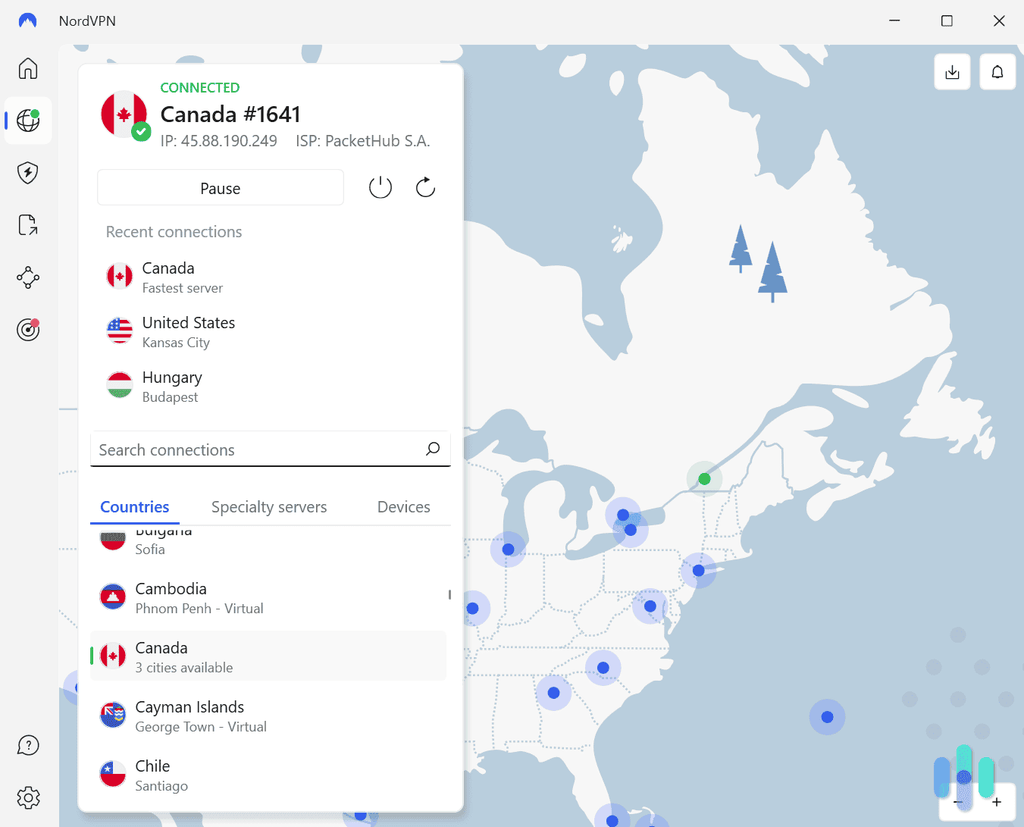
According to NordVPN’s official Canada server directory, the provider currently lists 402 Canadian servers across four cities: Calgary, Montreal, Toronto, and Vancouver.
To connect automatically, open the NordVPN application and select Canada from the country list or map. NordVPN will recommend an available server based on its network-selection algorithm.
This automatic option provides a straightforward starting point because it considers connection performance without requiring users to compare individual servers.
Users who want greater control can manually select a city. Open the options beside Canada in the application’s server list and choose Calgary, Montreal, Toronto, or Vancouver.
Depending on the application version, users may also select a different server within the chosen city.
Toronto and Montreal may provide lower latency for users in the eastern United States, while Vancouver and Calgary offer alternatives for connections from western North America.
NordVPN uses NordLynx, a protocol based on WireGuard technology. NordLynx aims to provide efficient encryption and consistent connection performance with relatively low overhead.
Another relevant feature is SmartPlay, which NordVPN includes automatically in its official applications.
According to NordVPN’s official SmartPlay documentation, the feature activates whenever subscribers connect through the NordVPN application.
SmartPlay combines DNS-related functionality with encrypted VPN connections and IP address protection. Users do not need to install separate software or manually enable the feature.
SmartPlay differs from standalone SmartDNS because it operates through an encrypted VPN connection.
However, SmartPlay does not guarantee access to specific Netflix catalogs. Netflix may still identify VPN traffic and limit subscribers to globally licensed movies.
If NordVPN experiences slow connections, reconnect automatically or manually select another Canadian server. Switching between Toronto, Montreal, Calgary, and Vancouver may resolve ordinary connectivity problems.
Users should also keep the NordVPN application updated and check whether NordLynx provides a stable connection on their devices.
NordVPN’s Canadian network provides several city choices and useful privacy features. Nevertheless, its server count and SmartPlay functionality do not guarantee access to Final Destination: Bloodlines on Netflix Canada.
What to do if Final Destination: Bloodlines does not appear
Although Netflix Canada currently lists Final Destination: Bloodlines, Netflix may hide the movie when it detects VPN traffic. Browser data, profile restrictions, and changes in regional licensing can also affect the available catalog.
- Close Netflix completely, including any open browser tabs or background application processes.
- Disconnect from your VPN to reset the existing network connection.
- Reconnect to Canada if your circumstances and the applicable service terms permit that connection.
- Try another Canadian VPN server or city if your original connection experiences technical problems.
- Clear Netflix cookies and your browser cache to remove outdated session information.
- Open an incognito or private browser window to check whether existing browser settings interfere with Netflix.
- Reopen Netflix and sign in using your regular account credentials.
- Search for Final Destination: Bloodlines (2025) and check whether Netflix displays the correct movie.
PIA users can choose between CA Montreal, CA Ontario, CA Ontario Streaming Optimized, CA Toronto, and CA Vancouver for permitted activities. However, PIA expressly prohibits using its service to circumvent content providers’ geographic restrictions.
ExpressVPN users can switch between Toronto, Toronto – 2, Montreal, and Vancouver when resolving ordinary connection problems. NordVPN users can reconnect automatically or choose another available server in Calgary, Montreal, Toronto, or Vancouver.
Make sure you search for the correct film. Netflix Canada lists Final Destination: Bloodlines, the 2025 installment starring Kaitlyn Santa Juana and Teo Briones. It also carries other Final Destination movies, so avoid confusing the latest release with The Final Destination (2009) or Final Destination 5 (2011).
If Netflix still does not display the film, review its missing movie troubleshooting guide. Netflix explains that geographic licensing, VPN detection, profile maturity settings, and language preferences can affect search results.
Changing VPN servers cannot guarantee regional access. Netflix may continue restricting content whenever it recognizes VPN traffic, regardless of the selected Canadian server.
Netflix may detect the VPN
A VPN routes internet traffic through an encrypted connection and changes the public IP address visible to websites. Connecting through a Canadian VPN server can make the connection appear to originate from Canada.
However, Netflix does not automatically provide access to every movie licensed for the country associated with that IP address.
Netflix can recognize some VPN and proxy connections. When it detects VPN traffic, it may limit subscribers to movies and television shows with worldwide distribution rights.
This means Final Destination: Bloodlines may remain unavailable even if your VPN application successfully connects to Toronto, Montreal, or Vancouver.
Netflix explains this behavior in its VPN and proxy troubleshooting documentation.
The service may also display a playback error, including error E106, when it identifies a VPN or proxy connection. Netflix recommends disconnecting the VPN and using the subscriber’s regular network when these problems occur.
Regional licensing agreements can also change. Netflix Canada currently carries Final Destination: Bloodlines, but the film may leave the catalog when its distribution rights expire.
No VPN provider can guarantee access to a specific Netflix title. Users must also ensure their streaming activity complies with Netflix’s rules and their VPN provider’s terms.
Can you use a Netflix ad-supported plan with a VPN?
No. Netflix states that its ad-supported experience does not support VPN connections. Subscribers using an ad-supported plan may encounter playback errors when the service detects VPN or proxy traffic.
Netflix recommends disconnecting the VPN before trying again. Its ad-supported playback troubleshooting guide explains this restriction.
An ad-free Netflix subscription avoids this particular limitation, but it does not guarantee access to movies licensed for another country.
Netflix can still detect VPN traffic on ad-free subscriptions and restrict viewers to globally licensed content.
Although JustWatch Canada lists Final Destination: Bloodlines under Netflix’s ad-supported offering, that does not mean an American subscriber can access the movie through a Canadian VPN connection while using an ad-supported plan.
Does changing the VPN location change your Netflix account?
Changing your VPN location does not automatically change your Netflix account credentials, password, profiles, viewing history, or billing information.
A VPN changes the public IP address that websites see. It does not transfer your Netflix subscription to Canada or guarantee access to content licensed for Canadian viewers.
Netflix catalogs differ because studios and streaming services negotiate distribution agreements separately across geographic markets.
This explains why Final Destination: Bloodlines currently appears on Netflix Canada while Netflix US does not carry it.
Netflix may also restrict regional content when it recognizes VPN usage, even if the connection appears to originate from another country.
American viewers can check current US streaming options for Final Destination: Bloodlines. As of November 25, 2026, JustWatch lists HBO Max and HBO Max Amazon Channel.
The movie is also available to rent or purchase through digital platforms, including Amazon Video, Apple TV Store, and Fandango At Home.
These officially supported US services provide a more reliable way to watch the film without relying on international Netflix availability or VPN detection.
Which VPN should you use?
Private Internet Access takes our first position for Canadian VPN coverage because it offers five Canadian connection options, including CA Ontario Streaming Optimized, along with WireGuard and OpenVPN support. Its streaming-optimized infrastructure makes it useful for permitted streaming and privacy protection. However, PIA expressly prohibits geographic circumvention, so American viewers must respect this restriction.
ExpressVPN offers Canadian connections in Montreal, Toronto, Toronto – 2, and Vancouver, together with Lightway, WireGuard, and OpenVPN. NordVPN currently lists 402 Canadian servers across Calgary, Montreal, Toronto, and Vancouver and includes NordLynx and automatic SmartPlay functionality. Both services provide practical VPN features, but neither guarantees access to specific Netflix titles.
Final Destination: Bloodlines (2025) currently appears on Netflix Canada, while Netflix US does not carry it. Canada is therefore the verified international Netflix country for this guide. However, regional licensing, VPN detection, and provider terms may prevent playback. American viewers should consider officially supported US streaming services when they want reliable access without geographic restrictions.
Final Destination: Bloodlines (2025) is currently available on Netflix Canada. The official Netflix Canada title page and JustWatch Canada confirm its listing.
Final Destination: Bloodlines is unavailable on Netflix US but appears on Netflix Canada. VPN providers offer Canadian connections, although Netflix may restrict regional content and provider terms may prohibit geographic circumvention. US viewers can watch the movie on HBO Max instead.
Private Internet Access is our first choice for Canadian VPN coverage because it offers several locations, including Ontario Streaming Optimized. ExpressVPN and NordVPN also provide Canadian servers. PIA prohibits geographic circumvention, and no VPN guarantees Netflix playback.
Restart Netflix, check your internet connection, and clear outdated browser cookies. Make sure you search for the 2025 movie rather than an earlier Final Destination installment. Netflix may hide regional titles when it detects VPN traffic, and changing servers does not guarantee access.
No. Netflix does not support VPN connections on its ad-supported experience. Subscribers may encounter playback errors and should disconnect their VPN. Ad-free plans avoid this specific restriction, but Netflix may still detect VPN traffic and limit regional content.


Read our disclosure page to find out how can you help VPNCentral sustain the editorial team Read more


Improve this guide




User forum
0 messages