
Amazon S3 Files turns S3 buckets into shared file systems for AWS workloads


 5 min. read
  Published on
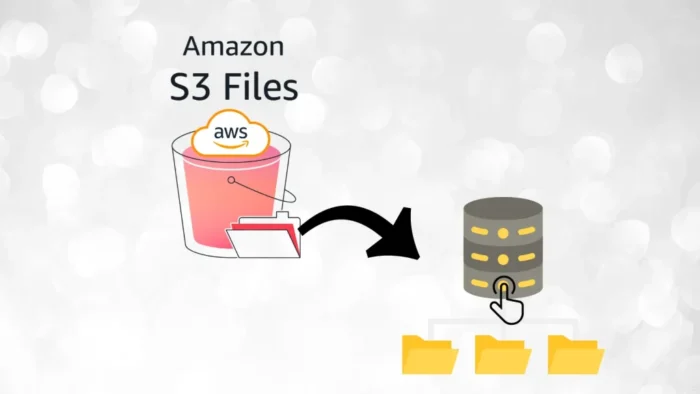
AWS has launched Amazon S3 Files, a new service that lets customers access data in Amazon S3 through a shared file system without moving that data out of S3. AWS says the service connects compute resources directly to S3 data as files while keeping the underlying data in the bucket.
That makes S3 Files a bridge between object storage and file-based applications. Instead of building sync pipelines or duplicating datasets into separate storage layers, teams can mount S3-backed data and work with it using standard file system operations.

Access content across the globe at the highest speed rate.
70% of our readers choose Private Internet Access
70% of our readers choose ExpressVPN

Browse the web from multiple devices with industry-standard security protocols.

Faster dedicated servers for specific actions (currently at summer discounts)
AWS says changes made through the file system are reflected in the S3 bucket, and S3 API access can continue alongside file-based access. That means organizations can keep using existing S3 workflows while also giving file-based tools a more familiar interface.
What S3 Files changes for AWS customers
The main pitch is simple: use S3 like a shared file system without copying the data elsewhere. AWS says S3 Files gives file-based applications, agents, and teams direct access to S3 data with full file system semantics and low-latency performance.
AWS also says the service can attach to multiple compute resources, which allows data sharing across clusters without duplication. That could make it useful for analytics, AI pipelines, and legacy workloads that still expect file system access rather than object APIs.
One important correction to the sample text: AWS describes S3 Files as an Amazon S3 capability, not as something “built using Amazon EFS.” The official launch and documentation frame it as a native S3 service with its own file system layer, IAM role requirements, EventBridge-based synchronization, and separate metering model.
Key capabilities
| Feature | What AWS says |
|---|---|
| Direct file access to S3 | Access S3 data as files without moving data out of S3 |
| Shared file system | Multiple compute resources can attach to the same file system |
| No forced duplication | Data stays in the S3 bucket instead of being copied into a separate store |
| S3 and file access together | Apps can use file system access while S3 API access continues on the same data |
| Performance help | S3 Files uses high-performance storage and caching, with AWS best practices focused on parallel workloads |
Why this matters
For many teams, S3 has been easy to scale but harder to use with applications that expect full file system behavior. AWS already offered alternatives such as Mountpoint for Amazon S3, but AWS says Mountpoint does not support the shared file system features needed for collaboration, append-style access, and coordination across users or compute instances.
S3 Files aims at that gap. AWS says it offers fully featured, high-performance file system access to S3 data, which gives organizations a way to keep S3 as the central data store while opening it up to more traditional software.
That could be especially useful for AI, machine learning, and large-scale analytics workflows where the same dataset needs to stay centralized but still be exposed to file-oriented tools and agents. AWS does not limit the service to one compute model. Its launch material says S3 Files can connect any AWS compute resource directly to S3 data.
What admins should know before using it
AWS says customers must provide an IAM role when creating an S3 file system. That role allows S3 Files to read from and write to the S3 bucket and to manage EventBridge rules used for synchronization.
AWS also warns that bucket policies must not deny required access from the compute resource. That means security and access design still matter, even though the service reduces the need for duplicate datasets.
Pricing is separate from standard S3 storage. AWS says S3 Files pricing depends on the amount of data stored on the file system’s high-performance storage and the number of file system requests, which makes it different from plain object access alone.
Quick takeaways
- Amazon S3 Files is now live as a new S3 capability.
- It lets AWS customers access S3 buckets through a shared file system.
- Data stays in S3 instead of being copied into another storage layer.
- The service is designed for any AWS compute resource.
- It uses IAM roles, synchronization logic, and its own metering model.
FAQ
It is a shared file system that connects AWS compute resources directly to data stored in Amazon S3. AWS says it provides file system access while the data remains in S3.
No. AWS positions S3 Files as a way to access S3 data as files. It is not described as EFS, and AWS still documents EFS and other file services separately.
AWS says no. The service is designed so applications can process data in place without moving it out of the S3 bucket.
Yes. AWS says Mountpoint supports basic file operations but is not suitable for workloads that need shared file system features and coordination across multiple users or compute instances.


Read our disclosure page to find out how can you help VPNCentral sustain the editorial team Read more


Improve this guide



User forum
0 messages