
Browser-in-the-Browser phishing attack targets Microsoft 365 logins with fake OAuth popup


 6 min. read
  Published on
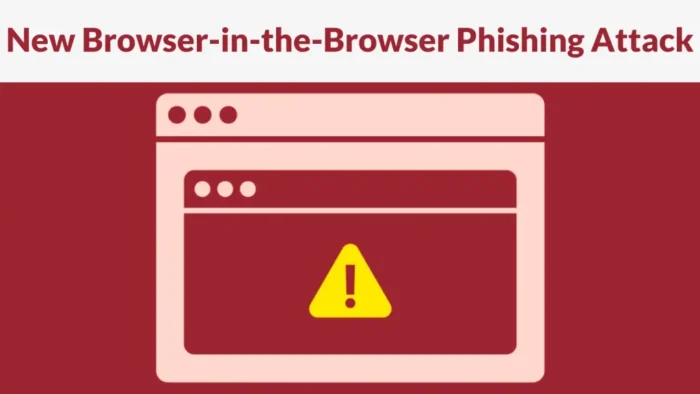
A Browser-in-the-Browser phishing campaign is targeting Microsoft 365 users with a fake Microsoft OAuth login window that appears inside a malicious webpage. The fake window looks like a real browser popup, but it is actually rendered inside the same browser tab.
Palo Alto Networks Unit 42 said the campaign uses a draggable popup, operating system and browser fingerprinting, and a spoofed OAuth URL to make the fake Microsoft sign-in flow look real. Help Net Security also reported that the phishing page adapts its appearance to match Windows, macOS, Linux, Chrome, Firefox, Edge, and Safari.

Access content across the globe at the highest speed rate.
🔥 Save 81% + 2 bonus months! 🔥
70% of our readers choose Private Internet Access
70% of our readers choose ExpressVPN
2
Browse the web from multiple devices with industry-standard security protocols.
🔥 Save 73%! 🔥

Faster dedicated servers for specific actions (currently at summer discounts)
🔥 Save 69%! 🔥
The attack matters because users often trust what looks like a familiar Microsoft login window. If they enter credentials into the fake form, attackers can steal Microsoft 365 usernames and passwords and use them to attempt account takeover.
How the fake Microsoft 365 login works
The attack starts when a victim lands on a phishing page that appears to require Microsoft sign-in. When the user clicks the Microsoft login button, the page creates a fake browser window using HTML, CSS, and JavaScript.
The popup includes a realistic address bar, Microsoft branding, a spoofed OAuth URL, browser-style controls, and a layout that resembles a real authentication prompt. The trick works because the entire window exists inside the webpage, while the user sees what looks like a separate browser popup.
According to Help Net Security, the fake popup can be dragged around the screen and includes controls such as back, refresh, minimize, and close buttons. This removes one of the easiest visual clues that could help users spot a fake login window.
| Attack element | What it does |
|---|---|
| Fake OAuth popup | Shows a Microsoft-style sign-in window inside the phishing page |
| Spoofed address bar | Displays a legitimate-looking Microsoft OAuth URL |
| Draggable window | Makes the popup feel like a real browser window |
| Device fingerprinting | Adjusts the popup style to match the victim’s operating system and browser |
| Sandboxed iframe | Separates the credential collection component from the visible fake window |
Attackers also try to evade security tools
This campaign does more than imitate a login page. Unit 42 said the phishing setup uses evasion techniques designed to make automated analysis harder.
The page can block debugging attempts, split visible strings and keywords to bypass basic content filters, and redirect bots or scanners away from the phishing page. These tactics help the attack reach real users while hiding the malicious content from some automated checks.
The Unit 42 advisory said the campaign uses a spoofed OAuth URL and redirects bots as part of its evasion process. That makes the attack more difficult for users and security teams that still rely heavily on visual checks or static page scanning.
Why Microsoft 365 accounts are attractive targets
Microsoft 365 accounts often provide access to email, Teams, OneDrive, SharePoint, internal documents, and third-party cloud services. A stolen login can give attackers a route into business communications and sensitive files.
The broader risk is not limited to passwords. Microsoft warned earlier this year that attackers are abusing legitimate OAuth redirection behavior in phishing campaigns. That separate activity showed how trusted authentication flows can be manipulated to send victims to attacker-controlled infrastructure.
The FBI also warned in May that the Kali365 phishing-as-a-service kit can help attackers capture Microsoft 365 OAuth access and refresh tokens. In that type of attack, criminals can access Outlook, Teams, and OneDrive without needing the victim’s password again.
- Microsoft 365 credentials can unlock email, documents, chats, and cloud storage.
- OAuth abuse can help attackers keep access after the first sign-in event.
- Some phishing methods can bypass weaker forms of multi-factor authentication.
- Attackers may use compromised accounts to send more phishing messages from trusted mailboxes.
Password resets may not be enough
A password reset can help after a credential theft incident, but it may not close every active session or revoke every token. Security teams should review sign-in logs, active sessions, OAuth grants, and suspicious devices after a Microsoft 365 phishing event.
The FBI’s Kali365 alert says attackers who capture OAuth tokens can gain persistent access to Microsoft 365 services. The same warning recommends limiting device code flow, auditing legitimate usage, and using conditional access policies to reduce exposure.
Microsoft also recommends stronger identity controls. In its OAuth redirection abuse report, the company said defenders should monitor OAuth activity because related OAuth abuse can persist and needs ongoing review.
| Defensive step | Why it helps |
|---|---|
| Revoke suspicious sessions | Stops attackers who already have active access |
| Review OAuth app grants | Finds unauthorized apps or consent activity |
| Use conditional access | Limits sign-ins by device, location, risk, and compliance state |
| Monitor impossible travel | Flags sign-ins from unusual locations or rapid location changes |
| Require phishing-resistant authentication | Reduces the value of stolen passwords and one-time codes |
How users and admins can reduce the risk
Users should treat in-page login popups with caution, especially when they appear after clicking a link in email, chat, file-sharing pages, or unknown websites. A real browser popup exists as a separate window controlled by the browser or operating system, while a Browser-in-the-Browser popup remains trapped inside the current tab.
Password managers can also help. They usually fill credentials only on the real matching domain, so they may not autofill inside a fake Microsoft popup rendered on a phishing site.
Organizations should move high-risk users to phishing-resistant authentication. Microsoft says passkeys in Microsoft Entra ID use origin-bound public key cryptography, which helps prevent credentials from being replayed or shared with malicious actors.
- Do not enter Microsoft 365 credentials into unexpected popups opened from unknown pages.
- Open Microsoft 365 sign-in pages directly from a bookmark or typed address when in doubt.
- Use a password manager and pay attention when it refuses to autofill.
- Enable conditional access for managed devices and trusted locations.
- Review OAuth grants, active sessions, and unfamiliar devices after any suspected phishing attempt.
- Deploy Microsoft Entra passkeys or FIDO2 security keys for privileged and high-risk users.
Browser-in-the-Browser phishing shows why visual login checks are no longer enough. A fake popup can look familiar, move like a real window, and show a convincing Microsoft URL while still running entirely inside a malicious page.
FAQ
A Browser-in-the-Browser phishing attack creates a fake browser popup inside a webpage. The popup can look like a real login window, but anything entered into it goes to the attacker.
The campaign shows a fake Microsoft OAuth sign-in window. Users who trust the popup may enter their Microsoft 365 username and password, allowing attackers to steal the credentials.
The popup includes Microsoft branding, a spoofed OAuth URL, browser-style controls, and draggable behavior. It can also adjust its appearance to match the victim’s operating system and browser.
Multi-factor authentication still helps, but weaker methods can be bypassed in some identity attacks. Phishing-resistant methods such as passkeys or FIDO2 security keys provide stronger protection.
Admins should reset affected passwords, revoke active sessions, review OAuth grants, check sign-in logs, remove unfamiliar devices, and enforce conditional access rules for risky accounts.


Read our disclosure page to find out how can you help VPNCentral sustain the editorial team Read more


Improve this guide




User forum
0 messages