
CISA Warns Hackers Are Exploiting WordPress wp2shell Flaws


 8 min. read
  Published on
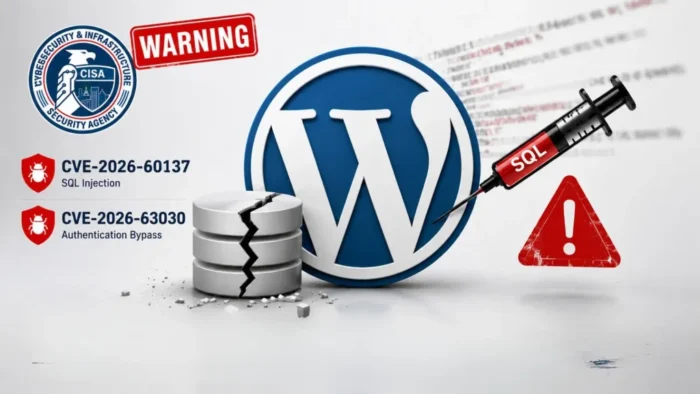
CISA has added two actively exploited WordPress Core vulnerabilities to its Known Exploited Vulnerabilities catalog. Attackers can chain CVE-2026-63030 and CVE-2026-60137 to execute code remotely on vulnerable WordPress websites without authentication.
The agency added both flaws to the catalog on July 21, 2026. Its KEV security alert confirms that attackers have exploited the vulnerabilities in real-world attacks, making immediate updates necessary.

Access content across the globe at the highest speed rate.
🔥 Save 81% + 2 bonus months! 🔥
70% of our readers choose Private Internet Access
70% of our readers choose ExpressVPN
2
Browse the web from multiple devices with industry-standard security protocols.
🔥 Save 73%! 🔥

Faster dedicated servers for specific actions (currently at summer discounts)
🔥 Save 69%! 🔥
The WordPress team fixed the flaws in WordPress 6.8.6, 6.9.5, and 7.0.2. The official WordPress 7.0.2 security release addresses one critical issue and one high-severity issue, while also providing patches for supported older branches.
WordPress wp2shell Vulnerabilities Explained
| CVE | Vulnerability type | Affected component | Result when chained |
|---|---|---|---|
| CVE-2026-63030 | REST API batch-route confusion | WordPress REST API batch endpoint | Bypasses restrictions and exposes unintended handlers |
| CVE-2026-60137 | SQL injection | WP_Query author__not_in parameter | Database manipulation and privilege escalation |
| Combined chain | Unauthenticated remote code execution | Default WordPress Core installation | Website and server compromise |
Researchers call the two-vulnerability chain wp2shell. The attack targets WordPress Core itself rather than a vulnerable third-party plugin or theme. A default installation can become vulnerable when it runs an affected WordPress version.
CVE-2026-63030 creates a conflict between validation and execution in the REST API batch processor. The NVD entry for CVE-2026-63030 describes the issue as a batch endpoint route-confusion flaw that can expose the SQL injection vulnerability to an unauthenticated attacker.
CVE-2026-60137 affects the author__not_in parameter used by WP_Query. According to the NVD record for CVE-2026-60137, insufficient handling of untrusted input can allow malicious SQL queries under vulnerable conditions.
How the Two WordPress Flaws Form an RCE Chain
CVE-2026-60137 normally requires access to a vulnerable query path. CVE-2026-63030 changes how WordPress associates validation results with requests inside the REST API batch endpoint.
The route confusion lets an unauthenticated request reach functionality that WordPress should restrict. The attacker can then trigger the SQL injection, manipulate database content, and gain administrative access.
Tenable’s wp2shell analysis says later research demonstrated that attackers do not need to crack an existing administrator’s password hash. The chain can let them create a malicious administrator account and continue toward code execution.
- The attacker sends a crafted request to the WordPress REST API batch endpoint.
- The route-confusion flaw causes WordPress to apply validation incorrectly.
- The request reaches the vulnerable WP_Query parameter.
- The attacker triggers SQL injection without authenticating.
- The attacker manipulates WordPress data or creates an administrative account.
- The new access allows malicious plugin installation or web shell deployment.
Which WordPress Versions Are Vulnerable?
The affected versions differ because developers introduced the SQL injection flaw before the REST API route-confusion bug. WordPress 6.8 contains CVE-2026-60137 but does not contain the second vulnerability required for the complete wp2shell chain.
WordPress 6.9 and affected WordPress 7.0 releases contain both vulnerabilities. Administrators running these branches face the greatest risk because an unauthenticated attacker can use the complete remote code execution chain.
The WordPress security announcement says versions before WordPress 6.8 do not contain either vulnerability. WordPress.org also enabled forced automatic updates for affected supported installations because of the severity.
| WordPress branch | Affected versions | Fixed version | Vulnerabilities |
|---|---|---|---|
| 6.8 | 6.8.0 through 6.8.5 | 6.8.6 | CVE-2026-60137 only |
| 6.9 | 6.9.0 through 6.9.4 | 6.9.5 | CVE-2026-63030 and CVE-2026-60137 |
| 7.0 | 7.0.0 through 7.0.1 | 7.0.2 | CVE-2026-63030 and CVE-2026-60137 |
| 7.1 beta | 7.1 beta | 7.1 beta2 | CVE-2026-63030 and CVE-2026-60137 |
| Earlier than 6.8 | None | Not applicable | Not affected by these two flaws |
Attackers Are Deploying Persistent Web Shells
Security researchers observed exploitation shortly after WordPress released the patches on July 17. Public proof-of-concept code also appeared quickly, giving more attackers a way to test and target exposed installations.
Wiz Research identified attackers using wp2shell against production websites and deploying persistent web shells. A web shell gives an intruder continued remote access to the compromised server.
VulnCheck researchers observed active exploitation through their canary systems and verified more than two dozen public proof-of-concept implementations by July 19. Researchers also identified information disclosure and full remote code execution variants.
- Create unauthorized WordPress administrator accounts
- Install malicious or modified plugins
- Upload persistent PHP web shells
- Steal database contents and password hashes
- Redirect visitors to phishing or malware pages
- Modify website content and advertising code
- Use the compromised server to attack other systems
CISA Sets Emergency Federal Remediation Deadlines
CISA gave CVE-2026-63030 a remediation deadline of July 24, 2026. The agency set an August 4, 2026 deadline for CVE-2026-60137.
These deadlines apply directly to U.S. Federal Civilian Executive Branch agencies under Binding Operational Directive 26-04. Other organizations do not face the same legal requirement, but the KEV entries provide a strong signal for emergency patching.
The CISA warning instructs covered agencies to follow applicable remediation guidance or stop using affected products when vendors provide no mitigation. WordPress already provides patched versions for every affected supported branch.
How WordPress Administrators Should Respond
Administrators should update WordPress Core immediately, even when automatic updates appear enabled. They should confirm the installed version from the dashboard, WP-CLI, hosting control panel, or filesystem after the update completes.
The safest targets are WordPress 6.8.6, 6.9.5, 7.0.2, or a newer supported release. Sites running WordPress 6.9.0 through 6.9.4 or WordPress 7.0.0 through 7.0.1 require the highest priority because they contain the complete exploit chain.
Updating closes the vulnerabilities but does not remove an existing compromise. Administrators who exposed vulnerable versions to the internet should investigate for malicious accounts, modified files, unknown plugins, suspicious scheduled tasks, and web shells.
- Create a current backup of the website and database.
- Update WordPress Core to the newest supported version.
- Confirm that the installed version changed successfully.
- Review all administrator accounts and remove unauthorized users.
- Compare core files against clean WordPress packages.
- Inspect plugin and upload directories for unexpected PHP files.
- Rotate WordPress administrator, database, hosting, SSH, and SFTP credentials.
- Replace WordPress authentication salts after checking active sessions.
- Review access logs for suspicious REST API batch requests.
- Restore from a verified clean backup if investigators confirm a compromise.
Temporary WAF Rules Can Reduce Exposure
Organizations that cannot install the update immediately should restrict unauthenticated access to the REST API batch endpoint. They need to cover both the standard path and the query-string form because blocking only one route leaves another path available.
Tenable’s mitigation guidance recommends blocking requests to /wp-json/batch/v1 and requests using ?rest_route=/batch/v1. Administrators can enforce these restrictions through a web application firewall or server configuration.
A WAF rule only reduces immediate exposure. Administrators should still install the WordPress security update because temporary filtering cannot correct the vulnerable Core code.
- Block both REST API batch endpoint formats for unauthenticated users.
- Limit administrative access by IP address where practical.
- Disable file editing from the WordPress dashboard.
- Restrict PHP execution inside upload directories.
- Monitor outbound connections from the web server.
- Alert on newly created administrator accounts.
- Require multi-factor authentication for existing administrators.
How to Check for wp2shell Compromise
Security teams should investigate websites that ran vulnerable versions after public exploit code became available. A successful update does not prove that attackers failed to enter the site before patching.
The Wiz investigation found attackers installing web shells to maintain access. Defenders should search for recently created PHP files, obfuscated code, unfamiliar plugins, modified themes, and scripts placed in writable directories.
The VulnCheck research also shows that multiple exploit variants circulate publicly. Administrators should avoid relying on one filename, IP address, or request pattern when determining whether a website remains safe.
| Area to inspect | Potential warning sign |
|---|---|
| WordPress users | Unexpected administrator accounts or changed email addresses |
| Plugin directory | Unknown plugins, recently modified PHP files, or misleading plugin names |
| Uploads directory | PHP, PHTML, PHAR, or executable files |
| Core files | Hashes or timestamps that differ from the official package |
| Web server logs | Suspicious requests to REST API batch endpoints |
| Database | New users, altered options, injected scripts, or unexpected scheduled events |
| Outbound traffic | Connections from PHP or the web server to unknown infrastructure |
The CVE-2026-63030 vulnerability record shows that the full chain affects WordPress 6.9 releases before 6.9.5 and WordPress 7.0 releases before 7.0.2. These installations require both patching and compromise assessment.
The separate CVE-2026-60137 SQL injection record also covers WordPress 6.8.0 through 6.8.5. Those sites cannot run the complete wp2shell chain, but administrators should still update them to WordPress 6.8.6 or later.
FAQ
wp2shell is an exploit chain that combines CVE-2026-63030, a REST API batch-route confusion flaw, with CVE-2026-60137, a SQL injection vulnerability. Together, they can allow unauthenticated remote code execution.
The complete wp2shell chain affects WordPress 6.9.0 through 6.9.4 and WordPress 7.0.0 through 7.0.1. WordPress 6.8.0 through 6.8.5 contains only the CVE-2026-60137 SQL injection flaw.
WordPress 6.8.6 fixes CVE-2026-60137. WordPress 6.9.5 and WordPress 7.0.2 fix both vulnerabilities. The WordPress team also fixed the affected WordPress 7.1 beta branch in beta2.
No. The complete attack chain targets WordPress Core and can affect a default installation without additional plugins or themes. Administrators still need to update their plugins and themes as part of normal security maintenance.
Yes. CISA added both vulnerabilities to its Known Exploited Vulnerabilities catalog on July 21, 2026. Multiple security companies have also reported active exploitation and public proof-of-concept code.
Updating prevents new exploitation of these flaws, but it does not remove an existing web shell, malicious administrator, or modified file. Sites that ran vulnerable versions should also complete a compromise investigation and rotate exposed credentials.


Read our disclosure page to find out how can you help VPNCentral sustain the editorial team Read more


Improve this guide




User forum
0 messages