
Claude Memory Import Revolutionizes AI Switching


 2 min. read
  Published on
Anthropic launched a groundbreaking memory import tool for Claude on March 3, 2026. This feature lets users transfer stored preferences, habits, and context from ChatGPT, Google Gemini, Microsoft Copilot, and other AI platforms directly into Claude. No more rebuilding AI knowledge from scratch.
The tool fixes a key pain point in AI use. People often spend months training assistants on their style and projects. Switching platforms meant losing that effort. Now, claude.com/import-memory makes the move seamless in under a minute. Imported data blends with existing Claude memories without overwriting anything.
Anthropic Announced: “Our memory import tool empowers seamless AI transitions while preserving your unique context.”
How the Import Process Works
Users follow a straightforward two-step method. No exports, JSON files, or API keys needed.
- Visit claude.com/import-memory and grab the extraction prompt.
- Paste it into your current AI like ChatGPT or Gemini. It outputs all memories in one text block.
- Copy that block and paste into Claude at claude.ai/settings/capabilities.
ChatGPT users have an extra option. Go to Settings > Personalization > Manage Memories, copy entries, and paste into Claude. Full integration takes up to 24 hours due to daily processing cycles.
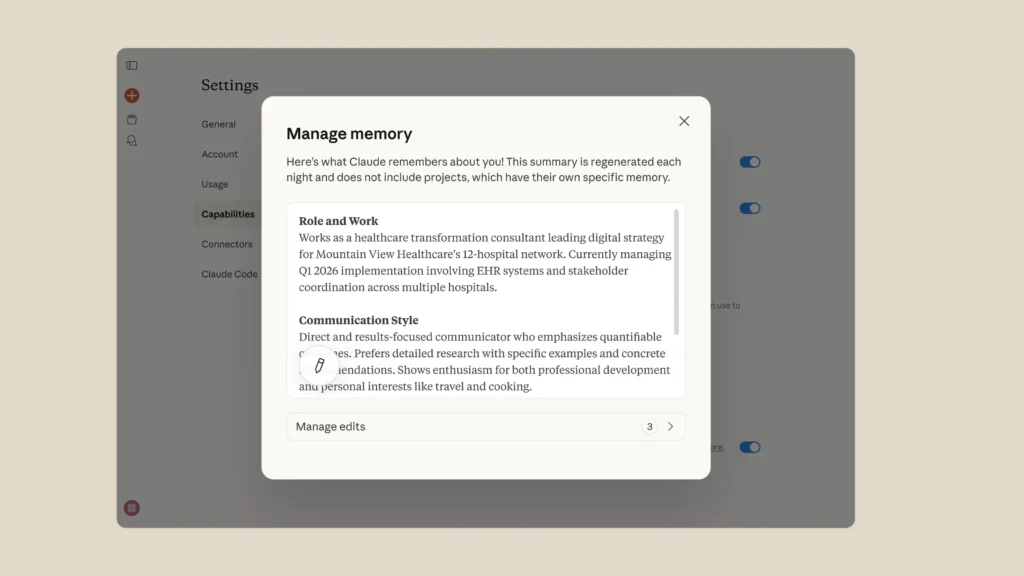
Memory Features and Access
Claude keeps project contexts separate to avoid mix-ups across workstreams. Users control everything through Settings > Capabilities > Memory.
| Plan Type | Memory Access Level | Cost (Monthly) |
|---|---|---|
| Free Tier | Manual paste for session context | $0 |
| Claude Pro | Full persistent memory | $20 |
| Team/Enterprise | Full with advanced controls | $30+ per user |
Free users can still add context per chat. Paid plans unlock permanent storage across sessions.
Why This Matters Now
AI competition heats up in 2026. Users want flexibility without lock-in. Anthropic targets this directly. Trained AI knowledge stays portable. Early feedback shows high satisfaction. Adoption could rise as word spreads.
Benefits Comparison
| Feature | Claude Import Tool | ChatGPT Export | Gemini Transfer |
|---|---|---|---|
| Time to Complete | Under 1 minute | 5-10 minutes | 2-5 minutes |
| Data Merge | Automatic blend | Manual | Partial |
| Real-time Update | 24-hour cycle | Instant | Instant |
| Supported Sources | All major AIs | Claude only | Limited |
This setup gives Claude an edge in user retention.
FAQ
ChatGPT, Google Gemini, Microsoft Copilot, Grok, and most preference-storing chatbots.
No. It merges new data safely with existing ones.
Up to 24 hours for full synthesis.
Free tier supports manual session use. Full feature needs Pro or higher.
Settings > Capabilities > Memory on claude.ai.


Read our disclosure page to find out how can you help VPNCentral sustain the editorial team Read more


Improve this guide

User forum
0 messages