
Fake FileZilla downloads spread RAT through stealthy multi-stage loader


 4 min. read
  Published on

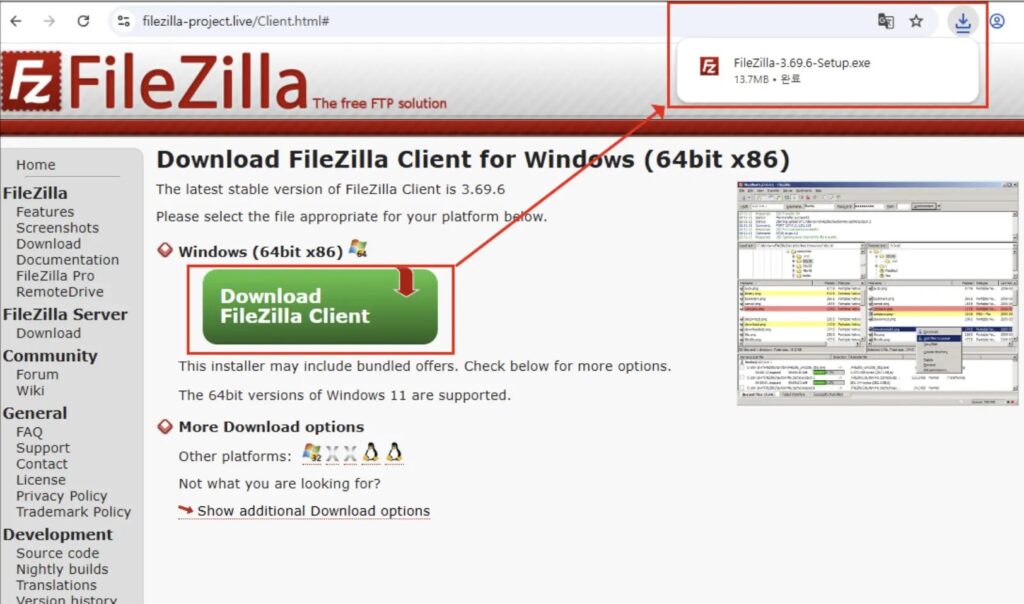
A new malware campaign is using fake FileZilla download pages to infect Windows users with a remote access trojan, or RAT. Researchers say the attackers bundle a legitimate copy of FileZilla with a malicious DLL, so the software appears to install normally while hidden code runs in the background.
The attack does not rely on a software vulnerability. Instead, it relies on social engineering and DLL sideloading, which makes the lure more effective because victims believe they are downloading a trusted FTP client from a real-looking site. Researchers traced the campaign to a lookalike domain, filezilla-project[.]live, hosting a tampered FileZilla 3.69.5 portable package.
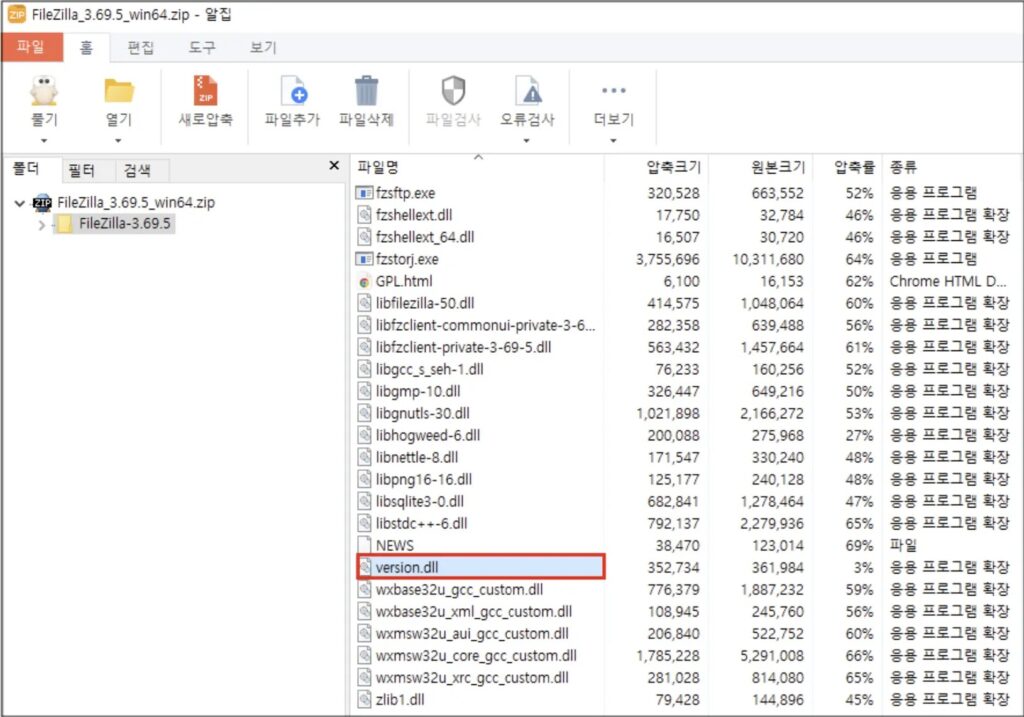
Once launched, the malicious package loads a rogue version.dll before Windows reaches the legitimate system library. Malwarebytes said the archive contained 918 files, but only one stood out as suspicious: version.dll, which should not appear inside a clean FileZilla portable folder.
The campaign goes beyond simple sideloading. Malwarebytes reported that the trojanized FileZilla build quietly contacts attacker-controlled servers through encrypted DNS traffic, helping the malware hide its network activity inside normal-looking HTTPS requests.
How the fake FileZilla attack works
Researchers say victims land on a fake FileZilla page that closely mimics the real project site, then download a tampered installer or archive. In the observed sample, the threat actor used a legitimate portable build of FileZilla 3.69.5 and inserted a malicious version.dll into the application folder. When the victim opens filezilla.exe, Windows loads that DLL first because of its standard search order behavior.
This gives the attacker code execution without breaking the visible app. To the user, FileZilla still opens and behaves normally, which lowers suspicion and gives the malware time to continue the infection chain.
The reporting around this campaign also describes a stealthy loader sequence that can keep later stages in memory rather than dropping obvious files to disk. That design makes detection harder for security tools that focus mainly on static files and traditional installer behavior.
Why this campaign matters
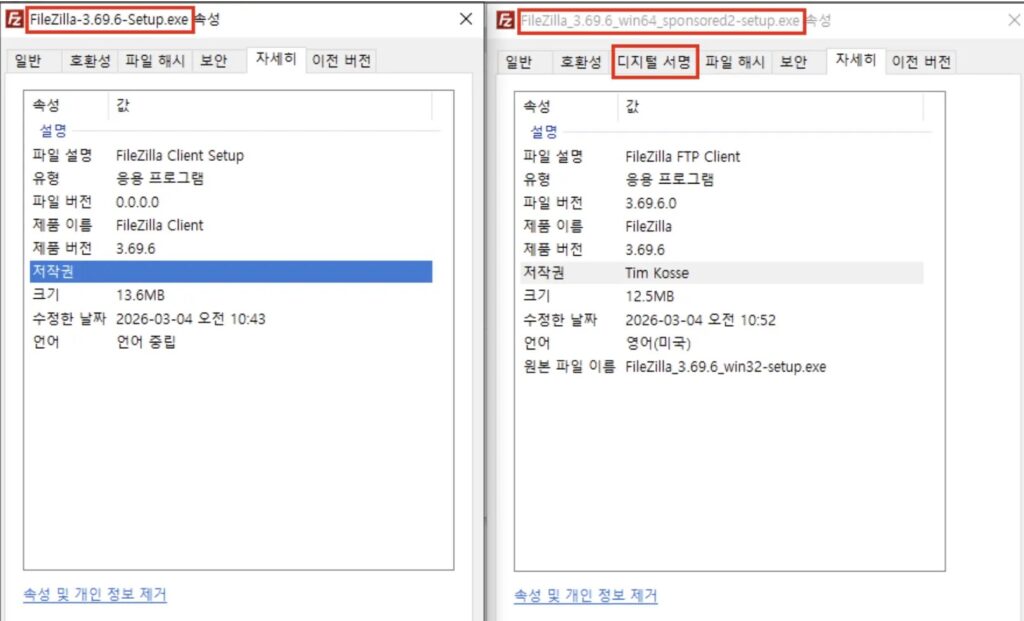
The biggest risk is trust abuse. FileZilla is a well-known open-source tool, so many users will not question a familiar download page or a normal-looking setup flow. That makes fake download infrastructure especially effective against home users, freelancers, developers, and IT staff who often install utilities quickly.
This campaign also fits a wider trend. Malwarebytes recently documented other cases where attackers abused trusted software brands and fake download pages to push malware, including fake 7-Zip downloads and fake productivity software installers.
Key details at a glance
| Item | Detail |
|---|---|
| Lure | Fake FileZilla download site |
| Real software abused | FileZilla 3.69.5 Portable |
| Main execution trick | DLL sideloading |
| Suspicious file | version.dll |
| Reported behavior | Hidden malware runs while FileZilla appears normal |
| Network trait | Encrypted DNS traffic to attacker-controlled infrastructure |
What users and admins should do
- Download FileZilla only from the official FileZilla project site.
- Treat lookalike domains and search-result download pages as high risk.
- Check the FileZilla folder for unexpected files such as
version.dll. - Monitor endpoints for DLL sideloading behavior and unusual outbound encrypted DNS activity.
- Reinstall the software from the official source if a user downloaded FileZilla from any unofficial site.
FAQ
The available reporting points to a fake lookalike domain, not the official FileZilla project website.
It uses DLL sideloading. Windows loads the malicious version.dll from the FileZilla folder before it loads the legitimate system DLL.
The app still appears to work normally, and the malware can use encrypted DNS traffic that blends into normal HTTPS activity.
Download FileZilla directly from the official project website and avoid unfamiliar mirrors, ads, or lookalike pages.


Read our disclosure page to find out how can you help VPNCentral sustain the editorial team Read more


Improve this guide
User forum
0 messages