
Fake Game Downloads Spread Amatera Stealer to Steal Passwords and Crypto Wallets


 7 min. read
  Published on
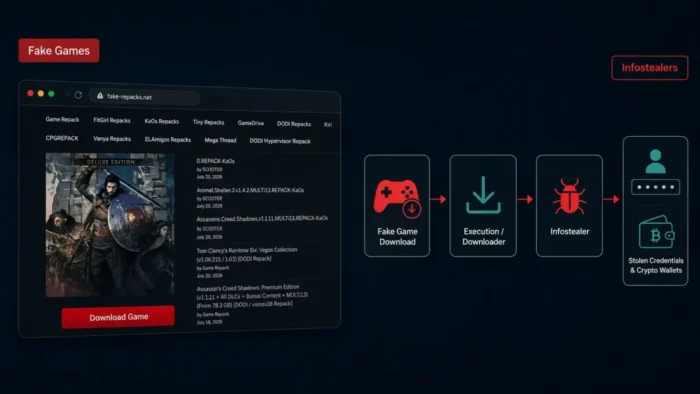
Cybercriminals are disguising Windows malware as free games, mods, cracks, and software installers. Opening one of these downloads can infect a computer with Amatera Stealer, which targets passwords, browser sessions, cryptocurrency wallets, messaging apps, extensions, and local files.
The campaign uses a multi-stage malware framework called RenPy Loader, also known as RenEngine Loader. According to a Malwarebytes threat intelligence report, the loader combines trusted development software, Windows utilities, encrypted files, and blockchain-based infrastructure to hide the infection.

Access content across the globe at the highest speed rate.
🔥 Save 81% + 2 bonus months! 🔥
70% of our readers choose Private Internet Access
70% of our readers choose ExpressVPN
2
Browse the web from multiple devices with industry-standard security protocols.
🔥 Save 73%! 🔥

Faster dedicated servers for specific actions (currently at summer discounts)
🔥 Save 69%! 🔥
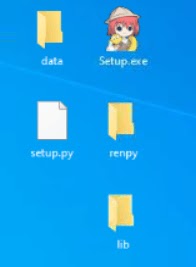
Victims may see a convincing loading or installation screen after launching Setup.exe. Meanwhile, the malware quietly extracts components, checks for security analysis systems, and begins downloading the final information-stealing payload.
Fake Games Hide a Multi-Stage Malware Infection
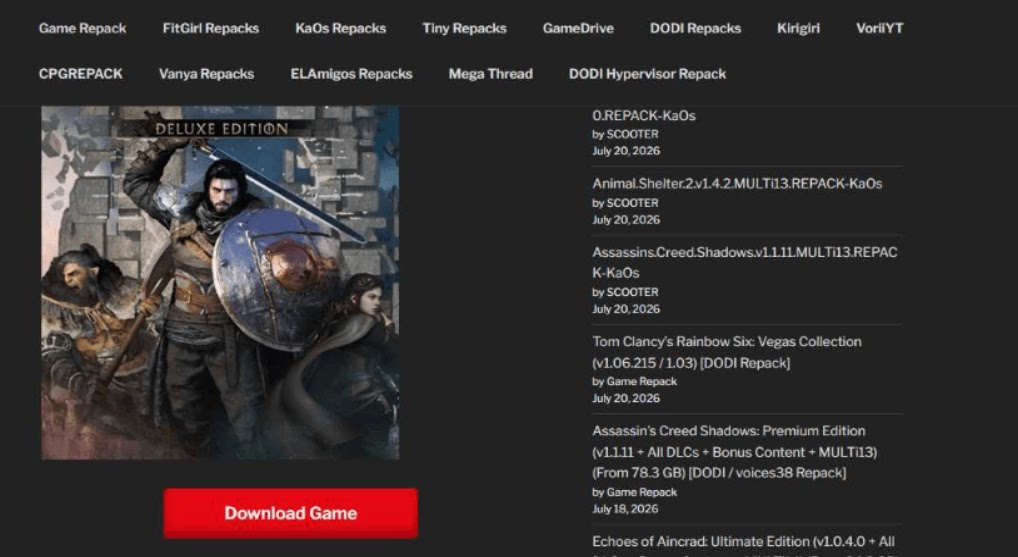
The attack begins with an archive promoted as a game, modification, crack, emulator, or another popular download. Researchers found malicious files on fake download pages, gaming portals, Google Drive, MEGA, GoFile, Wormhole, and other file-sharing services.
Some download buttons redirect visitors through several unrelated websites before presenting the archive. These pages use different designs and invented service names, making it harder for visitors to recognize that the sites belong to the same campaign.
The archive contains a malicious Setup.exe file built around Ren’Py. The official Ren’Py website describes the software as a free, open-source engine for creating visual novels, interactive stories, and simulation games.
| Infection stage | What happens |
|---|---|
| Initial download | The victim downloads a fake game, mod, crack, emulator, or software archive. |
| Setup.exe execution | A convincing installer appears while RenPy Loader runs malicious code in the background. |
| Archive extraction | The loader checks for analysis environments, decrypts a ZIP archive, and extracts files into a randomly named temporary folder. |
| Windows utility abuse | Forfiles.exe launches a batch file, which invokes MSBuild to process a malicious project. |
| Blockchain lookup | The GollopDevest downloader uses EtherHiding to obtain its command-and-control address from blockchain data. |
| Amatera execution | Additional components decrypt and load Amatera Stealer on the compromised computer. |
How RenPy Loader Conceals Its Activity
Ren’Py supports Python scripting for complex game logic. The attackers place malicious Python-enabled content inside a package that resembles a legitimate game or installer. This makes the download more believable without exploiting a security flaw in the engine.
During the analyzed infection, the loader read an encrypted configuration file, checked whether it was running inside a sandbox, and decrypted a password-protected ZIP archive. It then wrote the extracted files to a temporary Windows directory.
The malware also removed Mark of the Web information from the extracted files. Windows normally uses this information to identify files downloaded from the internet and display appropriate security warnings.
Ren’Py remains legitimate software used by game developers worldwide. Users who need the engine should obtain it through the official Ren’Py project or another verified source, rather than third-party download pages.
Attackers Abuse MSBuild to Run Malicious Code
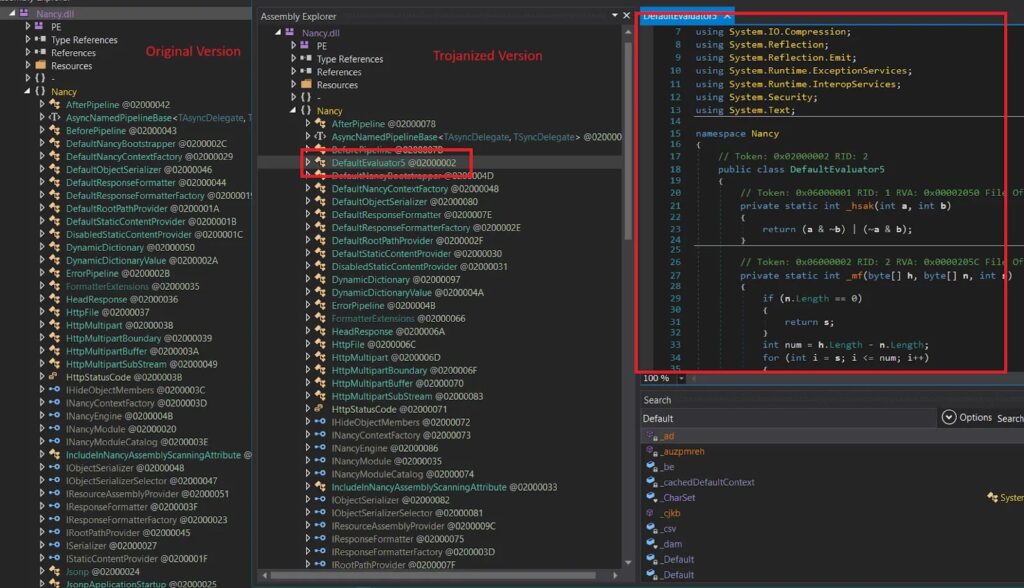
After extracting its components, RenPy Loader uses forfiles.exe to rename and execute a batch file. That batch file launches MSBuild with a malicious project containing a trojanized version of the Nancy .NET library.
MSBuild is a legitimate Microsoft development utility. However, attackers can use its inline task support to compile and execute embedded code. The MITRE ATT&CK MSBuild technique page classifies this behavior as trusted developer utility proxy execution.
The altered Nancy library decrypts strings, changes network-related settings, performs anti-forensics activity, and loads another component from the project file. Using a trusted Windows binary can help malicious activity blend into normal system operations.
EtherHiding Leads to Amatera Stealer
The next component, GollopDevest.dll, uses a technique called EtherHiding. Instead of storing a fixed command-and-control address directly in the malware, it retrieves encrypted server information through a blockchain request.
Blockchain data offers attackers a resilient place to store configuration details. Security teams cannot remove that data as easily as content hosted on a conventional compromised server. Attackers can also update the retrieved information to redirect malware toward new infrastructure.
GollopDevest then downloads three more components. These include two obfuscated .NET DLLs and a C++ DLL called LanoseThrip, which ultimately decrypts and loads Amatera Stealer.
The RenPy Loader investigation also notes that earlier campaigns delivered HijackLoader and Lumma Stealer. This means operators can replace Amatera with other payloads depending on their objectives.
What Amatera Stealer Can Collect
Amatera focuses on information that criminals can quickly convert into account access or money. Browser cookies and session data are particularly valuable because they may allow attackers to enter an account without typing the victim’s password again.
- Passwords and other information saved in web browsers
- Authentication cookies and active browser sessions
- Cryptocurrency wallets and wallet browser extensions
- Messaging application data
- Installed browser extensions
- Selected files stored on the local computer
Stolen browser data can expose email, social media, cloud storage, financial accounts, and workplace services. Cryptocurrency theft can cause immediate losses, while stolen business sessions may give attackers access to internal systems.
Users should therefore reset exposed passwords from a clean device, revoke active sessions, and review wallet activity if they opened a suspicious installer. Moving remaining cryptocurrency to a newly secured wallet may also become necessary.
How to Avoid Fake Game Malware
Users should download games through official publisher websites and established platforms. Cracks, unofficial repacks, cheat tools, and unknown mod installers carry a much higher risk because attackers can alter their contents before distribution.
- Avoid downloads that pass through several unrelated websites.
- Do not disable antivirus protection to run an installer.
- Check the publisher and digital signature before opening an executable.
- Scan downloaded archives and executable files before launching them.
- Keep Windows, browsers, and security software updated.
- Use a password manager instead of storing sensitive passwords in a browser.
- Enable multifactor authentication wherever possible.
- Revoke active sessions after any suspected information-stealer infection.
A professional-looking setup window does not prove that an installer is safe. File-sharing platforms also do not guarantee that an uploaded archive has come from the developer named on the download page.
What Security Teams Should Monitor
Organizations can reduce exposure by restricting unauthorized games and software, blocking known malicious infrastructure, and monitoring downloads from unapproved file-sharing services.
Security teams should investigate unusual instances of Setup.exe launching forfiles.exe, batch files, or MSBuild. MITRE’s guidance on detecting malicious MSBuild activity recommends examining abnormal parent processes, project files, command-line arguments, and network connections.
Responders should isolate affected computers, preserve suspicious archives, terminate active sessions, and reset passwords from a clean system. They should also examine whether stolen credentials gave the attackers access to other accounts or corporate services.
Selected Indicators of Compromise
The indicators below come from the analyzed campaign. Domains and IP addresses have been defanged to prevent accidental connections. Security teams should investigate them alongside process activity and other contextual evidence.
| Type | Indicator | Description |
|---|---|---|
| Domain | downpro[.]net | Fake download website |
| Domain | getgamerfree[.]com | Fake download website |
| Domain | fullgames[.]digital | Fake download website |
| Domain | citronemu[.]com | Fake download website |
| Domain | filemodo[.]xyz | Distribution infrastructure |
| Domain | login[.]orbitalframework[.]cc | Amatera Stealer command-and-control server |
| IP address | 144[.]124[.]251[.]171 | Additional payload delivery |
| IP address | 195[.]63[.]140[.]33 | Additional payload delivery |
| IP address | 78[.]40[.]196[.]252 | Additional payload delivery |
| MD5 | 29203ca123d51b1b33505a0813d360df | Trojanized first-stage loader |
| MD5 | 810F257542018BE0FC62AF542D13D012 | GollopDevest downloader |
| MD5 | 681DB529E402467A4B0567C82A350FC0 | PavinWride anti-analysis component |
| MD5 | 2E116632248A7E1F8AA6BCA92D9C1C90 | GollopDevest loader |
| MD5 | F8453EFE408CE25B9484F872797E3D63 | Final payload |
FAQ
Yes. Malicious game installers can deploy information stealers that collect saved passwords, browser sessions, wallet information, messaging data, and local files.
RenPy Loader is a multi-stage malware framework that abuses packages built with the legitimate Ren’Py game engine to conceal malicious Python-enabled content and deliver additional malware.
No. Ren’Py is a legitimate, open-source engine for creating visual novels and interactive games. Attackers package malicious code with the technology, but researchers did not identify a vulnerability in Ren’Py itself.
Amatera Stealer targets browser passwords, cookies, active sessions, cryptocurrency wallets, wallet extensions, messaging applications, browser extensions, and files stored on the infected computer.
Disconnect the computer from the network, run a trusted security scan, reset passwords from a clean device, revoke active sessions, check financial accounts and cryptocurrency wallets, and investigate any unfamiliar activity.


Read our disclosure page to find out how can you help VPNCentral sustain the editorial team Read more


Improve this guide




User forum
0 messages