
First Malicious Outlook Add-In Found Stealing Over 4,000 Microsoft Account Credentials


 5 min. read
  Published on

Cybersecurity researchers have uncovered what appears to be the first ever malicious add-in for Microsoft Outlook discovered in the wild. The add-in was hijacked and used in a phishing campaign that stole more than 4,000 Microsoft account credentials, credit card numbers, and other sensitive information.
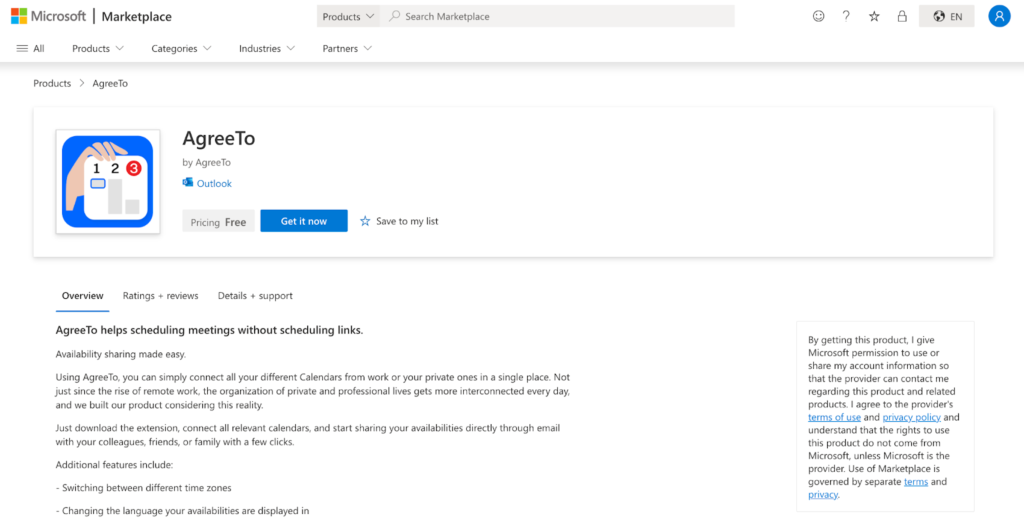
The incident, tracked by supply-chain security firm Koi Security, involved a legitimate Outlook add-in called AgreeTo. This add-in was originally developed as a tool to connect calendars and share availability inside Outlook. However, after the original developer abandoned the project, the add-in’s backend URL was reclaimed by attackers and repurposed to host a phishing kit.

Access content across the globe at the highest speed rate.
70% of our readers choose Private Internet Access
70% of our readers choose ExpressVPN

Browse the web from multiple devices with industry-standard security protocols.

Faster dedicated servers for specific actions (currently at summer discounts)
Experts have named this supply-chain compromise AgreeToSteal. It shows how attackers can weaponize trusted components inside widely used productivity platforms.
How the Attack Worked
Office add-ins in Microsoft 365 are not static code packages. Instead, they point to a remote URL that is loaded inside Outlook when the add-in is opened. This URL delivers content in real time into the app’s interface.
In the AgreeTo case:
- The add-in AgreeTo pointed to a URL hosted on outlook-one.vercel.app.
- The original developer abandoned the project in 2023.
- The Vercel URL became unclaimed and was taken over by a threat actor.
- The attacker placed a phishing page at that URL that looked like a real Microsoft login screen.
- When Outlook users launched the add-in, they saw this fake page and trusted it because it ran inside a trusted application and store.
Once victims entered their credentials, the phishing page sent the information to the attackers using a Telegram bot API. After that, the page redirected users to the real Microsoft login page to avoid suspicion.
According to the Koi researchers: “This is the first known malicious Microsoft Outlook add-in detected in the wild.”
Scale and Impact
Koi Security was able to access the attacker’s exfiltration channel and confirm the scale of the operation. They reported:
- Over 4,000 stolen Microsoft account credentials.
- Stolen credit card numbers.
- Stolen banking security answers and other personal data.
- Evidence that the attacker was actively testing credentials at the time of analysis.
Security analysts say the attack could have been even worse. The add-in was configured with ReadWriteItem permissions, which would allow it to read or modify user emails if the attacker chose to deploy a more advanced JavaScript payload.
Why This Attack Succeeded
The incident exploits a structural blind spot in Microsoft’s Marketplace process:
- Microsoft reviews and signs the manifest URL when an add-in is submitted.
- There is no ongoing verification of the content that the URL serves.
- If the URL changes hands or serves malicious content later, the Marketplace does not automatically re-review it.
Office add-ins run inside Outlook’s interface, which gives them a level of implicit trust. When a malicious page loads inside Outlook, users are more likely to trust it than a standalone phishing site.
Cybersecurity researchers have highlighted that this form of attack is similar in principle to what has been seen with browser extensions, npm packages, and other plugin ecosystems. Trusted distribution channels can become risky if the remote content they load is not continually verified.
Office add-ins run inside Outlook’s interface, which gives them a level of implicit trust. When a malicious page loads inside Outlook, users are more likely to trust it than a standalone phishing site.
Cybersecurity researchers have highlighted that this form of attack is similar in principle to what has been seen with browser extensions, npm packages, and other plugin ecosystems. Trusted distribution channels can become risky if the remote content they load is not continually verified.
What Users and Administrators Should Do
Security professionals recommend the following steps now that this threat has emerged:
Immediate Actions
- Remove the AgreeTo add-in from Outlook if installed.
- Reset Microsoft account passwords and enable multi-factor authentication.
- Revoke active sessions and refresh security contact info via Microsoft account settings.
For Enterprises
- Review all installed Office add-ins and their permissions.
- Block or audit add-ins that require high-level permissions such as ReadWriteItem.
- Use endpoint monitoring to detect suspicious in-app content loads.
Long-Term Measures
- Advocate for continuous manifest content re-verification by marketplace providers.
- Consider restricting add-in installs to trusted internal libraries.
FAQ: Outlook Add-In Phishing Attack
A Microsoft Office add-in is a small application that runs inside Office apps like Outlook. It points to a remote URL from which content is loaded each time the add-in is opened.
The attacker took control of an abandoned URL referenced by the add-in’s manifest and deployed a phishing page that captured user credentials.
Researchers verified that over 4,000 Microsoft account credentials were stolen.
The attacker also collected credit card numbers and banking security answers from victims.
Yes. Security experts say this is the first known case of a harmful Outlook add-in found in the wild.


Read our disclosure page to find out how can you help VPNCentral sustain the editorial team Read more


Improve this guide



User forum
0 messages