
Google now lets some users change their @gmail.com address without creating a new account


 5 min. read
  Published on
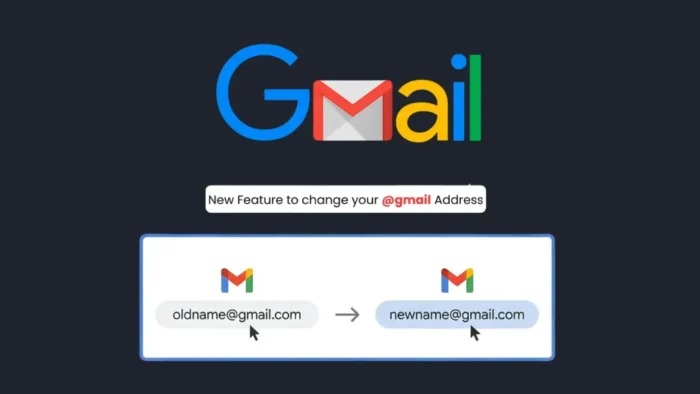
Google has finally made it possible for eligible users to change the main @gmail.com address tied to their existing Google Account. That means people who want to move on from an old username can now switch to a new Gmail address without creating a separate account and moving their data manually.
The feature does not wipe your account history. Google says your photos, messages, emails, Drive files, and other saved account data stay in place after the change. Your old Gmail address also becomes an alternate email, so messages sent to both the old and new addresses will still reach your inbox.
This is a major change for Gmail users because Google had long treated a Gmail username as permanent. In the past, users often had to open a brand-new account and then rely on forwarding, exports, and manual updates across services if they wanted a more professional or updated address.
What changes after you update your Gmail address
Google says the new address becomes your main Google Account email, which is the address you use to sign in to Google services and the one people may see when you share files, send invites, or use Sign in with Google. That makes this more than a cosmetic change. It affects how your account appears across Google’s ecosystem.
At the same time, Google is not removing the old identity completely. The company says your previous Gmail address remains attached to the account as an alternate email, and you can still sign in with either the old or new address on services such as Gmail, Maps, YouTube, Google Play, and Drive.
There are also limits. Google says you can switch back to your previous Gmail address at any time, but you can only create a new @gmail.com address once every 12 months and only three times total. You also cannot delete the newly created Gmail address after the change.
How to change your Google Account email
Google says users who have access to the feature can start at the Google Account email settings page inside their account. From there, users open the Personal info section, select Email, then choose Google Account email and look for the option called Change Google Account email. If that option does not appear, the feature may not be available on that account yet.
Once the option appears, Google asks users to review possible issues before they continue. The company specifically warns that the change can affect Chromebooks, Sign in with Google connections, Chrome Remote Desktop, and some app settings. Google also recommends backing up data as a precaution before making the switch.
After that, users can enter a new Gmail username, confirm the change, and follow the on-screen steps. When the process is complete, the account gets a new primary Gmail address while the old one stays available as an alternate.
Things users should know before switching
This change does not rewrite history everywhere. Google says some older records will still show the old address, including Calendar events created before the switch. That means the update works going forward, but it does not fully erase every trace of the original username from past activity.
Google also says users cannot change punctuation in the same username just to add or remove dots. If the characters stay the same, Gmail already treats those dotted and undotted versions as aliases for receiving mail. Users who want to send from one of those variants have to handle that separately as an alias setup, not as a full account email change.
Availability remains an important detail. Google’s blog says the feature is available now for all Google Account users in the U.S., while the Help page says the rollout is gradual and may not be visible to every user yet. That likely reflects a staged rollout with some account-level differences still in place.
Key details at a glance
- Eligible users can change an existing
@gmail.comaddress to a new@gmail.comaddress on the same account. - The old Gmail address becomes an alternate email.
- Emails sent to both old and new addresses still arrive in the same inbox.
- Users can sign in with both addresses after the change.
- A new Gmail address can be created only once every 12 months and only three times total.
- Some app settings may reset, and some older references to the old address will remain visible.
FAQ
Yes, Google now allows eligible users to change a Google Account email that ends in @gmail.com to a new @gmail.com address.
Yes. Google says saved account data such as photos, messages, and earlier emails stays in the account after the change.
Yes. Google says mail sent to both the old and new Gmail addresses will still appear in your Gmail inbox.
No. Google says you can create a new Gmail address only once every 12 months and only three times total.


Read our disclosure page to find out how can you help VPNCentral sustain the editorial team Read more


Improve this guide




User forum
0 messages