
Malicious Browser Extensions Target ChatGPT, Claude, Copilot, Gemini, DeepSeek, and Other AI Users


 9 min. read
  Published on
Security researchers are warning that several browser extensions are collecting AI chat conversations from users of ChatGPT, Claude, Copilot, Gemini, DeepSeek, and other popular AI platforms. The extensions appear to offer useful AI, VPN, sidebar, or productivity features while quietly capturing sensitive browser activity in the background.
G DATA detailed the latest findings in its browser add-on research, naming Urban VPN, Smart Sidebar: ChatGPT, Claude & DeepSeek, and AI Assistant, now called Chat AI, as extensions with concerning behavior. The report says the tools can collect conversations users hold with AI services and send data outside the browser.

Access content across the globe at the highest speed rate.
70% of our readers choose Private Internet Access
70% of our readers choose ExpressVPN

Browse the web from multiple devices with industry-standard security protocols.

Faster dedicated servers for specific actions (currently at summer discounts)
The risk is significant because users often share private questions, business information, code, health details, legal drafts, financial plans, and internal documents with AI tools. A browser extension with access to those sessions can turn normal AI use into a data-leak channel.
Why AI Browser Extensions Are A Growing Target
AI browser extensions have become popular because they promise faster access to chatbots, writing tools, summaries, translation, coding help, and sidebar assistants. That popularity creates a large target for attackers and risky publishers.
G DATA says AI-related Chrome extensions had an estimated 115 million users as of March 2026, based on Chrome Statistics 2026. The larger the install base, the more valuable a single extension becomes if it can read page content or intercept requests.
Microsoft has also warned about this trend. In a Microsoft Defender report, the company said malicious Chromium-based AI assistant extensions harvested LLM chat histories and browsing data, with activity seen across more than 20,000 enterprise tenants.
Key Details At A Glance
| Main threat | Browser extensions collecting AI chat content and related browsing data |
| Platforms targeted | ChatGPT, Claude, Copilot, Gemini, DeepSeek, Grok, Meta AI, Perplexity, and others |
| Extensions named by researchers | Urban VPN, Smart Sidebar: ChatGPT, Claude & DeepSeek, and AI Assistant or Chat AI |
| Data at risk | AI prompts, AI responses, conversation IDs, timestamps, page content, URLs, and user preferences |
| Common technique | Script injection, request interception, DOM monitoring, data encoding, and iframe-based collection |
| Main user risk | Exposure of personal, business, medical, financial, legal, and technical data |
Urban VPN Collected AI Chat Activity In The Background
Urban VPN is the most widely known extension named in the latest research. G DATA says version 5.10.3 contained a JavaScript file called content.js that targeted conversations across AI platforms including ChatGPT, Claude, Copilot, DeepSeek, Gemini, Grok, Meta AI, and Perplexity.
That finding builds on earlier Koi Security research, which said Urban VPN Proxy collected AI conversations from millions of users and shared browsing data with BiScience, a related data broker company. Koi said the collection worked even when the VPN feature was not connected.
This detail matters because users may assume a VPN extension only affects network privacy. In this case, the concern centers on browser-level access to AI conversations, not just VPN tunneling.
Smart Sidebar Captured ChatGPT And DeepSeek Conversations
Smart Sidebar: ChatGPT, Claude & DeepSeek used a different approach. G DATA says version 1.9.6 included an aiResponder.js file under a gptprocessor directory, which watched for ChatGPT and DeepSeek activity in the browser.
The extension monitored newly added chat elements, waited until responses were rendered, then extracted user input and AI replies. The collected data included a unique chat ID, the AI platform used, a timestamp, and the full conversation.
The G DATA analysis says Smart Sidebar sent the encoded data through POST requests to deepaichats[.]com. The payload was encoded in Base64, which does not provide real security but helps move structured data through text-based web requests.
Chat AI Used Remote Iframe Injection
The third extension, AI Assistant, now called Chat AI, used a remote iframe approach. G DATA says version 3.3.4 embedded a remote chat interface through index.js and used chrome.storage.local to load and save user preferences such as language, theme, and usernames.
This behavior aligns with earlier LayerX reporting on AI assistant extensions that used iframes to load interface and logic from external servers. The concern is that remote iframe designs can let an extension change behavior without going through the same visible review path users expect from a store-hosted update.
A featured badge, rating, or large install count should not be treated as proof that an extension is safe. Chrome Web Store review can reduce risk, but it cannot remove the need to check permissions, publisher history, and actual behavior.
Why This Data Is So Sensitive
AI conversations often contain more sensitive information than normal search queries. Users ask AI systems to rewrite legal letters, analyze medical symptoms, summarize confidential documents, debug private code, review financial details, and draft internal business plans.
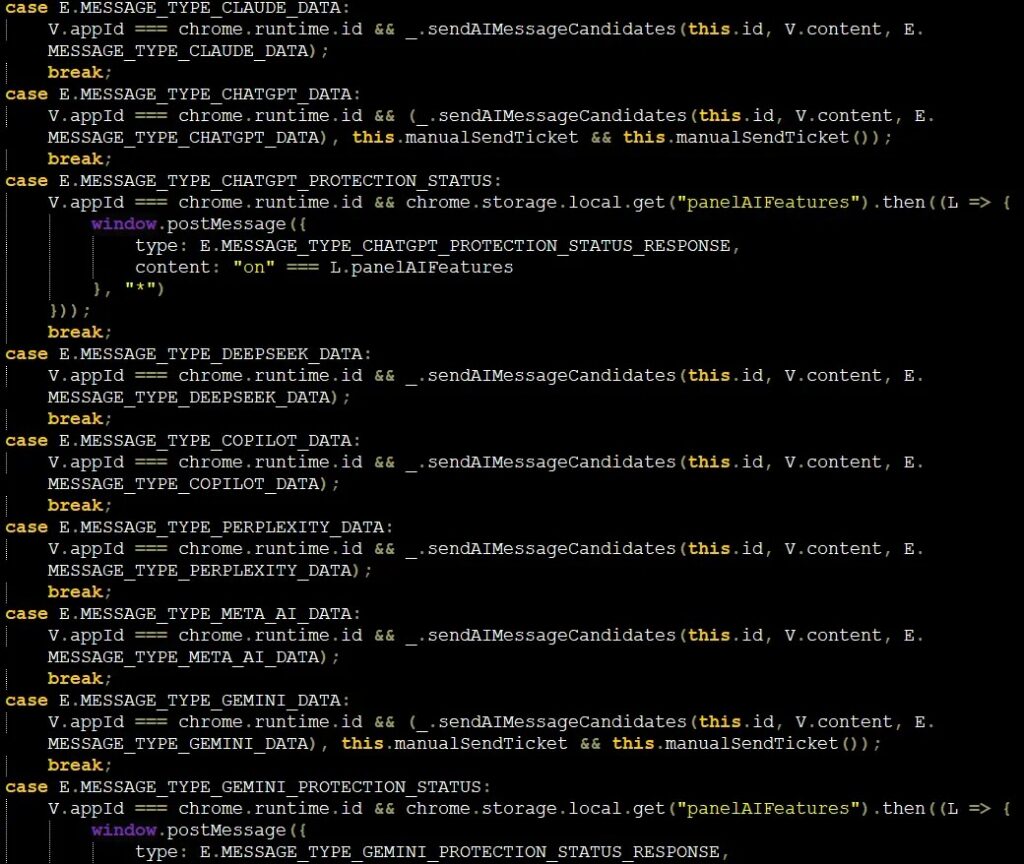
Microsoft’s malicious AI extension analysis warned that collected LLM chat content can expose proprietary code, internal workflows, strategic discussions, and other confidential information. That risk grows in companies where employees install extensions without central approval.
For attackers, AI chats can also help build better phishing campaigns. A stolen conversation may reveal names, projects, suppliers, customer details, contract terms, travel plans, and internal concerns.
How Browser Extensions Can See AI Chats
Browser extensions often request permission to read and change data on websites. That permission can support useful features, such as summarizing a page or adding a sidebar. It can also allow the extension to see content on pages where a user enters sensitive data.
Google’s Chrome extension permissions documentation says permissions help limit damage if an extension becomes compromised by malware, and some permissions trigger user warnings before installation or at runtime.
The problem is that users often approve permissions quickly. Once installed, an extension can update automatically, run in the background, and operate across multiple AI sites if its permissions allow it.
Indicators Of Compromise
| Type | Indicator | Description |
| SHA256 | 524C953E23FF8B768206CF33A529C11AC5510E47CBF6246DB79EE671D1231716 | Urban VPN content.js hash reported by G DATA |
| Extension ID | eppiocemhmnlbhjplcgkofciiegomcon | Urban VPN Chrome extension ID reported by G DATA |
| Detection | Script.Trojan-Stealer.AIStealer.08LJNB | Urban VPN detection name reported by G DATA |
| SHA256 | C984787CCD787629542DA68302ED4CEB48FC7E458EAB1C15BF45C3070883D26A | Smart Sidebar aiResponder.js hash reported by G DATA |
| Extension ID | fnmihdojmnkclgjpcoonokmkhjpjechg | Smart Sidebar Chrome extension ID reported by G DATA |
| Detection | Script.Trojan-Stealer.AIStealer.8HGRSW | Smart Sidebar detection name reported by G DATA |
| SHA256 | F8CBE44FDE6914BC8D06426C03C92ED536C891470292E567A586B54AF29C2442 | Chat AI index.js hash reported by G DATA |
| Detection | Script.Trojan.AiFrame.703FYD | Chat AI detection name reported by G DATA |
| Domain | deepaichats[.]com | Reported exfiltration endpoint tied to Smart Sidebar |
| URL | hxxps://deepaichats[.]com/ext/aimodel | Reported POST destination for stolen AI chat data |
What Users Should Do Now
Users should review all installed browser extensions, especially AI assistants, VPNs, sidebars, translators, summarizers, and tools that ask for access to every site. Remove any extension that is not clearly needed.
Chrome’s Safety Check feature can help review privacy and security problems, including potentially risky extensions. Users should also check extension permissions manually because a tool may ask for more access than its main feature needs.
- Open the browser’s extensions page and remove unused add-ons.
- Check which extensions can read and change data on all websites.
- Do not install AI assistants from unknown publishers.
- Use official AI services directly when handling sensitive information.
- Avoid entering company secrets, passwords, medical records, or financial data into AI tools through third-party extensions.
- Change passwords if a suspicious extension had access to sensitive accounts.
- Enable multi-factor authentication on important accounts.
What Organizations Should Do
Companies should not rely only on user judgment. Employees often install extensions because they look helpful, have good ratings, or carry official-looking badges.
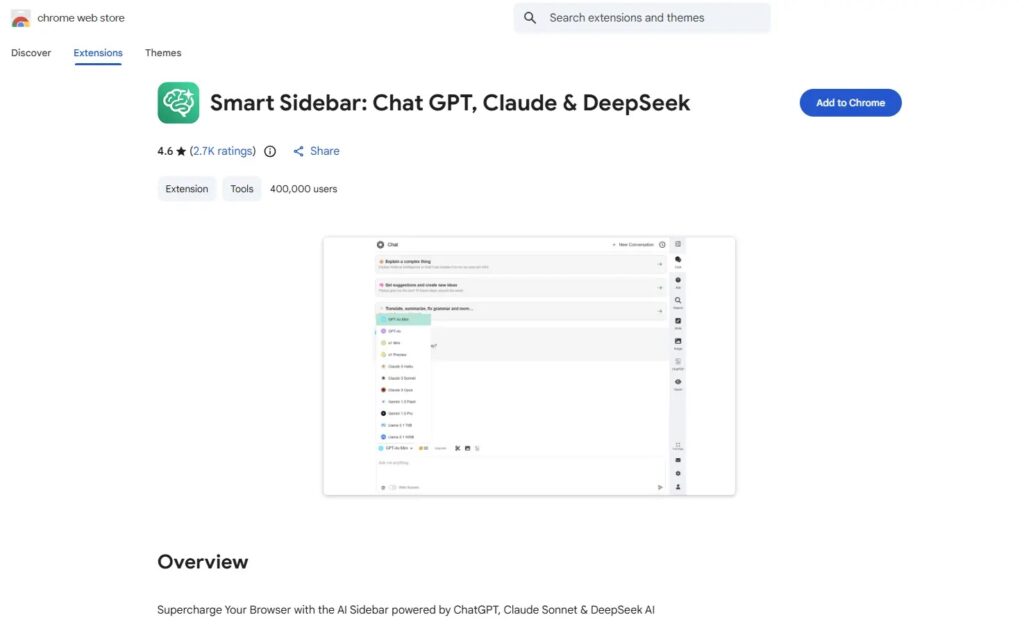
Google’s Chrome Web Store review process says reviews help protect users from scams, data harvesting, malware, and malicious actors. However, the repeated discovery of risky AI-themed extensions shows why enterprises still need their own controls.
- Create an allowlist for approved browser extensions.
- Block extensions that can access sensitive AI, email, finance, CRM, source code, and cloud console sites.
- Monitor extension inventory across Chrome and Edge.
- Review extension updates, not only first installs.
- Restrict extensions with broad host permissions.
- Train employees to treat AI chat history as sensitive data.
- Investigate outbound traffic to unknown domains from browser processes.
How To Use AI Tools More Safely
The safest approach is to use official AI platforms directly, without a third-party extension sitting between the user and the service. This reduces the number of components that can inspect prompts and responses.
Users should also separate personal AI use from business AI use. A personal extension installed on the same browser profile as work accounts can create unnecessary exposure, especially if that profile also accesses email, code repositories, cloud dashboards, or internal documents.
Chrome’s browser safety tools and Google’s extension permission guidance can help users understand what extensions can do, but they do not replace good extension hygiene. Fewer extensions mean fewer chances for a silent data leak.
Why Ratings And Badges Are Not Enough
Good ratings, high install counts, and store badges can create trust, but they do not guarantee that an extension’s behavior matches user expectations. Extensions can also change behavior after an update.
The earlier Koi report on Urban VPN said the AI chat harvesting was added through an update in 2025. That is a reminder that a safe-looking extension today may become risky later if ownership, code, permissions, or business incentives change.
For enterprises, the answer is policy and monitoring. For individual users, the answer is caution and regular cleanup. Any extension that can read AI chats should earn that level of trust before it stays installed.
FAQ
Researchers reported targeting of AI platforms including ChatGPT, Claude, Copilot, Gemini, DeepSeek, Grok, Meta AI, Perplexity, and others, depending on the extension and collection script.
G DATA named Urban VPN, Smart Sidebar: ChatGPT, Claude & DeepSeek, and AI Assistant, now called Chat AI, as extensions with concerning AI chat collection behavior.
The reported extensions can collect AI prompts, AI responses, conversation IDs, timestamps, URLs, page content, browser storage data, and user preferences, depending on their permissions and code.
Users should remove unused extensions, avoid unknown AI assistant add-ons, review permissions, use official AI sites directly, run Chrome Safety Check, and avoid entering sensitive personal or company data through third-party extensions.
Companies should maintain an extension allowlist, block high-risk permissions, monitor browser extension inventory, review extension updates, restrict access to sensitive AI and business sites, and train employees to treat AI chat content as confidential data.


Read our disclosure page to find out how can you help VPNCentral sustain the editorial team Read more


Improve this guide


User forum
0 messages