
Microsoft Defender for Office 365 Teams URL Protection Now Live


 3 min. read
  Published on
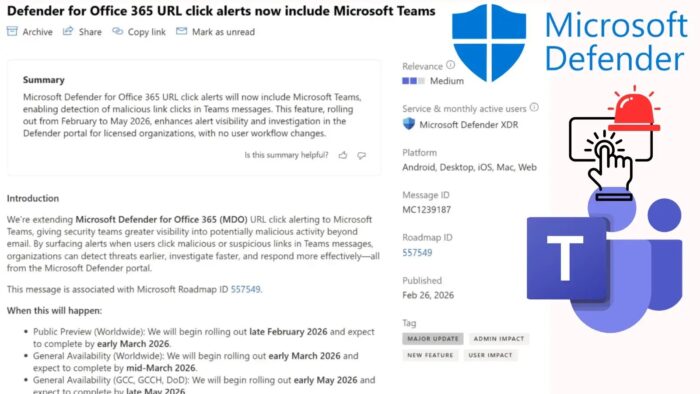
Microsoft Defender for Office 365 now protects Microsoft Teams from malicious URL clicks. Security teams receive instant alerts when users click dangerous links in Teams chats, channels, and meetings. Previously limited to email, this feature gives SOC analysts full visibility across collaboration platforms. It rolls out automatically to eligible tenants starting late February 2026.
Attackers increasingly target Teams for phishing and malware. They share malicious links that bypass traditional filters. Defender scans clicked URLs in real-time and reviews 48-hour click history. Alerts include the exact Teams message as evidence for faster investigations.
Two alerts trigger automatically:
- “A user clicked through to a potentially malicious URL”
- “A potentially malicious URL click was detected”
The feature carries Microsoft Roadmap ID 557549 and Message Center ID MC1239187. No admin configuration needed.
Coverage and Platforms
Defender monitors all Teams interaction types across platforms.
| Teams Area | Protected Now | Platforms Supported |
|---|---|---|
| Private Chats | All URL clicks | Android, iOS, Mac, Web, Windows |
| Shared Channels | Channel message links | All desktop and mobile clients |
| Meeting Chats | In-meeting shared URLs | Teams desktop and web apps |
Alerts appear on the Defender portal Alerts page with Teams message context. Incidents correlate Teams and email threats automatically.
Rollout Schedule
Microsoft deploys in phases for stability:
| Phase | Start Date | End Date | Regions |
|---|---|---|---|
| Public Preview | Late Feb 2026 | Early Mar 2026 | Worldwide |
| General Availability | Early Mar 2026 | Mid Mar 2026 | Commercial tenants |
| Government Clouds (GCC) | Early May 2026 | Late May 2026 | GCC, GCCH, DoD |
Required Licenses:
- Microsoft Defender for Office 365 Plan 2
- Microsoft 365 E5
SOC Investigation Workflow
New alerts provide rich context:
Alert Details Include:
- Teams message with malicious URL
- User who clicked the link
- Timestamp and client platform
- 48-hour click history
- Incident correlation with email threats
KQL Hunting Query:
AlertEvidence
| where Timestamp > ago(1h)
| where ServiceSource == "Microsoft Defender for Office 365"
| where EntityType == "Url"
| where Title has "Teams"
Query identifies recent Teams malicious clicks. Run in Defender XDR Advanced Hunting.
Limitations and Next Steps
Automated Investigation and Response (AIR) not supported yet for Teams alerts. Manual investigation required.
SOC Preparation Steps:
- Review alert volume expectations
- Update incident response playbooks
- Train analysts on Teams evidence
- Test KQL queries now
- Monitor rollout progress in Message Center
Feature enables automatically. No tenant configuration changes needed.
FAQ
Chats, shared channels, and meeting conversations.
Defender for Office 365 Plan 2, M365 E5.
Late February 2026 worldwide.
No, manual investigation only currently.
Microsoft Defender portal → Alerts page.


Read our disclosure page to find out how can you help VPNCentral sustain the editorial team Read more


Improve this guide



User forum
0 messages