
OpenClaw adds VirusTotal scanning to block malicious ClawHub skills


 6 min. read
  Updated on

OpenClaw has started scanning every skill published to ClawHub with VirusTotal, including VirusTotal’s “Code Insight” analysis. Skills that get a benign verdict can be auto-approved, suspicious ones are shown with a warning, and anything marked malicious is blocked from download. OpenClaw also says it re-scans active skills daily to catch skills that turn bad after an update.
According to Google-backed VirusTotal, this move comes after researchers and incident writeups showed that attackers were using “skills” as a delivery mechanism for malware, often by publishing a harmless-looking skill that tells users to download and run something else during “setup.”

Access content across the globe at the highest speed rate.
70% of our readers choose Private Internet Access
70% of our readers choose ExpressVPN

Browse the web from multiple devices with industry-standard security protocols.

Faster dedicated servers for specific actions (currently at summer discounts)
OpenClaw’s goal here is simple: reduce supply-chain risk in the skill marketplace without waiting for every user to manually audit every skill folder.
What changed in ClawHub?
When a developer publishes a skill, OpenClaw now packages it in a deterministic ZIP, hashes it, and uses that fingerprint to look it up in VirusTotal.
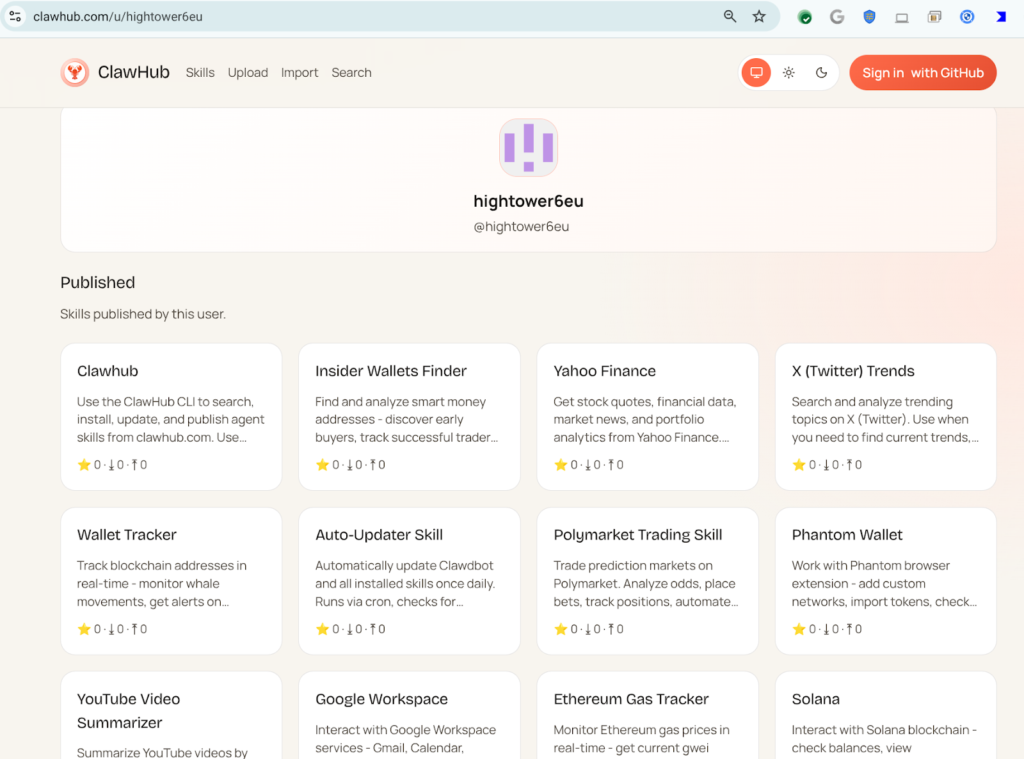
If VirusTotal does not already have results (or does not have a Code Insight verdict), ClawHub uploads the bundle for scanning and LLM-based analysis.
ClawHub scanning flow
| Step | What happens | Why it matters |
|---|---|---|
| Deterministic packaging | Skill files are bundled into a ZIP with consistent compression and timestamps, plus a _meta.json | Makes hashing stable and repeatable |
| SHA-256 hash | ClawHub computes a SHA-256 for the bundle | Creates a unique fingerprint for lookup |
| VirusTotal lookup | Hash is checked against VirusTotal | Fast results when already known |
| Upload for analysis | If not found, bundle is uploaded via VirusTotal API for scanning | Catches new or modified bundles |
| Code Insight review | Code Insight analyzes the full skill package starting from SKILL.md and referenced resources | Looks for risky behavior patterns, not just signatures |
| Verdict applied | Benign = approved, suspicious = warning, malicious = blocked | Gives users a clear signal |
| Daily re-scans | Active skills are re-scanned daily | Helps catch “clean today, bad tomorrow” cases |
What VirusTotal “Code Insight” is actually looking at
Traditional malware scanning can miss “documentation-only” skills that do not contain a payload, but still convince users to run one. Code Insight is meant to summarize what a skill does from a security point of view, including behaviors implied by the skill’s instructions and scripts.
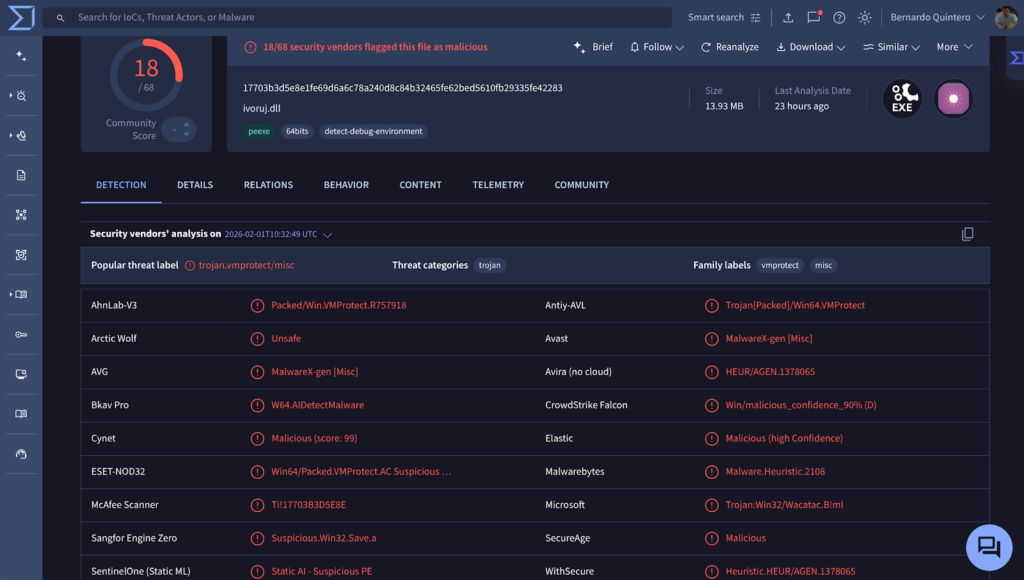
VirusTotal says it added native support for OpenClaw skill packages, and that it analyzes from SKILL.md outward, including referenced scripts and resources.
Code Insight commonly flags patterns like these:
- Downloading and executing remote code (curl/wget, PowerShell download cradles, installers)
- Obfuscated scripts (Base64 blobs, heavy string building, packed binaries)
- Access to sensitive locations (credential stores, browser profiles, SSH keys, API key files)
- Network operations that look like beacons or exfiltration
- Instructions that try to bypass user review (run this first, paste this command, disable security)
VirusTotal and OpenClaw partnership comes at the right moment
In a February 1, 2026 audit, Koi Security says it reviewed all 2,857 skills on ClawHub and found 341 malicious skills, with 335 linked to one large campaign it called “ClawHavoc.” Their writeup shows a repeated pattern: a skill looks legitimate, but the prerequisites instruct users to download a ZIP (sometimes with a password) or run a script hosted on a paste site.
Separately, VirusTotal’s own analysis says Code Insight had already analyzed more than 3,016 OpenClaw skills, and “hundreds” showed malicious characteristics, ranging from insecure coding to clearly malicious intent.
This is why OpenClaw chose an approach that covers the full marketplace workflow, not just manual reporting: hashing, automated scanning, behavior summarization, and repeat checks after publication.
OpenClaw-VirusTool integration is still not perfect for cybersecurity, as AI is changing rapidly
OpenClaw is also blunt that VirusTotal scanning is not perfect, especially when the “attack” is mostly language-based manipulation or cleverly hidden prompt injection.
| Threat type | Will VirusTotal scanning help? | Notes |
|---|---|---|
| Known malware in a bundle | Often yes | Signature and reputation checks work well here |
| Skills that bundle droppers or suspicious binaries | Often yes | Code Insight can surface risky behavior clues |
| Skills that mainly social-engineer users to run external code | Sometimes | Depends on what the instructions and referenced scripts reveal |
| Prompt injection payloads hidden in content the agent reads later | Not reliably | OpenClaw explicitly calls this out as a gap |
| Zero-days in OpenClaw itself | Not directly | This is marketplace hygiene, not platform hardening |
What you should do right now
VirusTotal signals are useful, but your real safety comes from how you run the agent and how you treat skills.
If you are an end user
- Prefer skills from publishers you already trust, even if a new skill shows “benign.”
- Treat any skill that asks you to run a downloaded binary or paste a terminal command as high risk.
- Run OpenClaw with least privilege where possible, and keep it away from credential stores and personal folders unless you truly need that access.
- If the platform offers sandboxing options, use them for third-party skills (especially ones that touch files or run commands)
If you publish skills
- Expect false positives and review any warnings quickly. OpenClaw says you can contact them if something is incorrectly flagged.
- Avoid “setup steps” that require remote execution. If you need dependencies, document them clearly and prefer package-managed installs with integrity checks.
- Make risky actions explicit in your docs (network access, file reads, token usage).
If you are a security or IT team
- Treat agent skills like a new class of marketplace software, similar to browser extensions and developer plugins.
- Watch for employees running agents with broad permissions outside IT visibility (shadow AI risk).
- Add controls around skill installation, outbound network access from agents, and secret storage on endpoints.
FAQ
It is safer than an unscanned marketplace, but it is not guaranteed safe. OpenClaw itself says scanning is one layer, and prompt injection can still bypass typical malware checks.
Skills that VirusTotal scanning marks as malicious are blocked from download. Benign can be approved, and suspicious can stay up with a warning label.
OpenClaw says active skills are re-scanned daily, which helps catch skills that change after initial publication.
Because skills often sit next to an agent that can execute commands, read files, and act across services. If you install a bad skill, the blast radius can be your whole workflow, not just a single app feature.


Read our disclosure page to find out how can you help VPNCentral sustain the editorial team Read more


Improve this guide


User forum
0 messages