
Splunk Enterprise Flaw Exposes Pre-Auth RCE Chain Through PostgreSQL Sidecar Service


 7 min. read
  Published on
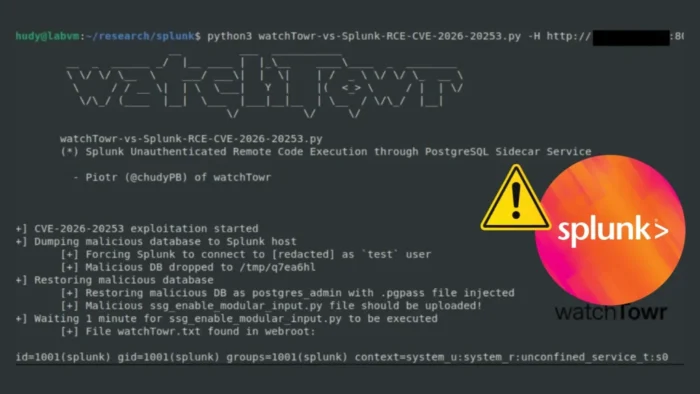
Splunk has patched a critical Splunk Enterprise vulnerability that can let unauthenticated attackers create or truncate files through a PostgreSQL sidecar service endpoint. The flaw is tracked as CVE-2026-20253 and carries a CVSS 3.1 score of 9.8.
The official issue is described as unauthenticated arbitrary file creation and truncation. However, watchTowr Labs showed how the same weakness can be chained into pre-authenticated remote code execution on vulnerable Splunk Enterprise systems.

Access content across the globe at the highest speed rate.
70% of our readers choose Private Internet Access
70% of our readers choose ExpressVPN

Browse the web from multiple devices with industry-standard security protocols.

Faster dedicated servers for specific actions (currently at summer discounts)
The vulnerability affects Splunk Enterprise 10.2.0 to 10.2.3 and 10.0.0 to 10.0.6. Splunk Enterprise 10.4, 9.4, and 9.3 are not affected, and Splunk says Splunk Cloud Platform is not affected because Postgres sidecars are not used there.
What CVE-2026-20253 does
CVE-2026-20253 exists because the PostgreSQL sidecar service endpoint lacks authentication controls. Splunk says any network-reachable user can invoke file operations without credentials on affected systems.
The vulnerable endpoint sits behind Splunk’s web service. Although the PostgreSQL sidecar listens on localhost, researchers found that requests could reach it through the main Splunk web interface on port 8000.
This breaks an important security assumption. A service that appears local-only can still become remotely reachable when an application proxy exposes internal routes.
| Vulnerability | Product | Severity | Affected versions | Fixed versions |
| CVE-2026-20253 | Splunk Enterprise | Critical, CVSS 9.8 | 10.2.0 to 10.2.3, 10.0.0 to 10.0.6 | 10.2.4, 10.0.7, or later |
How the attack reaches the PostgreSQL sidecar
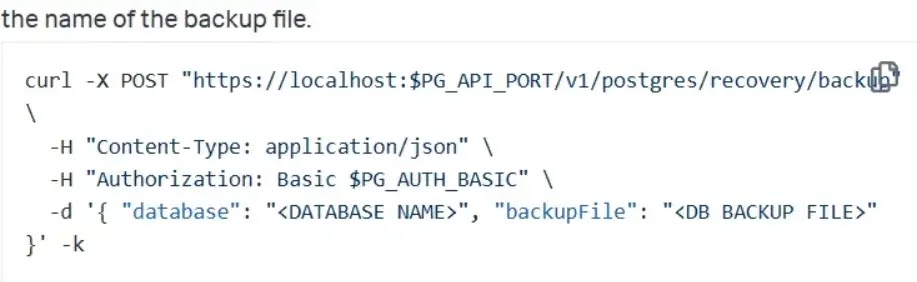
The attack centers on internal PostgreSQL recovery endpoints, including /v1/postgres/recovery/backup and /v1/postgres/recovery/restore. watchTowr showed that these routes could be reached through the Splunk web application path /splunkd/__raw/.
The backup endpoint accepts parameters such as database and backupFile. Because authentication was not enforced properly, attackers could submit requests with empty or arbitrary credentials and still trigger file operations.
The first confirmed impact is arbitrary file creation and truncation. By manipulating the backup file path, an attacker can use directory traversal to create or clear files in unexpected locations under the permissions of the Splunk process.
Why researchers say it can become RCE
At first, arbitrary file creation may look less severe than full code execution. The impact becomes much worse when the backup and restore behavior is chained with PostgreSQL features.
watchTowr found that the database parameter could be treated as a PostgreSQL connection string. PostgreSQL’s pg_dump documentation says a database name can be a connection string and that connection string parameters can override conflicting command-line options.
That allowed researchers to force Splunk to connect to an attacker-controlled PostgreSQL database, dump attacker-controlled content to the Splunk filesystem, and then use the restore endpoint to load that content back into the local PostgreSQL instance.
The .pgpass file made the restore chain more dangerous
The restore chain became more powerful because PostgreSQL supports password files for automated authentication. The official PostgreSQL password file documentation explains how .pgpass can store credentials used during database connections.
Researchers found a Splunk-side password file that allowed them to authenticate to the local PostgreSQL service during restore operations. Once they could restore attacker-controlled SQL, they could use PostgreSQL large object export behavior to write controlled file content to disk.
With controlled file write access under the Splunk user, remote code execution became practical. The proof of concept overwrote a Splunk Python script that runs during normal operations, allowing attacker-controlled commands to execute.
| Stage | What happens | Result |
| 1 | Attacker reaches internal PostgreSQL recovery endpoints through Splunk Web | No valid Splunk login required |
| 2 | Backup endpoint writes or truncates files through the backupFile parameter | Arbitrary file creation or truncation |
| 3 | Connection string injection forces Splunk to contact attacker-controlled PostgreSQL | Attacker-controlled data reaches the Splunk filesystem |
| 4 | Restore endpoint loads attacker-controlled SQL using local credentials | Controlled file write under the Splunk user |
| 5 | Attacker overwrites a script executed by Splunk | Remote command execution |
Splunk Enterprise on AWS needs special attention
The vulnerable PostgreSQL sidecar is not present in every deployment in the same way. watchTowr reported that manually installed on-premises Splunk Enterprise on Windows did not install the PostgreSQL sidecar by default, and another on-premises configuration installed it but did not enable it by default.
The researchers said Splunk Enterprise on AWS had the PostgreSQL sidecar installed and enabled by default. That makes cloud-hosted self-managed Enterprise instances an important priority for review.
This does not mean Splunk Cloud is affected. Splunk’s advisory says Splunk Cloud is not impacted because Postgres sidecars are not used in Splunk Cloud.
How to fix CVE-2026-20253
Splunk’s main fix is to upgrade. Affected Splunk Enterprise 10.2 deployments should move to 10.2.4 or later, while affected 10.0 deployments should move to 10.0.7 or later.
Splunk also added a workaround for customers who cannot update immediately. The company says administrators can disable the PostgreSQL sidecar service by adding a [postgres] stanza with disabled = true in $SPLUNK_HOME/etc/system/local/server.conf, then restarting Splunk Enterprise.
That workaround has limits. Splunk warns not to apply it on instances that use Edge Processor, OpAmp, or SPL2 data pipelines because disabling PostgreSQL can break those features and dependent sidecar processes.
- Upgrade Splunk Enterprise 10.2.0 to 10.2.3 to version 10.2.4 or later.
- Upgrade Splunk Enterprise 10.0.0 to 10.0.6 to version 10.0.7 or later.
- Confirm that Splunk Enterprise 10.4, 9.4, and 9.3 systems are not incorrectly flagged as affected.
- Disable the PostgreSQL sidecar only if immediate patching is not possible and affected features are not in use.
- Restart Splunk Enterprise after applying the workaround.
What administrators should check
Administrators should check whether exposed Splunk Web interfaces can reach PostgreSQL recovery endpoints from untrusted networks. Internal-only assumptions should not be enough, especially for cloud-hosted or internet-adjacent Splunk deployments.
Security teams should review access logs for unexpected requests to /splunkd/__raw/v1/postgres/recovery/backup, /splunkd/__raw/v1/postgres/recovery/restore, and related PostgreSQL sidecar paths.
File integrity checks also matter. Teams should inspect Splunk application scripts, especially Python files that run automatically or frequently. Unexpected changes under Splunk app directories may indicate an attempt to turn file write access into code execution.
Detection and hardening steps
Splunk lists no built-in detections in the advisory. That means organizations should rely on log review, network monitoring, file integrity monitoring, and exposure testing to confirm whether vulnerable routes were reachable.
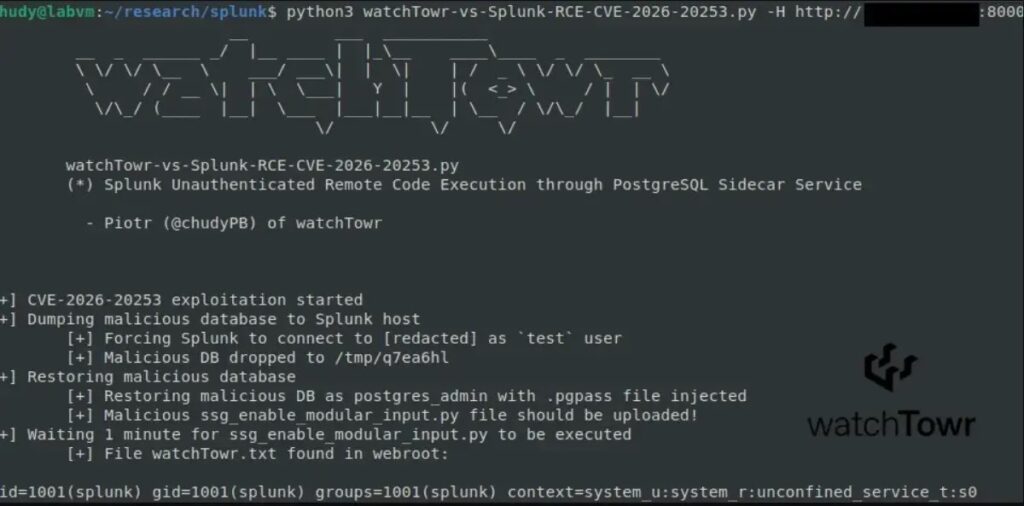
watchTowr also released a limited detection artifact generator that checks whether access to the backup endpoint is blocked. It is designed to help defenders identify vulnerable exposure without providing a full weaponized exploit.
Teams should also review PostgreSQL sidecar configuration. Splunk’s server.conf documentation describes configuration settings, while Splunk’s configuration reference can help administrators validate local settings before applying changes.
| Defensive action | Purpose |
| Patch to fixed Splunk Enterprise releases | Removes the vulnerable behavior. |
| Block untrusted access to Splunk Web | Reduces exposure to internal proxy routes. |
| Review PostgreSQL recovery endpoint access | Finds signs of probing or exploitation. |
| Check Splunk script integrity | Detects possible RCE follow-on activity. |
Review .pgpass access and sidecar settings | Helps understand local database abuse risk. |
No public exploitation confirmed, but details are now available
Public reporting has not confirmed active exploitation in the wild at the time of disclosure. However, technical details are now public, and vulnerable Splunk Enterprise systems may attract rapid opportunistic scanning.
PostgreSQL’s pg_dump behavior and password file support are normal database features. The vulnerability came from how Splunk exposed and trusted internal operations without proper authentication controls.
The safest path is to patch immediately, restrict Splunk Web access, and investigate any suspicious requests to sidecar recovery endpoints. For self-managed Splunk Enterprise on AWS, administrators should treat this as a priority because the PostgreSQL sidecar may be enabled by default.
FAQ
CVE-2026-20253 is a critical vulnerability in Splunk Enterprise where a PostgreSQL sidecar service endpoint lacks authentication controls. It can allow unauthenticated users to create or truncate arbitrary files and can be chained into remote code execution.
Splunk Enterprise 10.2.0 to 10.2.3 and 10.0.0 to 10.0.6 are affected. Splunk Enterprise 10.4, 9.4, and 9.3 are not affected.
No. Splunk says Splunk Cloud Platform is not affected because Postgres sidecars are not used in Splunk Cloud.
Administrators should upgrade Splunk Enterprise 10.2 deployments to 10.2.4 or later and Splunk Enterprise 10.0 deployments to 10.0.7 or later. If they cannot patch immediately, Splunk provides a workaround to disable the PostgreSQL sidecar service where safe to do so.
Public reporting did not confirm active exploitation at disclosure. However, technical details are public, so exposed vulnerable Splunk Enterprise systems should be patched and reviewed quickly.


Read our disclosure page to find out how can you help VPNCentral sustain the editorial team Read more


Improve this guide


User forum
0 messages