
WhatsApp GhostPairing Scam Links Attacker Devices Without Password Theft


 10 min. read
  Published on
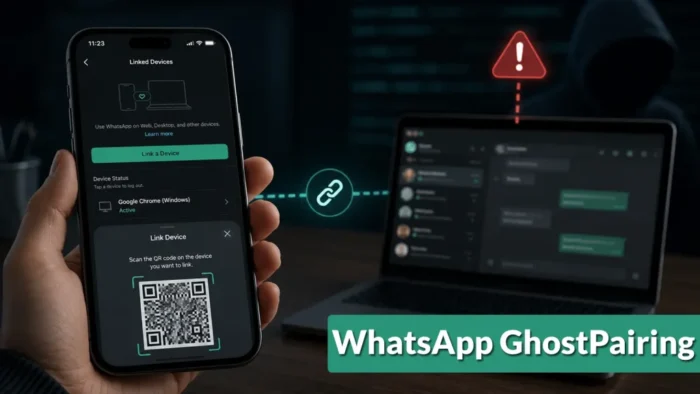
WhatsApp users face an account-compromise technique called GhostPairing that gives scammers access to messages and contacts without stealing a password, intercepting a registration code or taking control of a SIM card.
The attack abuses WhatsApp’s legitimate device-linking feature. A victim follows instructions on a deceptive website and unknowingly approves an attacker-controlled browser as a trusted linked device. Gen Digital highlighted the threat again in its H1 2026 threat report.

Access content across the globe at the highest speed rate.
🔥 Save 81% + 2 bonus months! 🔥
70% of our readers choose Private Internet Access
70% of our readers choose ExpressVPN
2
Browse the web from multiple devices with industry-standard security protocols.
🔥 Save 73%! 🔥

Faster dedicated servers for specific actions (currently at summer discounts)
🔥 Save 69%! 🔥
Once connected, the attacker can receive new messages, view synchronized conversations and media, and send messages as the victim. The original phone continues working, which can allow the unauthorized connection to remain unnoticed.
What Is WhatsApp GhostPairing?
GhostPairing is a social-engineering campaign identified and named by Gen Threat Labs. It persuades users to complete WhatsApp’s real device-pairing process for a computer controlled by a scammer.
The original GhostPairing investigation documented activity that started with short WhatsApp messages claiming that someone had found a photo of the recipient. The links displayed Facebook-style previews but opened unrelated websites designed to imitate a photo viewer.
The fake page asked the victim to verify their identity. Instead of checking a Facebook account, the site initiated a WhatsApp device-linking request.
| Attack detail | GhostPairing finding |
|---|---|
| Initial disclosure | December 15, 2025 |
| Initial observed region | Czechia |
| Primary lure | A message claiming to show a photo of the recipient |
| Preferred linking method | Phone number and numeric pairing code |
| Alternative method | WhatsApp Web QR code |
| Password required | No |
| SIM swap required | No |
| Software vulnerability exploited | No technical vulnerability was reported |
How the Numeric Pairing-Code Attack Works
WhatsApp allows users to connect a web browser or desktop application by scanning a QR code. It also provides a phone-number linking option that generates a numeric code for the account owner to approve inside WhatsApp.
GhostPairing attackers place their own interface in front of that legitimate process. The fake website asks the victim for a telephone number and sends it to WhatsApp’s real device-linking system.
WhatsApp generates a pairing code. The attacker’s page displays that code with misleading instructions telling the victim to enter it in WhatsApp to view a photo, confirm an account or complete a security check.
- A compromised contact sends the victim a short message containing a link.
- The link opens a fake Facebook-style photo viewer.
- The website asks the victim to enter a telephone number.
- The site starts WhatsApp’s legitimate phone-number pairing process.
- A numeric pairing code appears on the fake page.
- The victim enters the code in WhatsApp, believing it is a verification step.
- WhatsApp registers the attacker’s browser as a linked device.
QR-Code Pairing Is Possible but Less Common
Attackers can also display a WhatsApp Web QR code on a deceptive page and tell the victim to scan it. Doing so approves the attacker’s browser in the same way as scanning a QR code for a legitimate computer.
Gen researchers described this as a less practical option because many victims open the fake page on the same phone that runs WhatsApp. Scanning a QR code displayed on that phone generally requires another screen.
The numeric code works entirely on one mobile device and resembles familiar account-verification procedures. Researchers therefore observed attackers favouring it for campaigns intended to reach many users.
GhostPairing Does Not Break WhatsApp Encryption
The attack does not decrypt intercepted traffic or defeat WhatsApp’s end-to-end encryption. The victim authorizes the attacker’s browser as a legitimate linked device, so WhatsApp delivers synchronized content to it through the normal service.
According to the WhatsApp linked-device guidance, users can review connected devices and remove any session they do not recognize. WhatsApp also displays notifications when devices link to an account.
GhostPairing depends on the victim misunderstanding or overlooking those warnings. The request may appear to confirm access to a photo or another service, even though the user is approving a new WhatsApp device.
| Attack description | Does GhostPairing require it? |
|---|---|
| Password theft | No |
| SMS code interception | No |
| SIM swapping | No |
| Encryption compromise | No |
| Malware installation | No, based on the documented campaign |
| Victim approval | Yes |
What Attackers Can Access Through a Linked Device
A successful attacker receives the capabilities normally available through WhatsApp Web. This can include synchronized historical conversations, new messages and media such as photographs, videos and voice notes.
The linked browser can also send messages to individual contacts and groups. Scammers can impersonate the victim, distribute the same GhostPairing lure or make urgent requests for money and confidential information.
This differs from a traditional account takeover that changes credentials or removes the owner’s access. The victim’s phone may continue to send and receive messages normally while the attacker watches from the linked browser.
- Read conversations that WhatsApp synchronizes to the linked browser
- Receive new messages in real time
- View and download synchronized media
- Send messages while impersonating the victim
- Contact friends, relatives, colleagues and group members
- Collect personal details for later phishing or fraud
- Forward GhostPairing links to additional targets
Compromised Accounts Help the Scam Spread
The campaign becomes more convincing after the attacker compromises the first account. New targets receive the malicious link from someone they already know rather than from an unfamiliar telephone number.
A brief message about a photograph can match the informal style of ordinary WhatsApp conversations. Attackers can also study existing messages to imitate the victim’s language and understand their relationships.
If another contact follows the instructions and approves a linked device, the attacker gains access to another trusted account. This creates a repeating chain that can move through family chats, school groups and professional conversations.
Business WhatsApp Accounts Create Additional Risk
A compromised employee or business account can support invoice fraud, executive impersonation and targeted phishing. Messages may look credible because they come from a recognized account and refer to information found in earlier conversations.
Attackers could study payment routines, customer relationships or planned transactions before sending a fraudulent request. They may also use voice notes and shared media to make later impersonation attempts more persuasive.
Organizations should never treat a familiar WhatsApp account as sufficient proof of identity for a financial or sensitive request. Staff should confirm unusual instructions through a separate telephone call, approved business system or in-person conversation.
Gen Report Tracks Scams Moving Into Trusted Spaces
Gen Digital included GhostPairing in a broader review of scams that operate through trusted accounts, advertisements and online services. Its 2026 midyear security findings also reported a rise of more than 454% in detected family-impersonation scams.
Those figures do not represent a measured increase in GhostPairing alone. Gen described GhostPairing as separate activity that showed how attackers can abuse WhatsApp’s linked-device feature to impersonate trusted contacts.
The approach reflects a wider social-engineering trend. Rather than creating an obviously fake account, criminals compromise or borrow access to an identity that already has established relationships.
Warning Signs of a GhostPairing Attempt
Users should treat any unsolicited instruction to enter a pairing code or scan a WhatsApp QR code as suspicious. External websites do not need a linked WhatsApp device to display a photograph, verify a social-media account or protect WhatsApp from suspension.
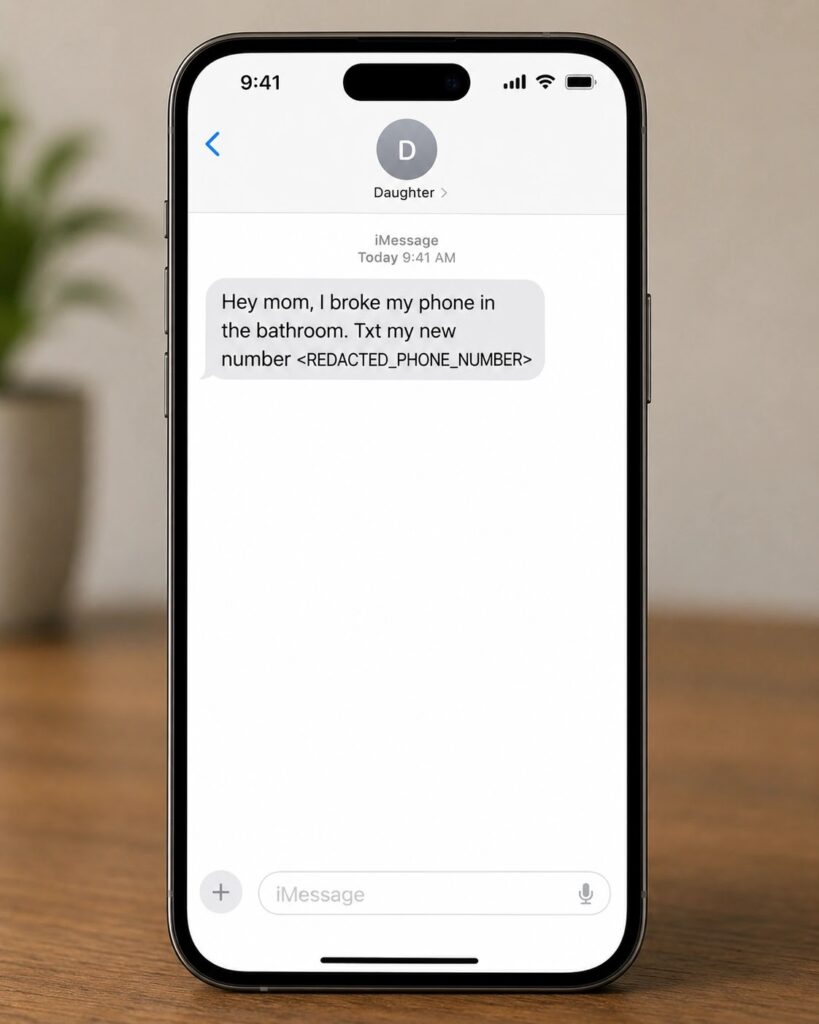
Requests may arrive from compromised accounts belonging to friends, relatives or colleagues. Users should contact the apparent sender through a separate channel before opening an unexpected link.
- A message claiming someone found a photograph of you
- A Facebook-style preview that opens an unfamiliar domain
- A website asking for your phone number before showing content
- Instructions to enter a numeric code inside WhatsApp
- A request to scan a WhatsApp QR code for verification
- An unexpected notification about a newly linked device
- An unfamiliar browser listed under Linked Devices
- Contacts reporting messages you did not send
How to Check and Remove Linked WhatsApp Devices
Users can inspect active connections from the primary WhatsApp application. On Android, open the menu and select Linked Devices. On iPhone, open WhatsApp Settings and select Linked Devices.
The device list may show the browser or application type and its recent activity. Any connection that the user cannot identify should be removed immediately.
The official WhatsApp Help Center instructions advise users to select an unrecognized device and log it out. Users should repeat the process for every suspicious session.
- Open WhatsApp on the primary phone.
- Go to Settings or the main menu.
- Select Linked Devices.
- Review each browser and device shown.
- Select any unfamiliar session.
- Tap Log Out.
- Warn contacts if the account sent suspicious messages.
What to Do After a GhostPairing Compromise
Affected users should remove unknown linked devices before responding to suspicious conversations. They should then review recent messages to determine whether the attacker contacted friends, relatives, customers or colleagues.
WhatsApp’s compromised-account recovery guidance recommends notifying family and friends when another person may be using the account. Contacts should ignore unusual payment requests and links sent during the affected period.
Users should also enable WhatsApp Two-Step Verification and provide a secure recovery email address. This feature protects against other registration and takeover methods, but users must still reject unexpected device-pairing requests.
- Log out every unknown linked device.
- Enable Two-Step Verification with a unique PIN.
- Notify contacts about suspicious messages.
- Delete any fraudulent messages still waiting to be opened.
- Report the malicious account, link and website.
- Contact a bank immediately if money was transferred.
- Preserve screenshots and transaction records for investigators.
- Verify whether sensitive information appeared in exposed chats.
GhostPairing Domains Reported by Gen Digital
Gen researchers identified several lookalike domains associated with the campaign. The names referred to photos or posts and attempted to support the false social-media viewer story.
The following indicators have been defanged to prevent accidental visits. Domains used by phishing campaigns can change quickly, so the absence of these exact names does not prove that a link is safe.
| Type | Defanged indicator |
|---|---|
| Domain | photobox[.]life |
| Domain | postsphoto[.]life |
| Domain | yourphoto[.]life |
| Domain | photopost[.]live |
| Domain | yourphoto[.]world |
| Domain | top-foto[.]life |
| Domain | fotoface[.]top |
How Users and Organizations Can Reduce the Risk
Device linking should only begin when the account owner deliberately chooses to connect a computer or second device. A website, caller or message sender should never direct that process.
The Gen GhostPairing research recommends periodically reviewing Linked Devices and treating requests to enter codes from external webpages as suspicious.
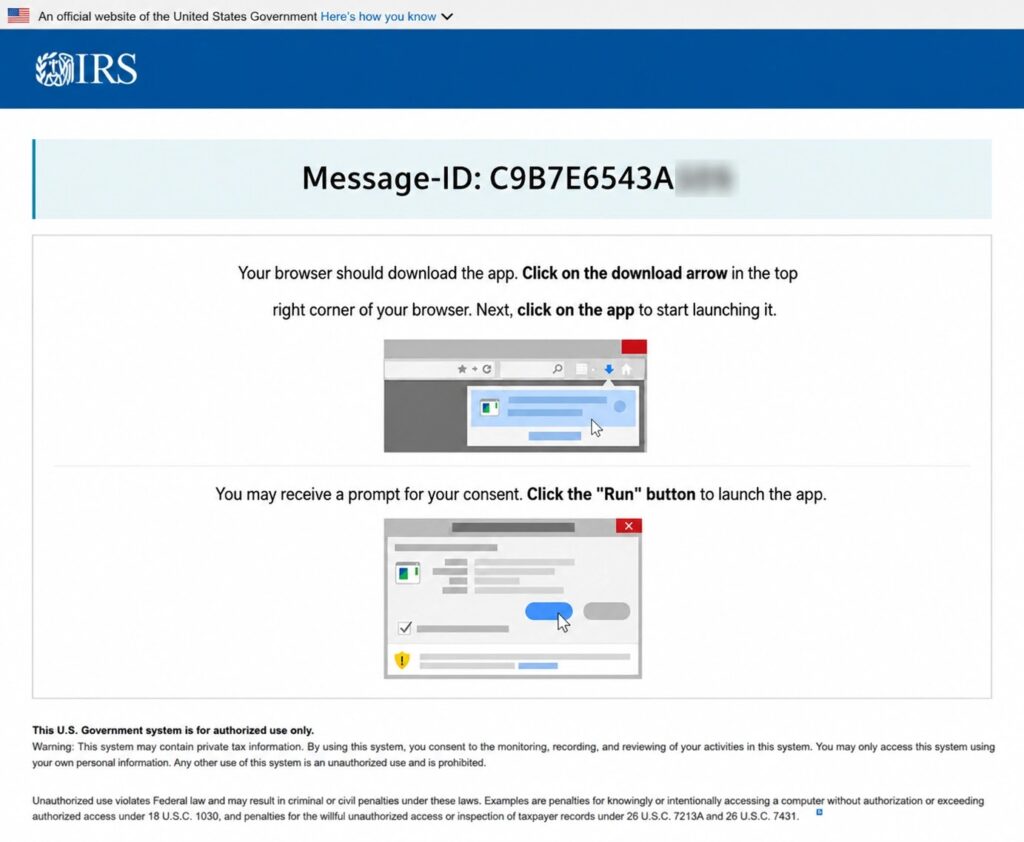
Organizations should add linked-device scams to security-awareness training. Payment changes, document requests and transfers of sensitive information should require independent confirmation, even when the message comes from a known WhatsApp account.
Two-Step Verification Still Matters
WhatsApp Two-Step Verification adds a six-digit PIN to account registration and recovery. It remains a useful defence against attempts to register the victim’s phone number on another primary device.
However, GhostPairing uses a device-linking workflow approved from the existing account. Two-Step Verification should therefore complement device reviews and careful handling of pairing codes rather than replace them.
Anyone who suspects unauthorized access should follow the official WhatsApp recovery process, remove unknown devices and warn contacts promptly. Fast action can reduce the time available for scammers to monitor conversations or exploit the account’s trusted identity.
FAQ
GhostPairing is a social-engineering technique that tricks a WhatsApp user into approving an attacker-controlled browser as a linked device.
No. The documented attack uses WhatsApp’s legitimate device-pairing process and relies on the victim entering a numeric pairing code or scanning a QR code.
No. The attacker receives messages through a linked device that the victim has unknowingly authorized. The attack does not decrypt intercepted WhatsApp traffic.
Open WhatsApp Settings or the main menu, select Linked Devices and review every listed browser or device. Log out any connection you do not recognize.
Two-Step Verification helps protect account registration and other takeover methods, but users must still reject unexpected device-linking requests and pairing codes.
Remove unknown linked devices, enable Two-Step Verification, warn contacts, report malicious links and contact the bank immediately if any money was transferred.


Read our disclosure page to find out how can you help VPNCentral sustain the editorial team Read more


Improve this guide




User forum
0 messages