
How to Get Unbanned from 321Chat (2026 Guide)


 5 min. read
  Published on
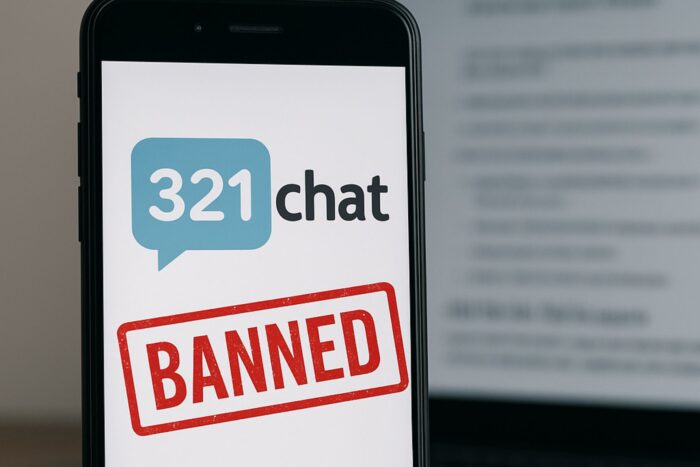
If you’ve run into a 321Chat ban, stick around. Many users suddenly find themselves blocked from the platform without knowing why.
A ban can stop you from entering chat rooms, logging in, or even loading the site. In this guide, we’ll explain the most common reasons for 321Chat bans, how to confirm if you’re banned, and step-by-step methods to get unbanned from 321Chat.
Table of contents
- Before You Try to Fix a 321Chat Ban
- How to Get Unbanned from 321Chat with a VPN
- Other Ways to Recover from a 321Chat Ban Without a VPN
- Comparison of Methods to Bypass a 321Chat Ban
- Tips to Avoid a 321Chat False Ban in the Future
- FAQs About 321Chat Bans
- Conclusion: Safely Regain Access to 321Chat
- Summary Checklist
Before You Try to Fix a 321Chat Ban
- Confirm the issue isn’t a glitch: Clear your browser’s cache and cookies, then reload 321Chat. Try a different browser or device, or use private/incognito mode.
- Test your network: Switch between home Wi-Fi and mobile data. If one works, your IP is likely banned.
- Disable VPNs or proxies: 321Chat often blocks known VPN/proxy IP ranges.
- Review 321Chat’s rules: Many bans happen for spam, offensive language, or sharing personal info. Appeals work best if you didn’t break rules.
How to Get Unbanned from 321Chat with a VPN
If your IP was blocked, a VPN can give you a new address. Here’s how:
- Choose a reputable VPN. See our guide on the best OmeTV VPNs for providers that also work with chat sites.
- Install and launch the VPN app. Works on both desktop and mobile.
- Connect to a server. Try a U.S. server first; switch locations if you’re still blocked.
- Verify your new IP. Check online to confirm it changed.
- Access 321Chat. Reload the site. If blocked, try another server. For similar issues, see our guide on OmeTV VPN not working.
- Log in or appeal. If your account itself is banned, use the official appeal form before creating new accounts.
- Stay compliant. VPNs should only be used for recovery or privacy, not to break rules.
Disclaimer: Using a VPN is legal in the U.S., but 321Chat may view it as a violation of their Terms. Use responsibly and at your own risk.
Best VPNs for 321Chat
- ExpressVPN – Fast and reliable, with thousands of servers worldwide.
- CyberGhost – User-friendly, with one-click unblocking and streaming servers.
- Private Internet Access (PIA) – Huge server network with advanced customization.
Other Ways to Recover from a 321Chat Ban Without a VPN
- Switch to another network: Try mobile data or a different Wi-Fi.
- Reset your router: Dynamic IPs can change with a reboot.
- Use a proxy: Less secure, often blocked, but worth a try.
- Appeal the ban: Use the official form; responses take 1–5 days.
- Wait it out: Temporary bans often expire after 12–24 hours.
- Create a new account (carefully): Only if your IP isn’t banned and rules are followed.
Comparison of Methods to Bypass a 321Chat Ban
| Method | How it works | Pros & Cons |
|---|---|---|
| VPN | Connect to a server for a new IP. | ✅ Quick, reliable ❌ Some VPN IPs blocked |
| Switch Network | Try mobile data or another Wi-Fi. | ✅ Easy, free ❌ Not always available |
| Ban Appeal | Submit form on 321Chat’s site. | ✅ Official, restores account ❌ Takes time |
| Wait It Out | Temporary bans lift in 12–24h. | ✅ No effort ❌ Only works for temp bans |
| Router Reset | Reboot to get a new IP. | ✅ Simple ❌ May get same IP back |
Tips to Avoid a 321Chat False Ban in the Future
- Review and follow the platform’s rules to prevent bans.
- Appeal officially if wrongly banned.
- Check guides like how to bypass a Chat Avenue ban for similar fixes.
- Use only legal tools like VPNs and see safe Omegle alternatives if access isn’t restored.
FAQs About 321Chat Bans
A: It’s a free chat site. Users are banned for spam, offensive behavior, sharing personal info, or breaking rules. Some bans are automatic.
A: You’ll usually see a “blocked” message or be unable to chat. Test on another network to confirm.
A: Yes, a VPN gives you a new IP, but 321Chat discourages it and blocks some VPN ranges.
A: Fill out the ban appeal form on 321Chat’s site. Responses take 1–5 days, faster for VIPs.
A: If VPNs, appeals, and waiting don’t help, your ban may be permanent. Consider safe chat alternatives.
Conclusion: Safely Regain Access to 321Chat
A 321Chat ban can be frustrating, but recovery is possible. Official appeals are the safest path, while VPNs and IP changes are the fastest. Always follow community rules to prevent repeat bans.
Summary Checklist
- Confirm if it’s truly a ban.
- Clear cookies and test on another device or network.
- Turn off VPNs or proxies.
- Appeal if you believe it’s a false ban.
- Use a trusted VPN for a new IP if needed.
- Switch networks or reset your router.
- Respect rules to avoid future bans.


Read our disclosure page to find out how can you help VPNCentral sustain the editorial team Read more


Improve this guide

User forum
0 messages