
15 Best Angry IP Scanner Alternatives to Try in 2026


 8 min. read
  Published on
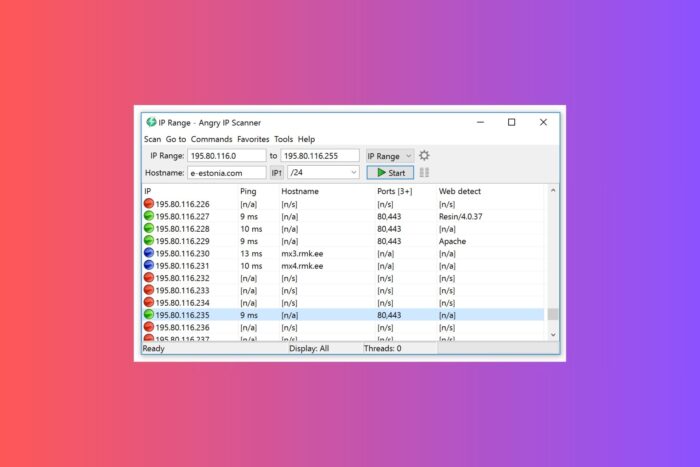
Angry IP Scanner is a free and fast tool for spotting active devices on a network. IT admins and security pros use it widely, but many eventually look for an Angry IP Scanner alternative that offers deeper insights, scheduling, or enterprise features. If you want more than basic ping sweeps, these tools push your network monitoring and security checks further.
Table of contents
- Top Angry IP Scanner Alternatives to Try
- 1. Nmap – Deep scans and scripting power
- 2. Advanced IP Scanner – Fast Windows LAN control
- 3. SoftPerfect Network Scanner – GUI with pro insights
- 4. ZMap – Internet-scale speed and reach
- 5. Fing – Mobile-first discovery and alerts
- 6. Nessus – Vulnerability scanning at scale
- 7. OpenVAS (Greenbone) – Open-source vuln checks
- 8. Wireshark – Packet-level visibility and proof
- 9. SolarWinds IP Address Manager – Enterprise IPAM control
- 10. BlueCat IPAM – DNS, DHCP, IP governance
- 11. Free IP Scanner – Lightweight quick sweeps
- 12. Wireless Network Watcher – Who is on your Wi-Fi
- 13. Bopup Scanner – Simple LAN scanning
- 14. inSSIDer – Wi-Fi channels and interference
- 15. NetSpot – Wi-Fi surveys and heatmaps
- Conclusion
- FAQ
Top Angry IP Scanner Alternatives to Try
1. Nmap – Deep scans and scripting power
Why it stands out: Comprehensive scans with automation.

Access content across the globe at the highest speed rate.
🔥 Save 81% + 2 bonus months! 🔥
70% of our readers choose Private Internet Access
70% of our readers choose Private Internet Access
2
Browse the web from multiple devices with industry-standard security protocols.
🔥 Save 73%! 🔥

Faster dedicated servers for specific actions (currently discounted)
🔥 Save 69%! 🔥
- Host discovery, port scanning, OS and service detection
- Nmap Scripting Engine for targeted checks
- Windows, macOS, Linux support
- Optional Zenmap GUI
Why it works for you: When you outgrow Angry IP Scanner, Nmap gives you depth. You identify services on each host, fingerprint operating systems, and run scripts that surface weak spots. If teammates need a primer, share this clear explainer on what an IP address is so everyone speaks the same language during audits.
2. Advanced IP Scanner – Fast Windows LAN control
Why it stands out: Discovery plus remote actions.
- Remote access with RDP and Radmin
- Shared folder visibility and file access
- Remote device shutdown
- Windows focused
Why it works for you: You scan, then act. Jump into a remote desktop, browse shares, or power off a box without leaving the app. This trims response time when users report site warnings like your IP has been flagged. You track the machine and fix the issue fast.
3. SoftPerfect Network Scanner – GUI with pro insights
Why it stands out: Rich host detail with a clean interface.
- IPv4 and IPv6 scanning at speed
- WMI, SNMP, NetBIOS, remote registry
- Hidden shares and logged-in users
- Scripting and automation options
Why it works for you: You want context per host without a steep curve. SoftPerfect shows uptime, services, and share exposure so you catch weak spots. If someone captured your address via a tracker, review this guide on how to know if your IP has been grabbed and tighten policy after the scan.
4. ZMap – Internet-scale speed and reach
Why it stands out: Scans massive ranges in minutes.
- Entire IPv4 space on fast links
- Scriptable CLI for repeatable research
- Great for exposure surveys
Why it works for you: You need reach more than per-host depth. ZMap maps exposure patterns across the public internet. If your org faces reputation blocks, this explainer on posting IP range blocked for abuse helps you justify routing or VPN policy changes.
5. Fing – Mobile-first discovery and alerts
Why it stands out: Network visibility from your phone.
- iOS, Android, Windows, macOS apps
- Device discovery, vendors, open ports
- Real-time alerts and intruder detection
- Wi-Fi troubleshooting tools
Why it works for you: Walk the floor and check who sits on the Wi-Fi from your phone. Verify your address with a real-time IP locator. If you want more privacy after discovery, follow this playbook on how to hide your IP address.
6. Nessus – Vulnerability scanning at scale
Why it stands out: Actionable risk findings.
- Extensive plugin library and CVE coverage
- Policy, compliance, and credentialed scans
- Flexible reports for teams and execs
Why it works for you: You need more than discovery. Nessus tests hosts for known flaws and misconfigurations so you prioritize fixes. It helps separate real exposure from noisy alerts and keeps remediation focused.
7. OpenVAS (Greenbone) – Open-source vuln checks
Why it stands out: Free vulnerability assessment.
- Regular feed updates
- Policy-driven scanning
- Detailed remediation guidance
Why it works for you: You want a no-cost option that still digs into risk. OpenVAS validates threats and helps you build a patch plan that sticks.
8. Wireshark – Packet-level visibility and proof
Why it stands out: Deep protocol analysis.
- Live capture and offline analysis
- Hundreds of protocol dissectors
- Powerful filters and coloring rules
Why it works for you: When logs argue and dashboards disagree, packets tell the truth. Capture traffic to confirm scans, rogue services, or data leaks. If someone claims misuse, this guide on your IP address used without your knowledge pairs well with a clean capture for evidence.
9. SolarWinds IP Address Manager – Enterprise IPAM control
Why it stands out: Centralized IP tracking and governance.
- DHCP and DNS integration
- Conflict detection and alerting
- Audit trails and role-based access
Why it works for you: You manage big networks and need IP hygiene. IPAM reduces duplicate use, shadow subnets, and mystery hosts. It also helps cut user-facing errors that cause messages like your IP has disqualified you from this offer.
10. BlueCat IPAM – DNS, DHCP, IP governance
Why it stands out: Policy-driven address management.
- Templates and workflows for changes
- API-friendly automation
- Discovery and reconciliation
Why it works for you: You want order across DNS, DHCP, and IP. BlueCat enforces consistency and tracks ownership so you avoid overlap and reputation issues.
11. Free IP Scanner – Lightweight quick sweeps
Why it stands out: Small, simple, fast.
- Windows utility with minimal setup
- Multi-threaded host discovery
- Basic port checks
Why it works for you: You just need a quick ping and port sweep. Free IP Scanner gives you a fast read on reachability before you switch to heavier tools.
12. Wireless Network Watcher – Who is on your Wi-Fi
Why it stands out: Quick device inventory over wireless.
- Shows connected clients with MAC and vendor
- Runs silently in the tray
- Exports to common formats
Why it works for you: You want to spot unknown devices fast. Run it and confirm every client, then plan follow-up checks with your heavier scanners.
13. Bopup Scanner – Simple LAN scanning
Why it stands out: Straightforward local discovery.
- Finds hosts by IP or range
- Pulls hostnames and MACs
- Exports results
Why it works for you: You value simplicity. Bopup gives you the basics to map small office networks and keep an eye on new devices without heavy tooling.
14. inSSIDer – Wi-Fi channels and interference
Why it stands out: Visualizes radio health.
- Channel usage and overlap views
- Signal strength and noise tracking
- Recommendations for cleaner channels
Why it works for you: You tune Wi-Fi for stability. Use inSSIDer to pick cleaner channels and cut dropouts.
15. NetSpot – Wi-Fi surveys and heatmaps
Why it stands out: Coverage you can see.
- Site surveys with heatmaps
- Dead zone identification
- Multi-floor and multi-AP planning
Why it works for you: You want proof before you move access points. NetSpot shows gaps and overlap so you place gear with confidence.
Conclusion
Angry IP Scanner gives you a solid start, but it has limits. The alternatives in this list show that network scanning can go far beyond simple host discovery. Some tools give you deeper visibility into operating systems and services, others focus on wireless performance, and a few scale to internet-wide surveys.
By understanding your goals, whether it’s home Wi-Fi monitoring, enterprise IP management, or full security assessments you can pick the tool that matches your needs. The right choice will save time, reduce risks, and help you keep your network running smoothly without unnecessary stress.
FAQ
Yes, when you download it from the official site or GitHub. Avoid third-party bundles and only scan networks you control.
You may want vulnerability checks, scheduling, richer reporting, remote control, or IP governance. The tools above cover those gaps and fit different teams and budgets.
Angry IP Scanner shows live hosts and basic ports. Nmap adds service detection, OS fingerprints, and scripting that helps you uncover risks and automate audits.
Use your preferred IP checker before and after you change settings or connect through a VPN. If you worry about account security, learn how to spot signs of IP harvesting and rotate credentials where needed.
Stay calm and verify facts. Re-scan your network, check for unknown devices, update passwords, and review logs. If a platform blocks your range, contact support and share your scan results to speed up review.


Read our disclosure page to find out how can you help VPNCentral sustain the editorial team Read more


Improve this guide




User forum
0 messages